00197182-04_AI_Prepare_Kit_SX12_de_en.pdf - 第71页
Assembly Instructions / Montageanleitung SIPLACE SX1/SX2 Prepare Kit 04/2017 3 Fitting the Prepare Kit 3.8 Final Work 71 3.8 Final Work Side cover on infrastructure box ► Fit the inner side cover on the infrastructure bo…
3 Fitting the Prepare Kit
3.7 Fitting the End Stop and Preparing the Prepare Kit Case
Assembly Instructions / Montageanleitung SIPLACE SX1/SX2
Prepare Kit 04/2017
70
3.7 Fitting the End Stop and Preparing the Prepare Kit Case
Parts, equipment and tools
●
1x plastic case [03081445-xx]
– 1x buffer stop [03073028-xx]
– 1x buffer stop with actuator [03079647-xx]
Installation
► Fit the bracket to the buffer stop (pre-fitted).
► The actuator is fitted to the bracket with two countersunk screws (pre-fitted).
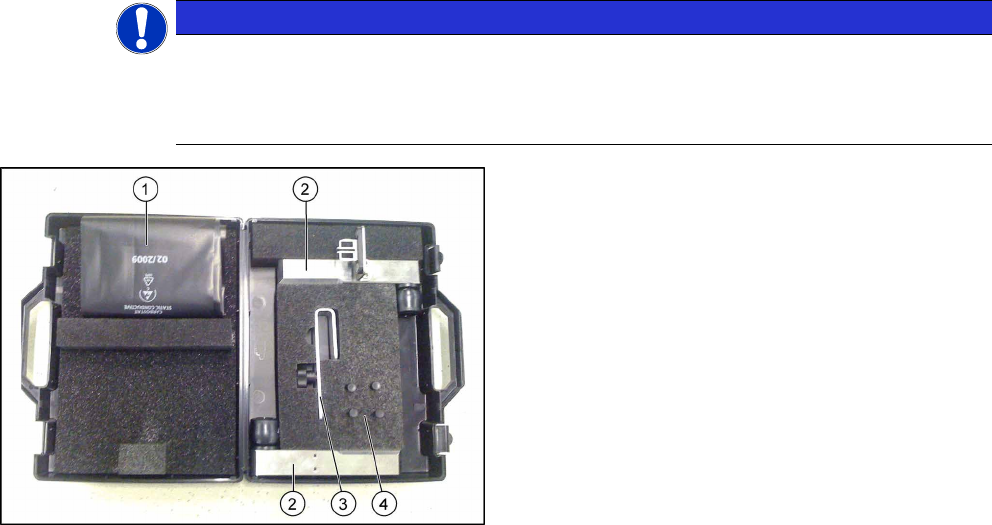
► Equip the prepare kit case as follows:
NOTICE
The content of the prepare kit case differs depending on the machine type (SX1 or SX2).
The case for an SX1 prepared machine only contains the short buffer stops.
The SX2 case contains the long buffer stops, the trailing cable bracket, the heat-shrinkable
hose and the four plugs.
Fig.28: Prepared case
1. Heat-shrinkable hose
2. Buffer stops
3. Trailing cable bracket
4. 4x plugs
Assembly Instructions / Montageanleitung SIPLACE SX1/SX2
Prepare Kit 04/2017
3 Fitting the Prepare Kit
3.8 Final Work
71
3.8 Final Work
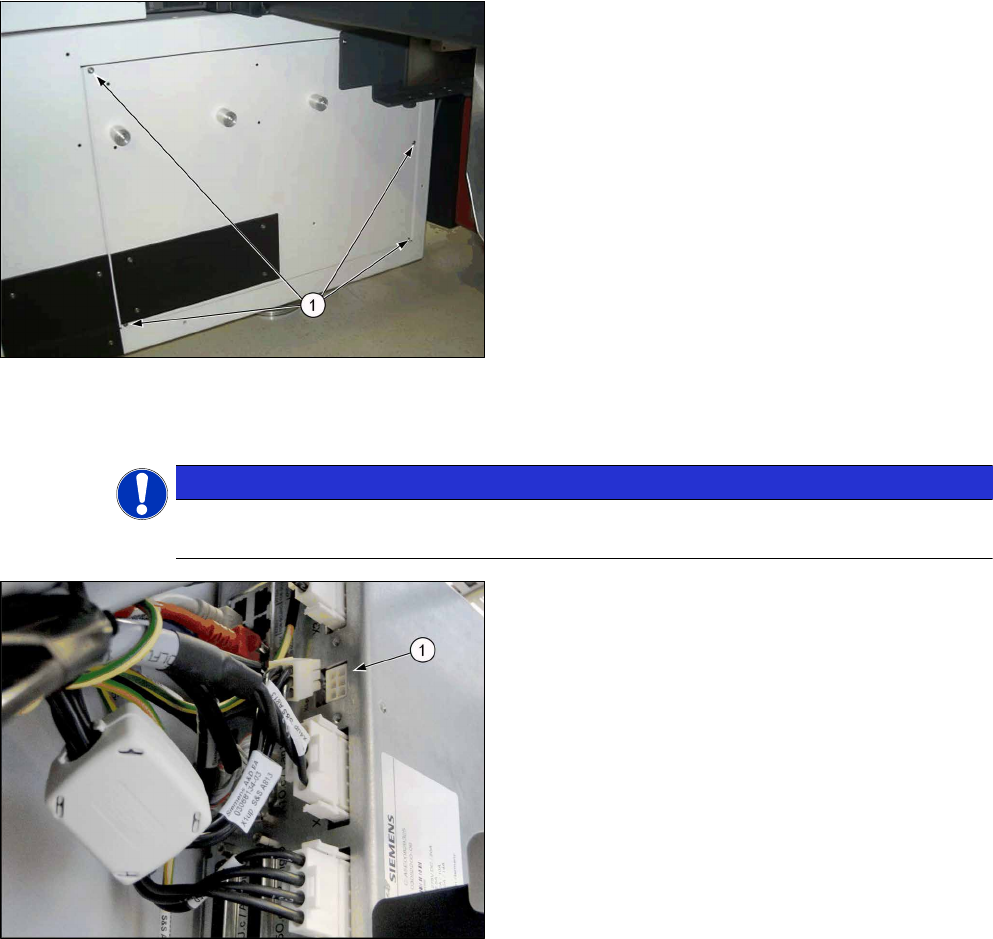
Side cover on infrastructure box
► Fit the inner side cover on the infrastructure box.
► Check once more that all cables have been run correctly and that the trailing cable is fixed in
the bracket.
NOTICE
Do not damage the cables
Make sure that the fans in the hood cover cannot damage any of the cables!
1. Unplug the cable [03068134-xx]
► To ensure a correct start-up of the machine,
please check that the GCU3 power cable has
been unplugged from the X1up connector.
► Attach the GCU label to the inside of the door, above the power supply of infrastructure box 3.
ð The installation is now complete.
Troubleshooting
Error Description:
●
The machine performs a reference run after each time the hoods have been opened.
Solution:
► Check pins 5 and 6 at X1 (PowerEnable and PowerFail) at the GCU.
► For more information, refer to the SIPLACE service.
3 Fitting the Prepare Kit
3.8 Final Work
Assembly Instructions / Montageanleitung SIPLACE SX1/SX2
Prepare Kit 04/2017
72