00198375-02_UM_OnBoardPCB-Inspection-R18-1_DE_EN.pdf - 第48页
3 Programming and Download 3.3 Precedence Rules in After Placement Inspection 48 User Manual / Bedienungsanleitung Onboard PCB Inspection 06/2018
3 Programming and Download
3.3 Precedence Rules in After Placement Inspection
User Manual / Bedienungsanleitung Onboard PCB Inspection 06/2018 47
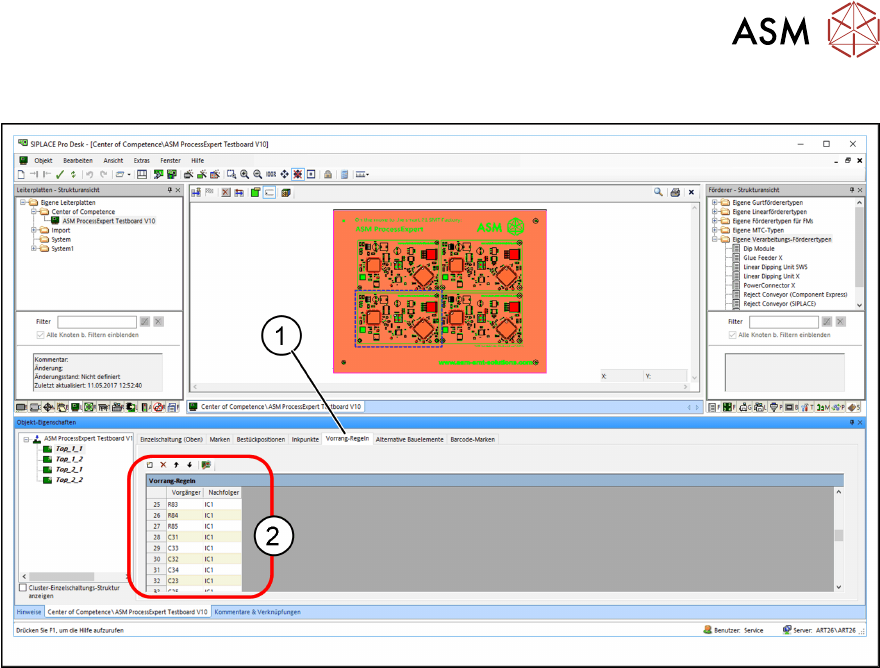
The precedence rules (2) are entered in the Precedences (1) tab of the Board Editor.

3 Programming and Download
3.3 Precedence Rules in After Placement Inspection
48 User Manual / Bedienungsanleitung Onboard PCB Inspection 06/2018
4 Teaching Inspection Areas at the Station
4.1 Teaching Required
User Manual / Bedienungsanleitung Onboard PCB Inspection 06/2018 49
4 Teaching Inspection Areas at the Station
When the recipe data with the enabled inspection options are downloaded for the first time to the
station, you will need to teach the areas of the individual placement positions. Reference images of
the PCB areas to be inspected are acquired. These images are used to create the inspection
model. Take care during teaching to ensure an inspection as robust as possible. This reference
(target state) is then compared to the actual state of the placement positions to be inspected, dur-
ing the placement process. If both states match, placement will be performed. If they do not match,
placement will be stopped with a detailed error message and the operator will need to take action.
4.1 Teaching Required
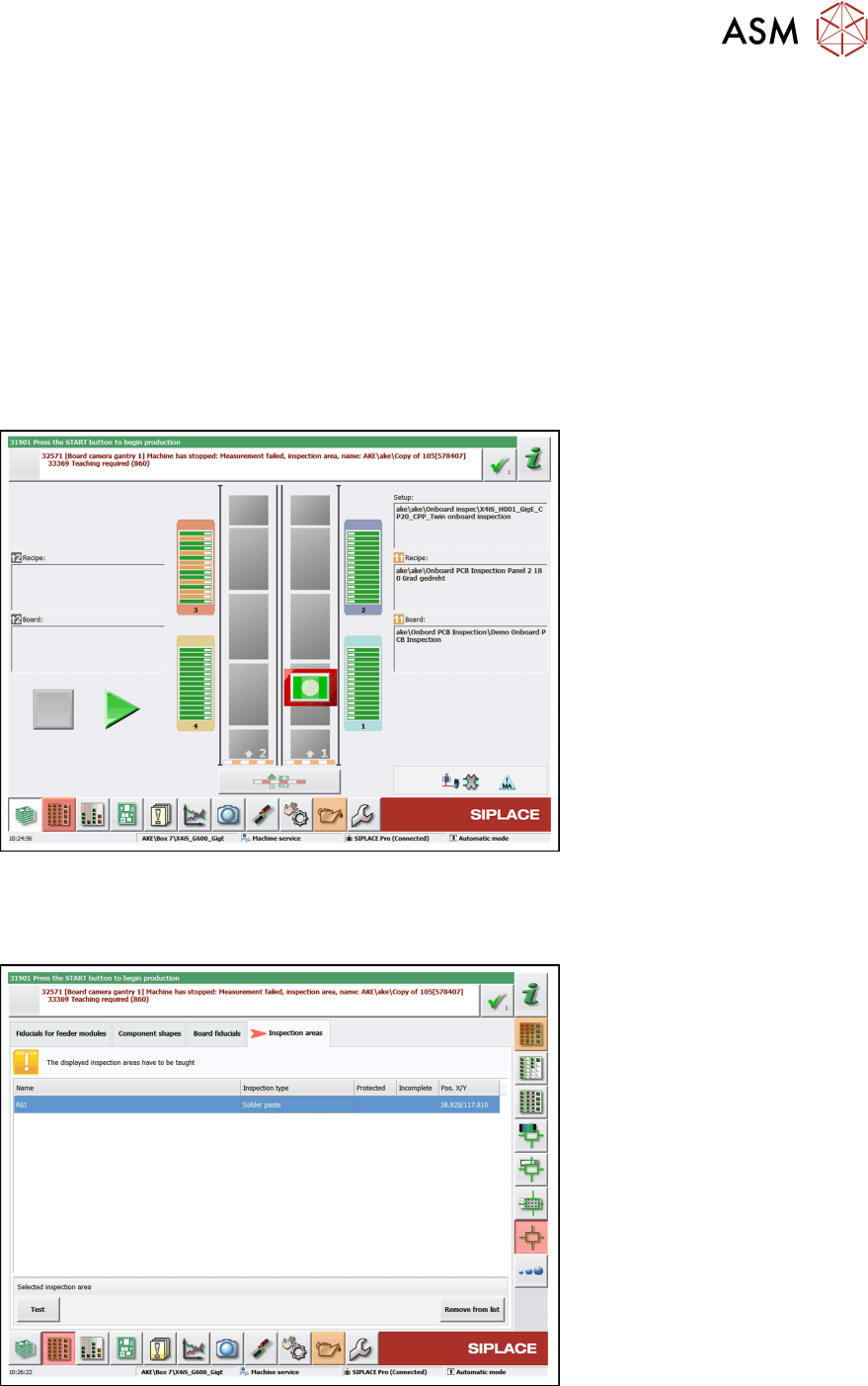
If there is no teaching data present at the station or if the teaching data are faulty, the machine will
be stopped and the Teaching required error message will be shown.
► Select the teaching menu.
ð The teaching view shown varies according to the inspection type chosen.
Example of Solder Paste Inspection (SPI)