00198375-02_UM_OnBoardPCB-Inspection-R18-1_DE_EN.pdf - 第67页
5 Inspection Process at the Station 5.3 Handling of Bad Inspection Results User Manual / Bedienungsanleitung Onboard PCB Inspection 06/2018 67 5.3.5 Incomplete Description of SIPLACE Pro Inspection Area ► Select (1) from…
5 Inspection Process at the Station
5.3 Handling of Bad Inspection Results
66 User Manual / Bedienungsanleitung Onboard PCB Inspection 06/2018
5.3.4 Error During Solder Paste Inspection
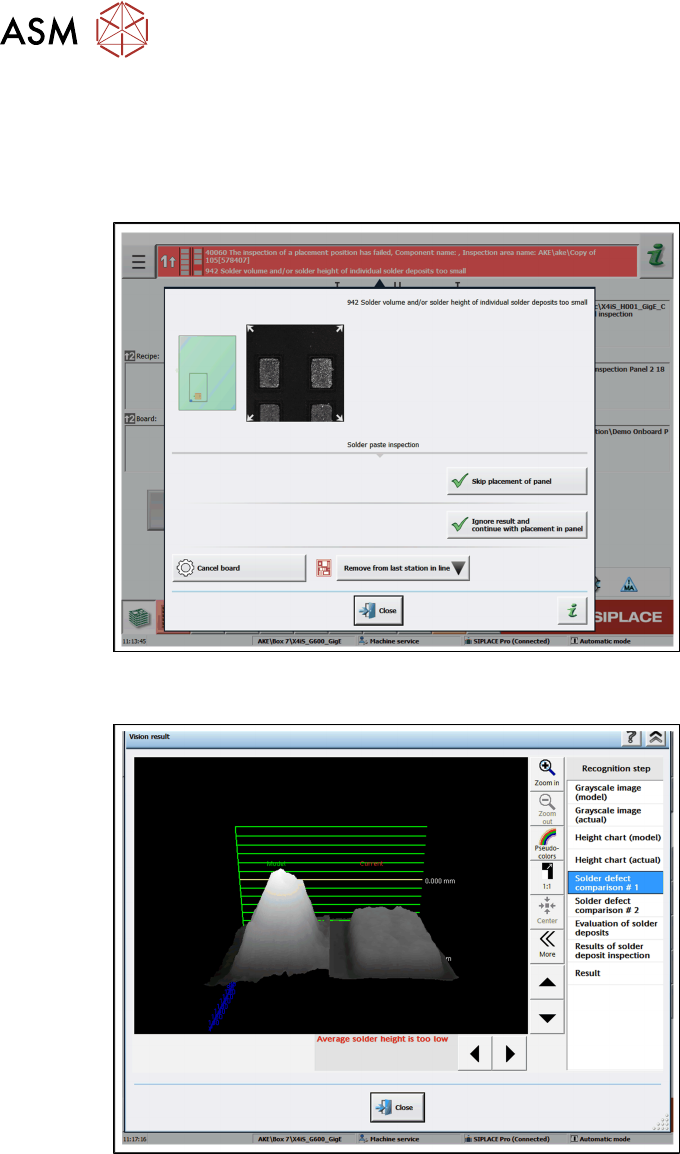
If solder paste inspection errors are detected, the relevant error message will be shown.
► Click on the error message to perform troubleshooting.
ð The following view will be shown.
► Decide how you want to handle the error and perform one of the actions shown.
► Doubleclick on the image to open the following view. The relevant details will be shown.
5 Inspection Process at the Station
5.3 Handling of Bad Inspection Results
User Manual / Bedienungsanleitung Onboard PCB Inspection 06/2018 67
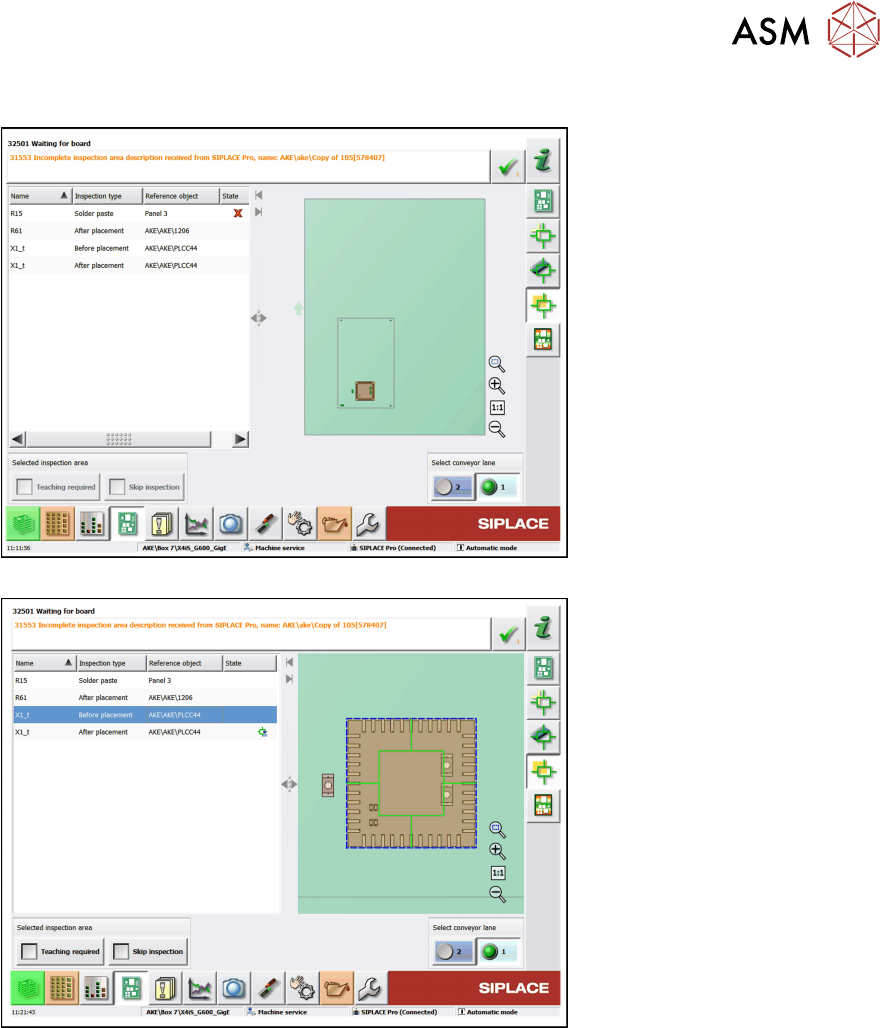
5.3.5 Incomplete Description of SIPLACE Pro Inspection Area
► Select (1) from the toolbar and open the teaching menu (2)
5 Inspection Process at the Station
5.3 Handling of Bad Inspection Results
68 User Manual / Bedienungsanleitung Onboard PCB Inspection 06/2018
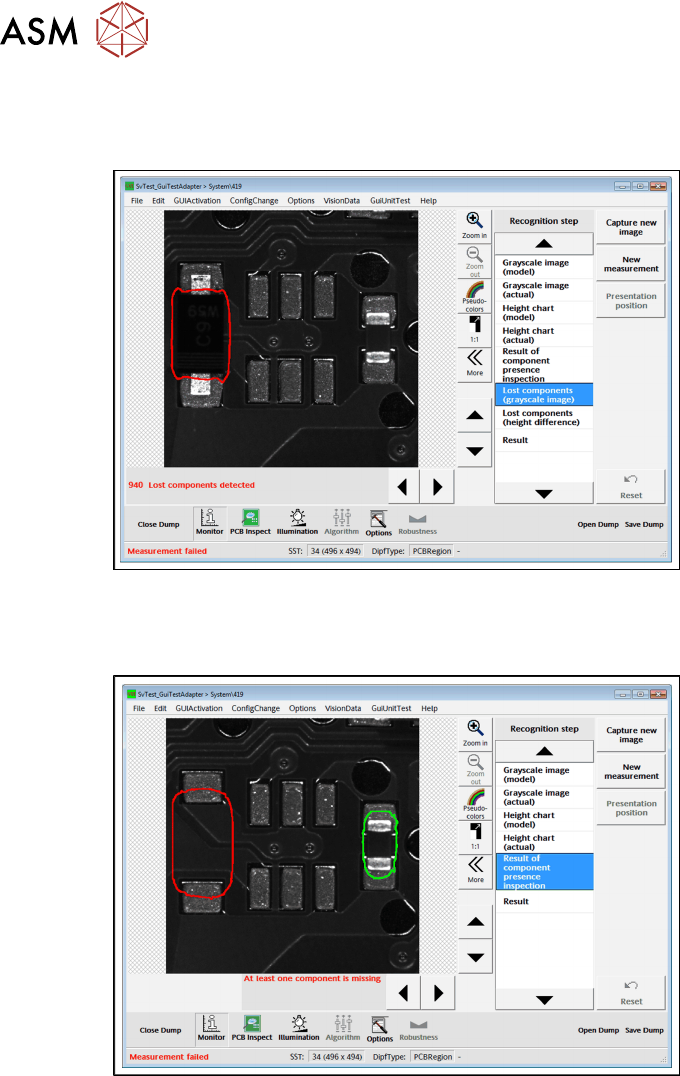
5.3.6 Inspection Results with Errors
Lost components recognized
●
In the area marked with a red border, a component has been detected which should not be
there.
Components missing
●
In the area marked with a red border, no component has been detected. However, a compo-
nent should be placed at this placement position.
●
The area marked with a green border shows a component which was expected here and has
also been placed here (the result is OK).