00198375-02_UM_OnBoardPCB-Inspection-R18-1_DE_EN.pdf - 第62页
5 Inspection Process at the Station 5.2 Comparing Solder Height Differences From Model 62 User Manual / Bedienungsanleitung Onboard PCB Inspection 06/2018 Good example for successful inspection of components after placem…
5 Inspection Process at the Station
5.1 Successful Inspection Results
User Manual / Bedienungsanleitung Onboard PCB Inspection 06/2018 61
5 Inspection Process at the Station
5.1 Successful Inspection Results
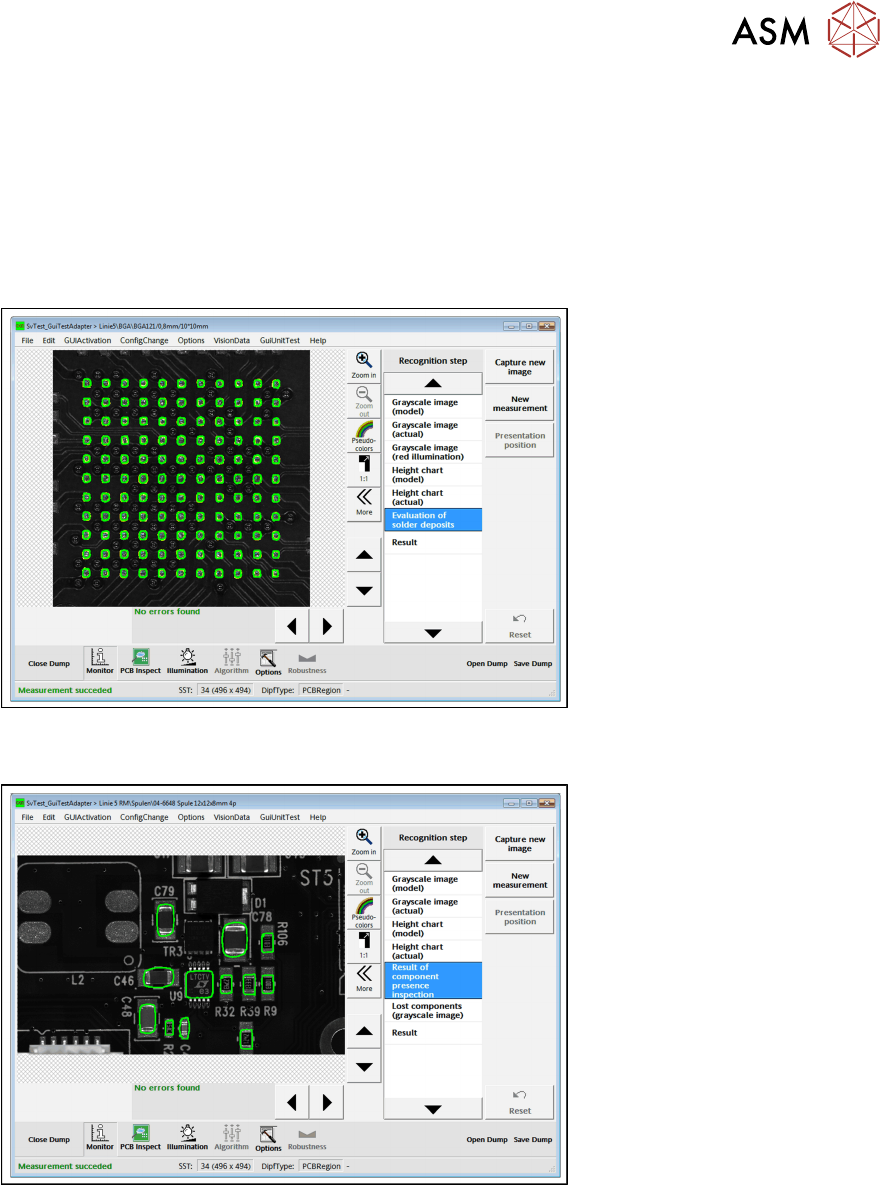
If the inspection was completed successfully, the relevant dialog will be shown. A few examples of
successful inspection results are shown below.
Good example for successful solder paste inspection
Good example for successful inspection of components before placement (required
components are present)
5 Inspection Process at the Station
5.2 Comparing Solder Height Differences From Model
62 User Manual / Bedienungsanleitung Onboard PCB Inspection 06/2018
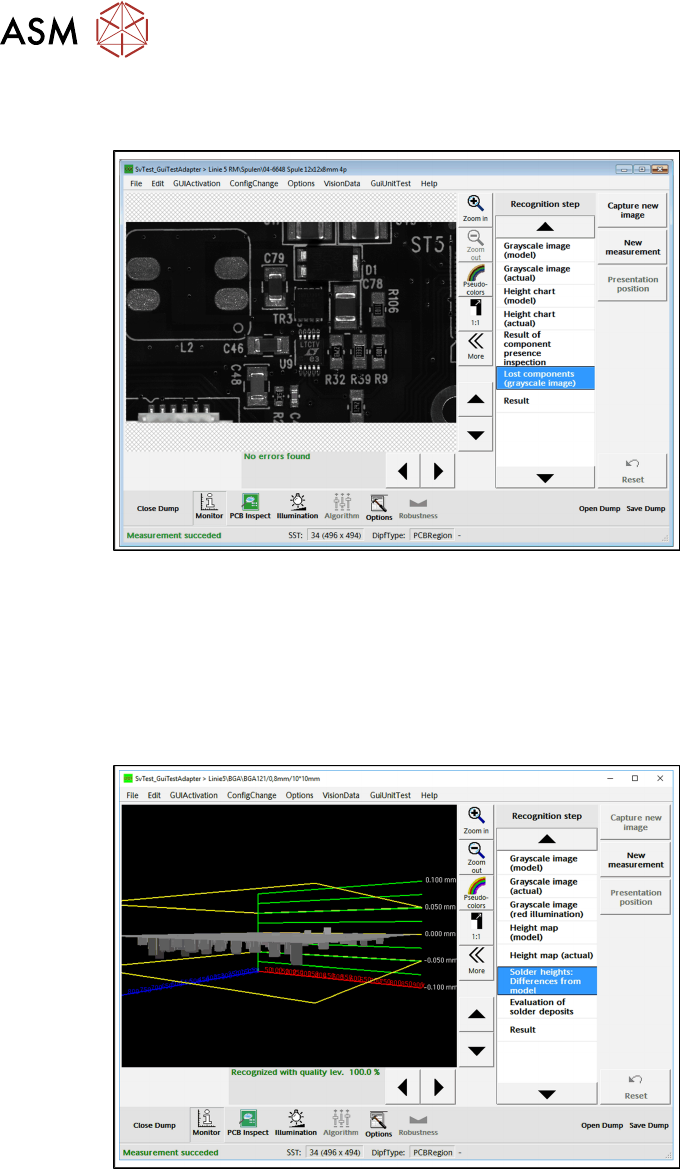
Good example for successful inspection of components after placement (no lost
components found)
Good example
5.2 Comparing Solder Height Differences From Model
Here, a 3D view indicates for each solder deposit how strong its calculated average solder height
deviates from the reference value (model). The borders are shown as yellow rectangles at the cor-
responding Z position.
► Go to Recognition step and select Solder heights: differences from model.
5.3 Handling of Bad Inspection Results
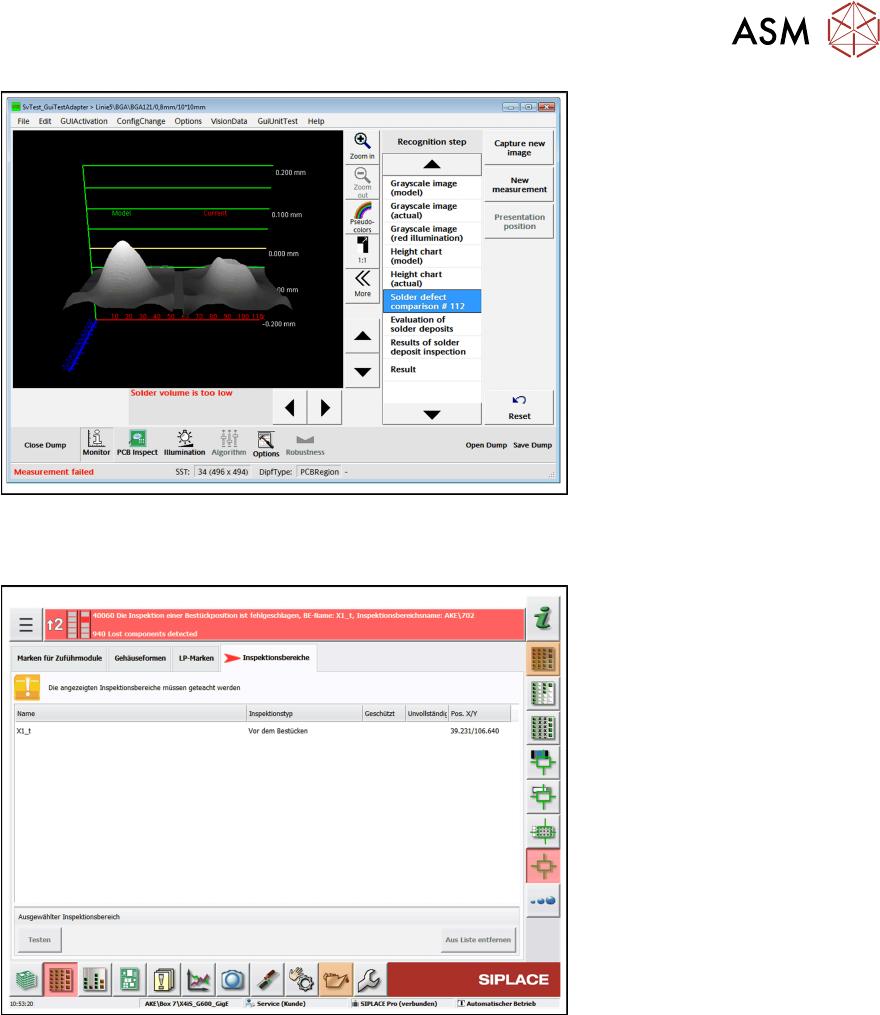
5.3.1 Compare solder deposits
If errors occur, solder deposits can be compared. In the example, the reference image is compared
with the actual image of the solder pad. The diagram shows the difference and reports if the solder
volume is too low.
► Go to Recognition step and select Solder defect comparison# xxx.
5 Inspection Process at the Station
5.3 Handling of Bad Inspection Results
User Manual / Bedienungsanleitung Onboard PCB Inspection 06/2018 63
5.3.2 Lost Components Recognized
If lost components are detected, the relevant error message will be shown.
► Click on the error message to perform troubleshooting.
ð The following view will be shown.