User-Manual-NeoDen9-PNP-machine.pdf - 第13页
13 Zhejiang Neoden T echnol ogy Co., Ltd 2.1.3 Width Set Generally s etting the width d ata in this way: pcb width+1m m. Input the da ta and click “Width Set ”, a gainst the tip s to check if it me et with the width ba c…
12
Zhejiang Neoden Technology Co., Ltd
list interface displays new files, the operation is successful.
2.1 PCB information
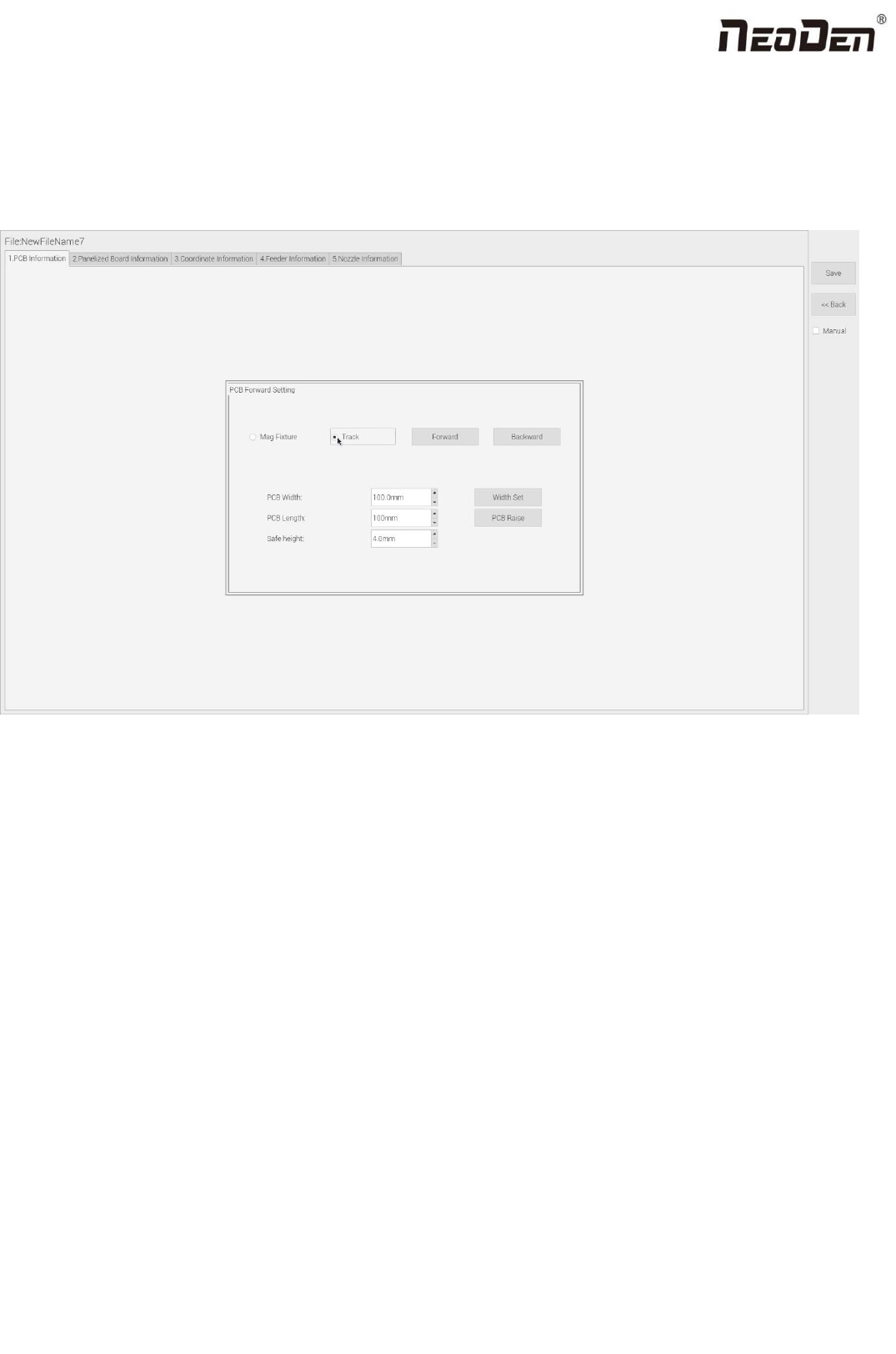
In manual programming, this item is the primary editing item, as shown in the figure:
2.1.1 PCB Forward Setting
Mag Fixture
Select ”Mag Fixture” mode, click “Forward” to feed PCB into the mounting position.
Track
Select “Track” mode, put PCB at the track entrance position and click “Forward”, it will be fed into the stop pin position
(this position can be adjusted manually). Once pcb was stopped, the cylinder will raise pcb and pin return back.
2.1.2 Backward
Click “Backward”, cylinder will descend and pcb be transit to the end of track, it will stop above the sensor position. If
there’s SMT conveyor connected and release signal to pnp machine, pcb will be automatically transit into SMT conveyor.

13
Zhejiang Neoden Technology Co., Ltd
2.1.3 Width Set
Generally setting the width data in this way: pcb width+1mm. Input the data and click “Width Set”, against the tips to check
if it meet with the width back to zero condition. The track will be firstly back to zero width and then widen to the adjusted
data, after that you can put pcb on the track and push it slightly to test if board can be moved smoothly.
2.1.4 PCB Length
It refers to the whole length of PCB. Specially when you need to import the bottom layer coordinates, please firstly input
the PCB length, save it and then import bottom layer, the coordinates will be positive data.
2.1.5 Safe Height
If there’s some special higher component on the PCB, please must set the safe height in case any collision during mounting.
Safe height can be set same as the higher component thickness.
3.Panelized Board Information
3.1 SMD 1 Position Setting
This is mainly to determine the first component on single or panelized PCB of manual program or imported file. The
principle is to collect and calculate the data of each board’s relative spacing, in order to achieve the calculation of the real
coordinate.
3.1.1 Single Board Setting
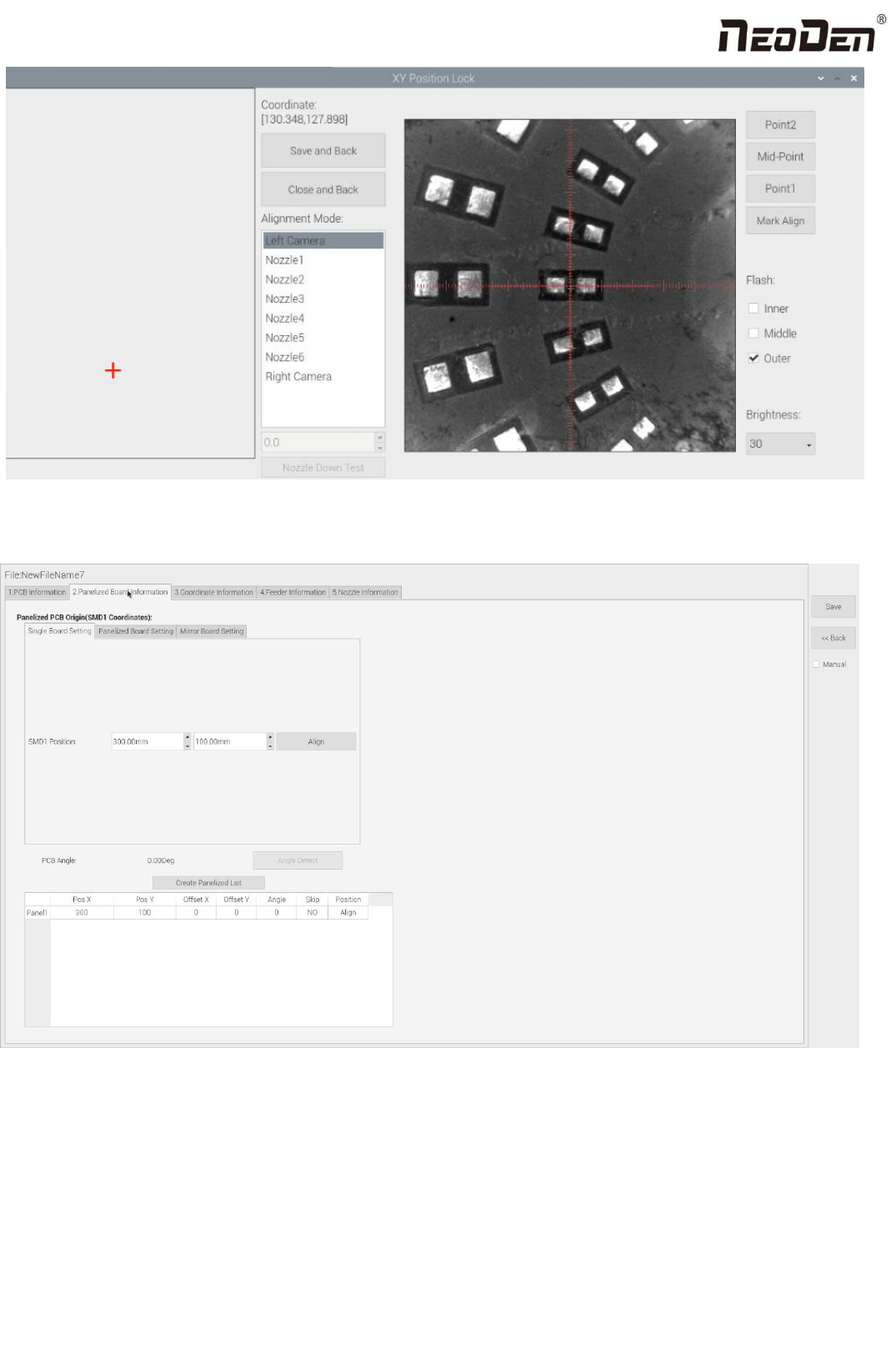
Click “single board setting”, you will see the “align” button of the SMD1 position that means the first component on the
component setup. Click “align” to enter the vision align interface, we need find the first component that on the component
list, generally we choose the center of the component, see figure:
14
Zhejiang Neoden Technology Co., Ltd
Click “Save and Back”, it will go back to the previous interface, click “create panelized list” button, the data which on the
panelized list will change. Can see the “SMD1 information”on the list and do double check via “align” button.
Notice: when you program under “Manual” mode, as we cannot assume the related PCB to be absolute 90° or 0°, we need
to setting the “PCB angle” (angle deviation of PCB board compares to rails). To minimize the deviation, please select two
points in parallel positions, machine can calculate the PCB angle automatically.
When you program under the mode of import coordinate file, no need to set this step. The default angle under this mode
will be 0°.