User-Manual-NeoDen9-PNP-machine.pdf - 第25页
25 Zhejiang Neoden T echnol ogy Co., Ltd After click to save, the coord inate information will be fin ished.
24
Zhejiang Neoden Technology Co., Ltd
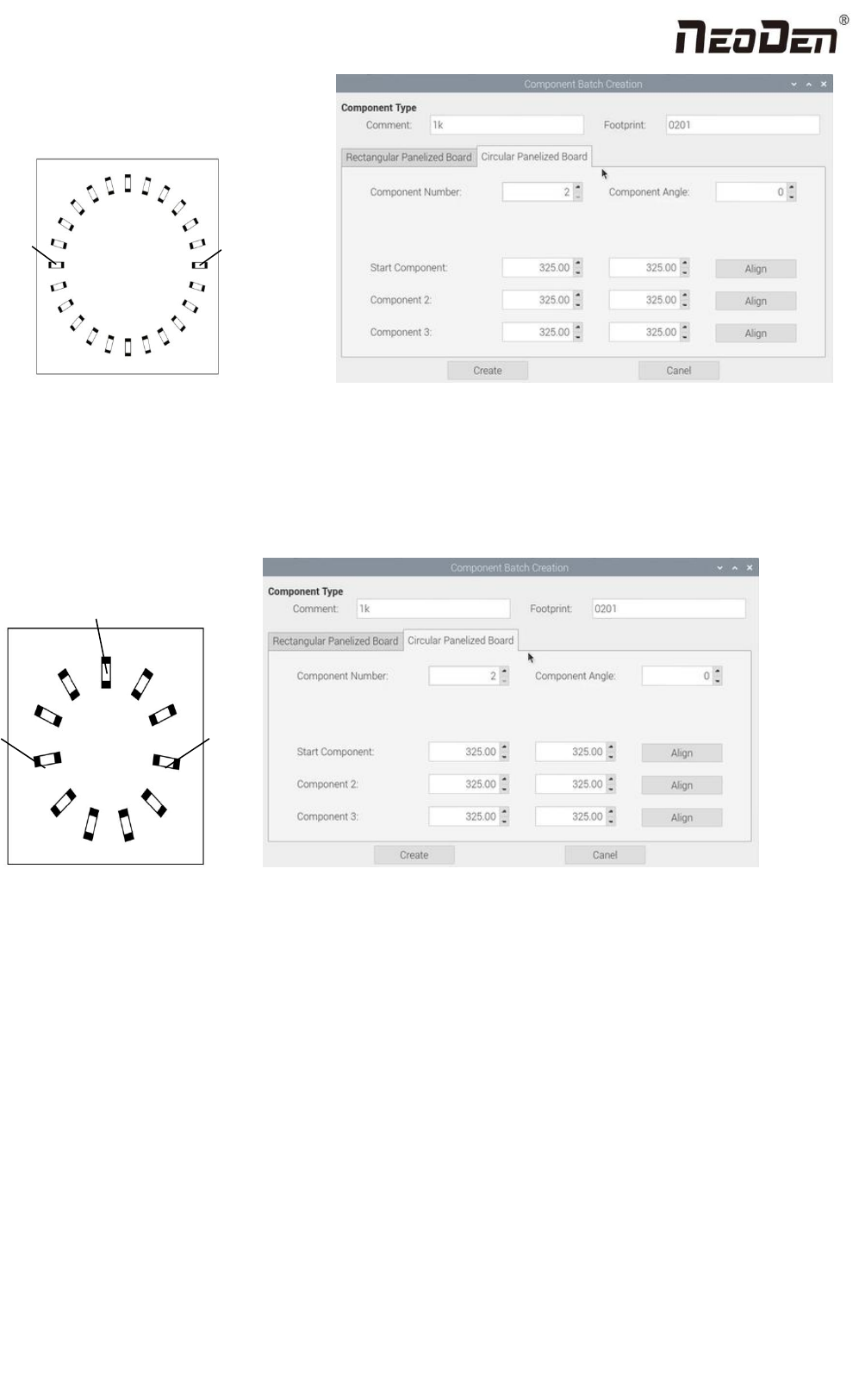
Start
Point
Component
point 2
Fig.(2.1.3.2-6)
When the quantity of component is odd: the component type will be the same. We can see that the panel has 9
components , because the quantity number is odd, we need to find 3 components that are in isosceles triangle, and then
align the coordinates of those three points by turn. Click “create” to generate 9 components’ coordinate in circle panel.
Component
point 3
Start
point
Component point 2
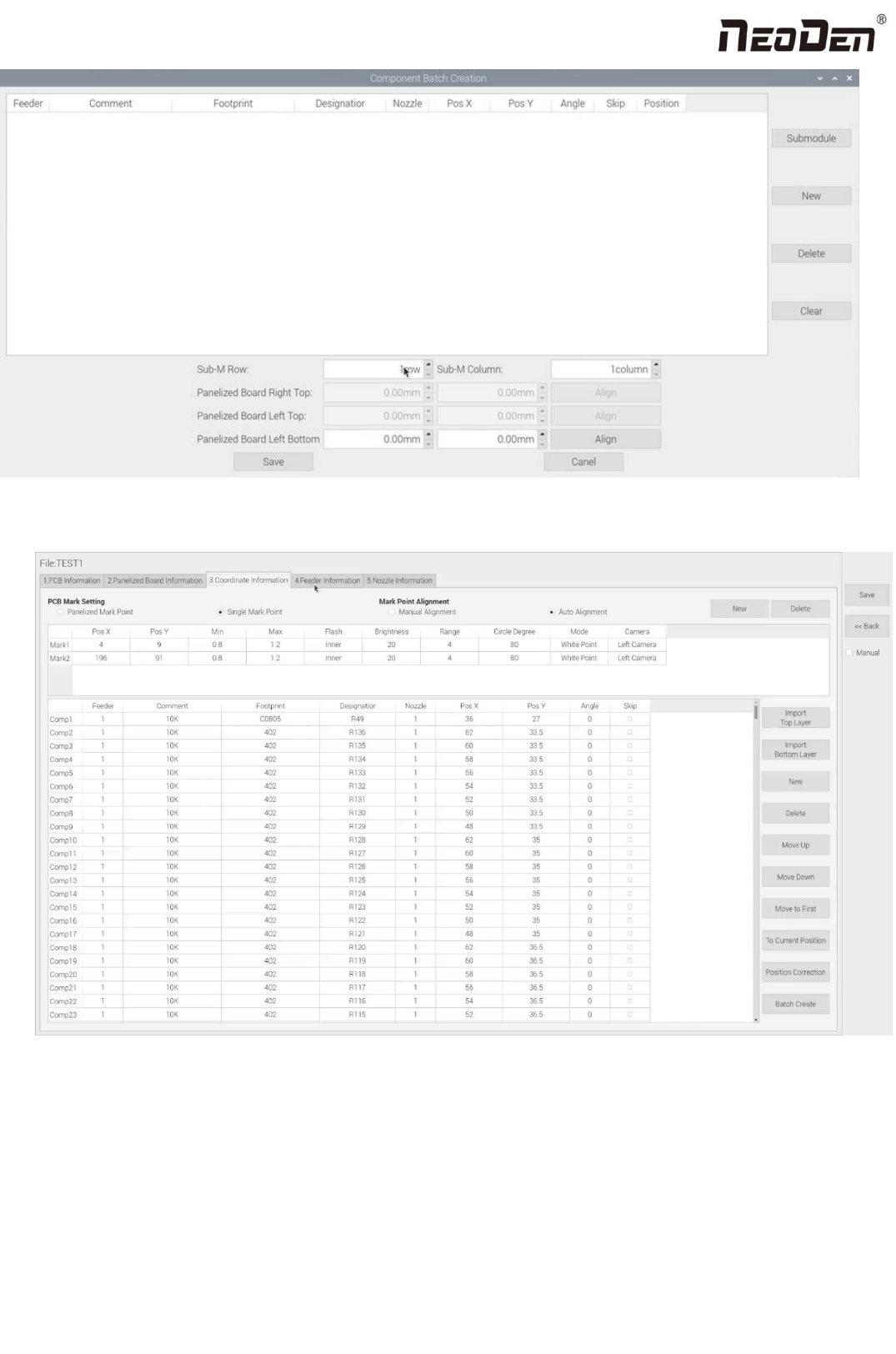
All components’ setting on this files list, such as nozzle selecting, stack setting, the coordinates of pick components,
adjustment setting, and others components’ setting need to be fulfilled here.
25
Zhejiang Neoden Technology Co., Ltd
After click to save,the coordinate information will be finished.
26
Zhejiang Neoden Technology Co., Ltd
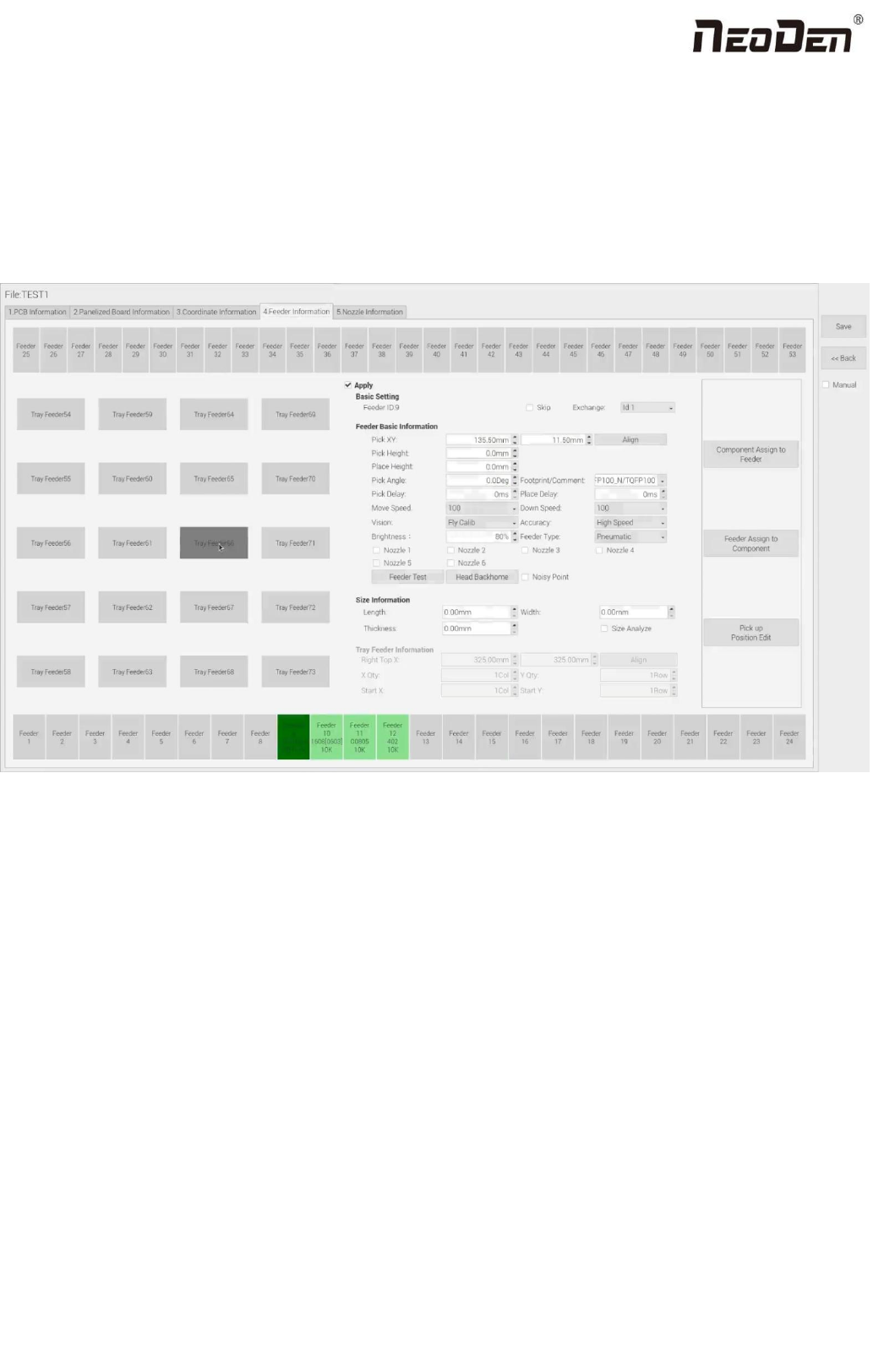
5.Feeder Information Setup
All components’ setting on this interface, such as nozzle selecting, stack setting, the location of pick the 1st components,
adjustment setting, and others components’ setting need to be finished here. We can see that No.1-24 stack on bottom line,
No.25-53stack on top line, No. 54-73 feeders are the tray stack. According to the actual feeder width, the feeder qty will be
reduced.
5.1 Function of Feeder Information
(1)Assign all sequentially: After complete component information setting, click ‘Assign all sequentially’, the setting
information will be assigned to each feeder automatically.
(2)Assign feeder and nozzle: After complete stack information and nozzle setting, click ‘Assign feeder and nozzle’, all
information will update to the component list automatically
(3)Batch editing for pick position: Press this button, it will show below: