User-Manual-NeoDen9-PNP-machine.pdf - 第24页
24 Zhejiang Neoden T echnol ogy Co., Ltd Start Point Component point 2 Fig. ( 2.1 .3.2-6 ) When the qua ntity of compon ent is odd: the c omponen t type will be the sa me. W e c an see tha t the p anel has 9 componen t…
23
Zhejiang Neoden Technology Co., Ltd
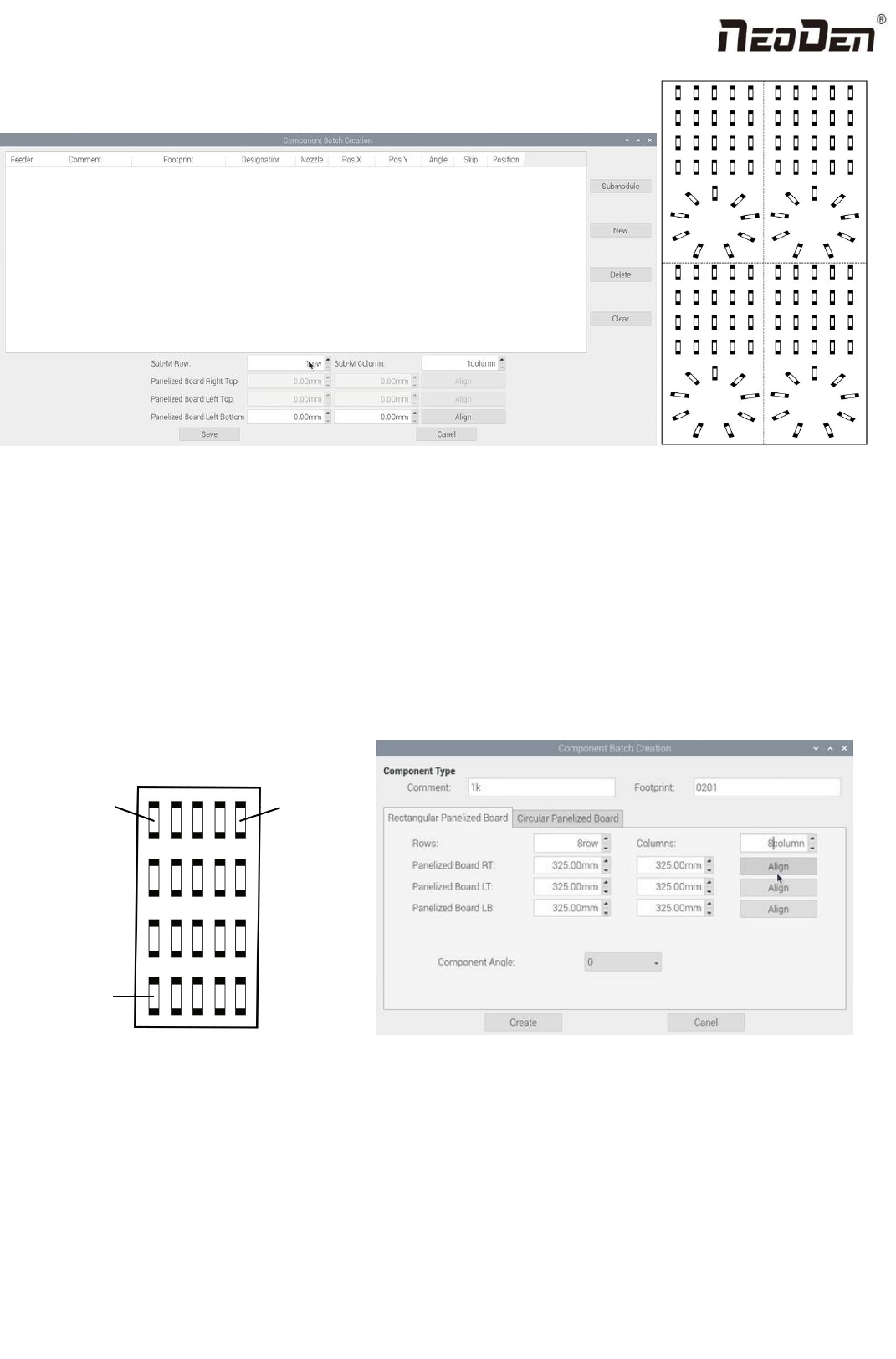
For example: we can see the above picture which has a rectangular block and a circular block to form a small panel. We call
such panel as submodule. We can generate the whole panel board through creating a submodule.
Two ways to generate submodules: rectangle and circle.
(1) The way to generate rectangle panel: Click: ‘submodule’, below dialogue will pop up. Please fill in specification and
footprint of component. We can see the panel has four rows and five columns. Fill in 4 rows and 5 columns in the dialogue,
and align the three components(right top, left top, left bottom). The component degree will be based on actual situation.
Click ‘create’, the machine will generate all the coordinate automatically.
Upper right
角
Upper left
上角
Lower left
(2)
The way to generate circle panel
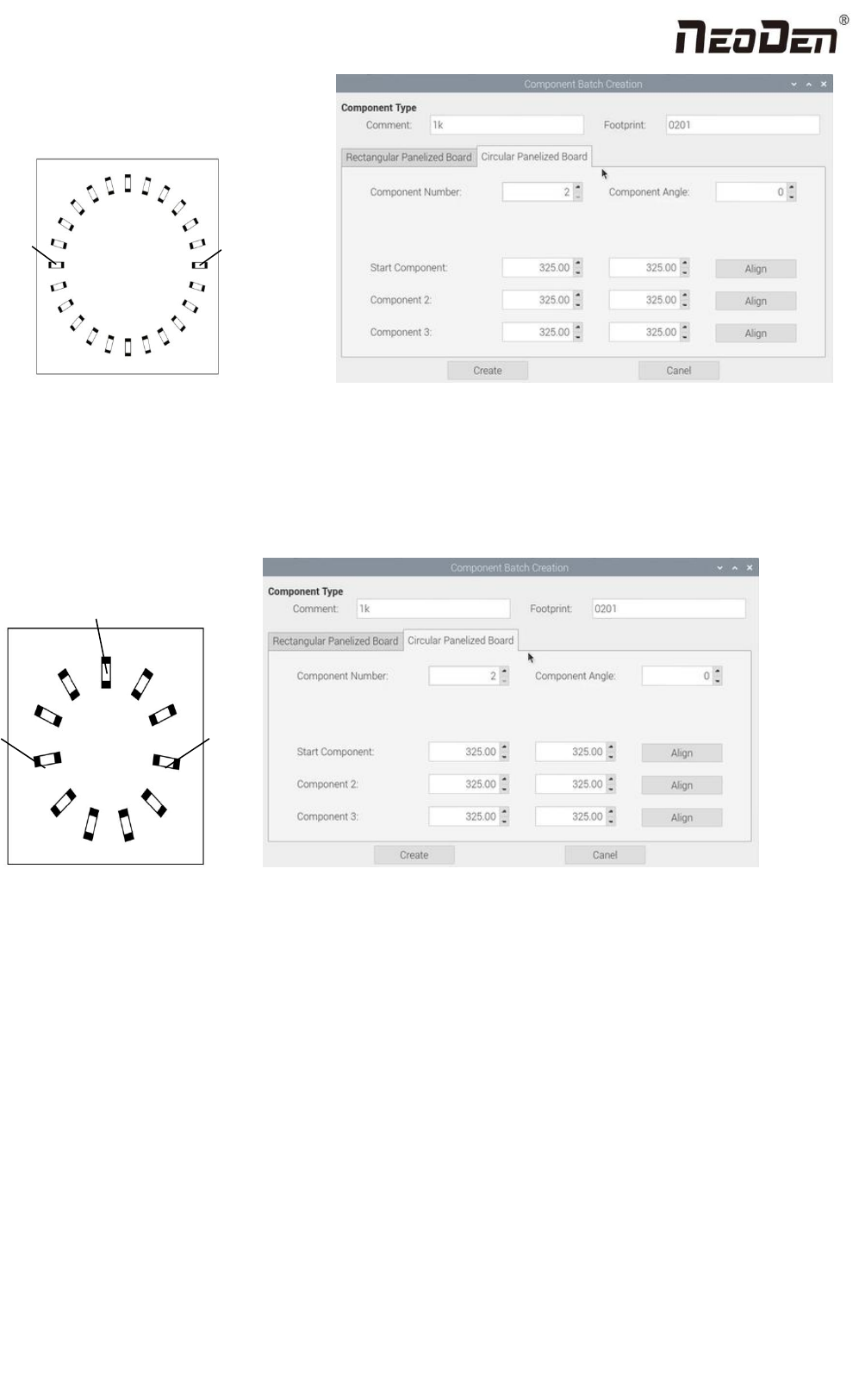
When the quantity of component is even: Click: “batch create”, below dialogue will pop up. Please fill in specification and
footprint of component. Choose circle panel, the component number is 24 in the example, the angle is 0. Since the quantity
of component is even number, we only need to find two symmetry components to align, Start point and Component point 2.
After that, click create, the 24 components coordinate will be generate automatically.
24
Zhejiang Neoden Technology Co., Ltd
Start
Point
Component
point 2
Fig.(2.1.3.2-6)
When the quantity of component is odd: the component type will be the same. We can see that the panel has 9
components , because the quantity number is odd, we need to find 3 components that are in isosceles triangle, and then
align the coordinates of those three points by turn. Click “create” to generate 9 components’ coordinate in circle panel.
Component
point 3
Start
point
Component point 2
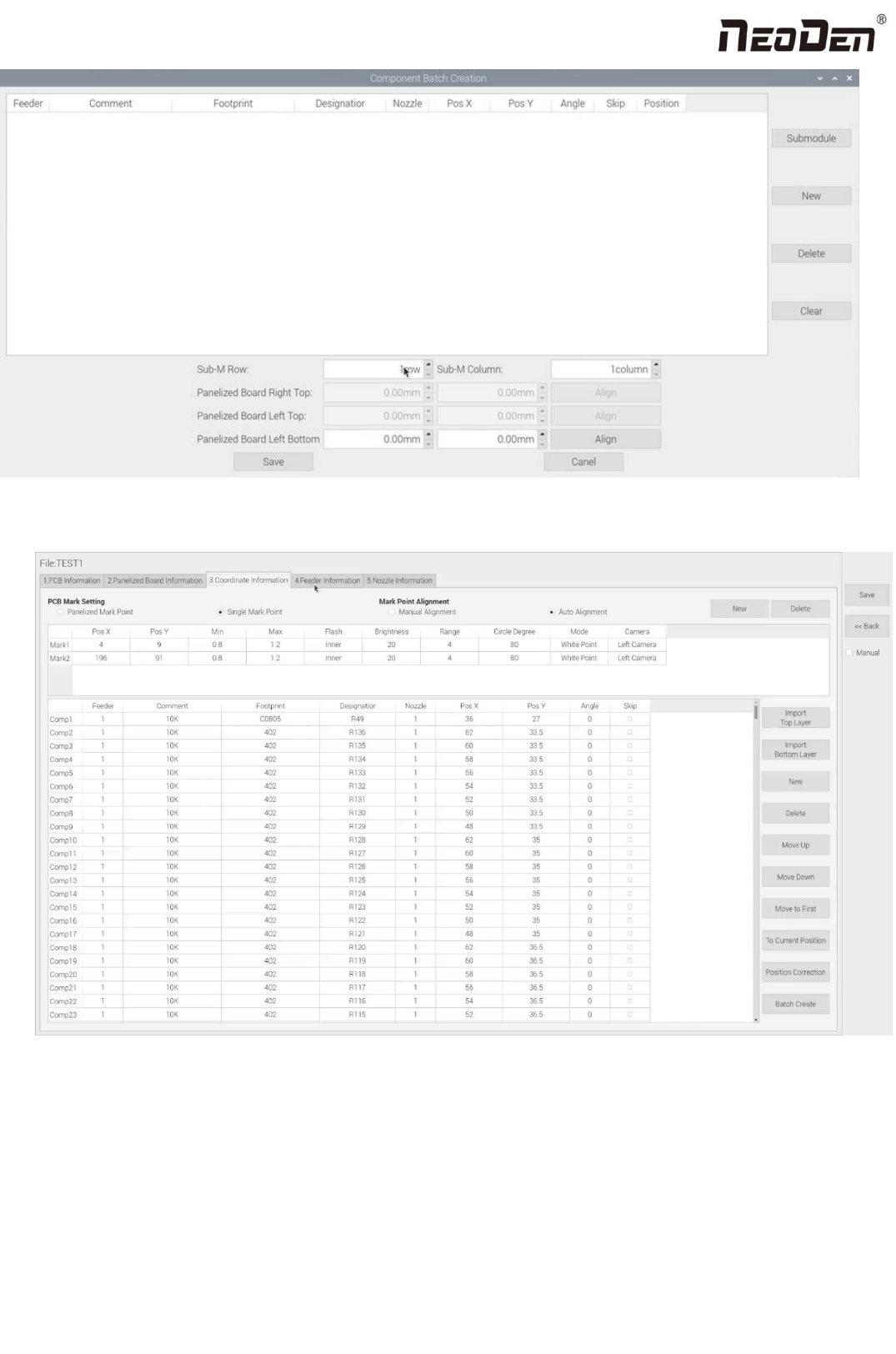
All components’ setting on this files list, such as nozzle selecting, stack setting, the coordinates of pick components,
adjustment setting, and others components’ setting need to be fulfilled here.
25
Zhejiang Neoden Technology Co., Ltd
After click to save,the coordinate information will be finished.