User-Manual-NeoDen9-PNP-machine.pdf - 第15页
15 Zhejiang Neoden T echnol ogy Co., Ltd 3.1.2 Pan elized Board Sett ing The ste ps of the pa nelized boa rd se tting are simil ar with the singl e board, bu t n eed pay attention to several points belo w : ( 1 ) The row…
14
Zhejiang Neoden Technology Co., Ltd
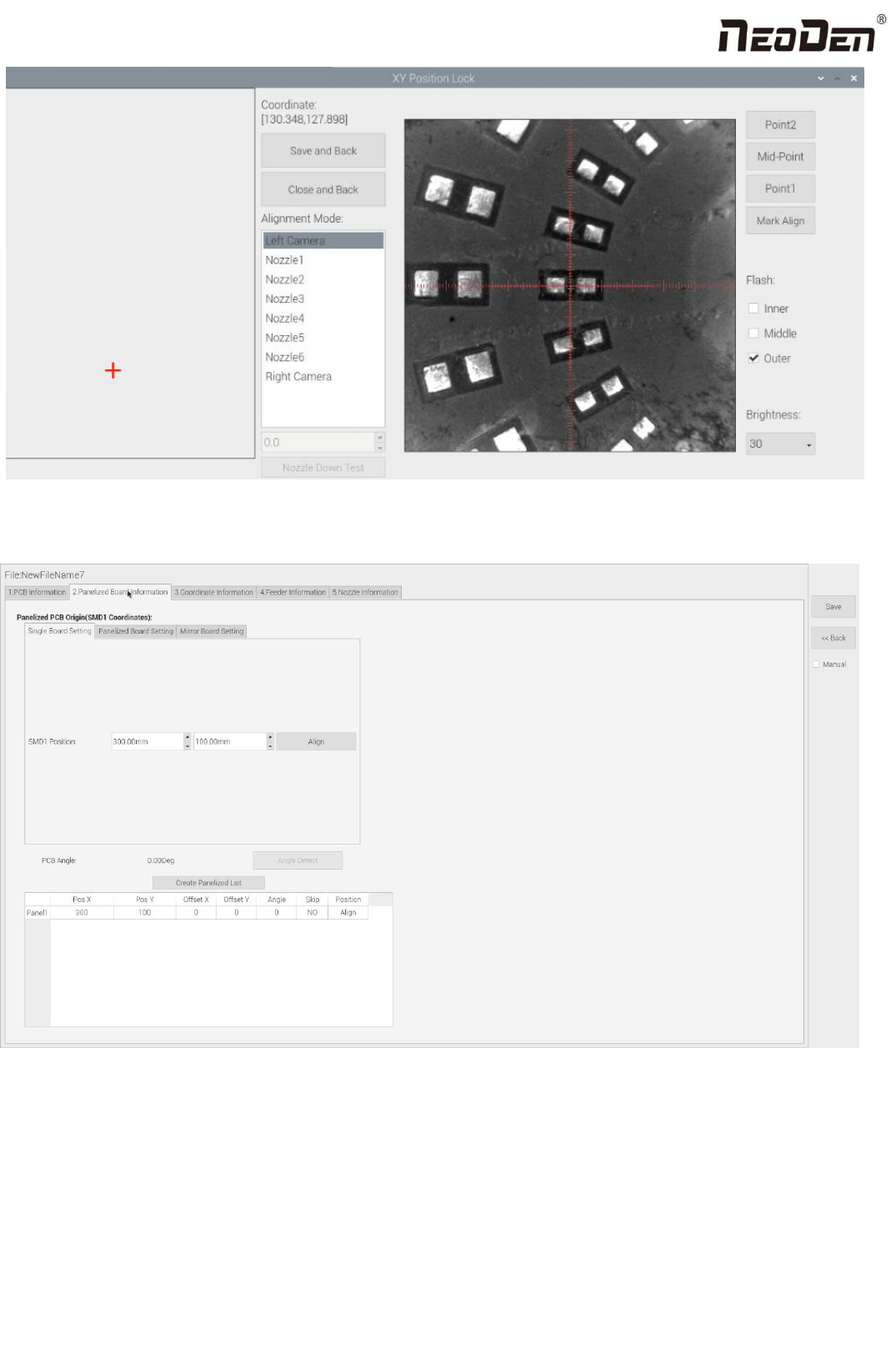
Click “Save and Back”, it will go back to the previous interface, click “create panelized list” button, the data which on the
panelized list will change. Can see the “SMD1 information”on the list and do double check via “align” button.
Notice: when you program under “Manual” mode, as we cannot assume the related PCB to be absolute 90° or 0°, we need
to setting the “PCB angle” (angle deviation of PCB board compares to rails). To minimize the deviation, please select two
points in parallel positions, machine can calculate the PCB angle automatically.
When you program under the mode of import coordinate file, no need to set this step. The default angle under this mode
will be 0°.
15
Zhejiang Neoden Technology Co., Ltd
3.1.2 Panelized Board Setting
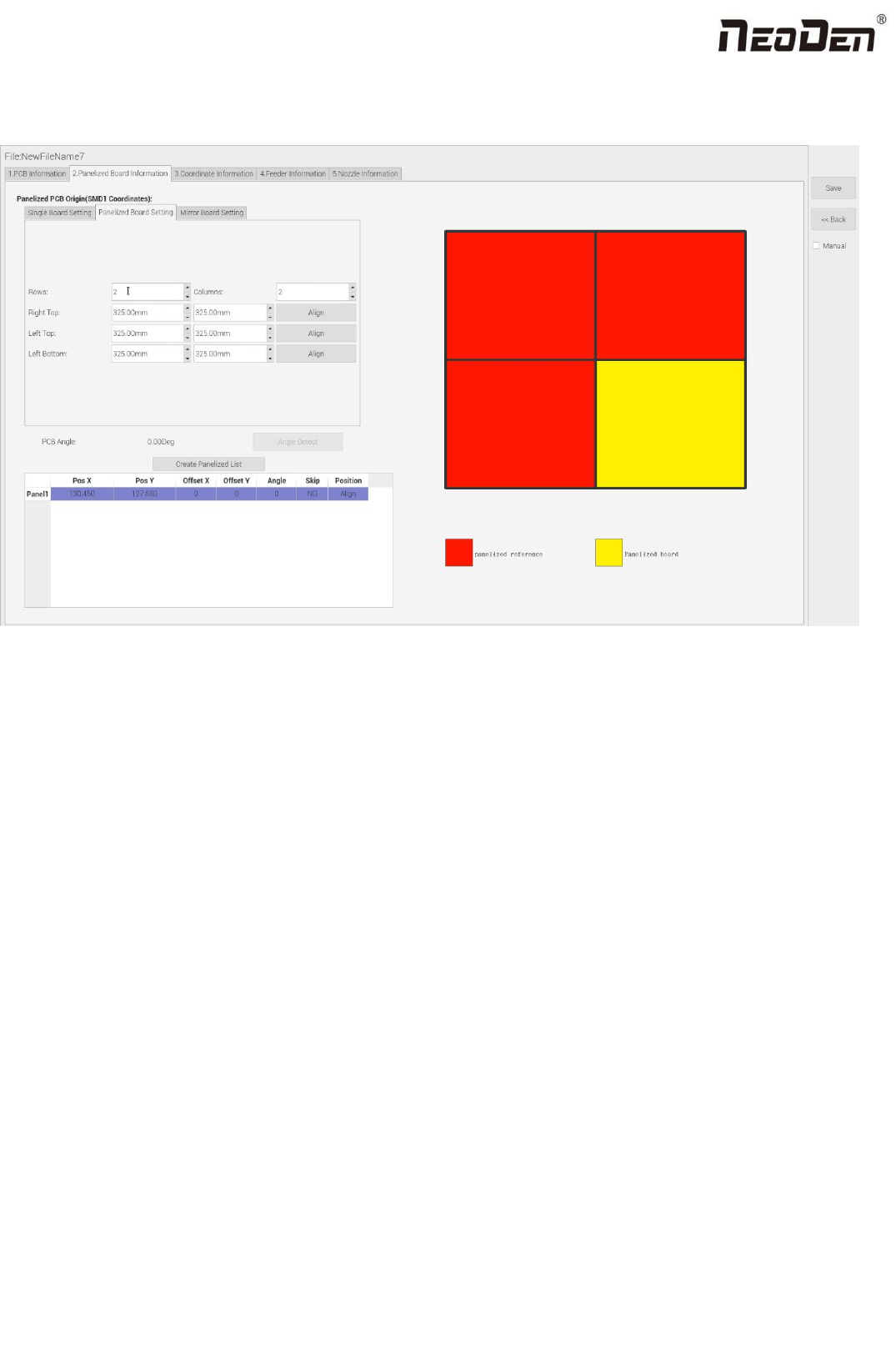
The steps of the panelized board setting are similar with the single board, but need pay attention to several points below:
(1)The row and column are determined by the positioning of PCB on working area. The direction along the rails is the X ,
the direction perpendicular to the rail is Y , then please enter data in the row and column.
(2)Detailed introduction for each position’s info.:
The data of “left bottom” is collected according to first component in the component list of programming file. Press
“align” of left bottom, find the left bottom panel that is nearest to the left side and nearest to the feeding position, then
find the first component which on the chip list of this panel, align the center of this component. After saving the data, it
will return to the “PCB information” automatically.
The data of “left top”: on the alignment interface, find the left top panel that is nearest to the left side but farthest to the
feeding position, then find the component same as the component that aligned on the “left bottom”, align the center of
this component. Click save and back, it will return to the “PCB information” automatically.
The data of “right top”: on the alignment interface, find the right top panel that is nearest to the right side but nearest to
the feeding position, then find the same component as the component that aligned on the “right top”, align the center of
this component, click save and back, it will return to the “PCB information” automatically.
After setup, click “create panelized list”, the panelized list will be generated accordingly in the blank. You can also double-
confirm each position by clicking “Align”.
16
Zhejiang Neoden Technology Co., Ltd
3.1.3 Mirror Board
The steps of the Mirror board programming are similar with the Panelized board, but need pay some attention to several
points below:
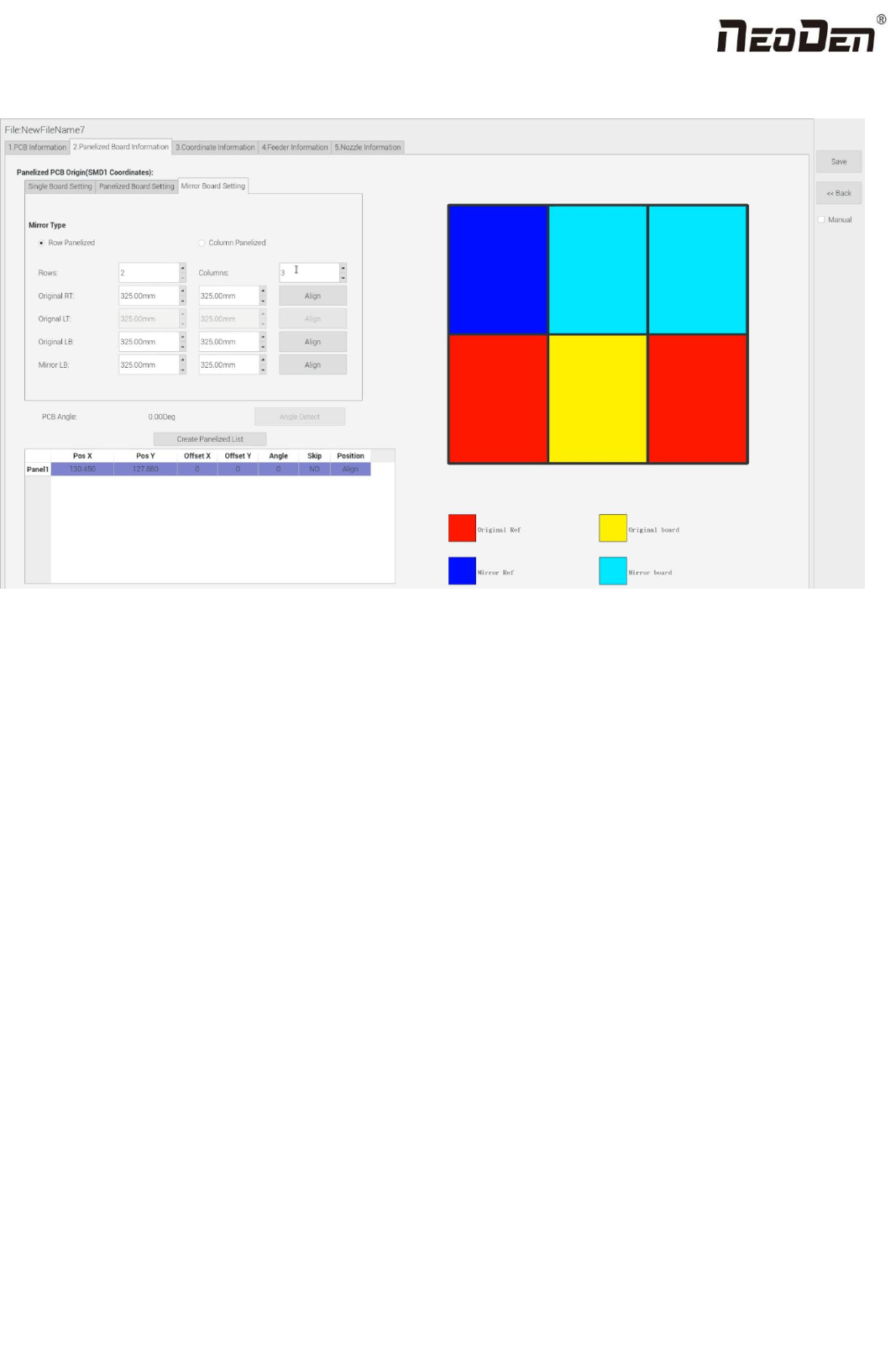
(1)Mirror board includes row panelized and column panelized
Row panelized: several same PCBs are arranged in horizontal direction (X), and the nearby rows are mirrored.
Column panelized: several same PCBs are arranged in vertical direction (Y), and the nearby columns are mirrored.
(2)Panelized Board Row and Column
The direction along the rails is the X axis ,the direction perpendicular to the rail is Y, then please enter related qty data in the
row and column.
(3)Please refer to the data collecting method of each position information as following:
After select the corresponding mirror board panelized method(column or row)and data of column&row,may occur the
situation of the align interface turn to gray and can’t be edited, then no need do position align. Based on actual mirror board
data, right side is showing corresponding images and can find the first component on it.
The data of “right top”on original board: on the alignment interface, find the right top panel that is nearest to the
right side but nearest to the feeding position, then find the first component which on the chip list of this panel, align the
center of this component, click save and back, it will return to the “PCB information” automatically.
The data of “right top”on original board: on the alignment interface, find the right top panel that is nearest to the
right side but nearest to the feeding position, then find the first component which on the chip list of this panel, align the