User-Manual-NeoDen9-PNP-machine.pdf - 第26页
26 Zhejiang Neoden T echnol ogy Co., Ltd 5.Feeder Informat ion Set up All c omponen ts’ setting on this inte rface, such as nozzle selecting, stack setting, the loc ation of pick the 1st components, adjustmen t setting, …
25
Zhejiang Neoden Technology Co., Ltd
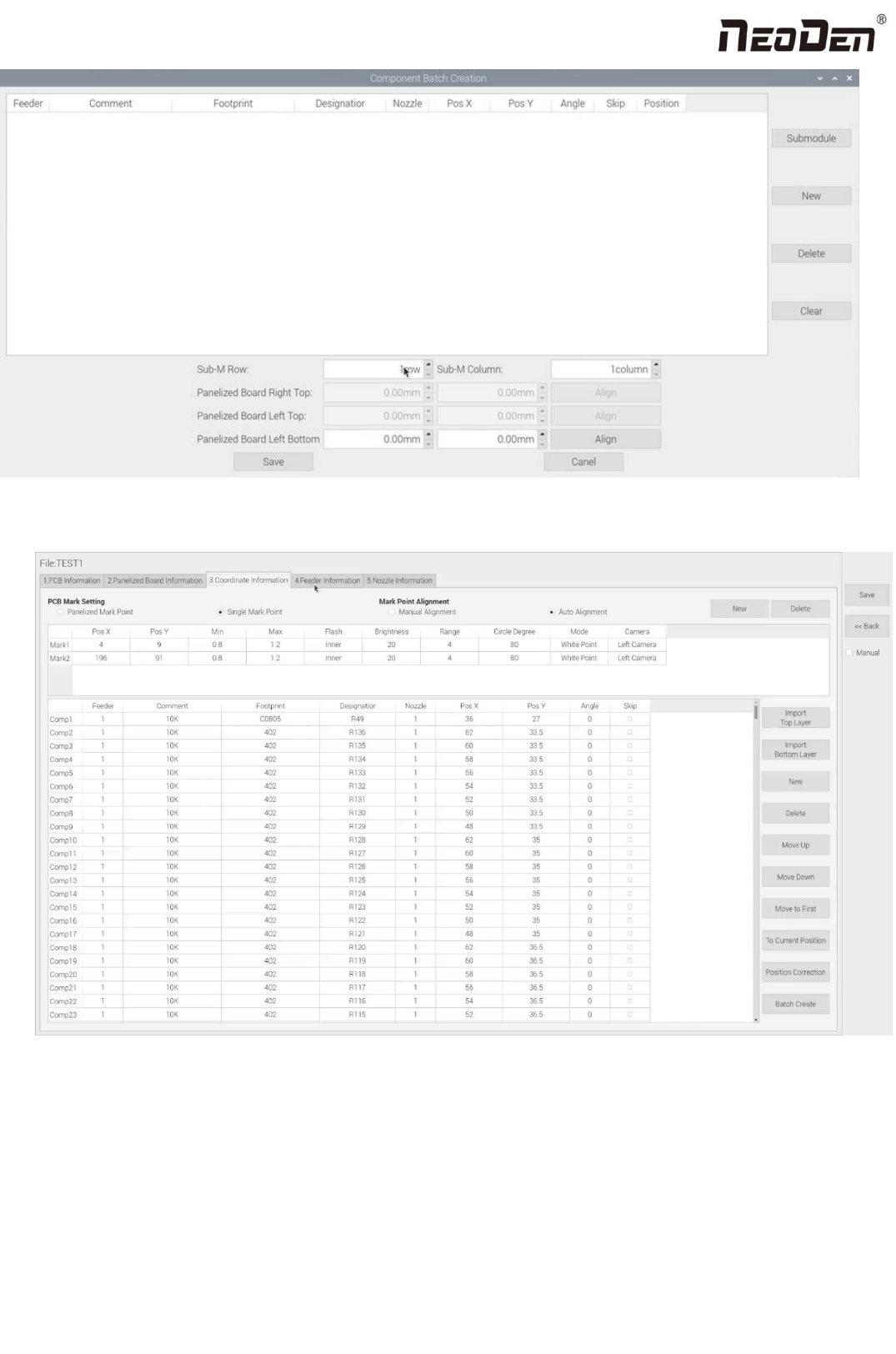
After click to save,the coordinate information will be finished.
26
Zhejiang Neoden Technology Co., Ltd
5.Feeder Information Setup
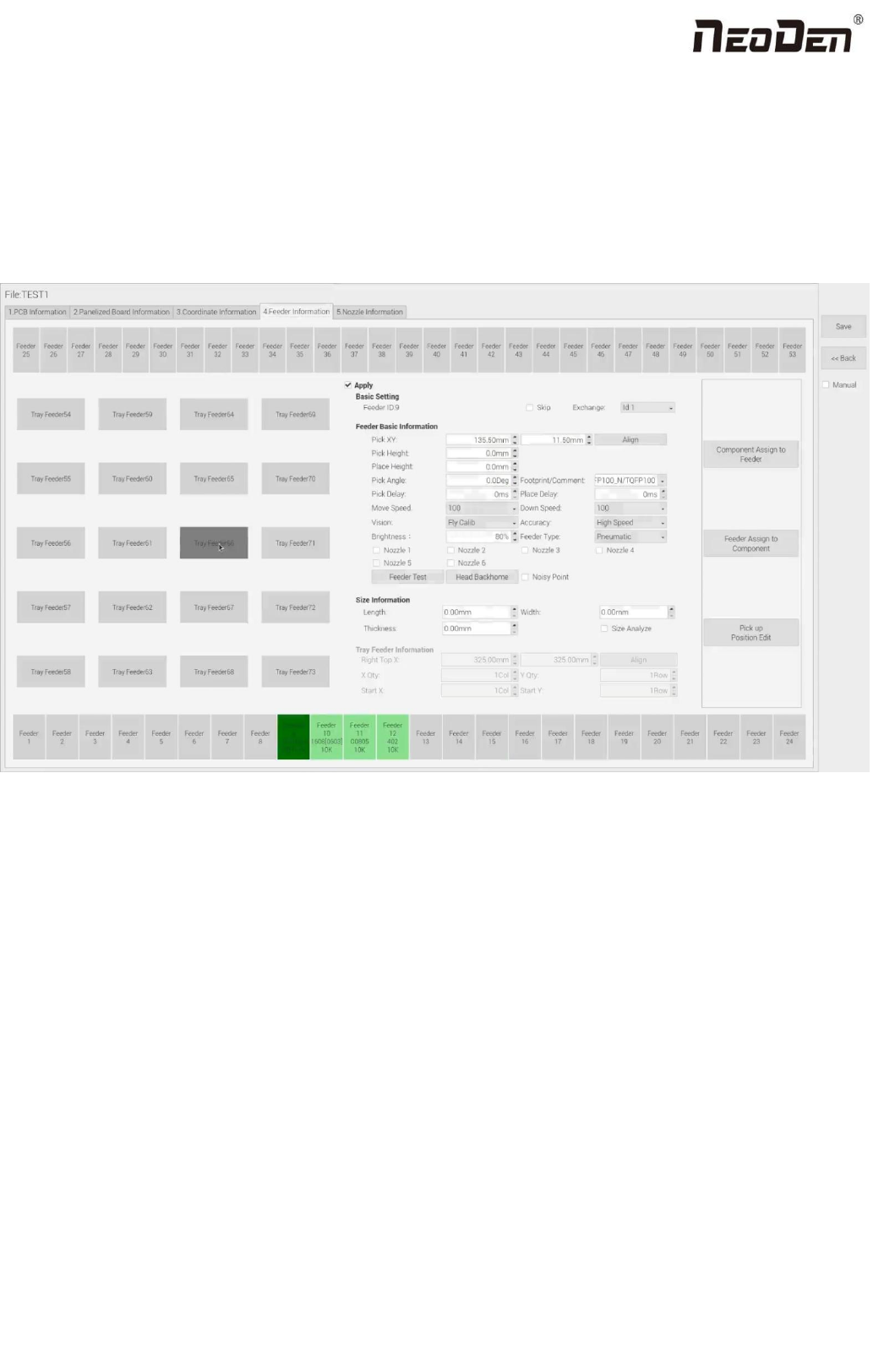
All components’ setting on this interface, such as nozzle selecting, stack setting, the location of pick the 1st components,
adjustment setting, and others components’ setting need to be finished here. We can see that No.1-24 stack on bottom line,
No.25-53stack on top line, No. 54-73 feeders are the tray stack. According to the actual feeder width, the feeder qty will be
reduced.
5.1 Function of Feeder Information
(1)Assign all sequentially: After complete component information setting, click ‘Assign all sequentially’, the setting
information will be assigned to each feeder automatically.
(2)Assign feeder and nozzle: After complete stack information and nozzle setting, click ‘Assign feeder and nozzle’, all
information will update to the component list automatically
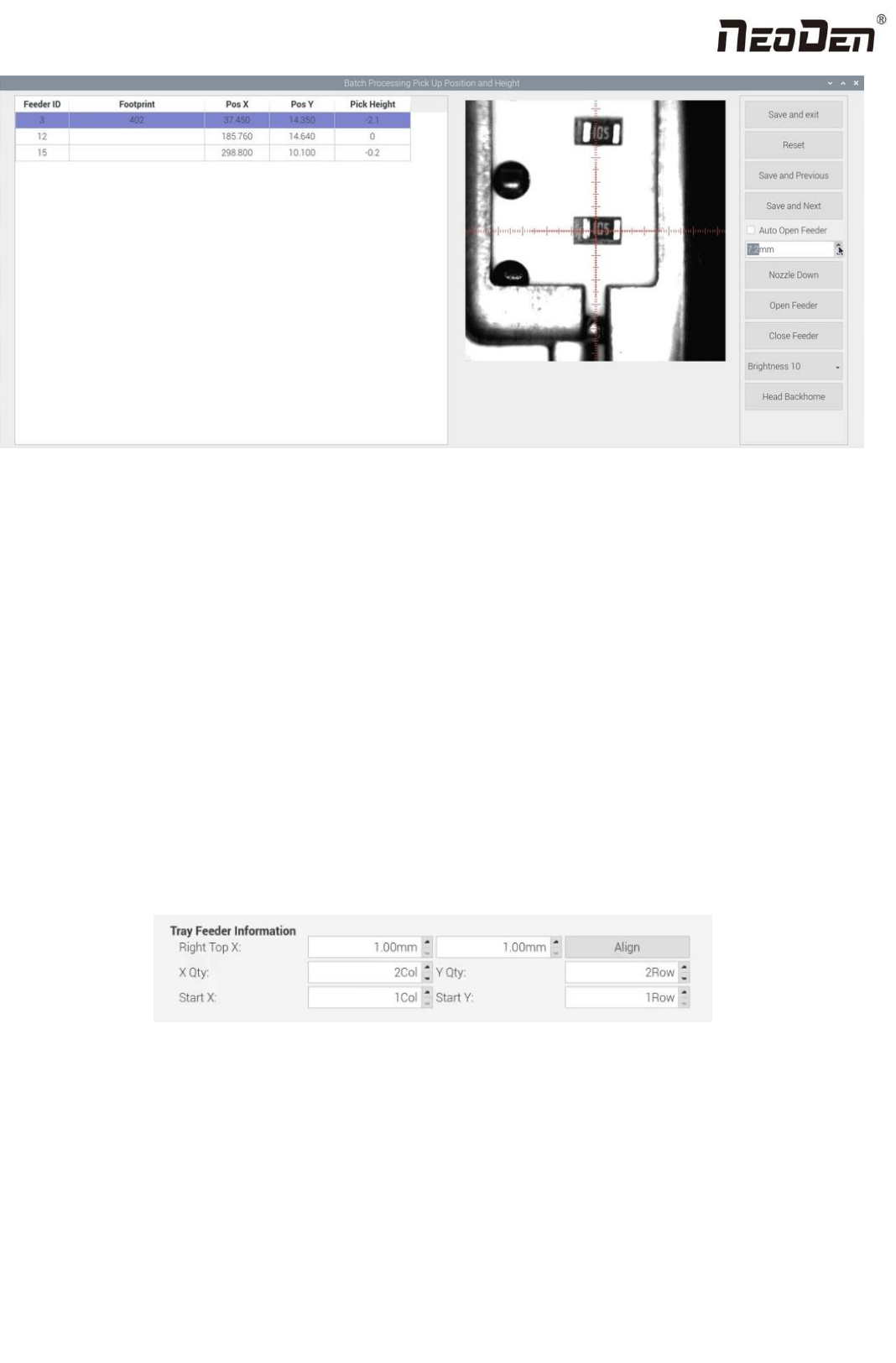
(3)Batch editing for pick position: Press this button, it will show below:
27
Zhejiang Neoden Technology Co., Ltd
Batch setting for pick position: please select one stack to start setting (default start from the first assigned stack), at the same
time, a real-time image will be showed as right side. Please adjust the red cross to the 1st component’s center ( generally if
the feeder is in off condition, red cross will be at the edge of feeder’s tape cover ), click “save and next” until all are set up.
There will be beep sound as a warning, then click “save and exit” will be OK.
While setting the pick position, the function of “Feeder open”/ “Feeder close” can help to set the cross’s position more
conveniently.
5.2 Feeder setting
For feeder NO.1-53, the default settings are grey and inactive. Select a feeder, click “Apply” to active the settings, such as
feeder exchange, feeder, nozzle, IC tray feeder etc.
The setting sequence is: Feeder (or IC tray feeder)→ Feeder basic information→ Nozzle.
(
1
)
IC tray feeder info
It is used to set tray package component’s pick position.
Right top XY: it refers to align the farthest component on the tray (generally take the component at right top as the
final one on the tray, and take the component at left bottom position as the first one)
X qty: it refers to how many components in X direction
Y qty: it refers to how many components in Y direction
Start X, Start Y: It refers to the first IC in X/Y direction if the tray is in full package; If some ICs have been used whic
h cause the tray is not full, you can directly set the exact position as actual situation, start X will be the location of its a