User-Manual-NeoDen9-PNP-machine.pdf - 第8页
8 Zhejiang Neoden T echnol ogy Co., Ltd 1.4 Impo rtant No tice Figure 6-The a ir s upply of the eq uipment shall not be less th an0.55MP Figure 7- Feede r Pressure 0.5 MP Remark: At 0.55MPA pre ssure i nput, t he air con…
7
Zhejiang Neoden Technology Co., Ltd
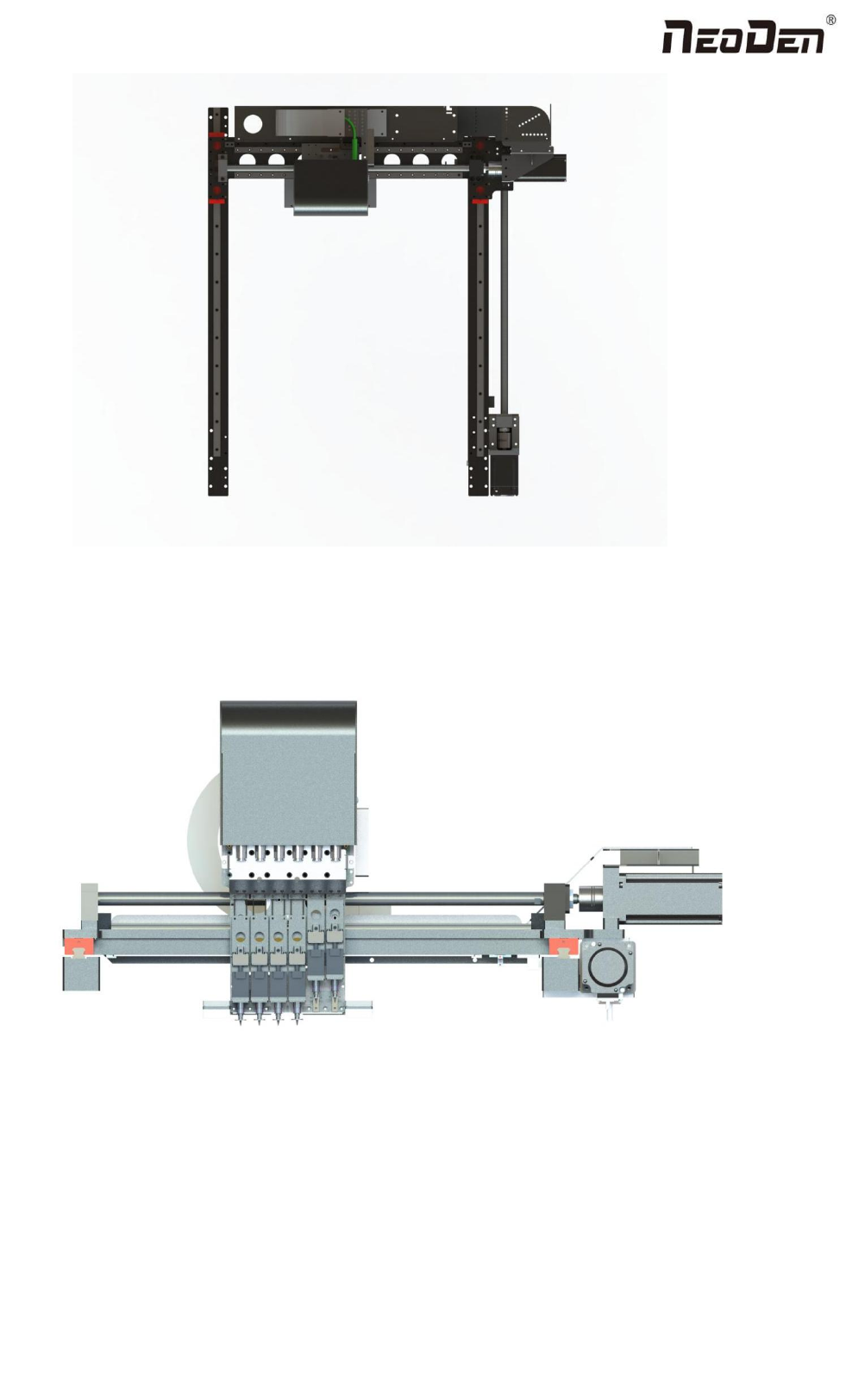
Figure4- X-axis Beam
Figure5- Main Placement Head Camera
8
Zhejiang Neoden Technology Co., Ltd
1.4 Important Notice
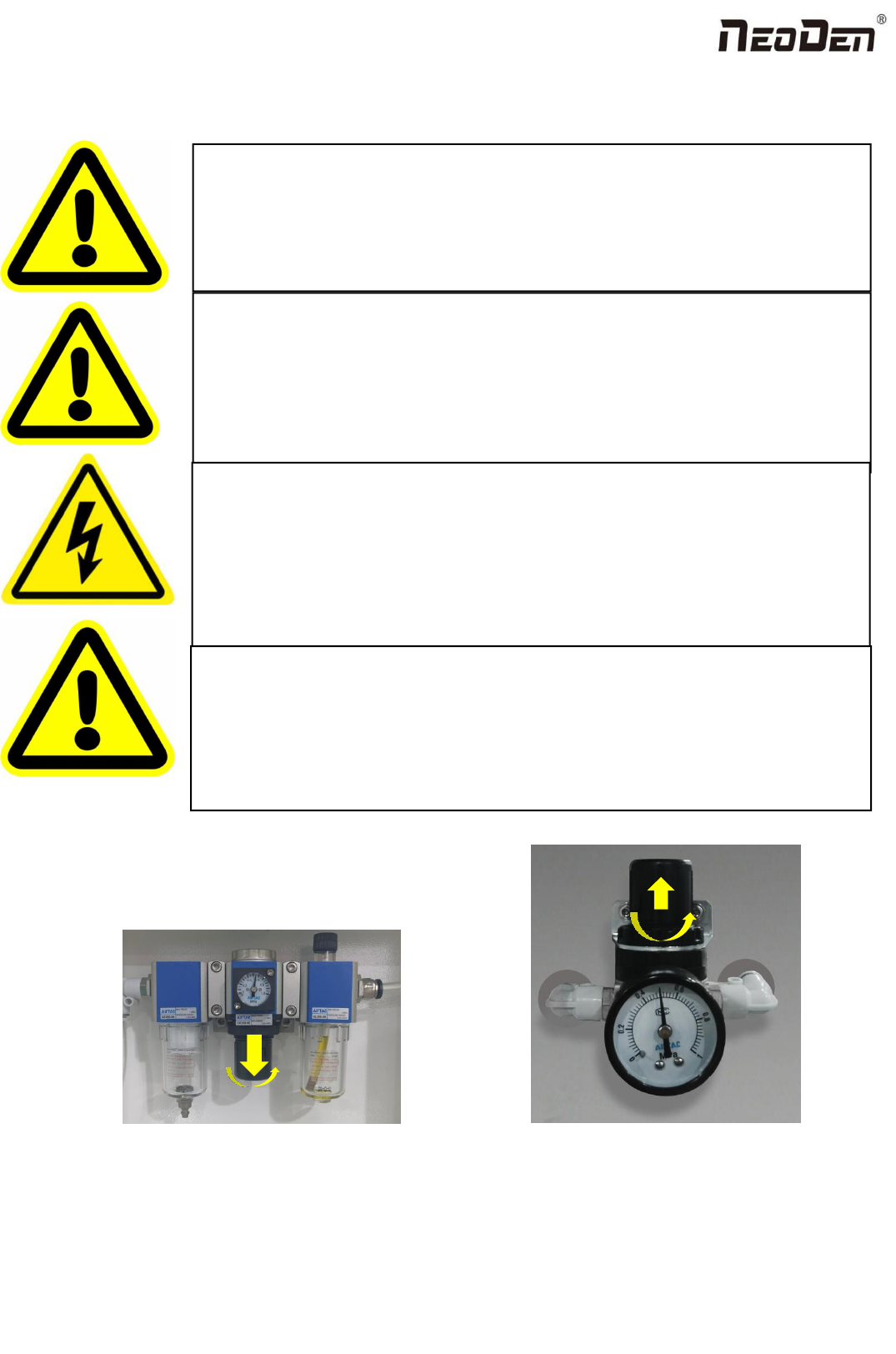
Figure 6-The air supply of the equipment shall not be less than0.55MP Figure 7- Feeder Pressure 0.5MP
Remark: At 0.55MPA pressure input, the air consumption of the machine is 12L/min. It is recommended to use a
compressed airtank of no less than 70L.
Warning of failure risk of camera identification,please referring to Figure 3 and
Figure 5:The following parts are forbidden to touch and impact
Front IC Camera Back IC camera Left mark camera Right mark camera
Warning of accuracy failure risk, refer to Figure 3: The following components are
prohibited from touching and impacting.
Return to zero column
For the risk of accuracy failure, refer to Figure4: When manually moving XY, it must
be carried out on the X-axis beam moving point;
Warning of electric shock, be sure to follow the requirements below:
Connect the input power supply that meets the requirements of the equipment, the
electrical interface of the machine to the ground must be effectively grounded;
Any time you enter the case and stick to the head for maintenance, you need to shut
down
Warning of equipment life reduction,be sure to follow the requirements below:
When installing the equipment, the equipment must be leveled;
Correct shutdown: shut down the operating software and the system before turning off
the main power switch;
9
Zhejiang Neoden Technology Co., Ltd
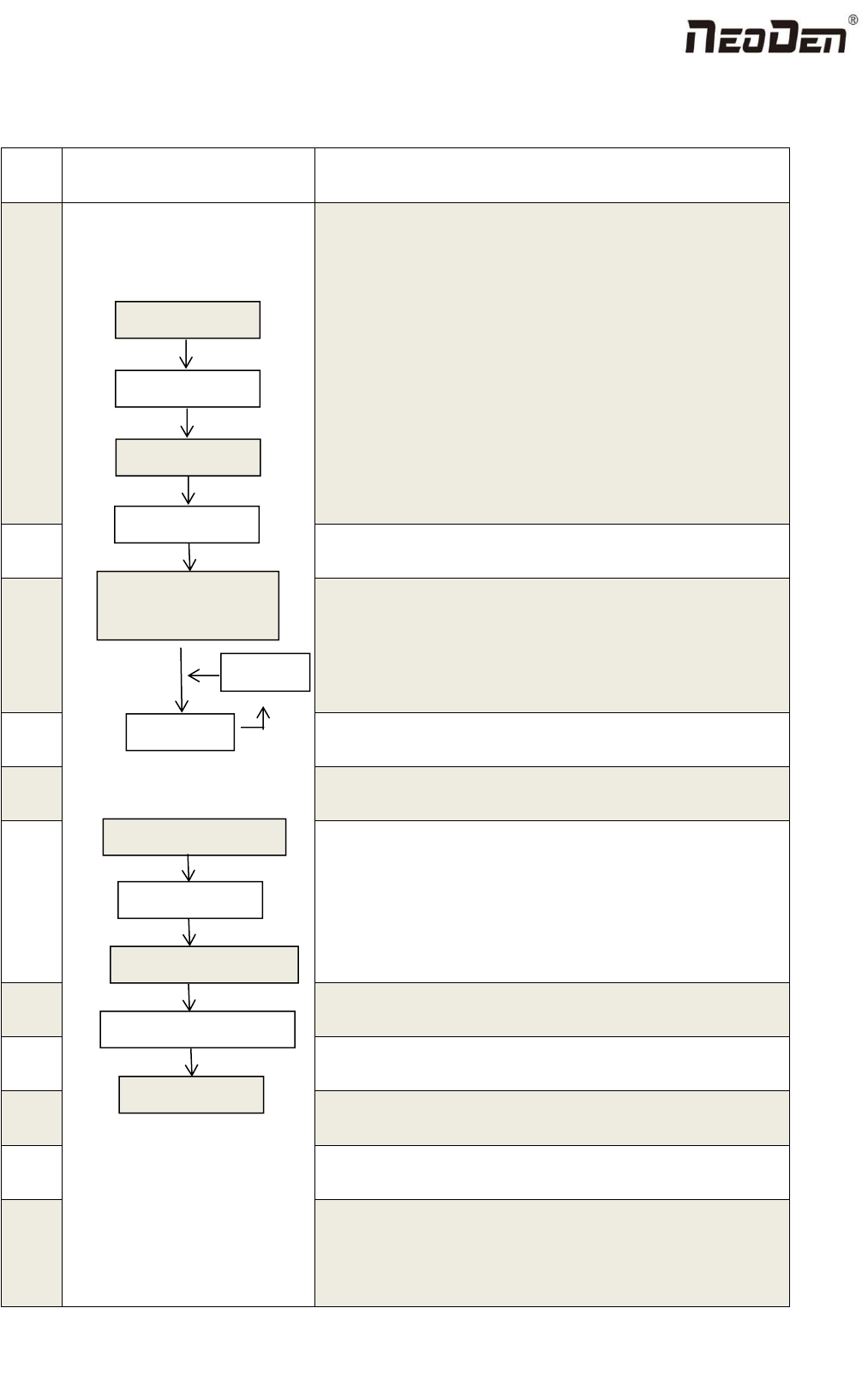
1.5 Operation flow chart
NO.
Flow chart
Note
1
1. The pick and place machine is a precision equipment. In the
installation position of the machine, it is necessary to carry out horizontal
correction before and after the equipment to prevent the uneven operation
of the equipment from damaging the service life of the equipment;
2. Connect and fix the equipment interface before and after the
equipment, and connect and fix the ground wire;
3. The access power must meet the requirements of power identification;
4. No less than 0.55mp air source input and adjust the pressure value to
OK;
5. Check the safety of the working area of the mounting head;
6. The XY transmission parts are not fastened and interfered, and check
that the emergency stop switch is in normal state;
2
Power on and turn the power switch clockwise;
3
1. When the self-test is carried out, the head indicator light of the
mounting head and the light source of the IC camera will be on and
flash briefly to indicate that the self-test is normal;
2.XY initialization (origin reset) is normal, the software enters the file
list interface, and no error report pops up;
4
After power on, directly enter the file list page;
5
See page 13 for the introduction of machine operation for
details;
6
Suggestions on production process:
1. First component confirmation: confirm the component angle
and polarity, component picking position and mounting
position;
2. Start production after confirming solder paste printing and
temperature setting;
7
Production process;
8
After the production is finished, reset the origin and prepare to
shut down;
9
Shut down the system via computer, then power off the
machine.
10
Disconnect the electricity supply after the system being
powered off.
11
Keep the machine clean, daily maintenance of the nozzles
assures high utility.
Software shut down
System shut down
Power OFF
Exit
Production Finished
Preparation
Power ON
Automatic Test
Power on page
Program and Edit;
Production
Shutdown steps
Mounting
Modify
Abnormal
Start-up steps