User-Manual-NeoDen9-PNP-machine.pdf - 第37页
37 Zhejiang Neoden T echnol ogy Co., Ltd Change passwo rd: befo re Administrat ion login in, this function is n ot visible. If the passwo rd n eeds to be ch anged, please login a nd click Chan ge p assword. A window will…
36
Zhejiang Neoden Technology Co., Ltd
of the chip, click "point 1", then select the pin center of the upper right foot opposite to left 1, click "point 2", and then click
the middle point. The machine will automatically calculate the center position of the chip.
Light source: outer ring,middle ring,Inner ring,Mark point generally select to use outer or inner ring,select
corresponding light source according to PCB kind.
Brightness: Image recognize brightness can be adjusted on the drop-down list.
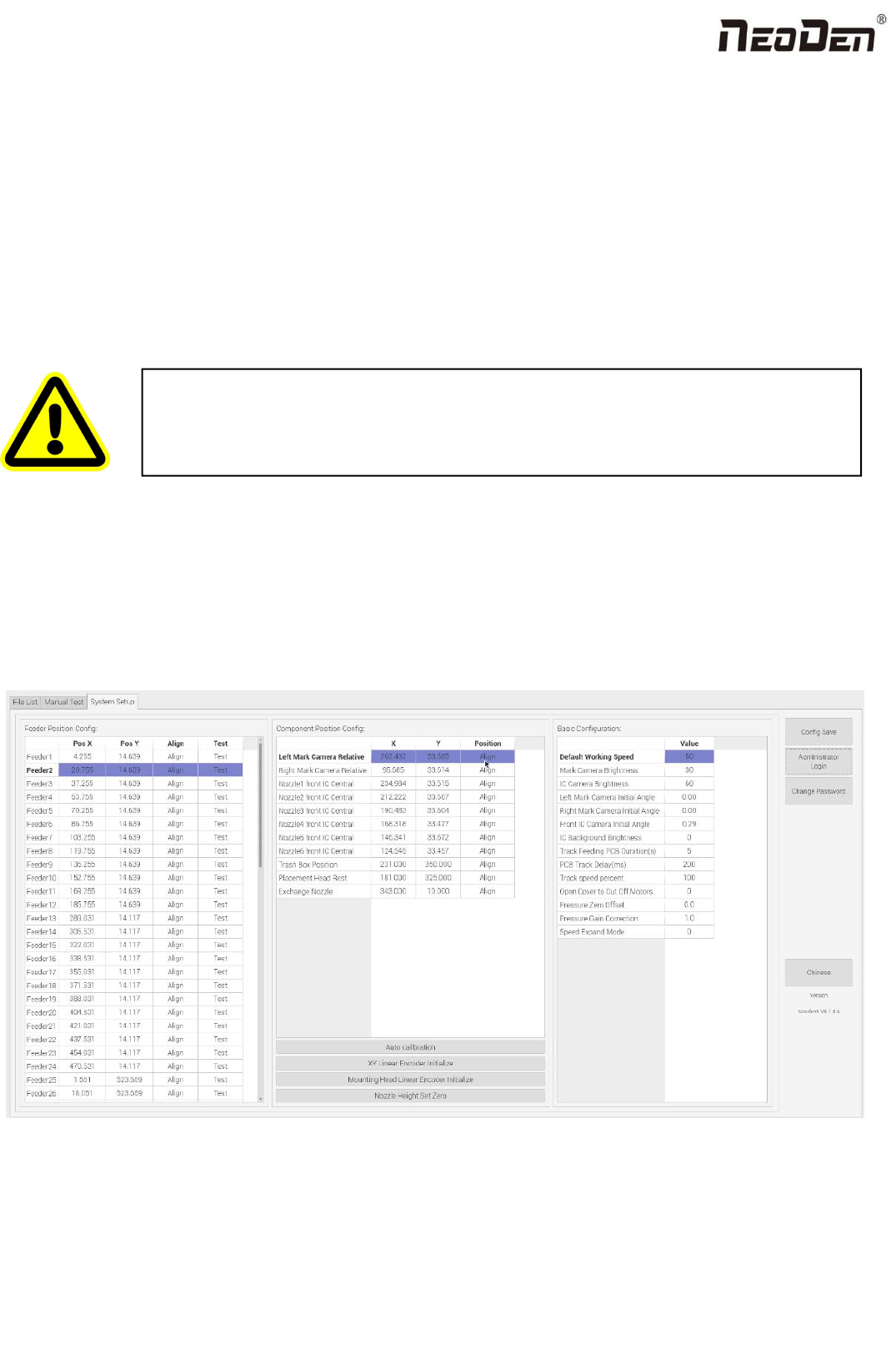
9. System Setup
If any revision is required, we suggest you contact our engineer to get detailed instruction first. (P.S.
All parameters were set up before shipping, usually no adjustment is required.) This section will
provide a brief introduction for all parameters, to get detailed adjustment instruction, please contact
our technical engineer.
Right buttons functions:
Config save: to click Save after changing the parameter.
Administrator login: to prevent any misoperation, this interface will be inactive and greys out. To make it inactive,
Administrator needs to login.
Warning: this part aims at machine’s global parameter settings, any modified
parameter will influence all working files, when modify this part please consider
seriously.
37
Zhejiang Neoden Technology Co., Ltd
Change password: before Administration login in, this function is not visible.
If the password needs to be changed, please login and click Change password. A window will pop out, enter the original
password. Then follow steps to enter the new password. A successful window will pop out when it’s finished.
Version: the current software version will be displayed below.
When any software upgrade is required, please copy the upgrade file into the subdirectory of U disk, click “software
upgrade” to load it. Then follow instructions to upgrade it.
English: this machine supports Chinese and English. To convert it into English, a password is required.
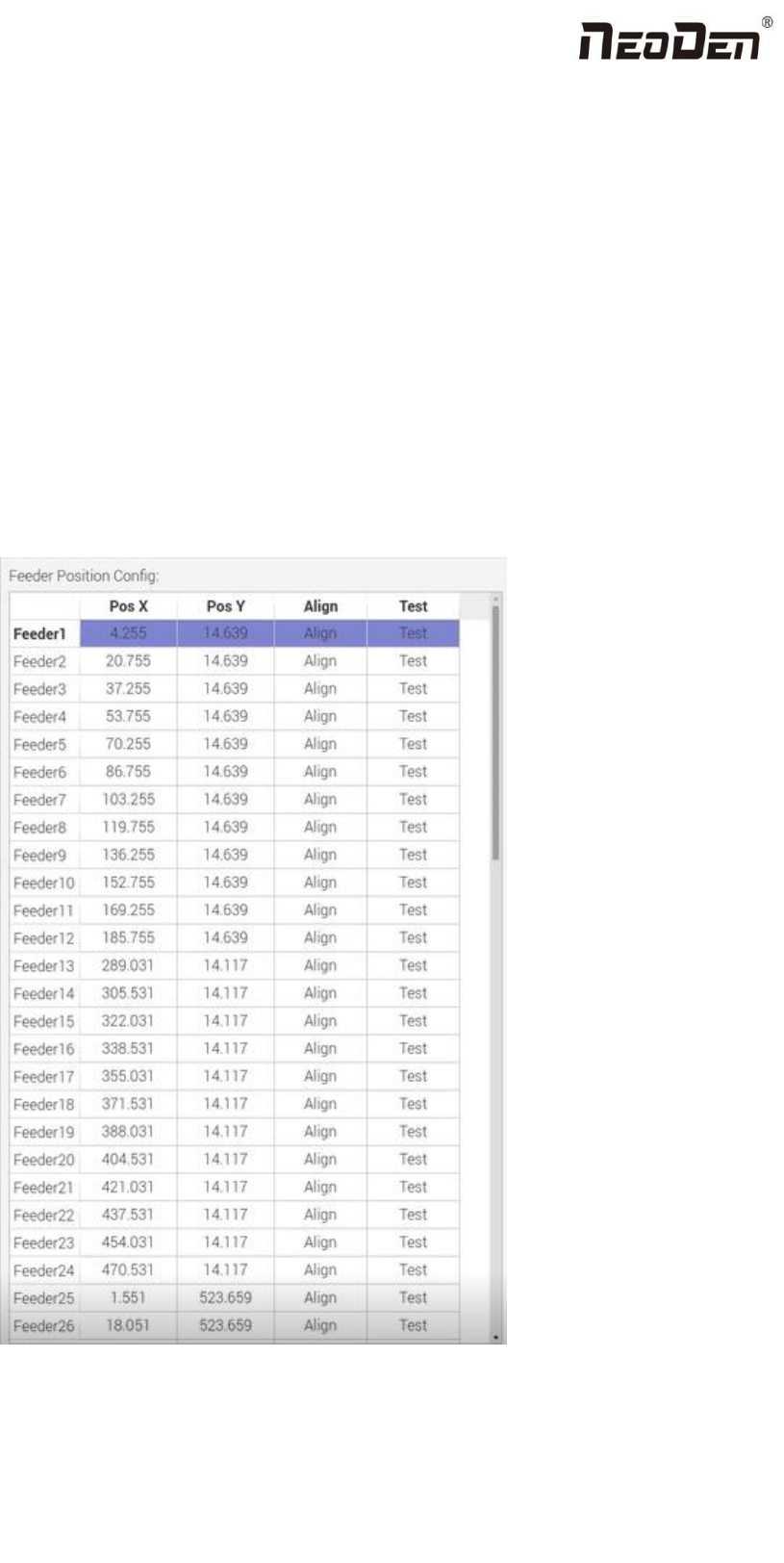
9.1 Feeder Position Config
This interface is used to setup pick offset and test feeding for each feeder.
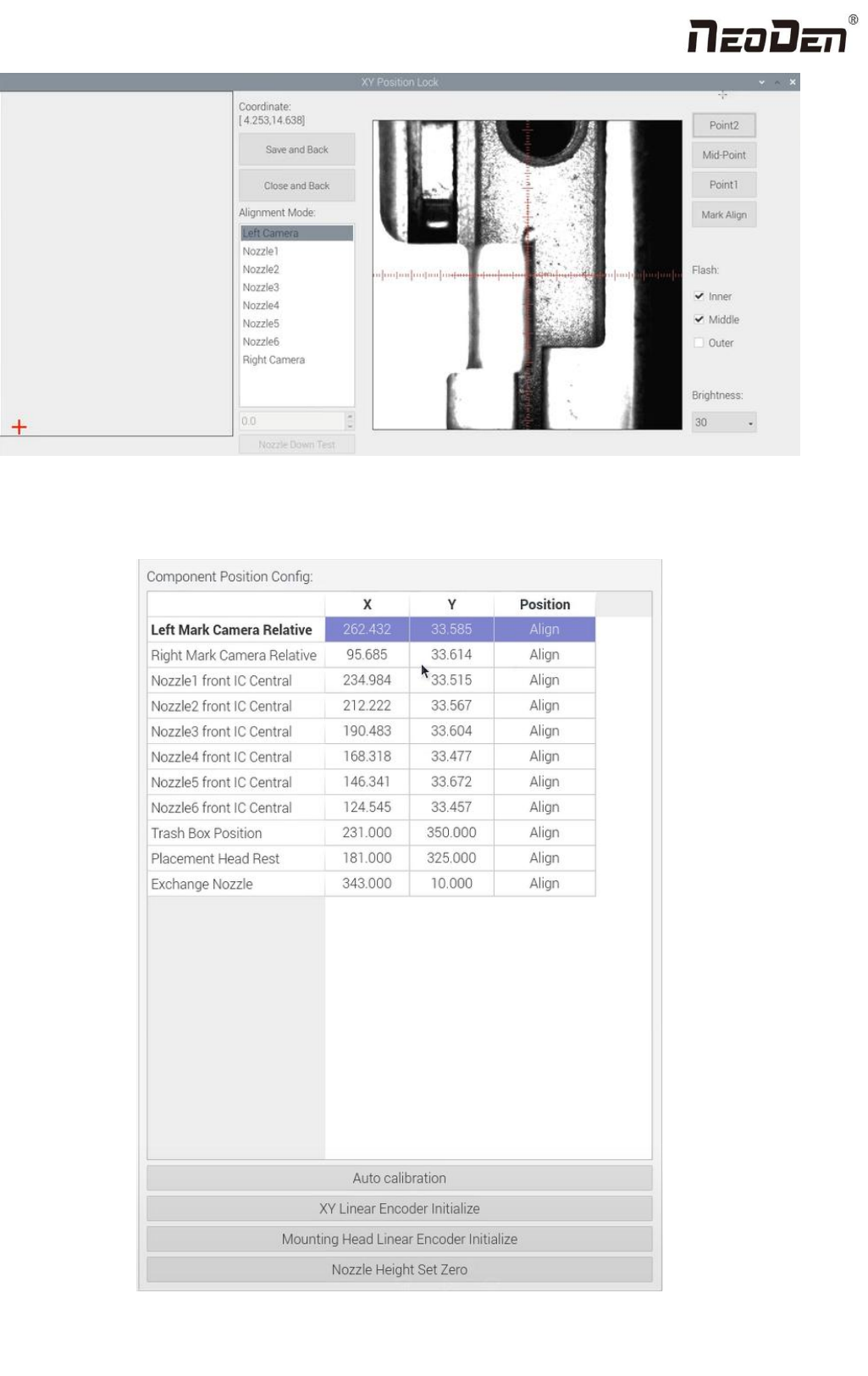
The left column refers to feeder No., Pick X and Pick Y refer to the coordinates of pick offset. After “click to align”, this
interface will be displayed. Align the center of component (edge of tablet), then save it.
38
Zhejiang Neoden Technology Co., Ltd
9.2 Component Positions Setup