User-Manual-NeoDen9-PNP-machine.pdf - 第21页
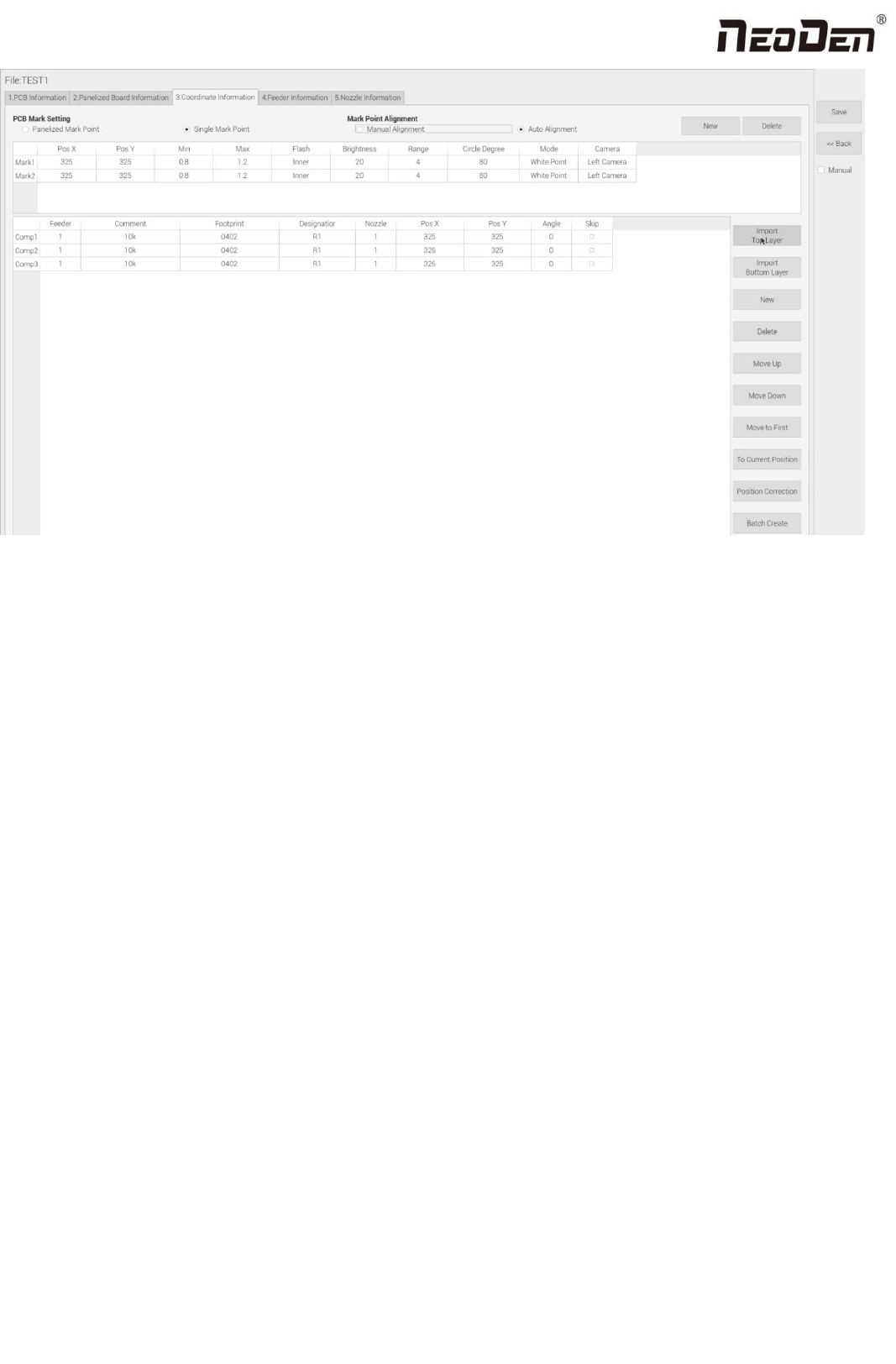
21 Zhejiang Neoden T echnol ogy Co., Ltd ( 2 ) Plug the USB into th e ma chine, d o n ot choose the man ual programmin g, import the processing file by clicking re lated layer file impo rt button. Th e right side clic k …
20
Zhejiang Neoden Technology Co., Ltd
4.2.1 Operation introduction of component list
1.Manual programming
(1)Select manual programming;
(2)The component information list displays multiple rows of sample components. First, modify the sample components:
coordinate XY, click the position lock to enter the lock interface. According to the image presented by the Mark camera,
find the corresponding component and confirm the center position coordinates, click save.
(3)Fill in the information of component: Stack refers to which stack No. the component located; Nozzle refers to which
nozzle used to mounting the component; Specification refers to the component’s value; Footprint refers to the common
footprint name as 0402,0603,0805 etc; Skip setting includes true or false, false means keep mounting, true means skip
mounting this component. After finish all parameters’ editing, the setting of first component information finish.
(4)Click ‘New’ to add one row on the component list. The information will exactly copy from last row. Click align to find
the component’s coordinate. Then click save then edit other information such as name, value, footprint and angle etc. Keep
adding new component until the whole PCB finish. Please note that the stack and nozzle do not need to be edited manually.
It can be set through feeder setting interface with ‘Assign all sequentially’ button to assign the information to component list
automatically.
2.Import the processing file
(1)Export the component coordinate information through computer by choosing metric system CSV format to the USB
flash disk.
21
Zhejiang Neoden Technology Co., Ltd
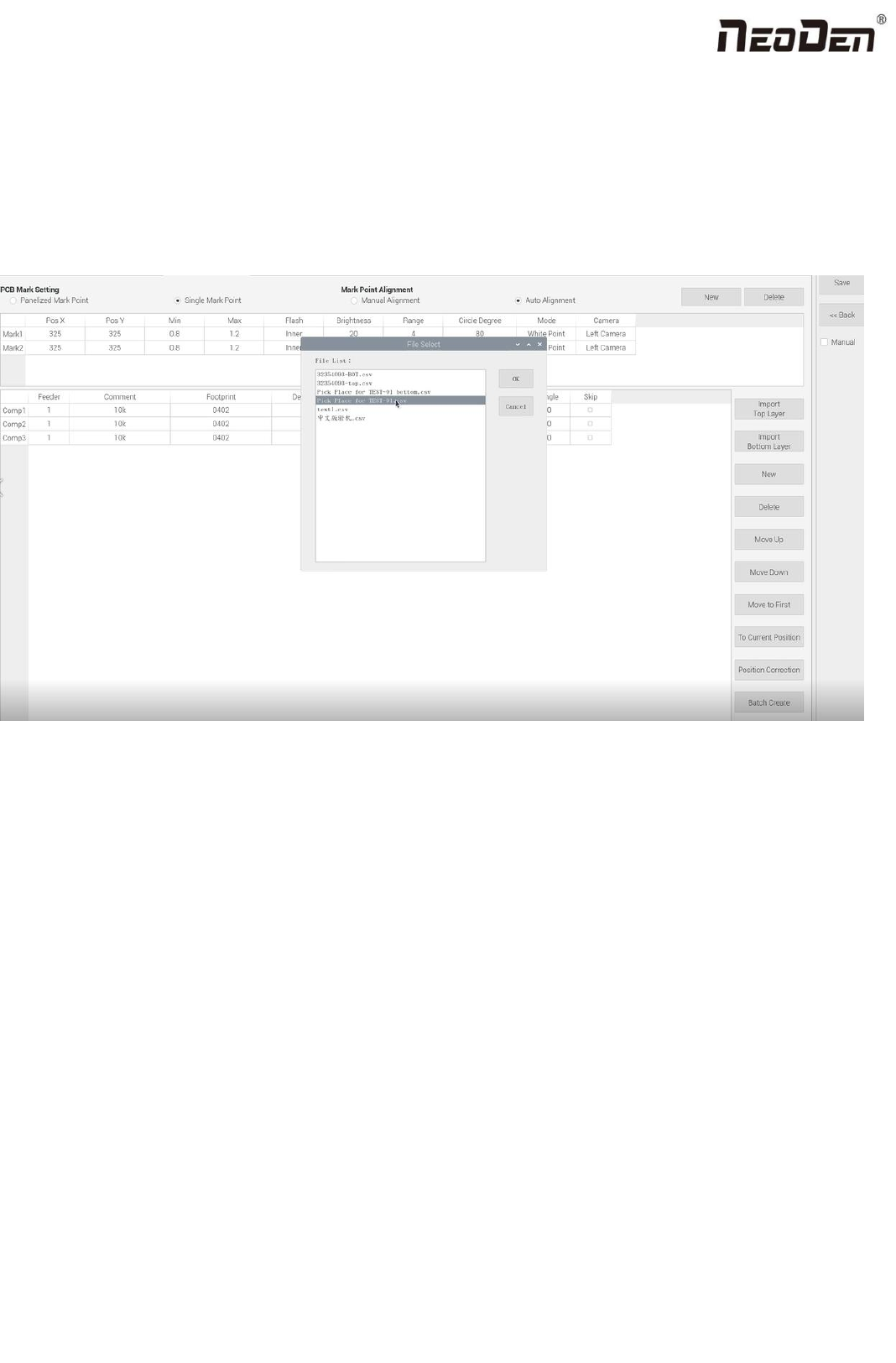
(2)Plug the USB into the machine, do not choose the manual programming, import the processing file by clicking related
layer file import button. The right side click ‘file import top layer’ and the reverse side click ‘file import bottom layer’ . It
will pop up a selecting window, choose the processing file and click save, the information will be imported to the list. (Note:
when import bottom layer, the PCB length(the whole board), need to be set and save before importing, so as to ensure that
the import coordinates will not have negative values). The following figure show the process of importing Toy layer.
Introduction of other functions:
(1)Addition of component: Click ‘New’ , the component list will copy one row from the adjacent row, then modify the
component information.
(2)Delete component: Select the wrong component row, click delete to remove the component.
(3)Movement of component:When editing, sometimes we need to do a slightly adjustment for the edited file, we have
three ways of movement:
Move up: to move the selected component upward.
Move down: to move the selected component downward.
Move to head position: To move the selected component to the first row. Please notice the first row component must be
the same as the first component to place on the PCB.
(4)Convert to current machine coordinate
22
Zhejiang Neoden Technology Co., Ltd
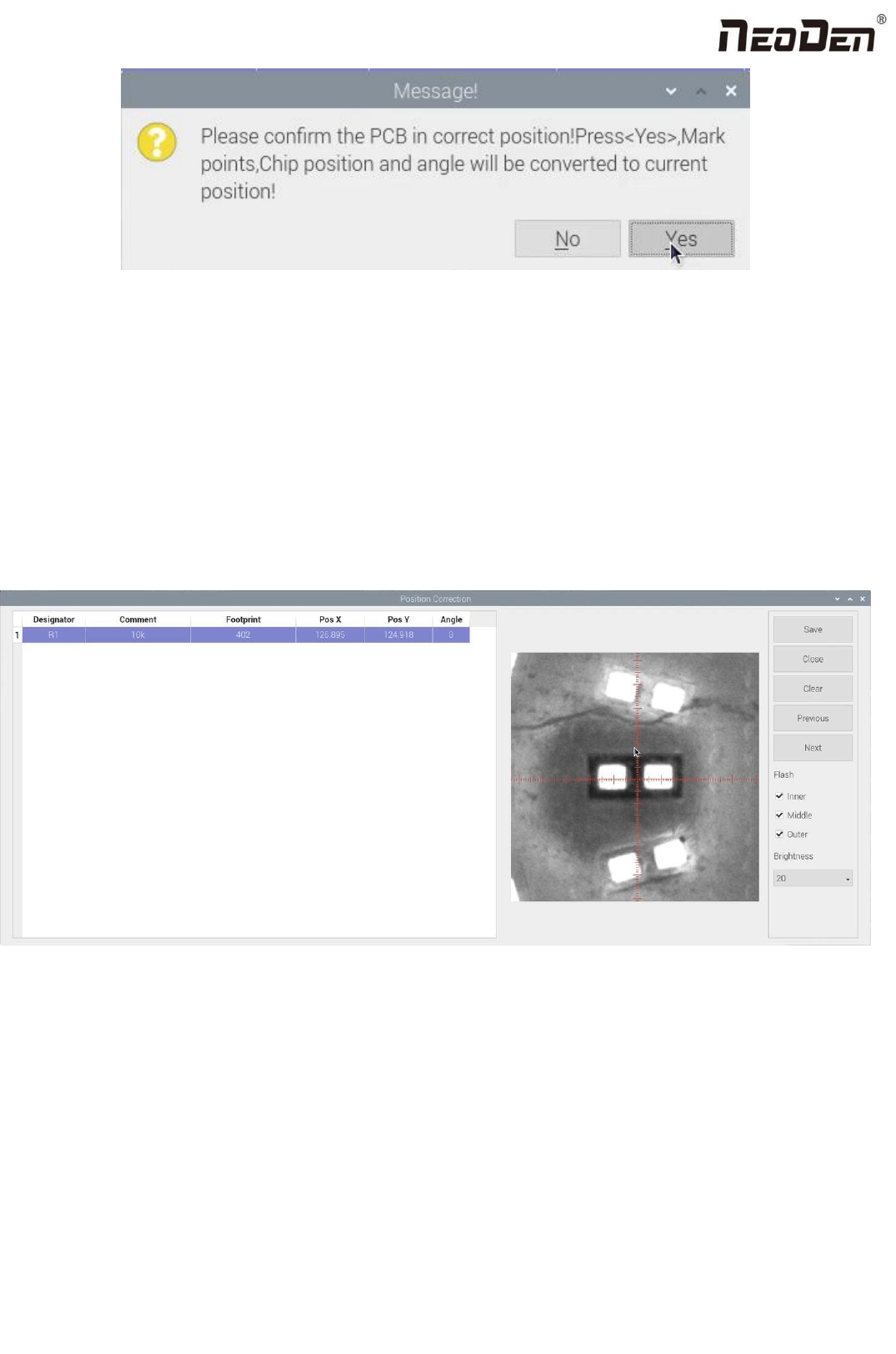
After finish all editing operation, click convert to current position. It will pop up the above dialogue, click yes, the machine
will recognize the fiducials automatically and convert all component coordinate to machine coordinate. After convert
successfully, it will pop up a dialogue, click align to check if the components’ position are still correct.
(5)Position correction
After mounting, if there is a deviation(deviations are regular and relatively consistent), please click position correction to
enter the new vision page. Click the left mouse button to align the center of the placed component; Click the right mouse
button to align the center of pad. Then correct next one until finish all component and save. The machine will remember the
position after correction. It will fix it automatically at the second placement.
(6)Batch create components
Some circuit boards are relatively regular and easy in real editing situation. For this type of circuit board, we can generate
coordinate in batch , the interface as shown in figure: