X-Series-Maintenance-Manual(1).pdf - 第102页
Major Maintenance Maintenance Tasks for CPP Head Performing Maintenance Tasks 102 Maintenance Manual SIPLACE X Series Checking the silencer Cleaning the Com ponent Se nsor 5.6.4.7 Cleaning the Component Sensor ► Check th…
Major Maintenance
Performing Maintenance Tasks Maintenance Tasks for CPP Head
Maintenance Manual SIPLACE X Series 101
Checkin g/Replaci ng the Vacuum-Con ducting Parts
5.6.4.6 Checking/Replacing the Vacuum-Conducting Parts
Checking and replacing the filter disks
Checking the vacuum hoses
NOTICE
Vacuum test
► When checking, pay particular attention to the segments which were noticeable during the
vacuum test.
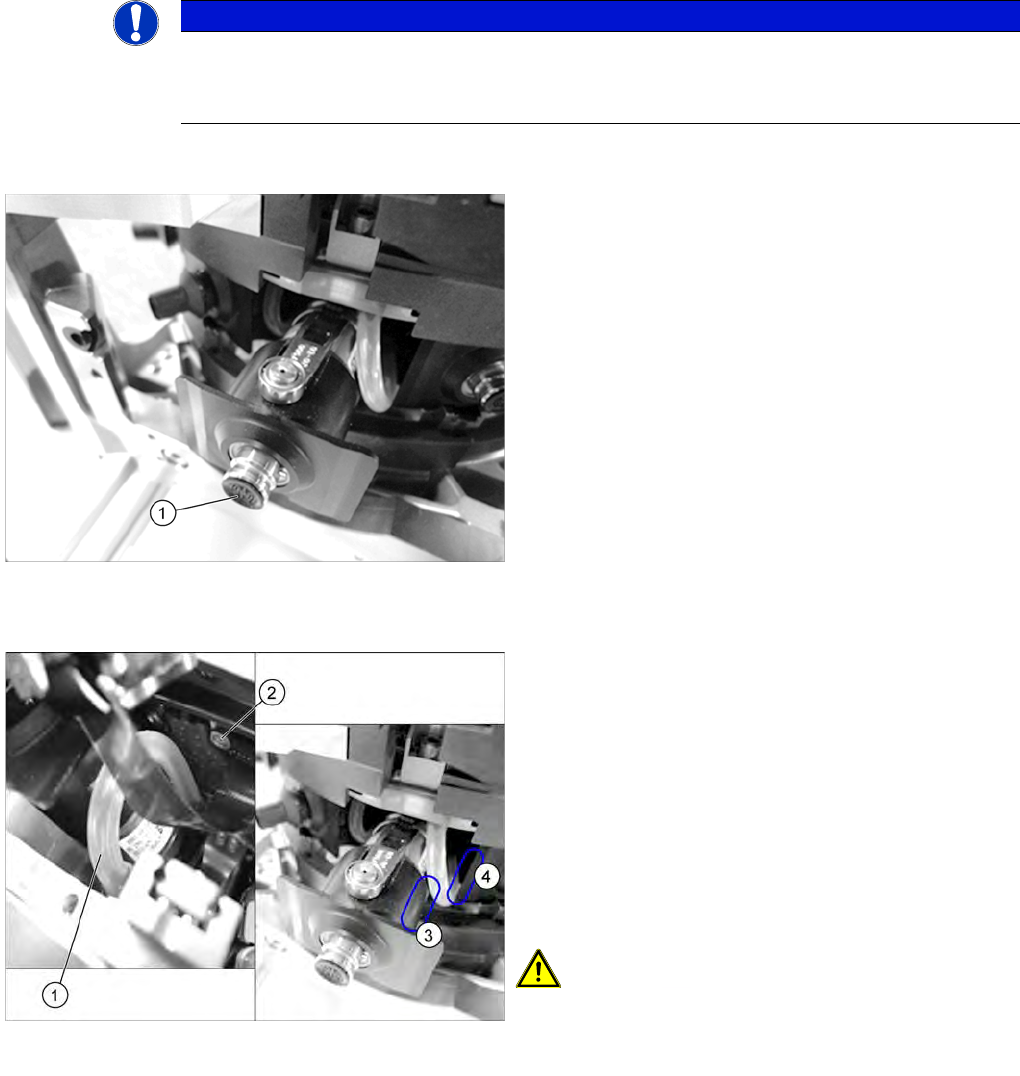
► Check the filter disks (1) for dirt and damage. If a filter
disk is dirty or damaged, replace it.
To remove and install filter disks, proceed as follows:
► Pull the nozzle off the DP drive.
► Remove the outer rubber lip of the filter disk. The
inner plastic section of the filter disk remains in the
DP drive. Now carefully pull this part of the filter disk
out of the DP drive with your finger nail.
► Fit the new filter disk straight onto the DP drive. The
filter disk must engage audibly.
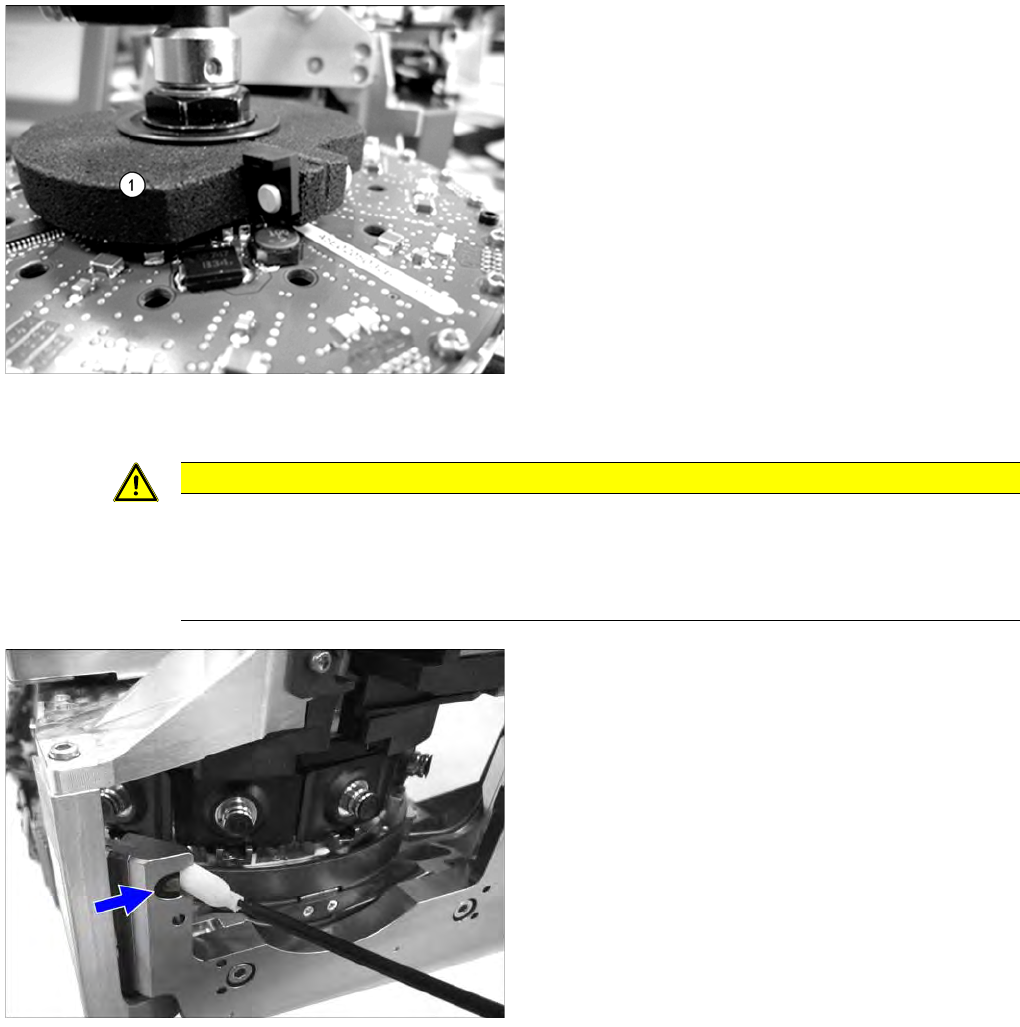
► Check the vacuum hoses.
If a vacuum hose (1) is damaged or no longer airtight,
replace it.
Pay close attention to the following parts of the hose:
⇨ (2) Level with the screw on the Single Core
Solution (SCS)
⇨ (3) The area around the own segment
⇨ (4) The area around the neighboring segment
► For removal and installation details, read the service
manual for the respective machine.
CAUTION! When fitting the hose, make sure
that this does not rub against the cap of the own or
neighboring segment. Check the above mentioned areas
when moving the segment in and out.
Major Maintenance
Maintenance Tasks for CPP Head Performing Maintenance Tasks
102 Maintenance Manual SIPLACE X Series
Checking the silencer
Cleaning the Com ponent Se nsor
5.6.4.7 Cleaning the Component Sensor
► Check the silencer for dirt and replace, if necessary.
► For removal and installation details, read the service
manual for the respective machine.
CAUTION
Prism, cottonwool buds
► Take care not to damage the component sensor prisms.
► Make sure that you do not use the cottonwool buds soaked in oil from cleaning the sleeves.
Always use a new cottonwool bud!
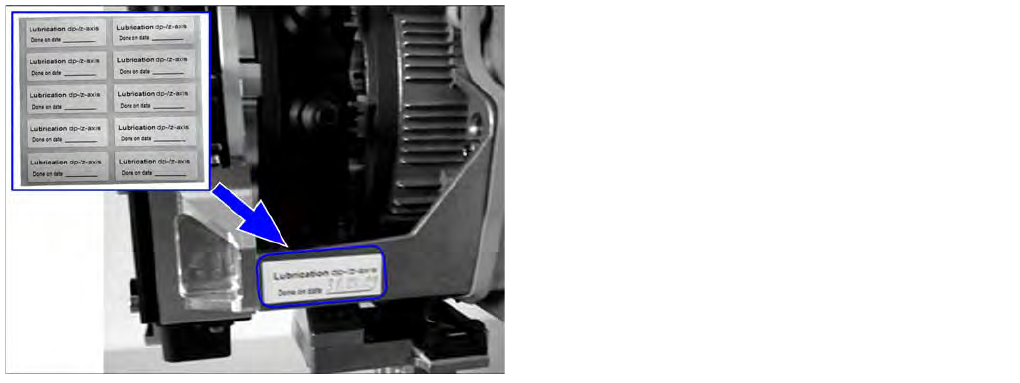
► Remove the protective cap from the component
sensor.
► Clean the prisms of the component sensor with a
cottonwool bud soaked in ethanol.
► Fit the protective cap onto the component sensor.
Major Maintenance
Final Work Maintenance Tasks for CPP Head
Maintenance Manual SIPLACE X Series 103
Final Work
5.6.5 Final Work
Attaching the maintenance label
Fitting the front plate
► Fit the front plate of the CPP head. Read the service manual for the respective machine first.
Fitting the placement head
► Fit the placement head back onto the gantry. Read the service manual for the respective machine
first.
► Remove the protective cap from the component sensor.
► Switch the placement machine on at the main switch.
► Perform a reference run.
► If you have replaced the vacuum hoses on the DP drive, perform a vacuum check. If irregularities
are determined during the check, contact your Siemens Service team and have them check the hold
circuit.
► Calibrate the placement head, preferably using the FHE function. Read the service manual for the
respective machine first.
► For SW703.02 and higher only: Reset the maintenance cycle counter for the corresponding
assemblies.
► Remove any label which may still be present from the
placement head.
► Remove any adhesive residues and clean the area.
► Attach the label and enter the date and, if required,
the meter count, depending on how you determine
your maintenance intervals.