X-Series-Maintenance-Manual(1).pdf - 第35页
Minor Maintenance Performing Maintenance Tasks Maintenance T asks for Base Machine Maintenance Manual SIPLACE X Series 35 Checking the Fan on the Covers and on th e Machine Ru c ksack 4.2.3.7 Checking the Fan on the Cove…
Minor Maintenance
Maintenance Tasks for Base Machine Performing Maintenance Tasks
34 Maintenance Manual SIPLACE X Series
Cleaning/Re placing the Fi lter on the Axis Unit and Com puter Unit
4.2.3.5 Cleaning/Replacing the Filter on the Axis Unit and Computer Unit
Cleaning/Re placing the Fi lter on the Pr otective Covers (X4I Only)
4.2.3.6 Cleaning/Replacing the Filter on the Protective Covers (X4I Only)
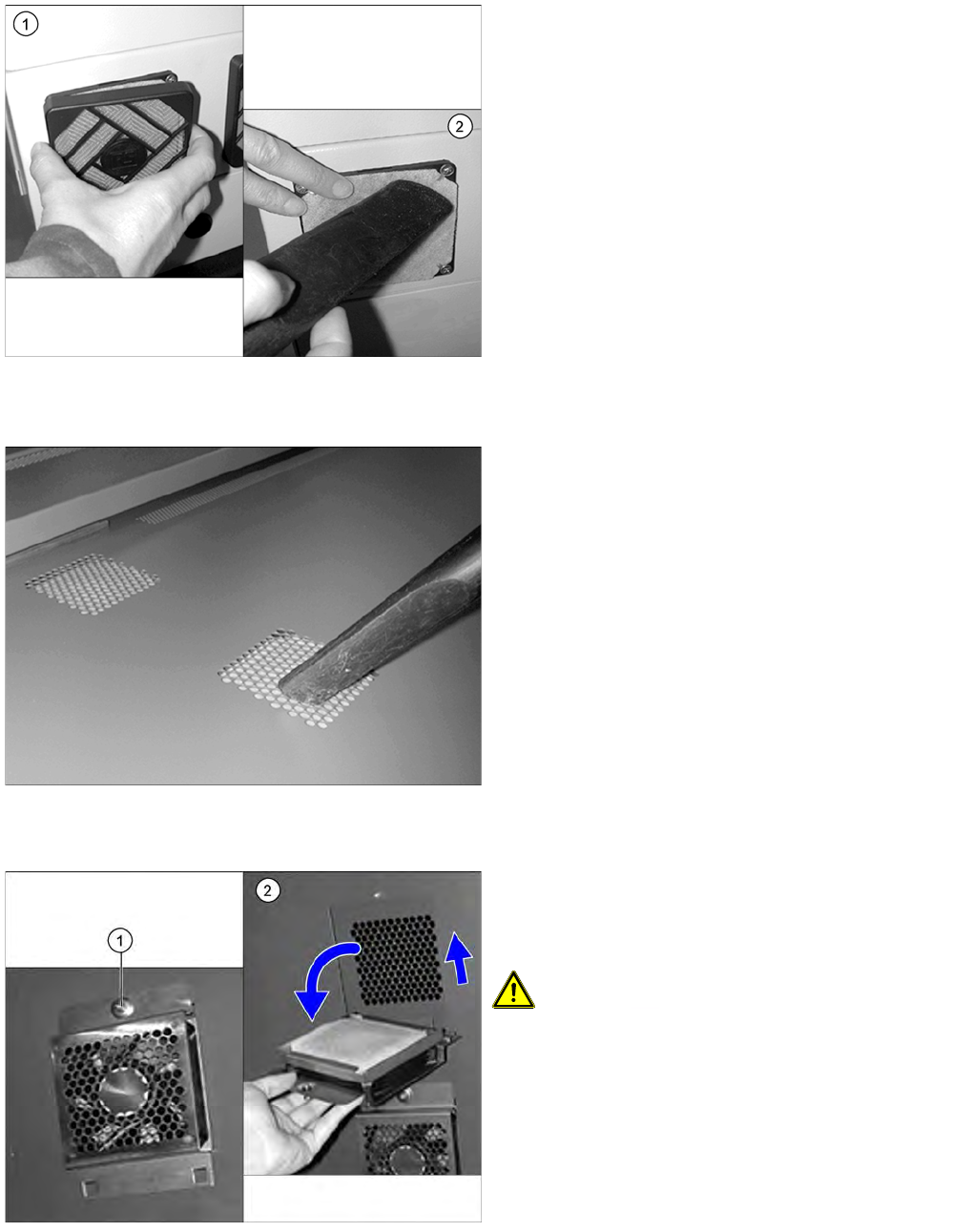
Replacing the filters in the protective covers
► Remove the covers from the filters.
► Use a suitable nozzle to vacuum the filters.
► Check the filters for dirt.
► If a filter is very dirty, replace with a new one.
► Repeat these tasks for all eight fans.
► Vacuum the filters in the protective covers of the
SIPLACE X4I from above.
► Check the filters for dirt.
If the filters are very dirty, replace with new ones. (see
below)
► Open the Safety Cover.
► Loosen the screw (1) on the upper side of the fan.
► Push the fan element up, and fold it down carefully.
CAUTION! Take care not to damage the fan
connection cable!
► Replace the filter with a new metal filter [03076892-
xx].
► Fit the fan and screw tight.
► Close the protective cover.
Minor Maintenance
Performing Maintenance Tasks Maintenance Tasks for Base Machine
Maintenance Manual SIPLACE X Series 35
Checking the Fan on the Covers and on the Machine Ru cksack
4.2.3.7 Checking the Fan on the Covers and on the Machine Rucksack
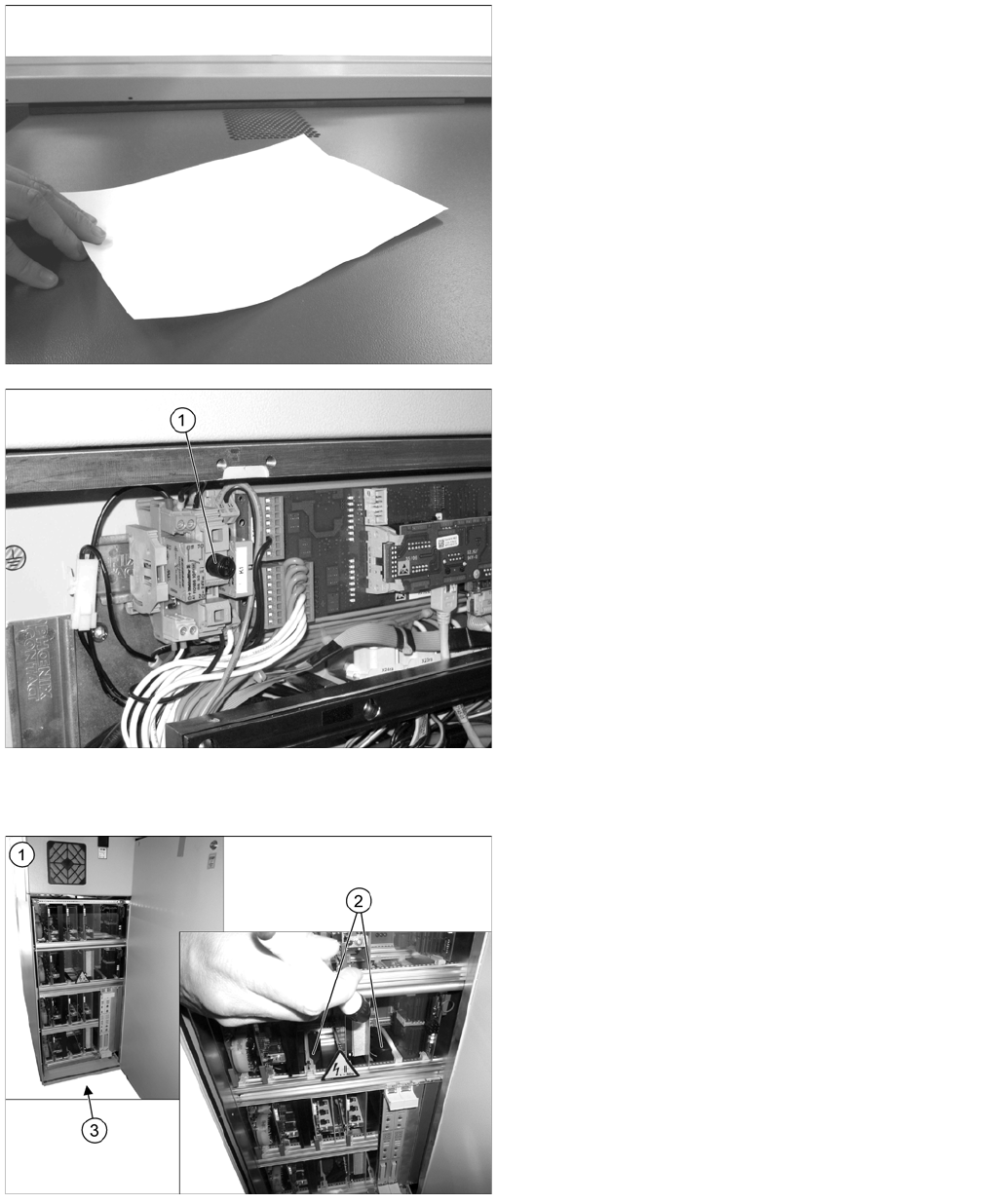
The machine needs to be switched on for this check.
► Close the protective covers and press the Start button.
Cover fan
Fan on the axis unit
► Place a sheet of paper on the fan openings. This
sheet of paper should be noticeably held in place by
suction.
► If the sheet of paper is not held in place, check the
fuse F1 (1) for the voltage supply in the distributor at
location 4 and replace this if necessary. Check all
cover fans again.
If the fuse is OK, replace the defective fan
[03056479
-
xx].
► Repeat this check for all cover fans.
► Open the cover above the axis unit (1).
► Check the fan function (2) in the center of the axis
unit. Also check whether this still moves. Use a
flashlight to help you if necessary. If the fan is defect,
replace it.
► Check the function of the fan on the underside of the
axis unit (3) by holding your hand in front of the fan.
You should be able to feel a noticeable flow of air. If
the fan is defect, replace it..
► Now close the cover again.
► Repeat these steps for all axis units.
Minor Maintenance
Maintenance Tasks for Base Machine Performing Maintenance Tasks
36 Maintenance Manual SIPLACE X Series
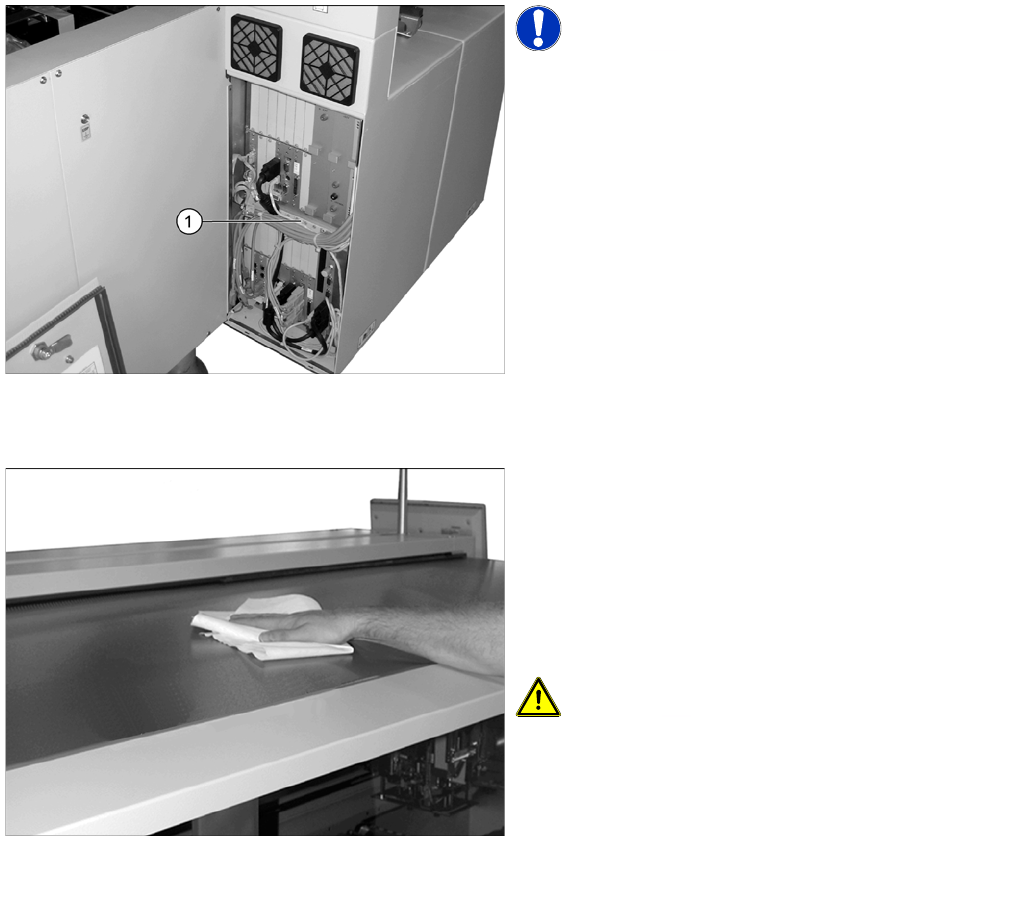
Fan on the computer unit
Cleaning the Protective C overs
4.2.3.8 Cleaning the Protective Covers
NOTICE! Machines with BoxPC
In BoxPCs, the fan is located in the computer and is
monitored by this.
► Open the cover above the computer unit.
► Check the fan function (1) in the center of the
computer unit. You should be able to hear the flow of
air. If the fan is defect, replace it.
► Now close the cover again.
► Check the protective covers for dirt.
► Clean them with a dry, lint-free cloth, if required.
► If the covers are very dirty, use a lint-free cloth and a
small amount of a neutral or weak alkaline cleaning
agent.
Clean the protective covers with light pressure and
take care not to damage the ESD coating!
CAUTION! Selecting the right cleaning agent
The choice of cleaning agent for the protective covers
must be made with particular care so as not to damage
the ESD coating on the protective covers!
Do not use any chemical cleaning agents. Never use acid
or strong alkaline agents and avoid all ketones, esters,
aromatics, halogenated hydrocarbons, etheric oils or
similar.