X-Series-Maintenance-Manual(1).pdf - 第37页
Minor Maintenance Consumables, Spare and Wear Parts , Tools Maintenance Tasks for the Component Feed Device Maintenance Manual SIPLACE X Series 37 Maintenance Tasks for the Compon ent Feed Device 4.3 Maintenance Tasks fo…
Minor Maintenance
Maintenance Tasks for Base Machine Performing Maintenance Tasks
36 Maintenance Manual SIPLACE X Series
Fan on the computer unit
Cleaning the Protective C overs
4.2.3.8 Cleaning the Protective Covers
NOTICE! Machines with BoxPC
In BoxPCs, the fan is located in the computer and is
monitored by this.
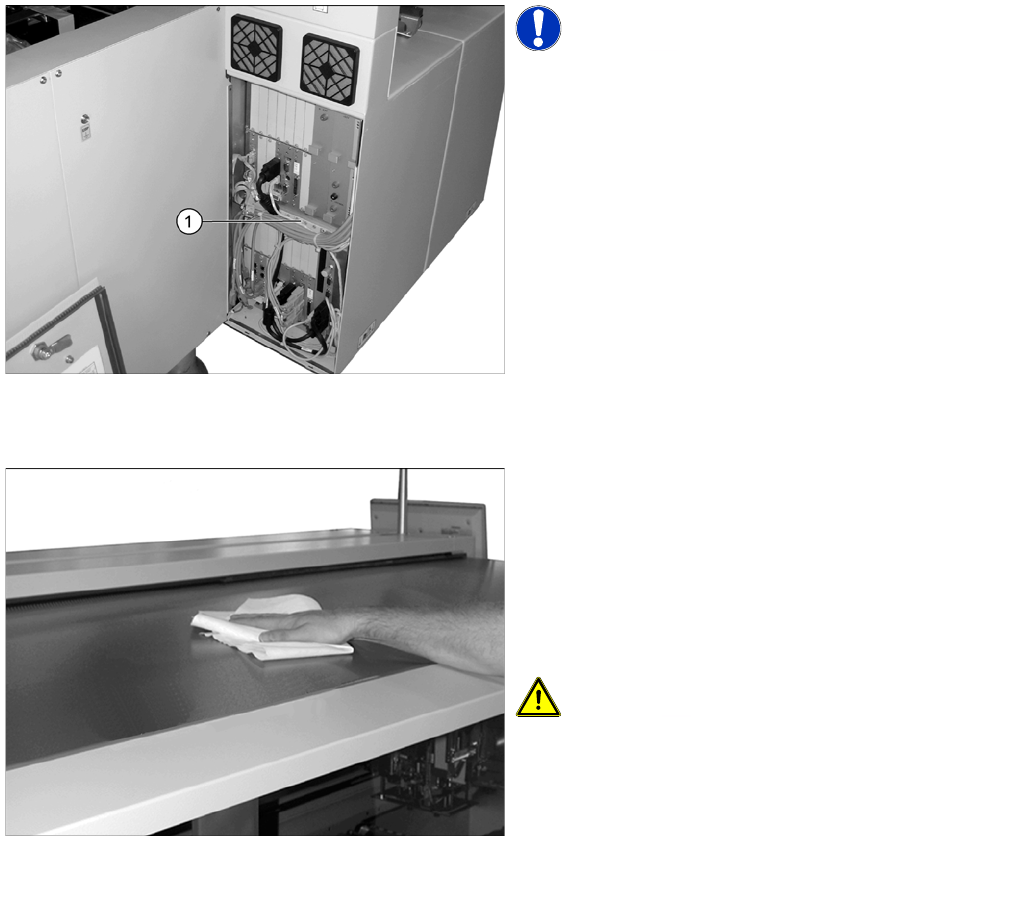
► Open the cover above the computer unit.
► Check the fan function (1) in the center of the
computer unit. You should be able to hear the flow of
air. If the fan is defect, replace it.
► Now close the cover again.
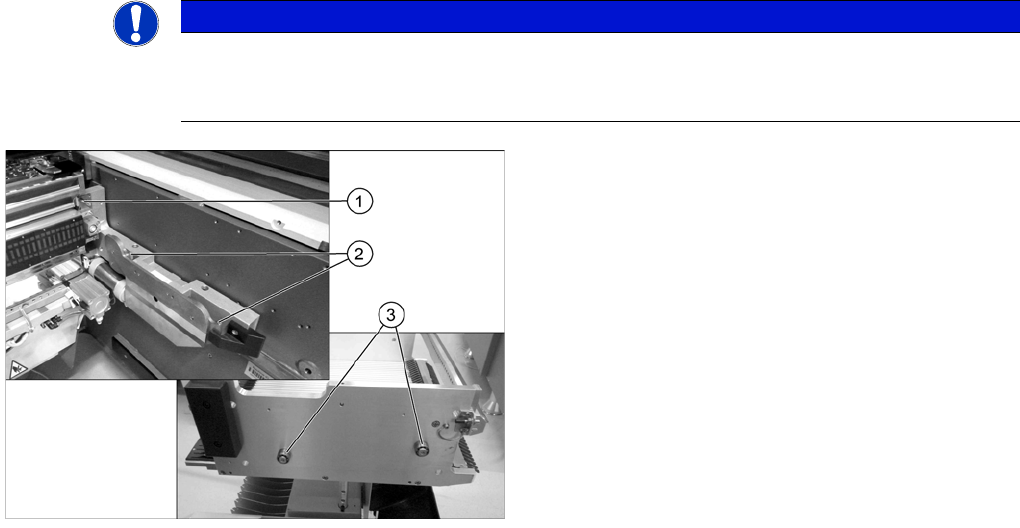
► Check the protective covers for dirt.
► Clean them with a dry, lint-free cloth, if required.
► If the covers are very dirty, use a lint-free cloth and a
small amount of a neutral or weak alkaline cleaning
agent.
Clean the protective covers with light pressure and
take care not to damage the ESD coating!
CAUTION! Selecting the right cleaning agent
The choice of cleaning agent for the protective covers
must be made with particular care so as not to damage
the ESD coating on the protective covers!
Do not use any chemical cleaning agents. Never use acid
or strong alkaline agents and avoid all ketones, esters,
aromatics, halogenated hydrocarbons, etheric oils or
similar.
Minor Maintenance
Consumables, Spare and Wear Parts, Tools Maintenance Tasks for the Component Feed Device
Maintenance Manual SIPLACE X Series 37
Maintenance Tasks for the Component Feed Device
4.3 Maintenance Tasks for the Component Feed Device
Consumables, Spare and Wear Parts, Tools
4.3.1 Consumables, Spare and Wear Parts, Tools
▪ SIPLACE cleansing tissue [00315253-xx]
▪ Protective latex gloves [00372972-xx]
▪ ESD wristband [00320279-xx]
▪ Oil stone / Elasto abrasive cleaning agent
▪ UNISILKON L250L [00310259-xx]
▪ Rust prevention spray WD40, 400 ml [00325833-xx]
▪ Brush [00378523-xx]
Preparatory Steps
4.3.2 Preparatory Steps
► Move the changeover tables out of the machine.
See also
1.2 Preparatory Work... [ ➙ 11]
Performing Maintenance Tasks
4.3.3 Performing Maintenance Tasks
Checkin g and Gre asing the Bearing o n the Component Trolley fo r the X Feeder Mod ules
4.3.3.1 Checking and Greasing the Bearing on the Component Trolley for the X Feeder Modules
NOTICE
Grease the engaging pins
If the component trolley is frequently undocked, we recommend that you grease the engaging
pins.
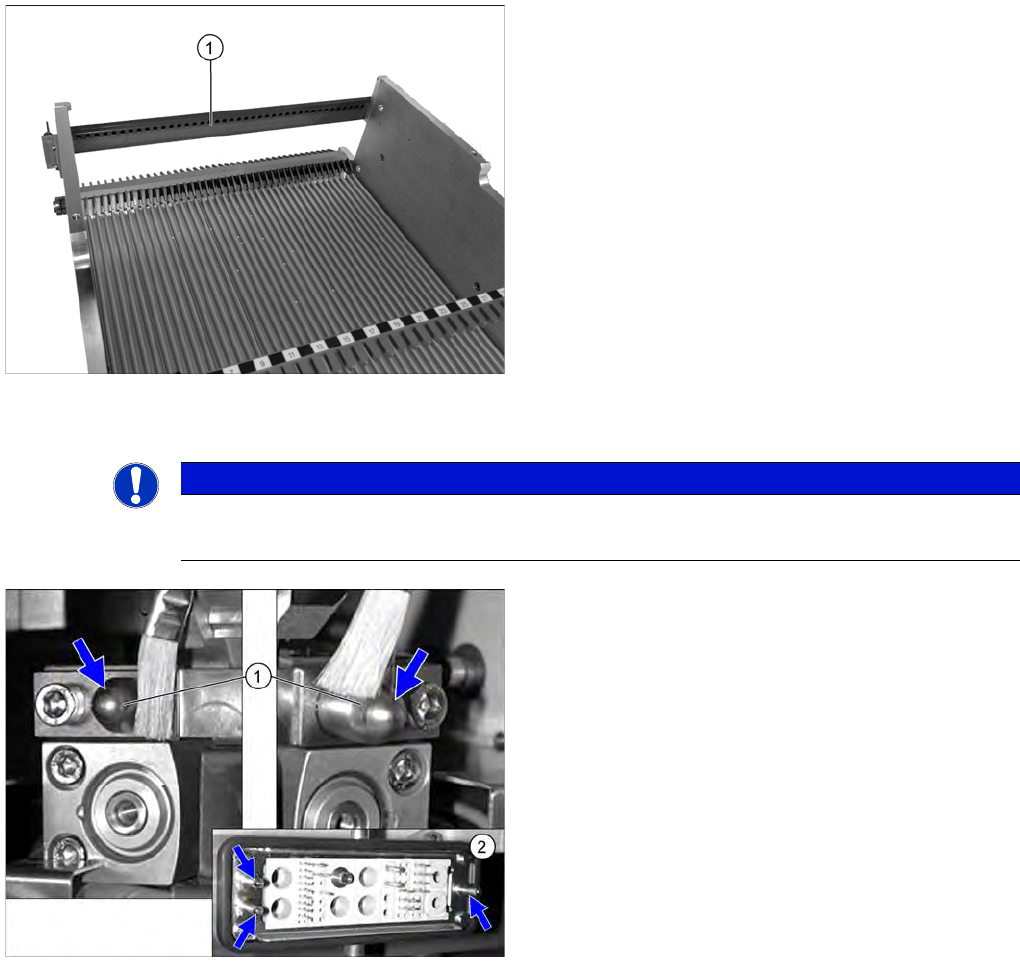
► Grease the engaging pin (1) with a SIPLACE
cleansing tissue.
► Grease the hooks (2) on both sides of the component
docking unit (2 on each side) with a SIPLACE
cleansing tissue.
► Grease the rollers (3) on both sides of the
changeover table (2 per side) with a SIPLACE
cleansing tissue.
► Repeat these steps at all locations and on all
component trolleys.
Minor Maintenance
Maintenance Tasks for the Component Feed Device Performing Maintenance Tasks
38 Maintenance Manual SIPLACE X Series
Greasing the Centering St rip on the Component Trolley for X Feeder Modules
4.3.3.2 Greasing the Centering Strip on the Component Trolley for X Feeder Modules
Greasing the Plunger Pins on the Component Trolley for S Feeder Modules
4.3.3.3 Greasing the Plunger Pins on the Component Trolley for S Feeder Modules
► Spray the centering strip (1) with a thin film of "Oil
spray Surface Shield" [00328575-xx]. Pay close
attention to the holes in the centering strip.
► Then wipe the centering strip with a lint-free cloth.
► Repeat these steps at all component trolleys.
NOTICE
Undocking many times
► Perform this task if the component trolley is undocked on a frequent basis.
► Dock out the component trolley.
► Greas the plunger pins (1) of the change over table
insert with a brush and UNISILKON L250L.
► Grease the plunger pins (2) of the ODU connector on
the component trolley docking unit with a brush and
UNISILKON L250L.
► Dock in the component trolley once more.