X-Series-Maintenance-Manual(1).pdf - 第46页
Minor Maintenance Maintenance Tasks for Optical Systems Performing Maintenance Tasks 46 Maintenance Manual SIPLACE X Series ► Repeat these steps for all IC and FC cameras. Cleaning the Cop lanarity M odule 4.6.3.2 Cleani…
Minor Maintenance
Consumables, Spare and Wear Parts, Tools Maintenance Tasks for Optical Systems
Maintenance Manual SIPLACE X Series 45
Maintenance Tasks for Optical Systems
4.6 Maintenance Tasks for Optical Systems
Consumables, Spare and Wear Parts, Tools
4.6.1 Consumables, Spare and Wear Parts, Tools
▪ Microfiber cloth for cleaning optical assemblies
▪ ESD wristband [00320279-xx]
▪ Cotton gloves [00359087-xx]
Preparatory Steps
4.6.2 Preparatory Steps
► Switch off the machine, disconnect it from the power supply and secure it to prevent unauthorized
reactivation. Observe the instructions in section "1.2 Preparatory Work..." [ ➙ 11].
Performing Maintenance Tasks
4.6.3 Performing Maintenance Tasks
Cleaning the IC and FC ca meras
4.6.3.1 Cleaning the IC and FC cameras
NOTICE
IC- and FC camera
This cleaning procedure is the same for IC and FC cameras, as well as for types 25 and 33.
CAUTION
Risk of cutting
There is a risk of cutting your fingers along the edges of the mirror.
► Wear cotton gloves as protection and avoid touching the edges. The cotton gloves are also
required for effective cleaning (to avoid fingerprints!).
CAUTION
Voltages
Make sure that the electrical components are not live!
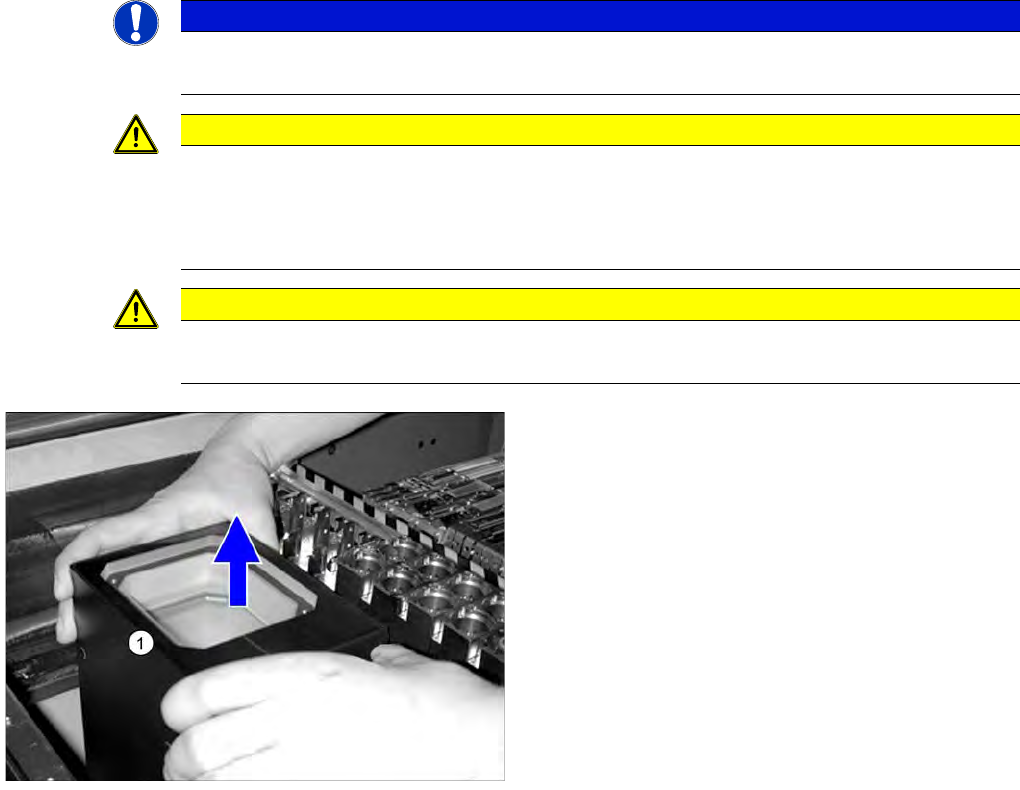
► Carefully lift the upper section (1) of the IC camera up
and off.
Minor Maintenance
Maintenance Tasks for Optical Systems Performing Maintenance Tasks
46 Maintenance Manual SIPLACE X Series
► Repeat these steps for all IC and FC cameras.
Cleaning the Cop lanarity M odule
4.6.3.2 Cleaning the Coplanarity Module
Clean the stationary 3D se nsor module
4.6.3.3 Clean the stationary 3D sensor module
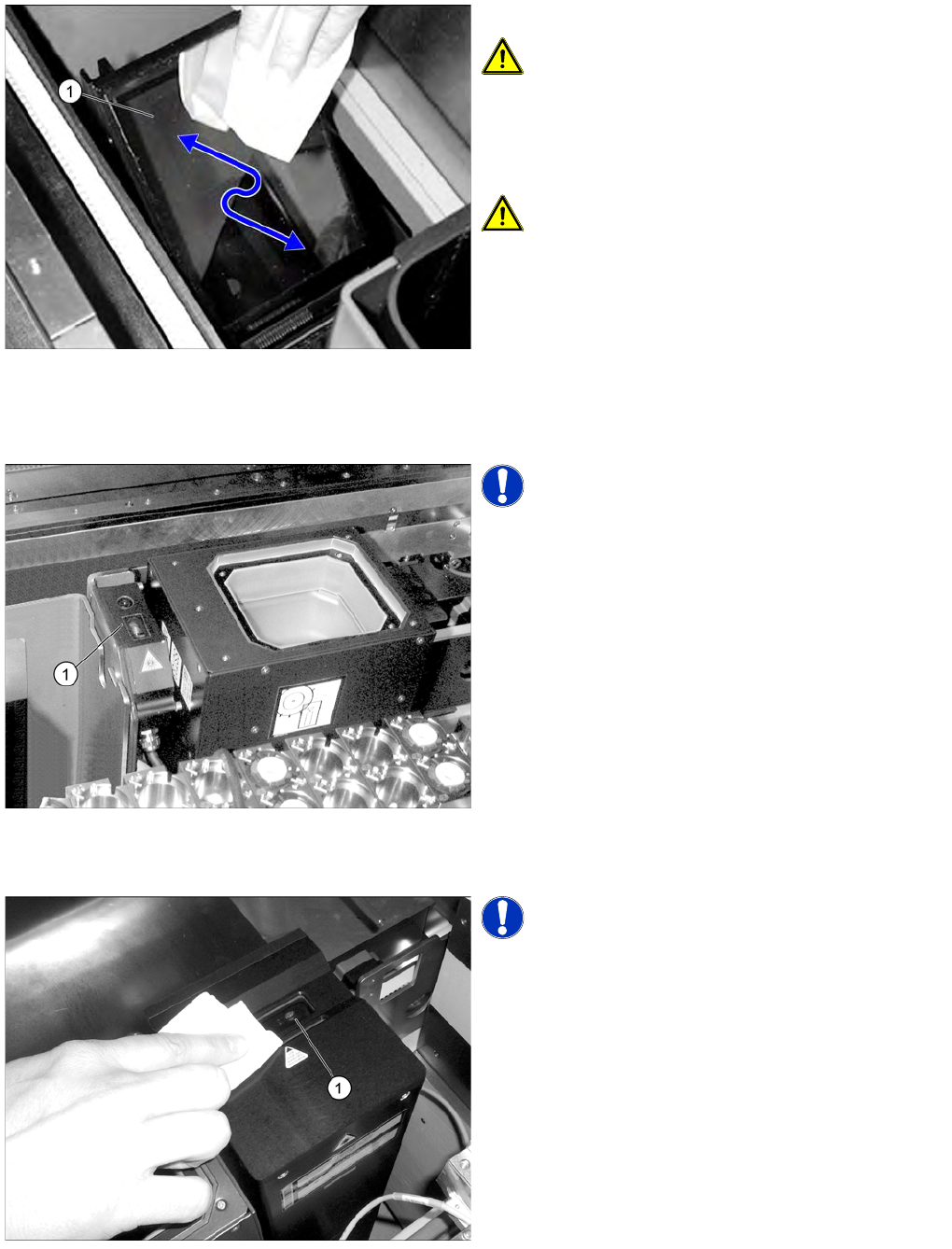
► Clean the slanted glass (1) with a microfiber cloth.
CAUTION! Do not use any cleaning agents!
► Refit the upper section of the camera.
When inserting the upper section of the camera,
make sure that it is evenly seated on the bottom
section and that it cannot move.
CAUTION! Take care not to damage the glass
when fitting it.
NOTICE! The coplanarity module is optional.
► Clean the lenses (1) of the coplanarity module with a
microfiber cloth.
NOTICE! The 3D sensor module is optional.
► Clean the 3D sensor module lens (1) with a microfiber
cloth.
Minor Maintenance
Performing Maintenance Tasks Maintenance Tasks for Optical Systems
Maintenance Manual SIPLACE X Series 47
Clean the PCB barcode sc anner
4.6.3.4 Clean the PCB barcode scanner
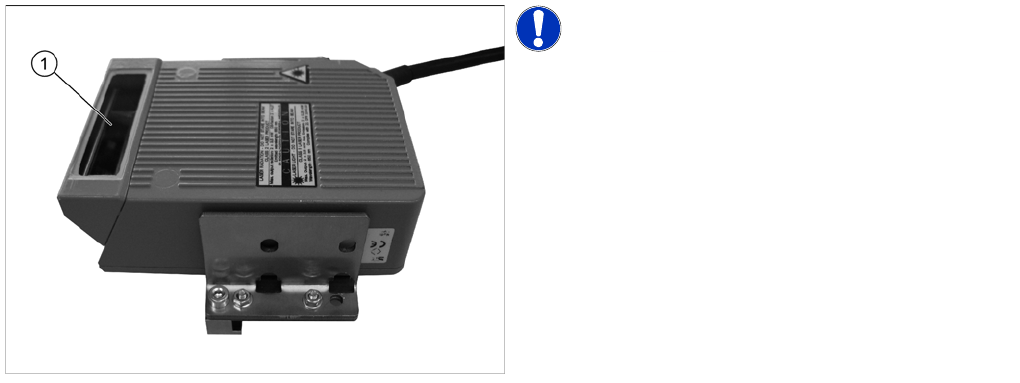
NOTICE! The PCB barcode scanner is optional.
► Clean the lens (1) of the PCB barcode scanner with a
microfiber cloth.