TRS Advanced WB Intel Issue 02.pdf - 第53页
Issue 2, Nov 14 TRS Advanced Maintenance 53 41. With the pins fitted under the rail cap c heck that a gap exists between the board clamp / rail and the MEK reference surfaces across the whole assembly. 42. Push the front…
TRS Advanced Maintenance
52
Issue 2, Nov 14
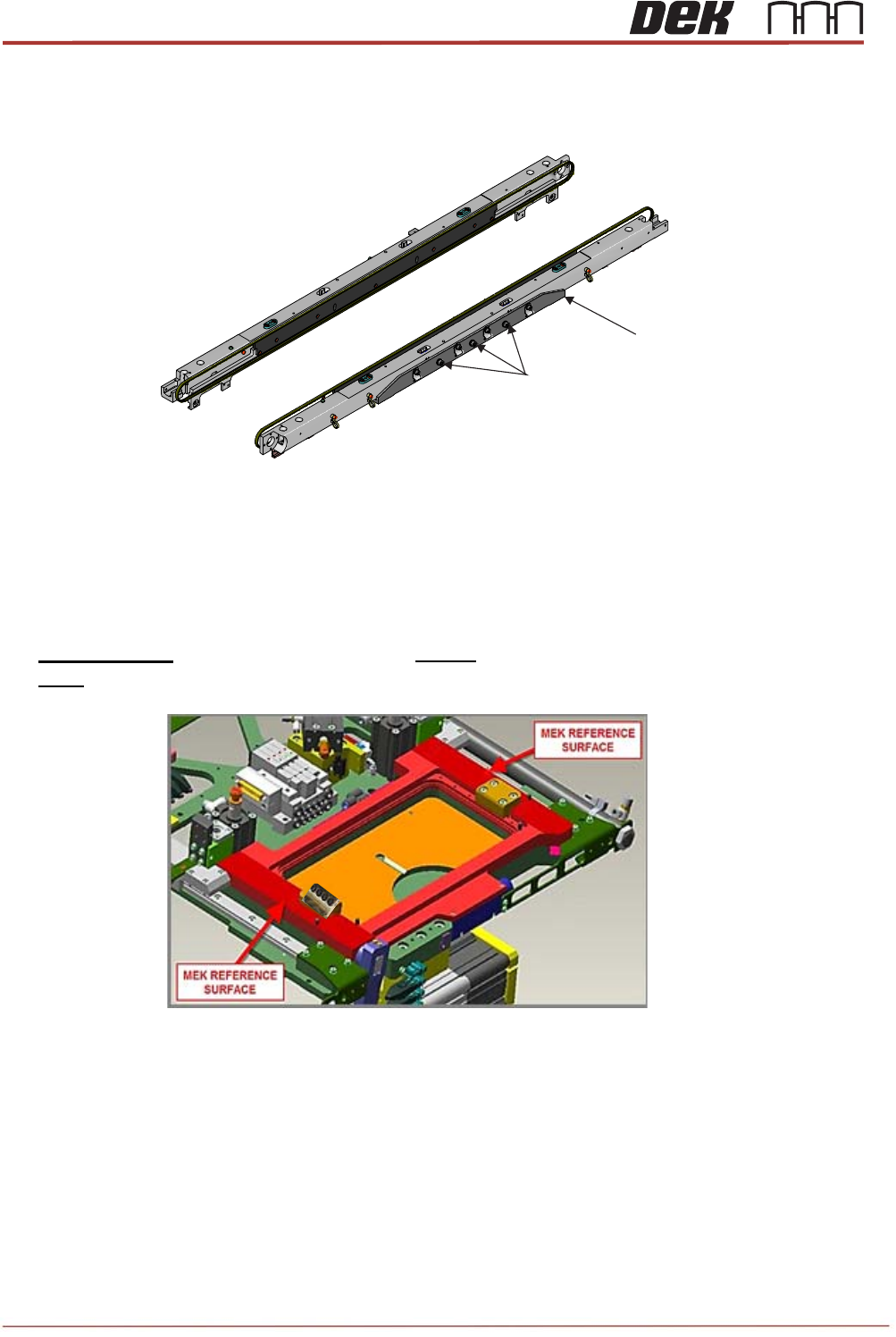
38. Undo 3 off M5 cap head screws (do not remove the screws) from front rail support pad and
push the support pad upwards as far as it will go and tighten the 3 off M5 cap head screws.
39. Repeat the previous step for the rear rail support pad.
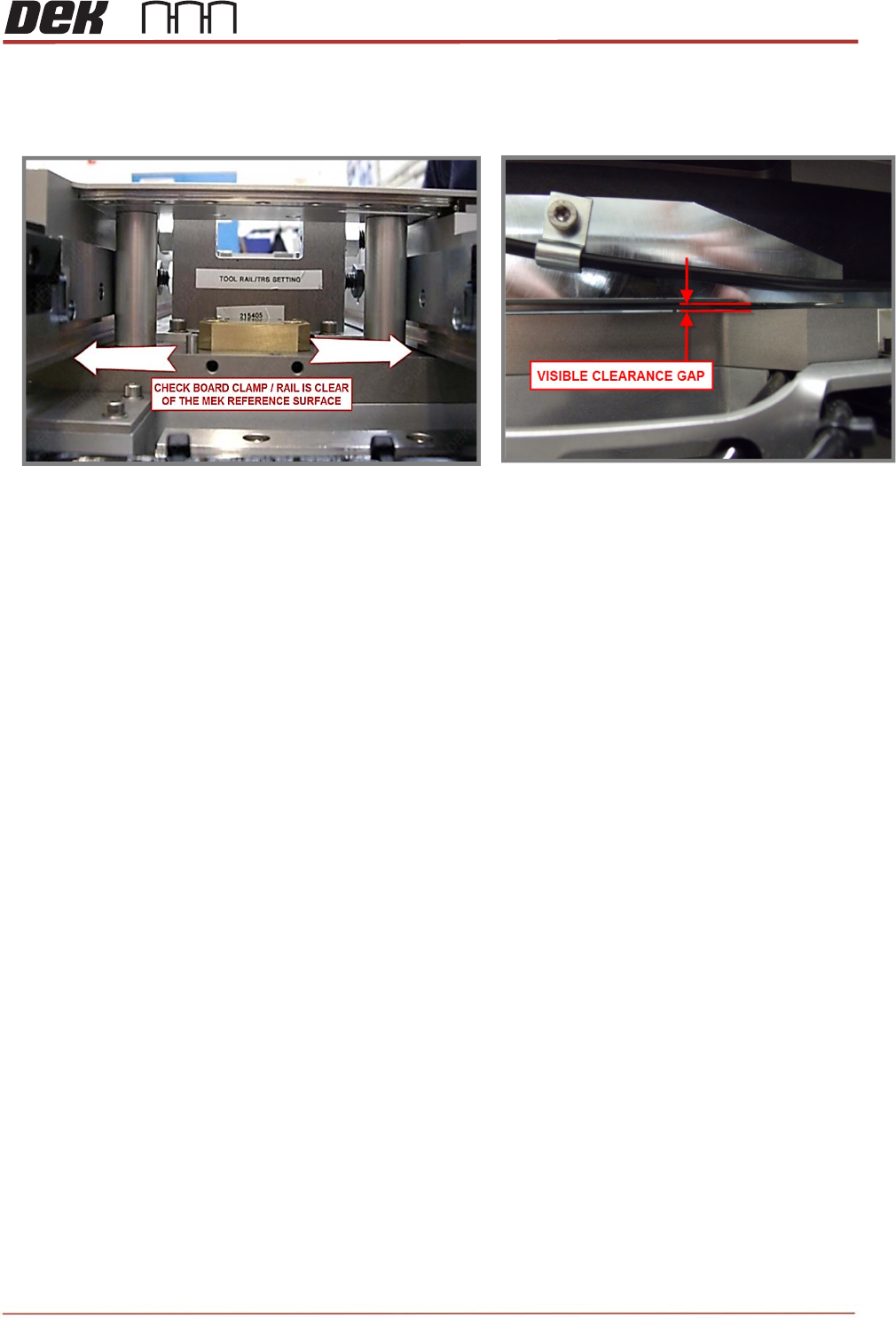
40. Lift the rail cap / rails slightly and place four height setting pins (212276) on the MEK
reference surfaces.
IMPORTANT: The top face of each pin MUST contact the underside of the Rail Cap and
NOT the face of either of the long bearing rails.
M5x12 Cap Head Screws
Front Rail Support Pad
View on Centre Section of the Transport Rails
Issue 2, Nov 14
TRS Advanced Maintenance
53
41. With the pins fitted under the rail cap check that a gap exists between the board clamp /
rail and the MEK reference surfaces across the whole assembly.
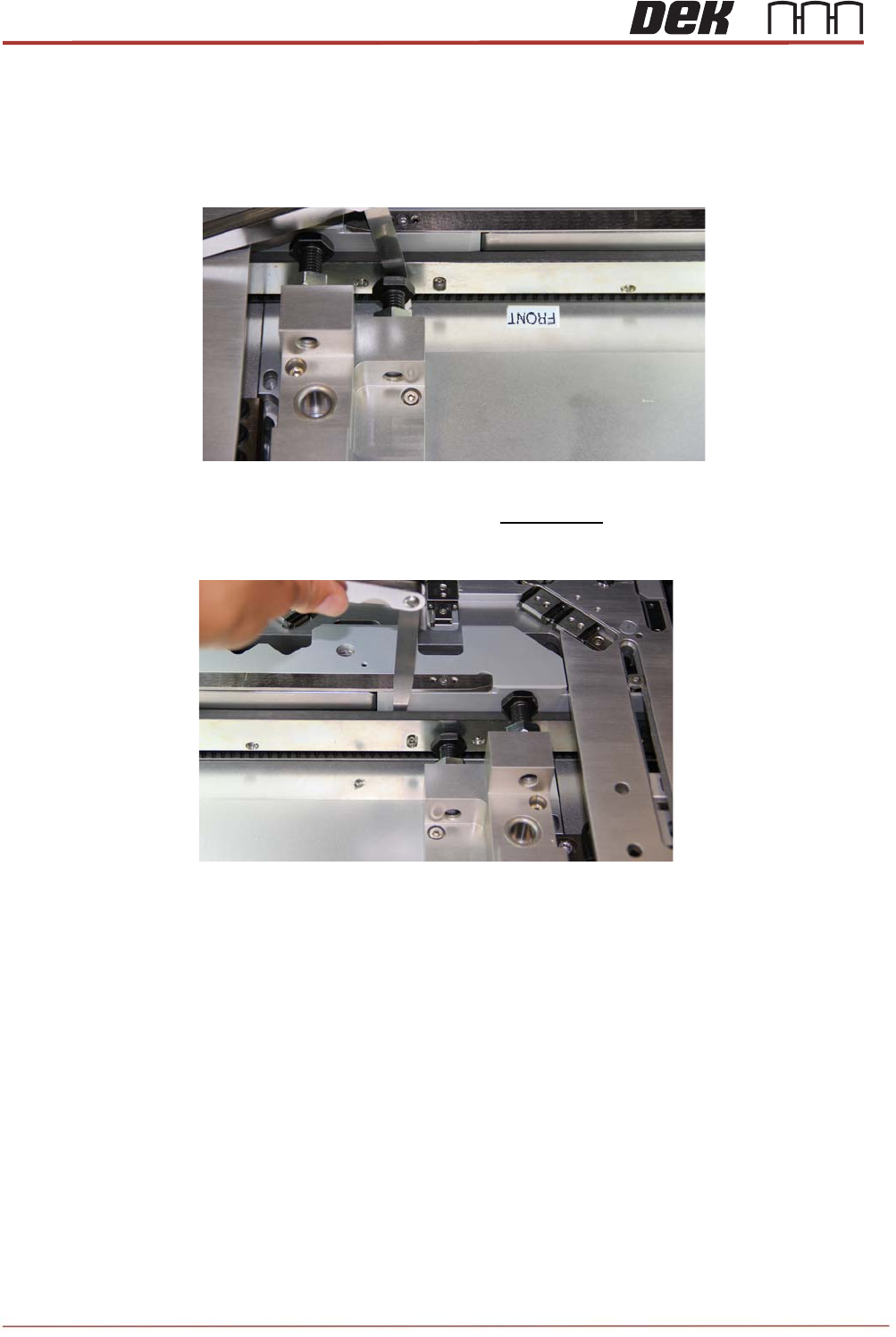
42. Push the front rail into contact with the buttons of the Rail Alignment Jig (RAJ).
TRS Advanced Maintenance
54
Issue 2, Nov 14
43. Adjust the front rail position using equal amounts of feeler gauge as a GO / NOGO, as
shown picture below.
44. The rail must be parallel to the buttons with an overall tolerance of 0.05mm.
45. At the same time, adjust the gap between the inside face of the front belt guide and
the front vertical faces of the rail cap to 0.3mm +/-0.05mm.
View on Rear of the Transport Rail and the Rail Cap