TRS Advanced WB Intel Issue 02.pdf - 第71页
Issue 2, Nov 14 TRS Advanced Maintenance 71 11. Drive the rising table to vision height. 12. Confirm the rail pads are in contact with the MEK base. 13. Confirm that the transport rail spring posts still have some upward…
TRS Advanced Maintenance
70
Issue 2, Nov 14
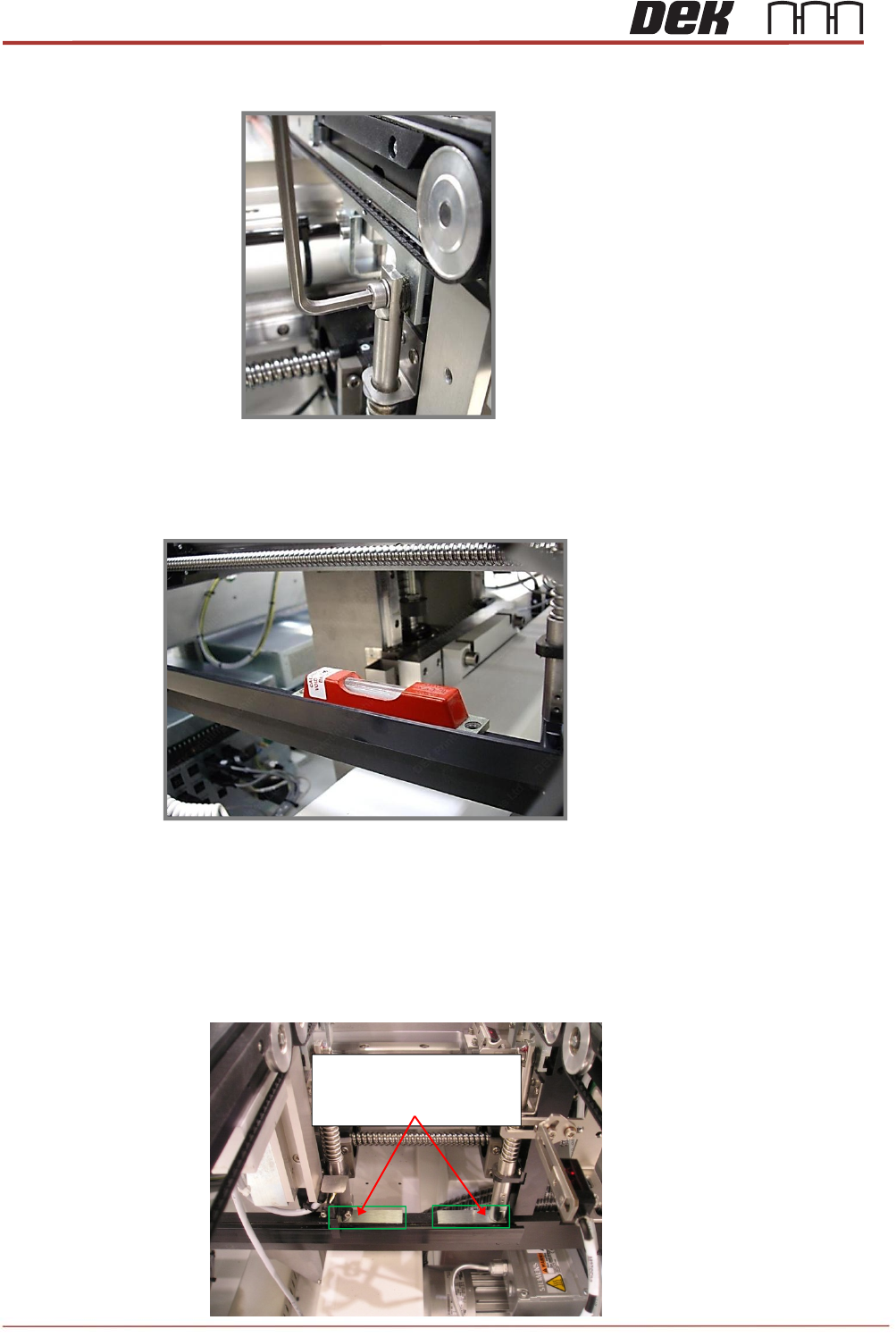
7. Loosen (do not remove) the 4 off fixing screws on the transport rail spring posts (as
shown)
8. With an engineer’s level placed in the center of the clatter bar, adjust one end of the
clatter bar in an upward direction until level.
9. Drive the rising table to print height.
10. Place a 1.0mm setting (feeler) gauge under each of the transport rail spring posts.
Note
The slots in the gauges are positioned under the spring posts.
215713, Note small slots in
the Gauges are concealed
by the Rail Spring Posts

Issue 2, Nov 14
TRS Advanced Maintenance
71
11. Drive the rising table to vision height.
12. Confirm the rail pads are in contact with the MEK base.
13. Confirm that the transport rail spring posts still have some upward movement available.
14. With the transport rail spring posts in contact with the gauges, tighten all 4 off mounting
screws.
15. Drive the rising table to print height and then back to vision height.
16. Check the gap between the setting gauges and the bottom of the clatter bar posts
a 0.05mm feeler should be NOGO.
17. Remove the 4x setting gauges.
18. Tighten the clatter bar mounting nuts and apply Varni-Stop.
19. Confirm the correct operation of the rail lift opto sensors and vane.
20. Remove the metal feeler gauge / shim flagging the surround plate sensor.

TRS Advanced Maintenance
72
Issue 2, Nov 14
Objective 17: Set following on the machine, using Technical Reference Manual, HTC
Chapter:
NOTE: Make sure machine is level before setting the auxiliaries.
Auxiliary Rail to Print Station Gap
Auxiliary Conveyor Levelling
Auxiliary Conveyor Front / Rear Rail Parallelism
Auxiliary Conveyor Height Setting