00198628-01_Option_Stationäre-Kamera_TX12_V2_de_en.pdf - 第82页
3 Installation 3.2 Converting the Reject Box 82 Assembly Instructions / Montageanleitung SIPLACE TX-Series V2 Stationary Camera Type 25/33 Stationäre Kamera Typ 25/33 10/2018 3.2 Converting the Reject Box NOTICE Before i…
3 Installation
3.1 Preparatory Steps
Assembly Instructions / Montageanleitung SIPLACE TX-Series V2 Stationary Camera Type 25/33 Stationäre Kamera
Typ 25/33 10/2018
81
3 Installation
CAUTION
Do not hold or carry the camera by its electronics unit.
The camera electronics assembly is a sensitive unit and can be easily damaged.
► Only hold or carry the camera by its metal frame.
► Always pull the illumination unit carefully up and off.
► The metal housing must always be hooked out of the lower section of the camera.
CAUTION
Crash danger
When fitting the camera, make sure that you observe the correct installation height,
otherwise this could create a risk of head crash.
3.1 Preparatory Steps
► At location 1, move the component trolley out of the machine.
► Switch off the machine, disconnect it from the power supply and secure it to prevent
unauthorized reactivation.
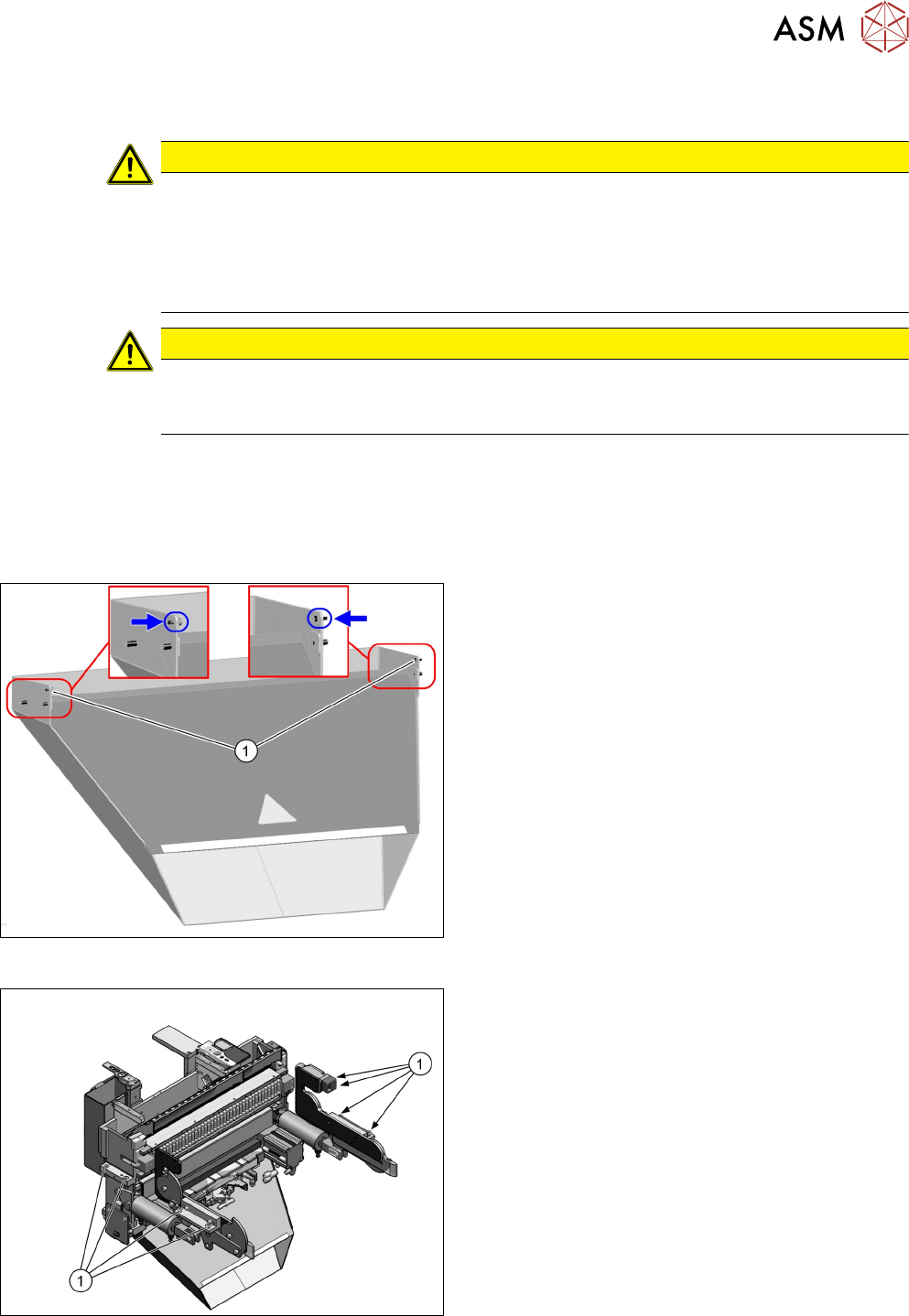
Fig.18: Waste tape chute
► Loosen the two safety screws(1) on the waste
tape chute and unhook it.
Fig.19: COT insert
► You may want to mark the position of the COT
insert to be able to install the COT insert at the
same position later on.
► Remove the eight fastening screws(1) of the
COT insert.
► Pull the COT insert out of the machine a bit for a
better access to the installation position.
3 Installation
3.2 Converting the Reject Box
82 Assembly Instructions / Montageanleitung SIPLACE TX-Series V2 Stationary Camera Type 25/33 Stationäre Kamera
Typ 25/33 10/2018
3.2 Converting the Reject Box
NOTICE
Before installing the camera
It is recommended to convert the reject box before installing the camera.
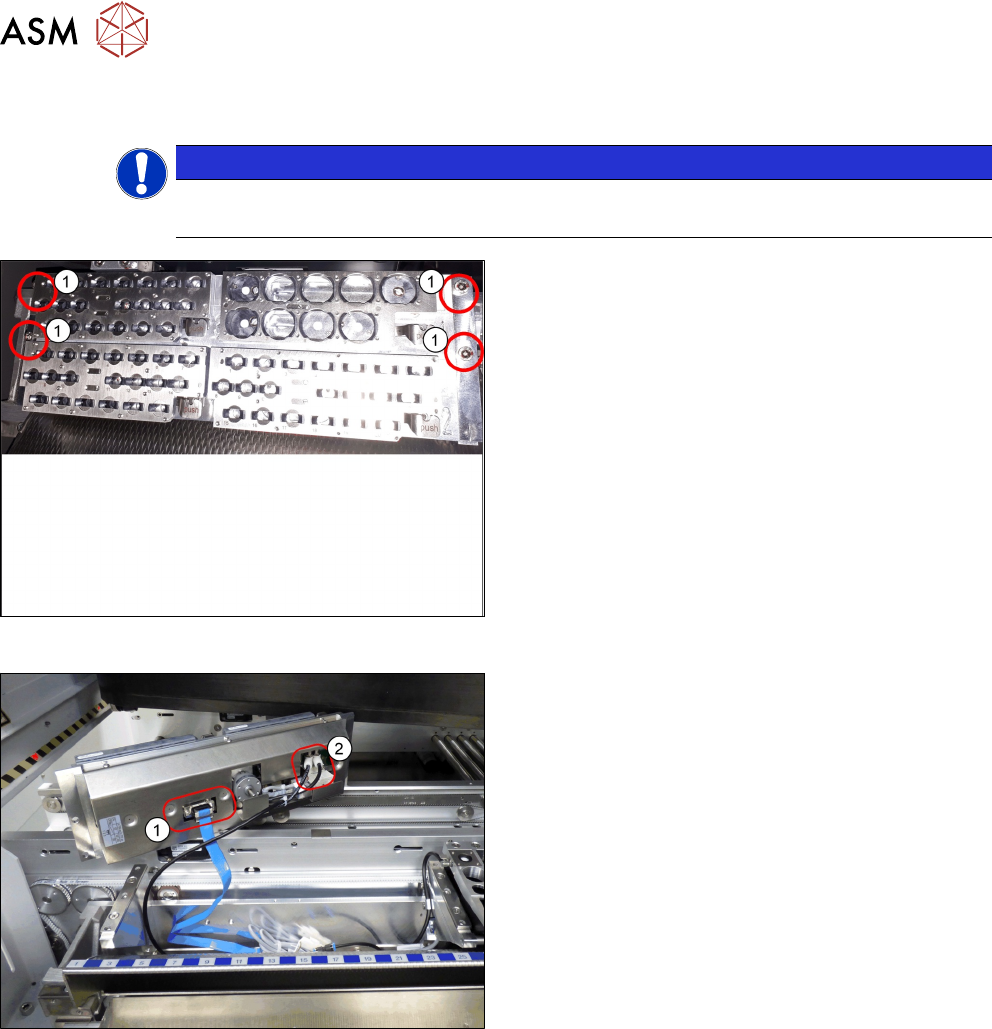
Fig.20: Removing NC 1
► Remove the four screws(1) fastening the nozzle
changer (NC).
Fig.21: Removing NC 2
► Unplug the electrical(1) and pneumatic connec-
tions(2) for the nozzle changer and put the NC
aside.
3 Installation
3.2 Converting the Reject Box
Assembly Instructions / Montageanleitung SIPLACE TX-Series V2 Stationary Camera Type 25/33 Stationäre Kamera
Typ 25/33 10/2018
83
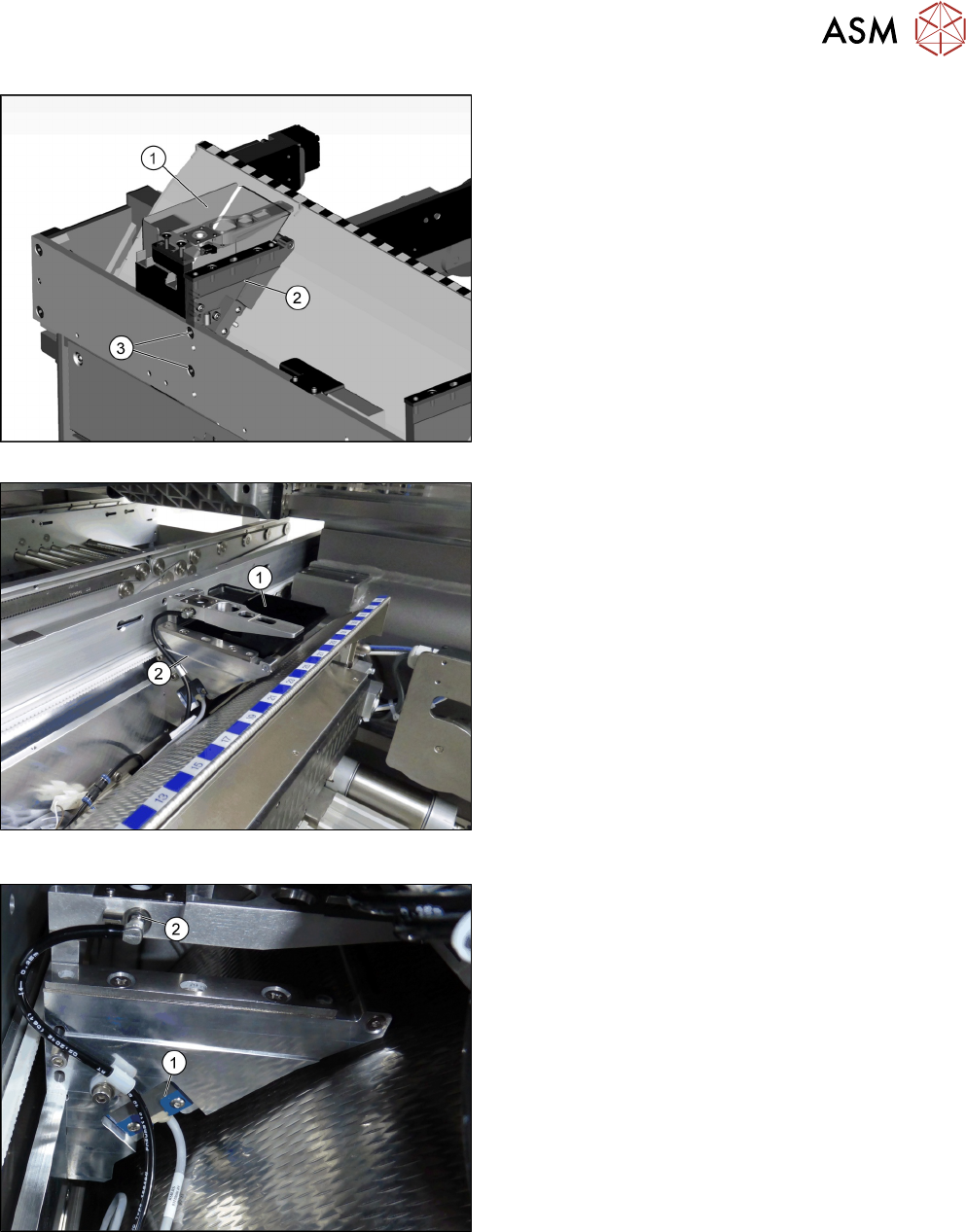
Fig.22: Removing the NC holder 1
Fig.23: Removing the NC holder 2
► Remove the reject bin(1).
► Remove the fastening screws(3) of the right NC
holder(2) and lift off the NC holder.
Fig.24: Dismantling the sensor
► Dismantle the sensor(1) on the right NC holder.
► Disconnect the pneumatic hose from the nozzle
station (2).
► Extend the pneumatic hose with the adapter
assembly nozzle station TX V2 [03169973—xx].