00198628-01_Option_Stationäre-Kamera_TX12_V2_de_en.pdf - 第89页
3 Installation 3.3 Fitting the Stationary Camera Type SST25 Assembly Instructions / Montageanleitung SIPLACE TX-Series V2 Stationary Camera Type 25/33 Stationäre Kamera Typ 25/33 10/2018 89 Hooking in the bottom cover Fi…
3 Installation
3.3 Fitting the Stationary Camera Type SST25
88 Assembly Instructions / Montageanleitung SIPLACE TX-Series V2 Stationary Camera Type 25/33 Stationäre Kamera
Typ 25/33 10/2018
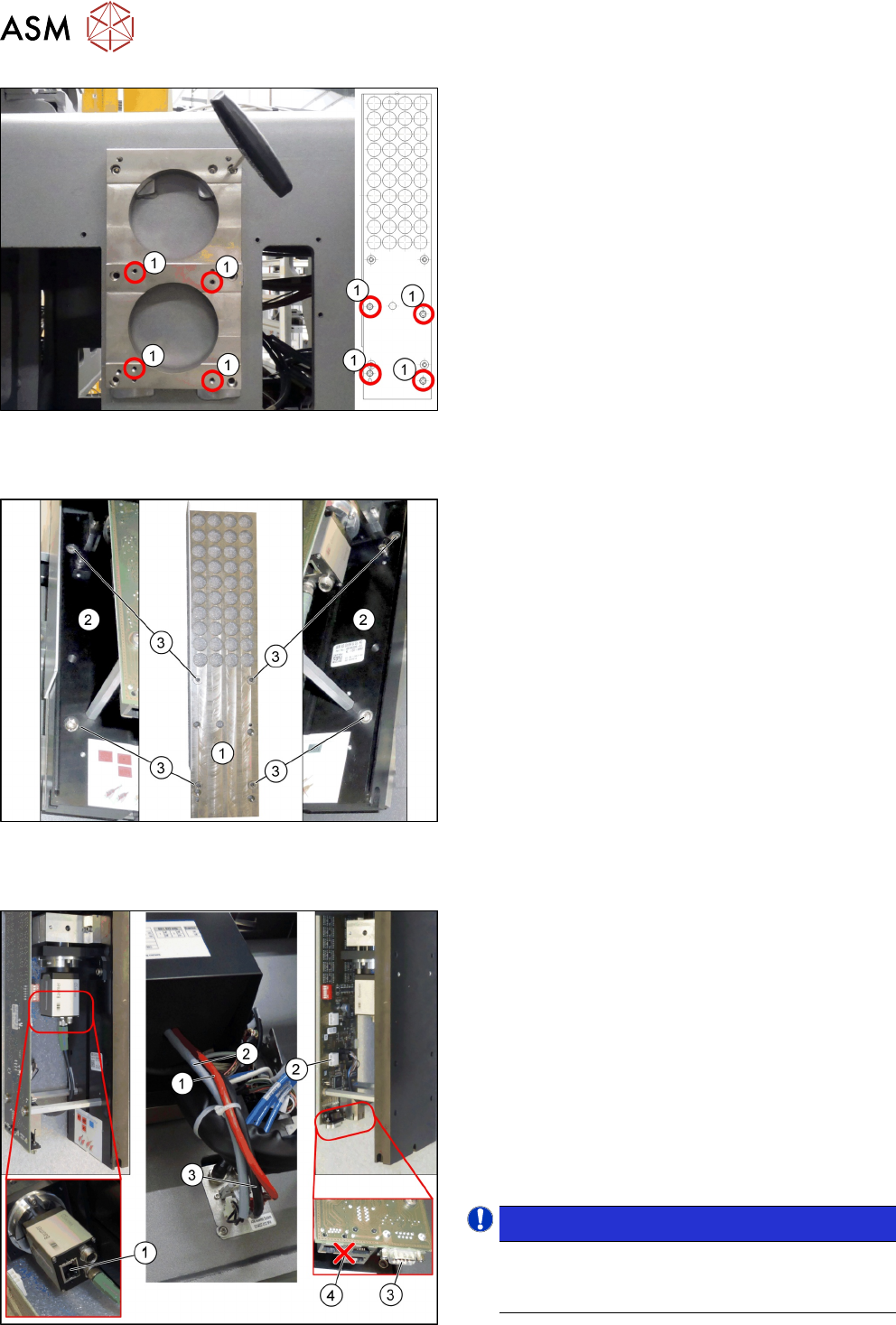
Fig.36: Fitting the support plate
1. Four fastening screws of the support plate
DIN912-M6x12-A2-70[03045087‑xx]
2. Support plate FC [03077911‑xx]
► Fasten the support plate [03077911‑xx] at the
camera spacer plate using the four screws (1).
Fitting the basic camera unit
Fig.37: Fitting the basic camera unit
1. Support plate
2. Basic camera unit
3. Four fastening screws of the basic camera unit
ISO4762-M6x20-A2-70 [03042574‑xx]
► Place the basic camera unit at its installation
position from above.
► Fasten the basic camera unit to the support plate
with four screws.
Establishing electrical connections
Fig.38: Establishing electrical connections
1. a) GigE cable W3: Extension camera bus stat.
camera [03148099-xx]
b) Connection for GigE cable
2. a) Power cable: Extension power stat. camera
W1[03148097-xx]
b) Connection for power cable
3. a) CAN bus cable W2: Extension CAN bus stat.
camera [03148098-xx]
b) Connection for CAN bus cable
4. Multiplexer (not in use)
► Connect the cables.
NOTICE!
Make sure to connect the GigE cable correctly.
The multiplexer connection at the lower end of
the board is not used.
.
3 Installation
3.3 Fitting the Stationary Camera Type SST25
Assembly Instructions / Montageanleitung SIPLACE TX-Series V2 Stationary Camera Type 25/33 Stationäre Kamera
Typ 25/33 10/2018
89
Hooking in the bottom cover
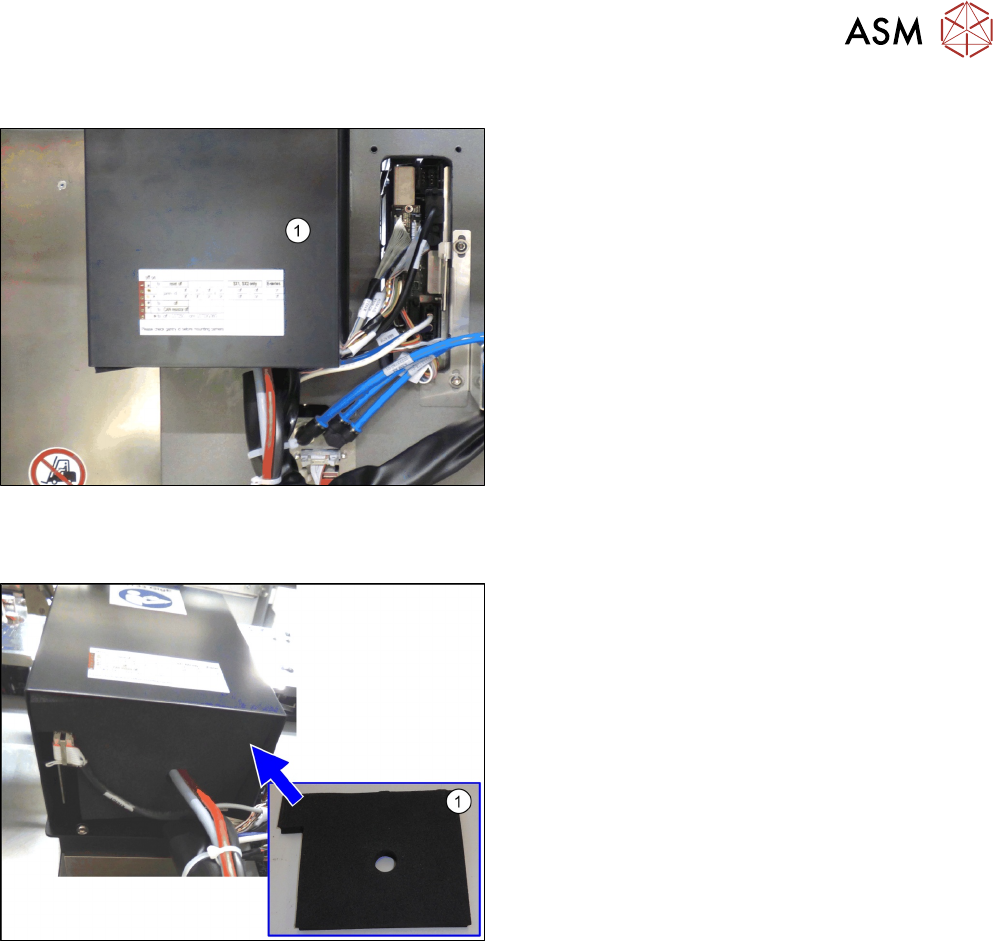
Fig.39: Hooking in the bottom cover (SST33 taken as example)
► Hook in the bottom cover(1) of the camera.
Inserting the dust cover
Fig.40: Inserting the dust cover (SST33 as example)
► Insert the dust cover made of foam plastic(1) into
the bottom cover.
3 Installation
3.3 Fitting the Stationary Camera Type SST25
90 Assembly Instructions / Montageanleitung SIPLACE TX-Series V2 Stationary Camera Type 25/33 Stationäre Kamera
Typ 25/33 10/2018
Positioning the upper part and checking the installation height
NOTICE
The camera upper section has a fixed assignment to the camera lower section.
The camera upper section may not be used with another camera lower section. Both the
upper and lower sections are mechanically and electrically coordinated and may not be ex-
changed for use with other cameras. The serial and version numbers of the top and bottom
sections of the camera must be identical.
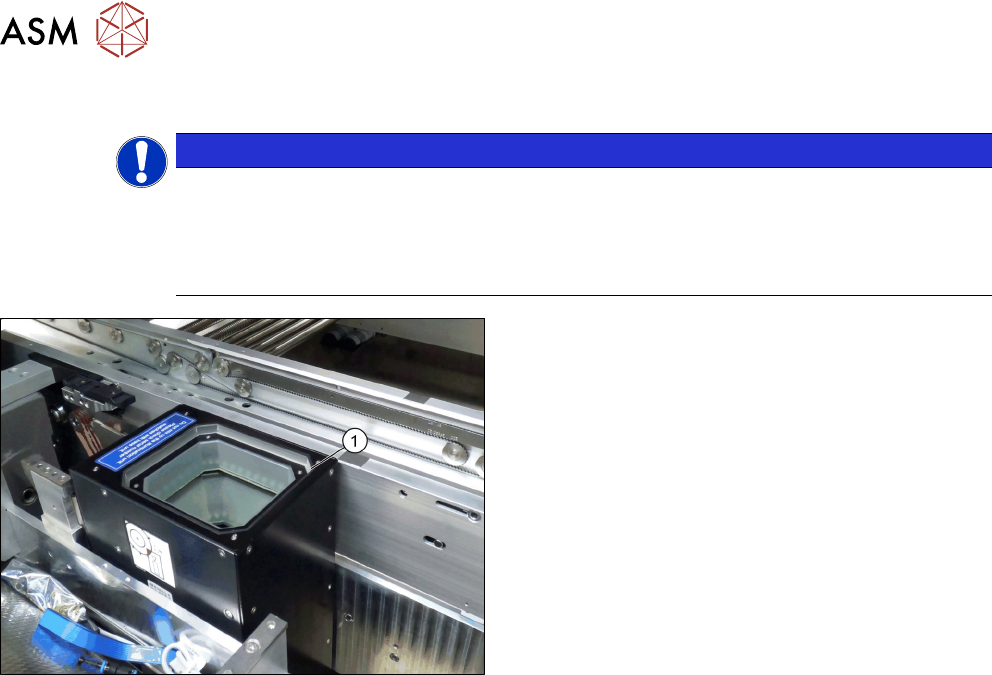
Fig.41: Positioning the upper part and checking the installation
height (SST33 taken as example)
► Put the upper part(1) on the basic unit.
► Check the installation height. The support plate
and the upper part must be below the top edge of
the conveyor rail.