YAMAHA-YG系列 换螺杆指导书.pdf - 第35页
Service Engineer Service I nformati on SI080 2008 E-000 = YG series: Replacement proc edure for ball screws of each axis 35/65 3.2.1. How to adjust the flatn ess of the pushu p plate If the pushup pins do not evenly touc…
Service Engineer
Service Information
SI0802008E-000= YG series: Replacement procedure for ball screws of each axis
34/65
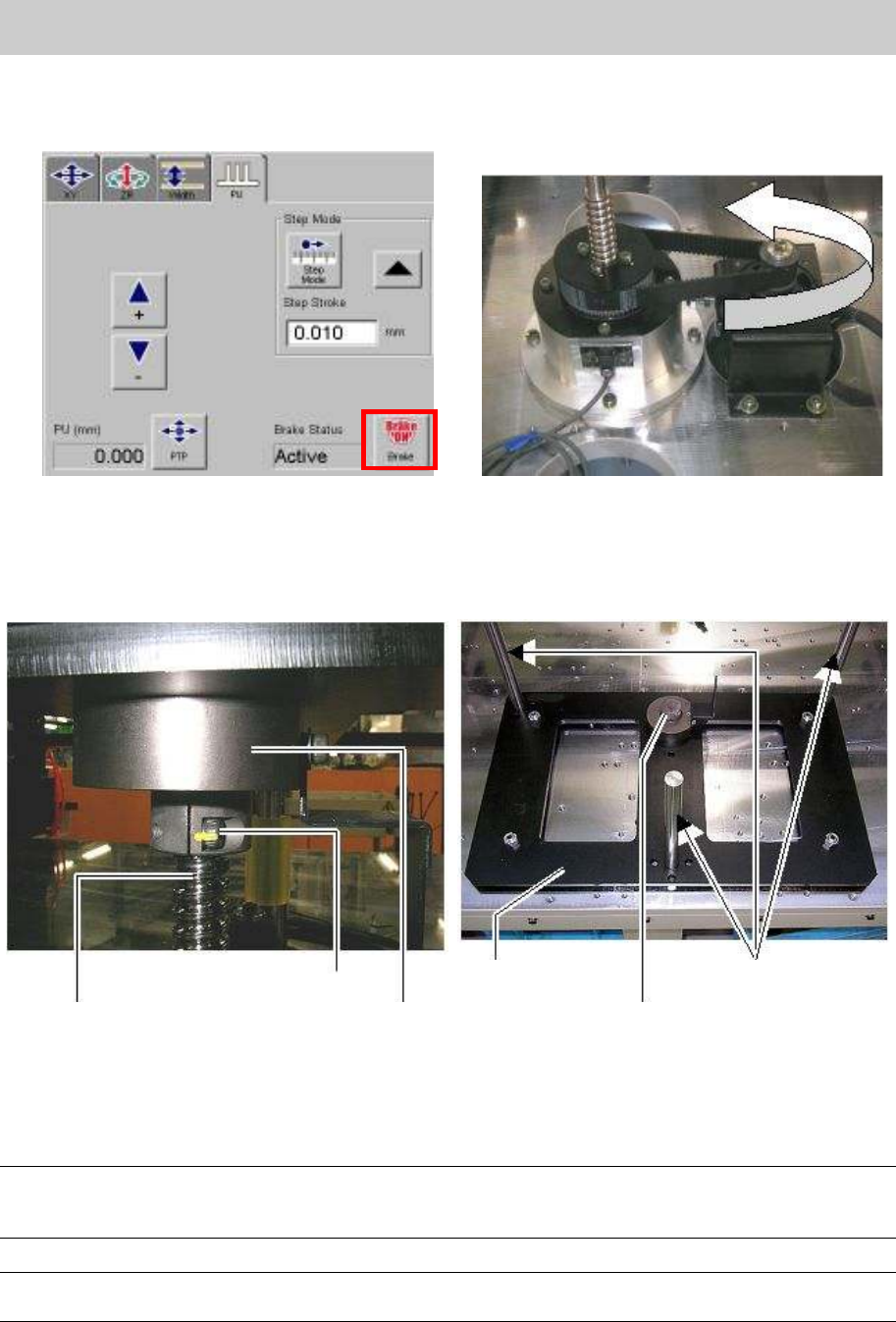
8. Click on the [Unit] button and select “Conveyor” tab, then click on the [Axis] button and select the
[PU] tab. Click on the [Brake] button at the lower right of the screen in order to release the brake.
Then check if the ball screw moves up and down smoothly while moving the belt by hand.
Figure 46
9. Place the damper on the ball bush, and insert the three shafts of the ball bush into the holes on
the removed stay, and push the joint part on the stay downwards, then tighten the two bolts where
the ball screw is inserted.
Figure 47
10. Release the [Emergency stop] button and perform Return-to-origin.
11. Adjust the machine reference of the PU-axis by fine-adjusting the position of the origin dog.
Caution:
Before adjusting the position of the limit dog mechanically for adjusting the machine reference, please
make sure to press the [Emergency dtop] button and check the surrounding area for safety.
Note
The standard value of the machine reference: Within 50 +- 10% (45-55)
Ball screw
Fixing bolt
Joint
Stay
Joint
Shaft of the ball bush
Service Engineer
Service Information
SI0802008E-000= YG series: Replacement procedure for ball screws of each axis
35/65
3.2.1. How to adjust the flatness of the pushup plate
If the pushup pins do not evenly touch the undersurface of the board, the components may not be
populated on the board properly. In this case, the deviation from flatness of the pushup plate needs to
be corrected.
Also, as the deviation occurs due to the replacement of the PU-axis motor, the flatness needs to be
adjusted as well.
Note:
Please make sure that there is no warpage of the reference board when adjusting the flatness of the
pushup plate.
Required tools
- Hex wrench set
- Spanner (8-17mm)
- Flathead screwdriver
- Dial gauge (1/100mm)
- Magnet stand
* Time required for adjustment: Approx. 2 hours
3.2.1.1. Check the deviation from flatness of the pushup plate against the X-axis
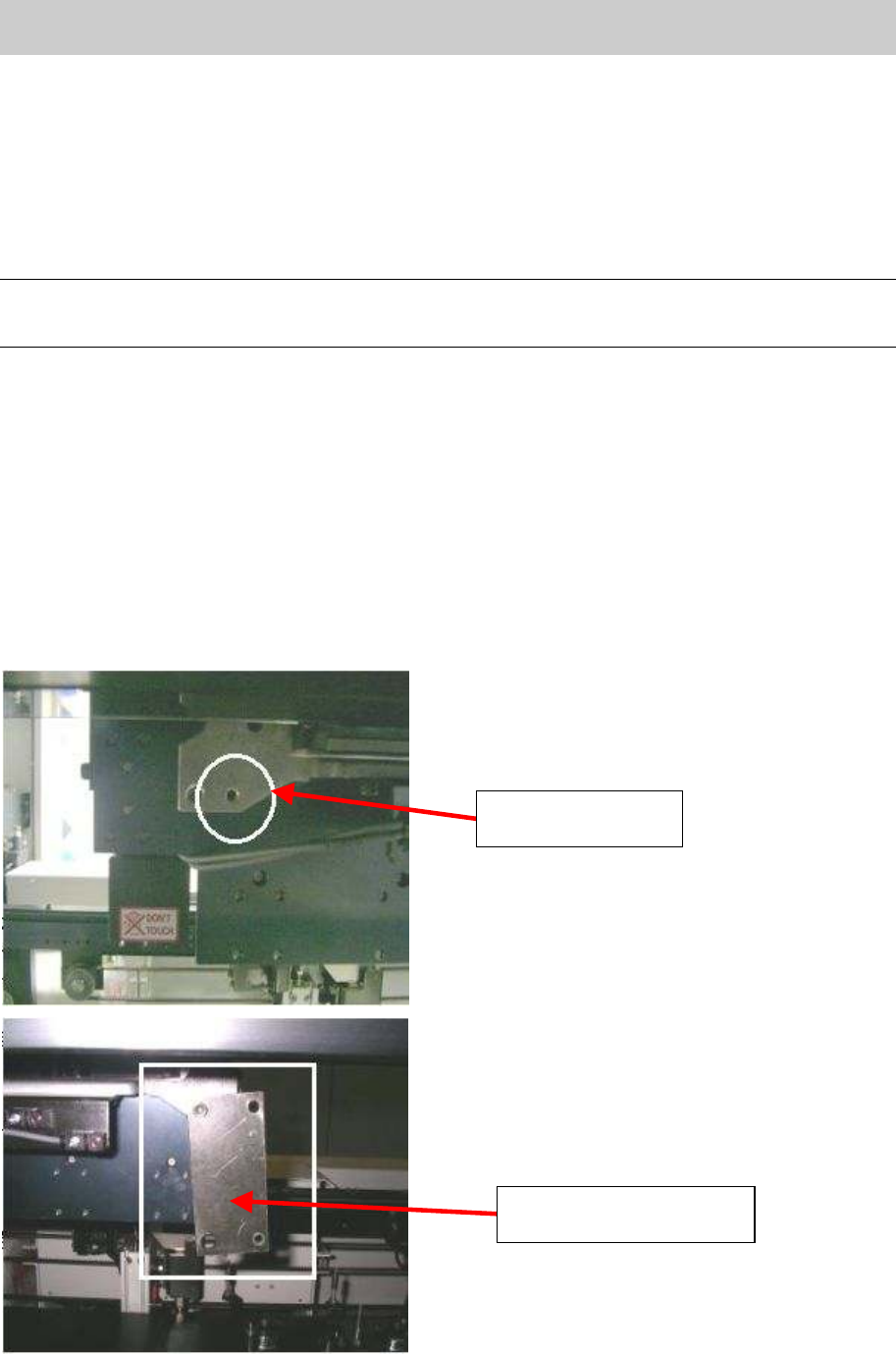
1. Mount the plate used for attaching the magnet stand to the backside of the head.
Figure 48
The hole for
mounting the plate
The plate mounted to the
backside of the head
Service Engineer
Service Information
SI0802008E-000= YG series: Replacement procedure for ball screws of each axis
36/65
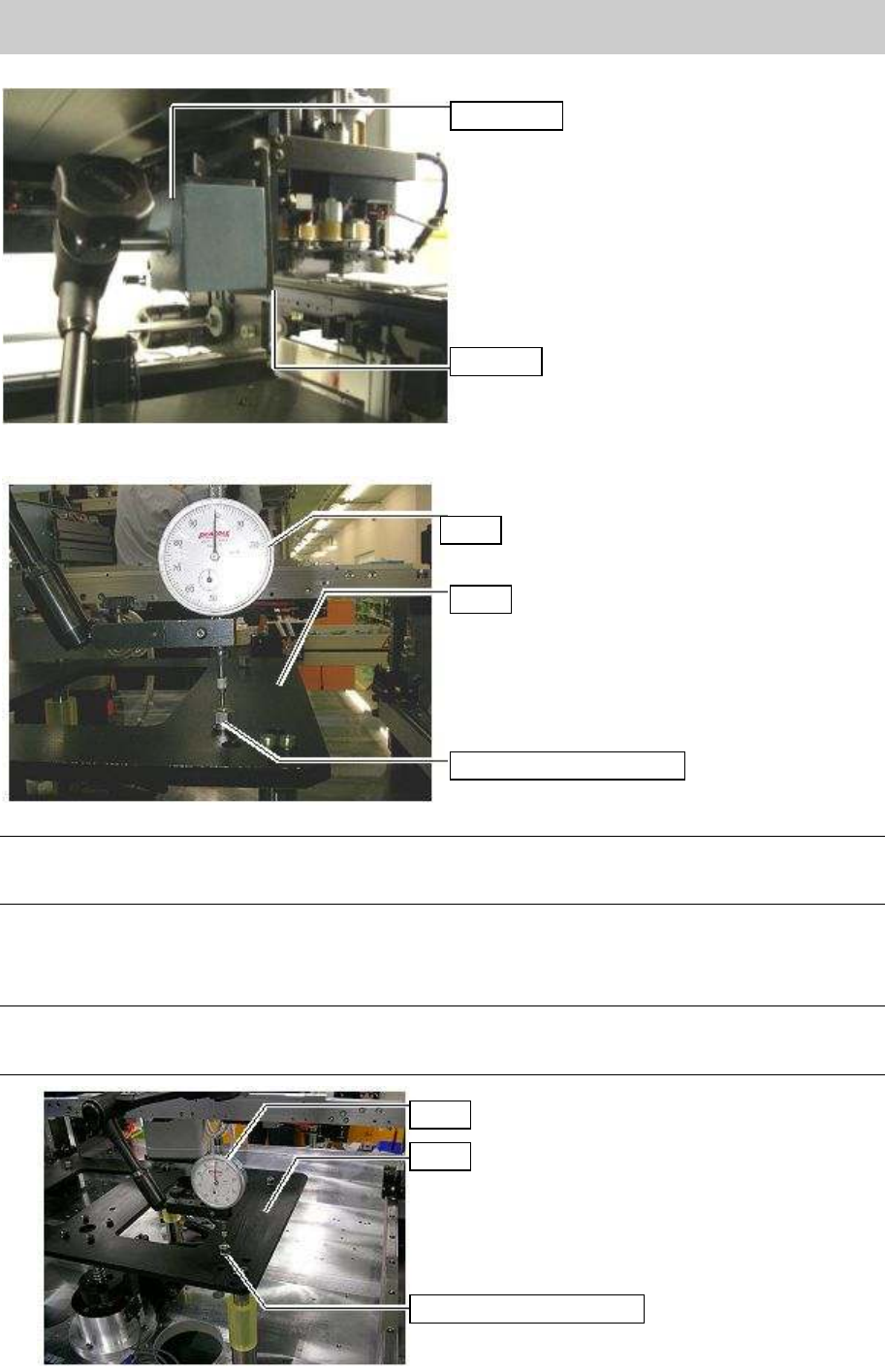
2. Attach the dial stand on the plate.
Figure 49
Press the dial gauge against the top surface of the spacer nut of the stay.
Figure 50
Note:
Press the gauge (1/100mm scale) against the top surface of the spacer to let the needle go around
once. This is where the most correct measurement can be obtained.
3. ^Move the camera and measure the height of the top surface of the spacer nuts (4-8 points).
If the measured height exceeds the specification, please follow the procedure in “3.2.1.2. Adjust
the parallelism (Mechanical adjustment).
Note:
The reference value of the flatness (height) is within 0.15mm. Please adjust the height so that the
value falls within the specification.
Figure 51
Dial stand
Plate
Dial
Stay
Spacer nut for the stay
Dial
Stay
Spacer nut for the stay