YAMAHA-YG系列 换螺杆指导书.pdf - 第50页
Service Engineer Service I nformati on SI080 2008 E-000 = YG series: Replacement proc edure for ball screws of each axis 50/65 5.4. Machine r eference for each axis 5.4.1. Check the machine reference for each axis 1. Rel…
Service Engineer
Service Information
SI0802008E-000= YG series: Replacement procedure for ball screws of each axis
49/65
5.3. Useful functions (Help)
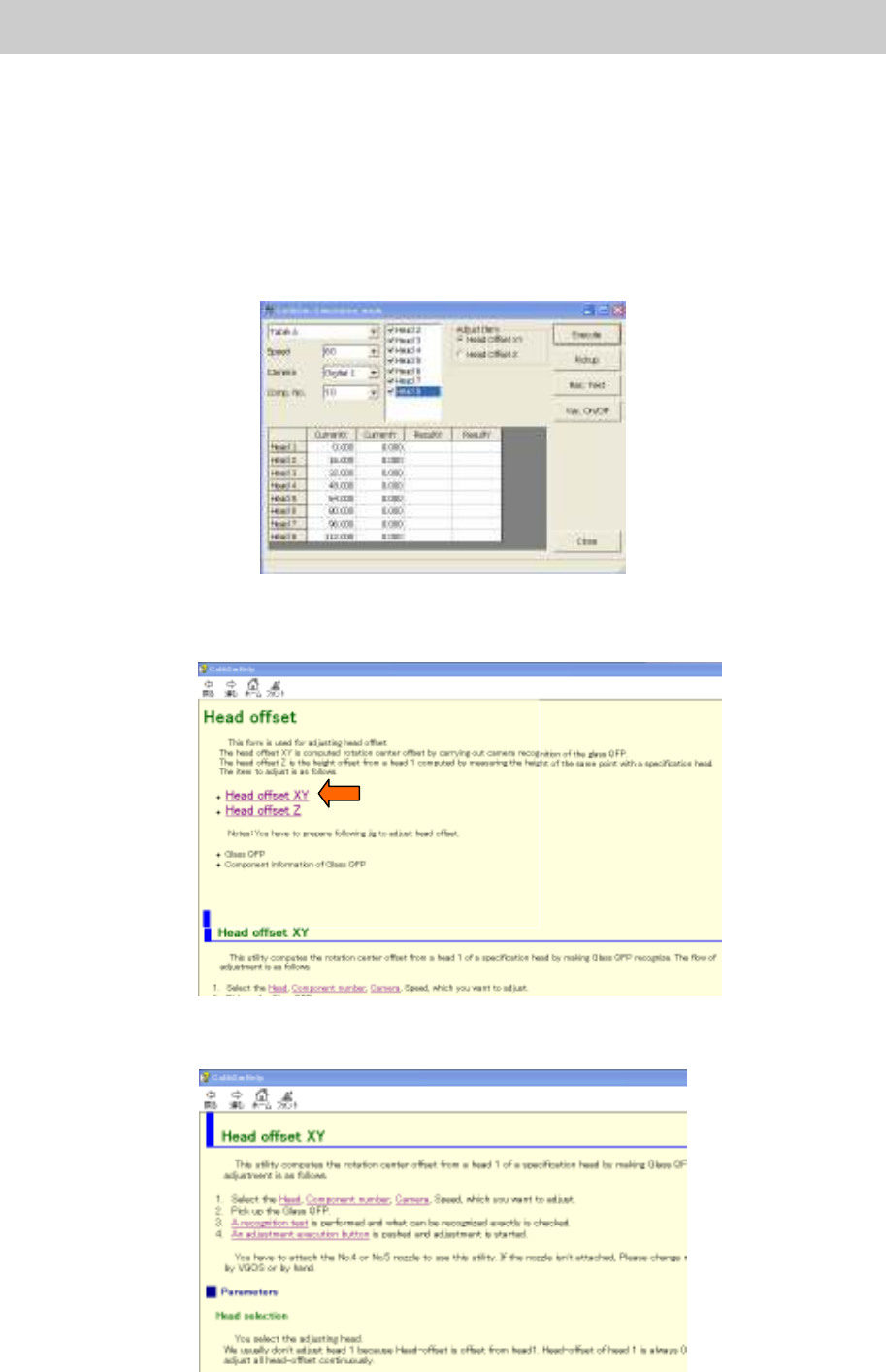
How to use the help function of the “Adjustment Utility” (Calib Sm)
The “Adjustment Utility” has a useful “Help” function. In the “Help” utility, simple procedures for each
adjustment is described.
While the utility is running, the “Help” screen is displayed whenever necessary, just by pressing the
[F1] key.
<Example>
When you need to know how to adjust the “Head Offset”.
Figure 69
1. Press the [F1] key.
The “Help” screen is displayed. Select the “Head Offset XY” in the “Head Offset” item.
Figure 70
2. The procedure for “Head Offset XY” is displayed. Please perform adjustment according to the
procedure.
Figure 71
Service Engineer
Service Information
SI0802008E-000= YG series: Replacement procedure for ball screws of each axis
50/65
5.4. Machine reference for each axis
5.4.1. Check the machine reference for each axis
1. Release the [Emergency stop] button.
Caution:
Please make sure that all the tools and components in the machine are removed before releasing the
“Emergency Stop” button.
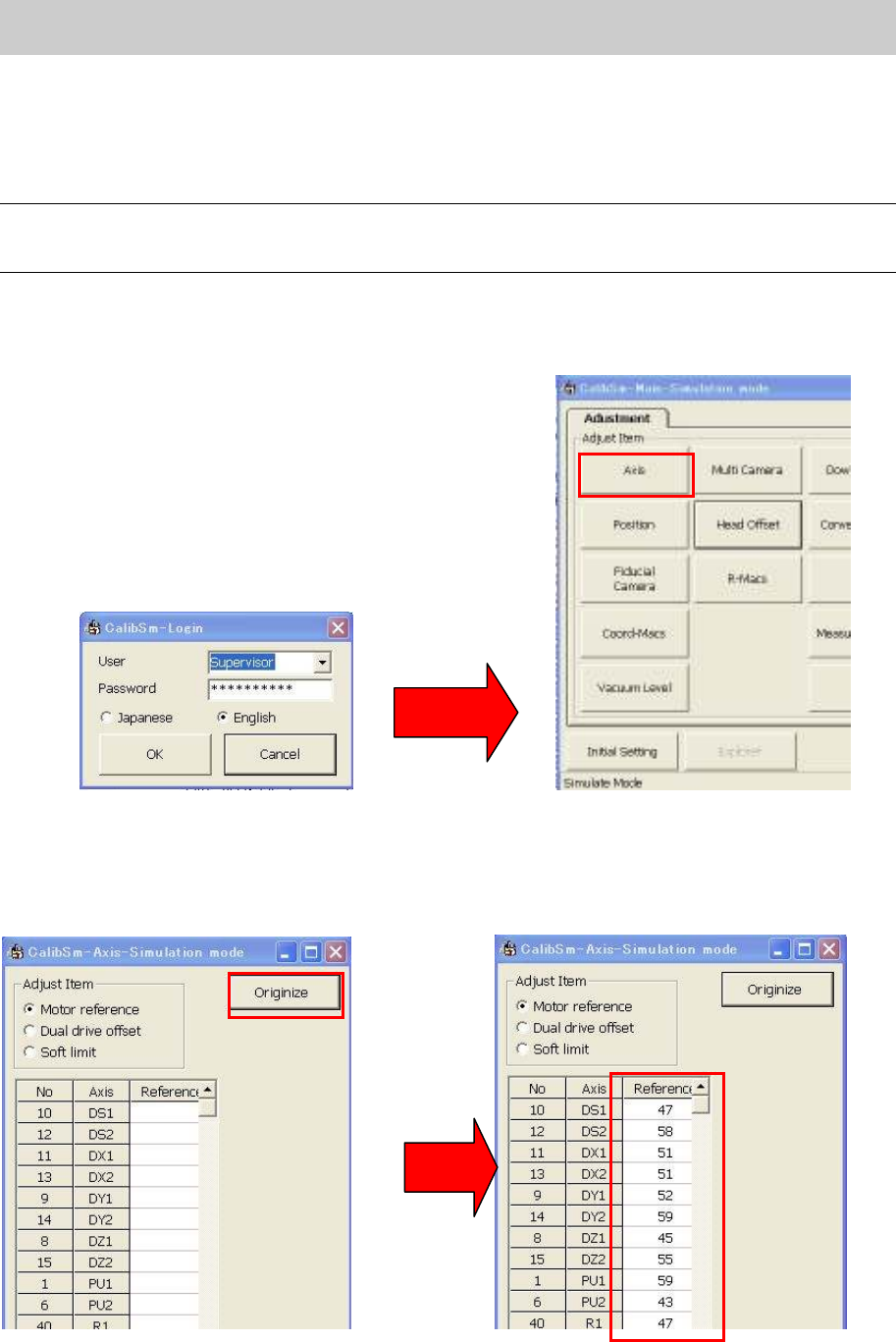
2. Click on the [Utilities] button on the “Setup” screen to activate “Calib Sm”.
Please login as “Supervisor”.
3. Click on the [Axis] button.
Figure 72
4. Click on the [Originize] button.
5. The data of the machine reference for each axis are displayed in the “Reference” column. Please
note down the data.
Figure 73
Service Engineer
Service Information
SI0802008E-000= YG series: Replacement procedure for ball screws of each axis
51/65
5.4.2. Adjust the machine reference
1. Release the [Emergency Stop] button.
2. Click on the [Utilities] button on the “Setup” screen to activate “Calib Sm”.
3. Click on the [Axis] button on the Main menu screen.
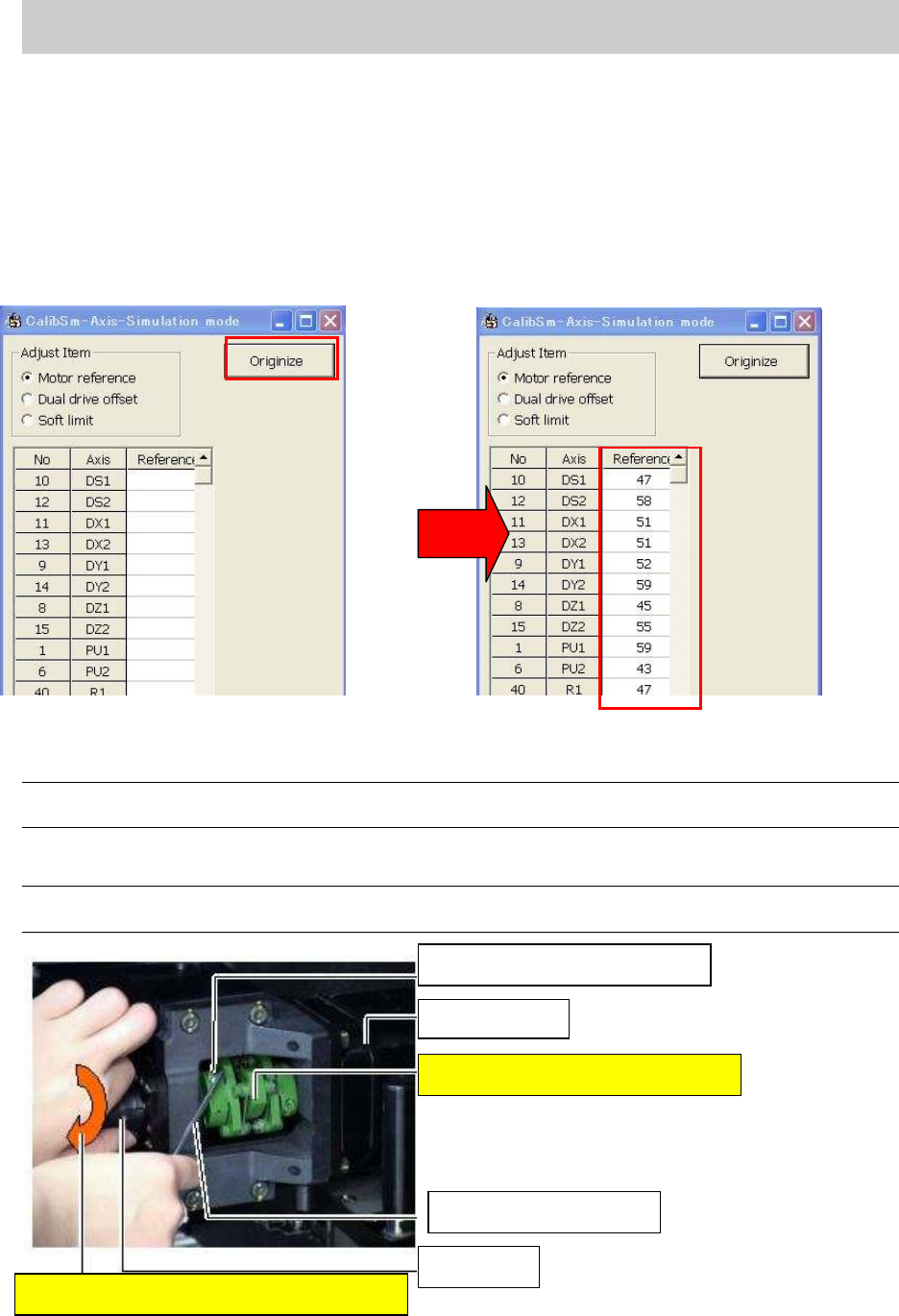
4. Click on the [Originize] button on the “Axis” screen.
5. The data of the machine reference for each axis are displayed in the “Reference” column after the
Return-to-origin operation. Please check the data.
Figure 74
6. Loosen the coupling and adjust the axis position to the reference coordinate position.
Note:
Please adjust the position within the machine reference standard value: 50+-10% (45-55).
How to adjust the X-axis (YG100 model)
Caution:
When loosening the coupling of the motor, please loosen the one on the ball screw side.
Figure 75
The fixing bolt for the coupling
X-axis motor
The coupling must not be moved.
Hex wrench (Size 3)
Ball screw
Rotate the ball screw to adjust the position