AOI_RS_v85_en.pdf - 第120页
Chap ter3 SPC User Ma nual AOI Repair Station 1 16 performed non-stop. Period of time method: Sets the time z one for sampling everyday . For example, if y ou set “Morning 09:00:00”, this indicates that sampling will b…
Chapter3 SPC User Manual
AOI Repair Station
115
set, the system will use these parameters whenever it starts monitoring.
There is no need to set the parameters again unless you need to change
or update the values in some parameter. Once you are sure that the
relevant parameters are correct, you can then start monitoring and then
proceed to the monitoring state until you stop monitoring. Once you
stopped monitoring, you can then perform some post monitoring tasks.
Next, we will explain these four parts in detail.
7.4.1
Pre-Monitoring
Here you can set the [Sampling Setting], [Control Chart Setting],
[Non-real-time monitor setup area], [Real-time monitor setup area] and
[Alarm Setting] parameters as explained below.
7.4.1.1
Sampling Setting
This setting defines how you want the system to get samples and
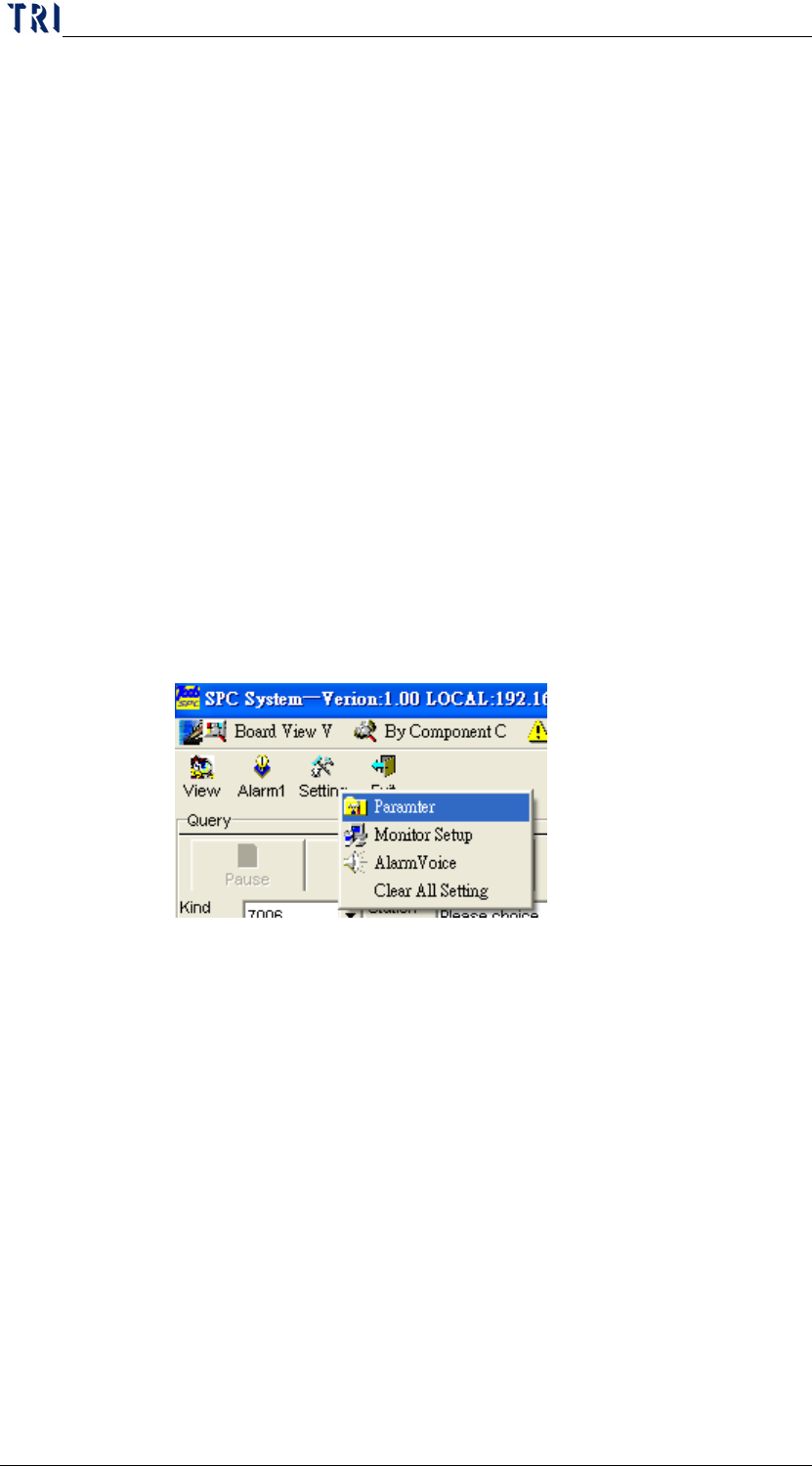
how many samples you want each time. From the Main menu,
you can click on [
Setting] and then [Parameter] as shown in the
following figure.
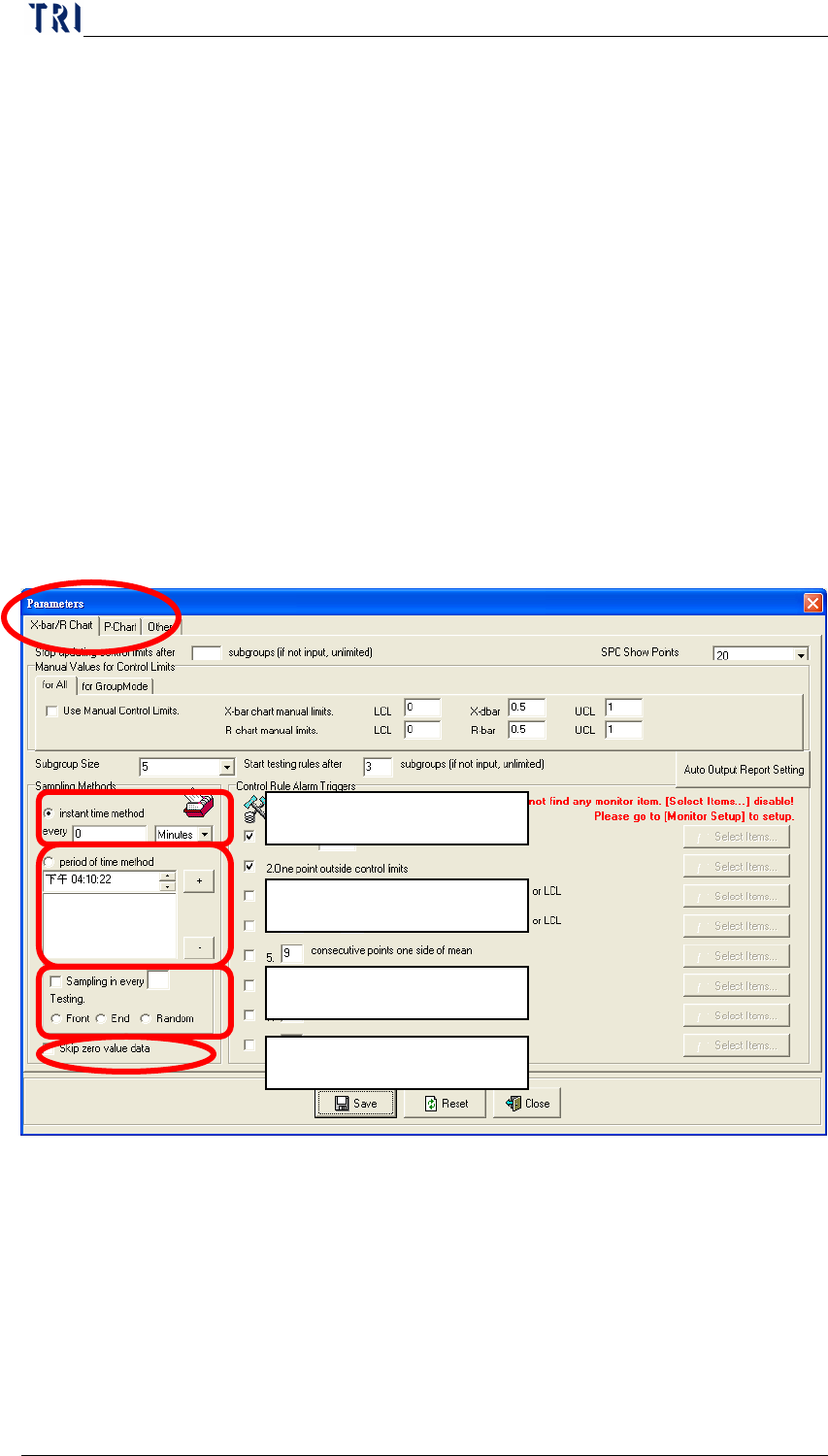
After entering the setting screen shown below, you can see that
inside the Sampling Method block are two sampling methods for
obtaining samples as explained below.
X bar – R Chart: Select “X-bar/R Chart” page to set the
parameters of X bar – R Chart. The sampling setting is in
“Sampling Method” section; there are two sampling methods,
and they are described separately below.
Instant time method: Sets the time interval for
sampling. The unit for time interval can be in Minutes
or Hours. For example, if you set “5 Minutes”, this
indicates that sampling will be performed once every 5
minutes. If you set “0 Minutes” or “0 Hours”, this
indicates that there is no need to pause, the sampling is
Chapter3 SPC User Manual
AOI Repair Station
116
performed non-stop.
Period of time method: Sets the time zone for
sampling everyday. For example, if you set “Morning
09:00:00”, this indicates that sampling will be
performed once at 9:00 a.m. everyday.
Sampling zone setting: After completing a number of
tests, the system will obtain test data from these tests
from the “Front”, “End” or “Random”. As shown in
the figure below, after completing 10 tests, the system
will obtain 5 test data at random from these 10 tests. (It
is only for “General Mode”, and is not for “Group
Mode.)
Skip zero value data: When the function is selected,
the sampling data with 0 will be skipped.
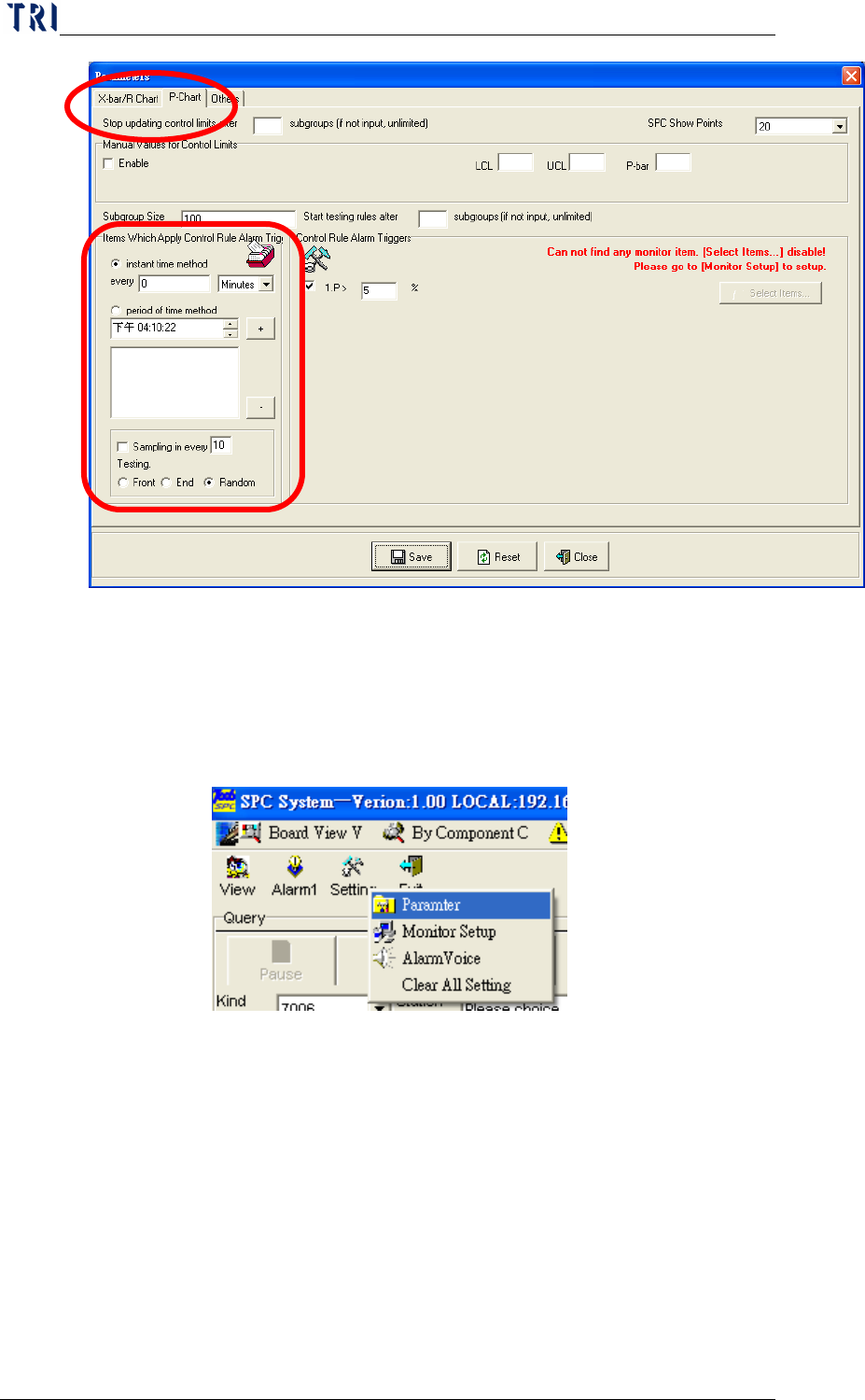
P Chart: The “P Chart” page contains all parameter settings
for P control chart. As the following picture, user could set
the sampling way at “Sampling Method” area. The meaning
is the same with X-bar and R Chart.
Sampling zone setting
period of time method
instant time method
Skip zero value data
Chapter3 SPC User Manual
AOI Repair Station
117
7.4.1.2
Control Chart Setting
This setting tells the system how many control points can be
displayed on the control chart. From the Main menu, you can
click on
Setting and then Parameter as shown in the following
figure.
After entering the setting screen shown below, the “SPC Show
Points” on the upper part of the screen indicates the maximum
number of points that can be displayed on the control chart.
X bar and R Chart: User can change to see page “X-bar/R
Chart” for X bar R Chart parameter setting. “SPC Show
Points” on the top of the page is to set the maximum count
that can be displayed on the control chart.