AOI_RS_v85_en.pdf - 第61页
Chapter 2 Repair Station Main Progr am AOI Repair Station 57 Function When I CT sends untested component data to the REP AIR ST A T I ON, the REP AIR ST A TION will show alarm and display its component data in AREA1 …
Chapter 2 Repair Station Main Program
AOI Repair Station
56
The Options
CbBoardsn-Barcode or the inspection time.
Cbstatus-Status which is displayed by graph.
CbStatusName-Status which is displayed by words.
CbFdate-Inspection time.
CbTopBtm-Top or bottom
CbTrans-Condition of connecting Shop Flow
CbTestcount-Number of times been tested under the same
barcode.
Cbimulti-Number of multi boards per set
CbModifier-modifier
CbModifierDate-Date modified
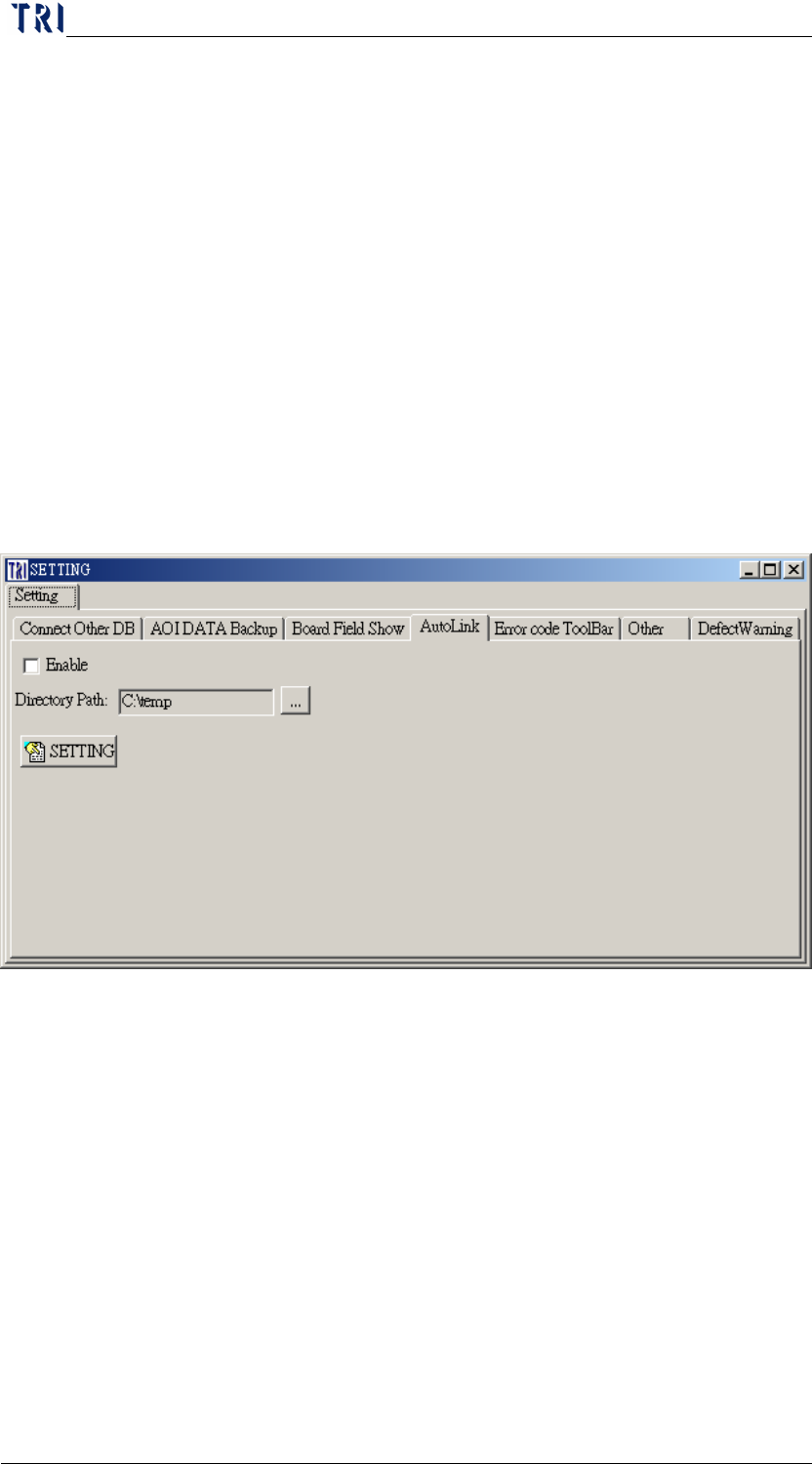
10.6.4 Auto Link
Procedure
Step1. Check the [Enable] to initiate [Auto Link] function, uncheck
the [Enable] to disable [Auto Link] function.
Step2. Select auto ink category at [Directory Path] field.
Step3. Press [SETTING] to complete setup.
Chapter 2 Repair Station Main Program
AOI Repair Station
57
Function
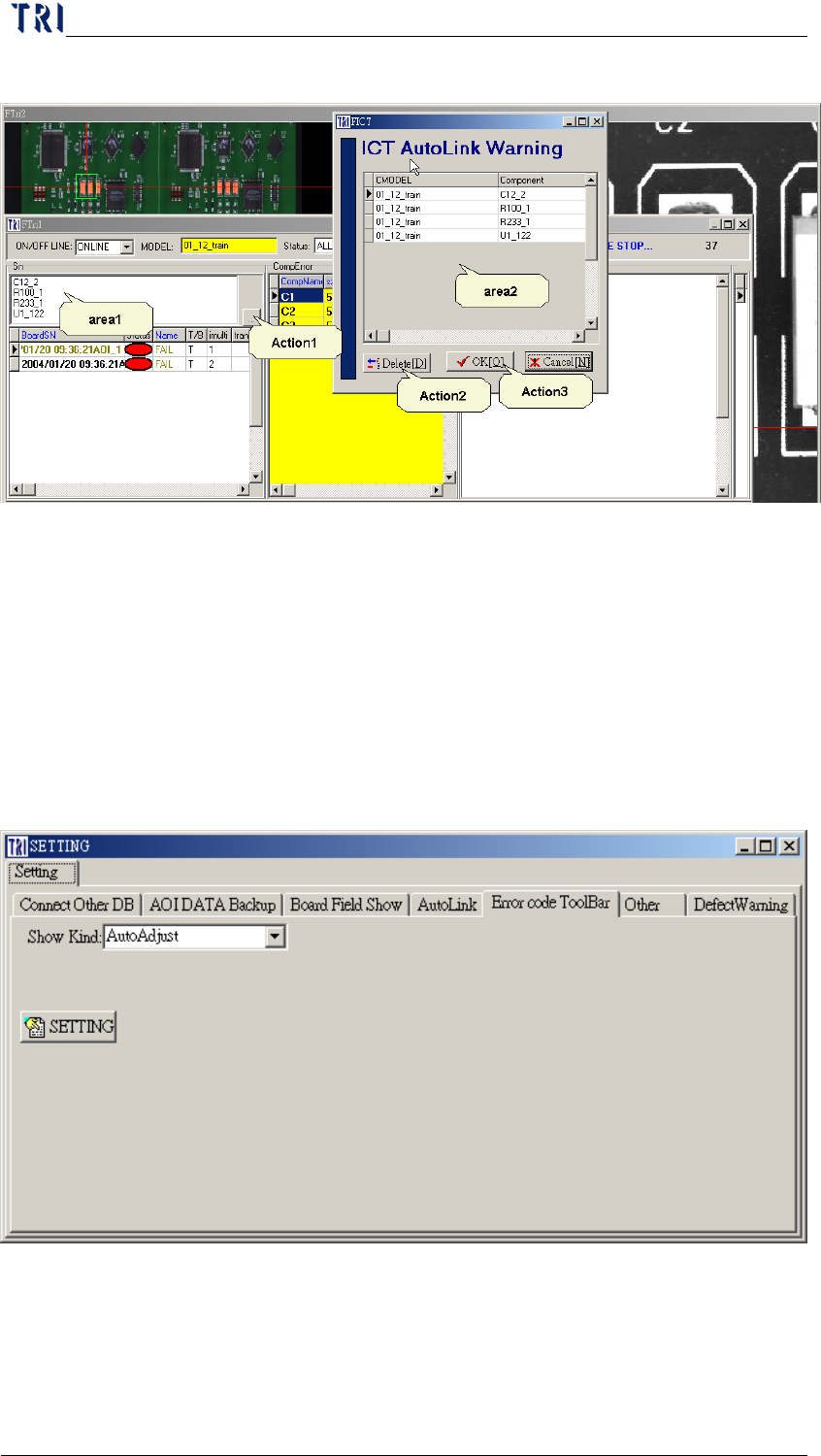
When ICT sends untested component data to the REPAIR
STATION, the REPAIR STATION will show alarm and display
its component data in AREA1
The user may clear the data by executing ACTION1, and then
[ICT Auto Warning(area2)] will be presented, at this point you
may execute [Delete(Action2)] to clear up the data files. Press
[OK(Action3)] to finish when cleaning process is confirmed
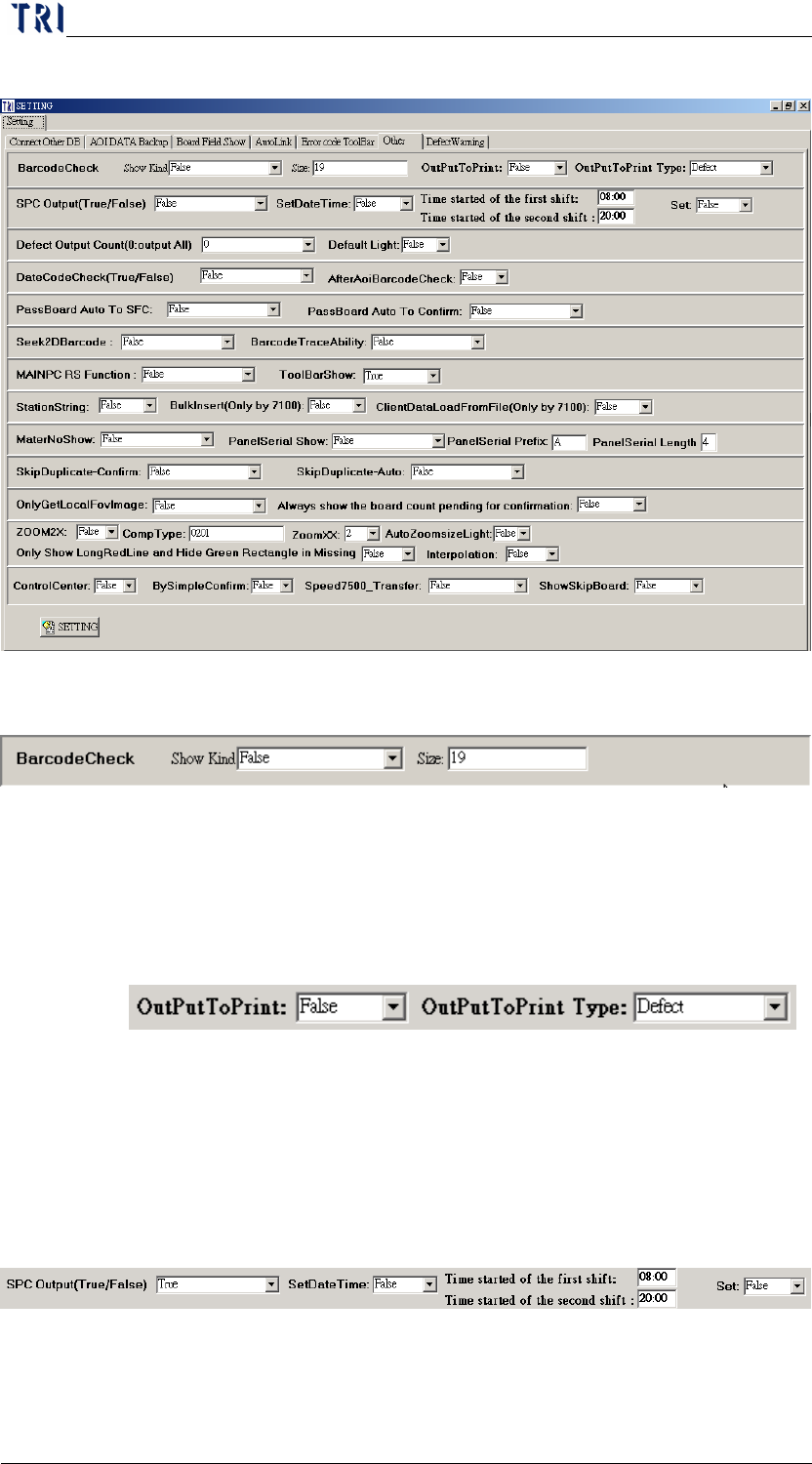
10.6.5 Error code Toolbar
When selecting [Fix], you can set the width of [Defect Type] of
[Defect Area] manually. When selecting [AutoAdjust], the system
adjusts the width of [Defect Type] button automatically.
Chapter 2 Repair Station Main Program
AOI Repair Station
58
10.6.6 Other
10.6.6.1 BarcodeCheck
There will be an alarm when the [Show Kind] under
[BarcodeCheck] is set to [True] the length of the barcode does not
equal to the size setting under the [BarcodeCheck] [Size] setting
10.6.6.2 OutPut to Print
Select [True] to link to the small printer.
10.6.6.3 OutPut to Print Type
Select if the printing type is [Defect] or [All].
10.6.6.4 SPC Output
The [SPC Output] needs to be set to [True] when the main pc is
under the [Repair Mode], there will be a [RealValue.dat] file