AOI_RS_v85_en.pdf - 第139页
Chap ter3 SPC User Ma nual AOI Repair Station 135 When user checks [Enable], the Style 3 Report will be created automatically . [ReportData_Interval] Area is to set the time interval; because the report is a dail y rep…
Chapter3 SPC User Manual
AOI Repair Station
134
The setting of the monitor item list here comes from the
data selected by “Monitor Setup” under “Setting.”
This does not include the components or solders
selected in the Main menu that require the display of
real-time statistical data and control charts.
7.4.1.9 Create Style 3 Report Automatically.
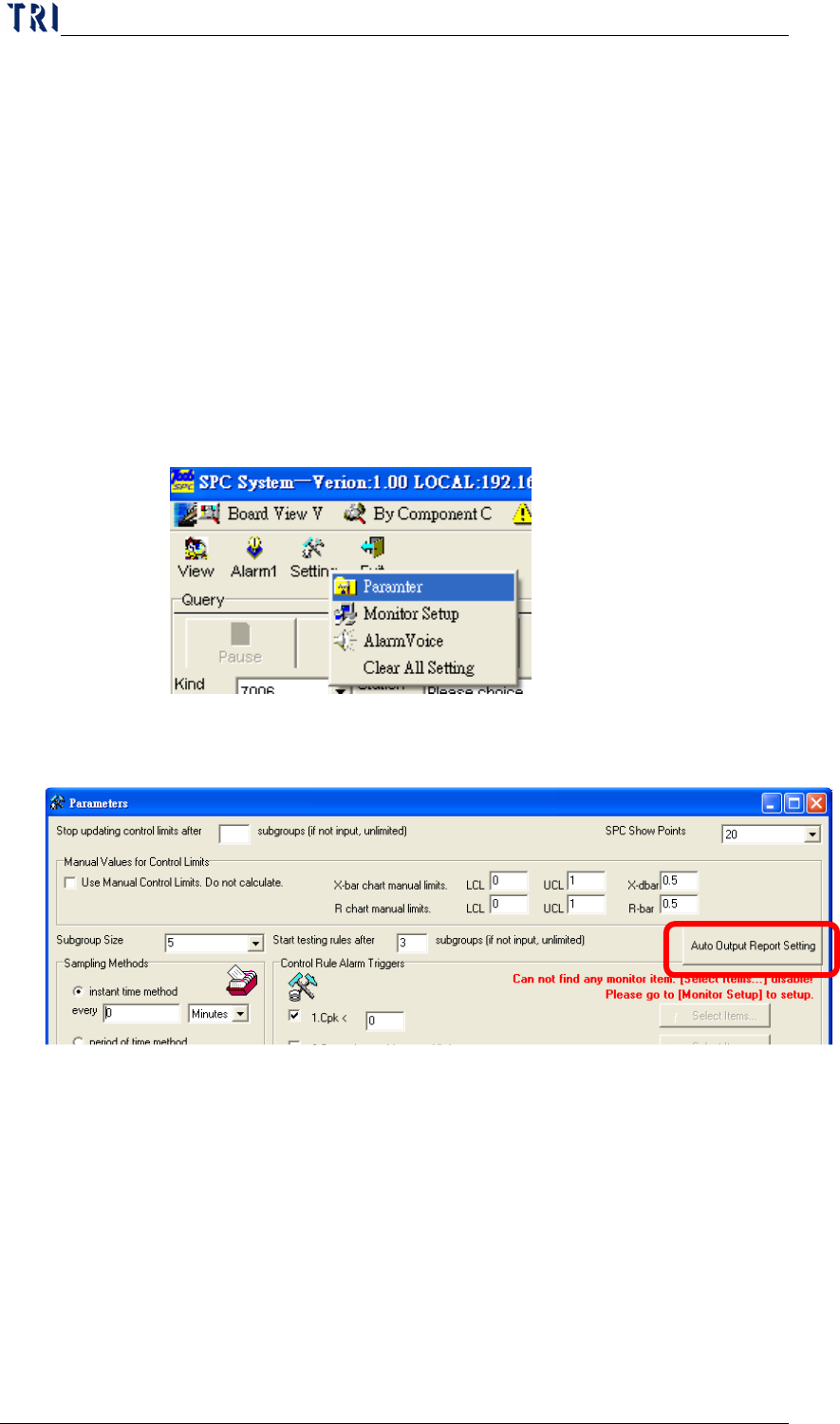
Only for [Mode 2] under [Group Mode], system can output “Style
2” and “Style 3”. “Style 3” is a daily report, system could create the
Style 3 Report automatically. User can set parameters of the Style 3
Report here.
The setting frame is a shown below. Pressing [Auto Output
Report Setting] is to enter the setting window of the Style 3 Report.
Chapter3 SPC User Manual
AOI Repair Station
135
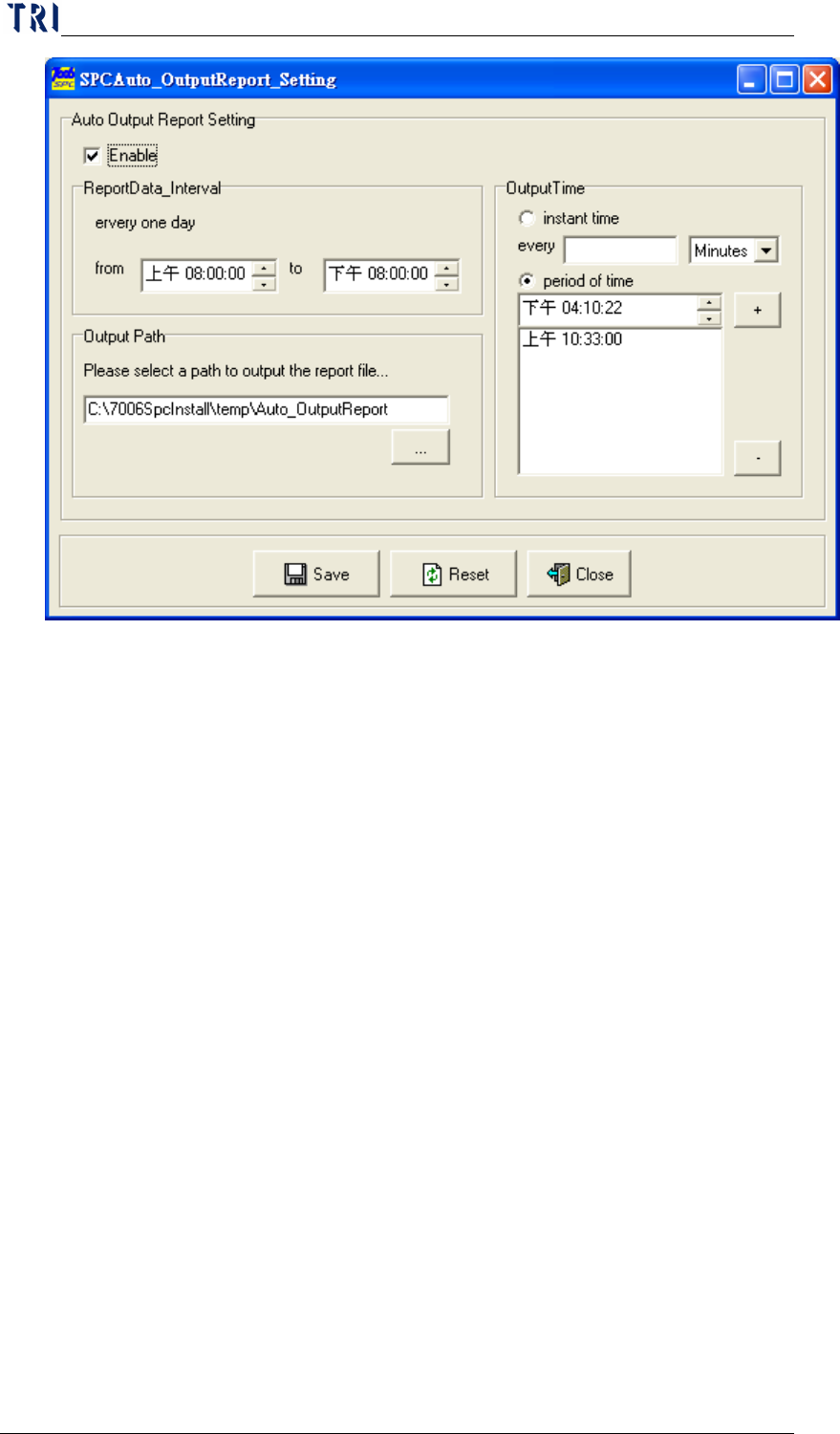
When user checks [Enable], the Style 3 Report will be created
automatically. [ReportData_Interval] Area is to set the time
interval; because the report is a daily report, the report will contain
the data collected in this interval everyday. Take the figure for
example, system will export the data collected form 8 a.m. to 8p.m.
[Output Path] is to set the output path of the report. Take the
figure for example, the report will be saved in
[C:\7006SpcInstall\temp\Auto_OutputReport] automatically. The
report is named by the date, for example, [2005.11.03.xls] is
created at 3
rd
, November, 2005. There are 2 kinds of output time
could be selected in [Output Time] Area.
Instant time method: Sets the time interval for sampling. The unit
for time interval can be in Minutes or Hours. For example, if you
set “5 Minutes”, this indicates that sampling will be performed
once every 5 minutes. If you set “0 Minutes” or “0 Hours”, this
indicates that there is no need to pause, the sampling is performed
non-stop.
Period of time method: Sets the time zone for sampling everyday.
For example, if you set “Morning 09:00:00”, this indicates that
sampling will be performed once at 9:00 a.m. everyday.
Chapter3 SPC User Manual
AOI Repair Station
136
7.4.1.10 Other Settings
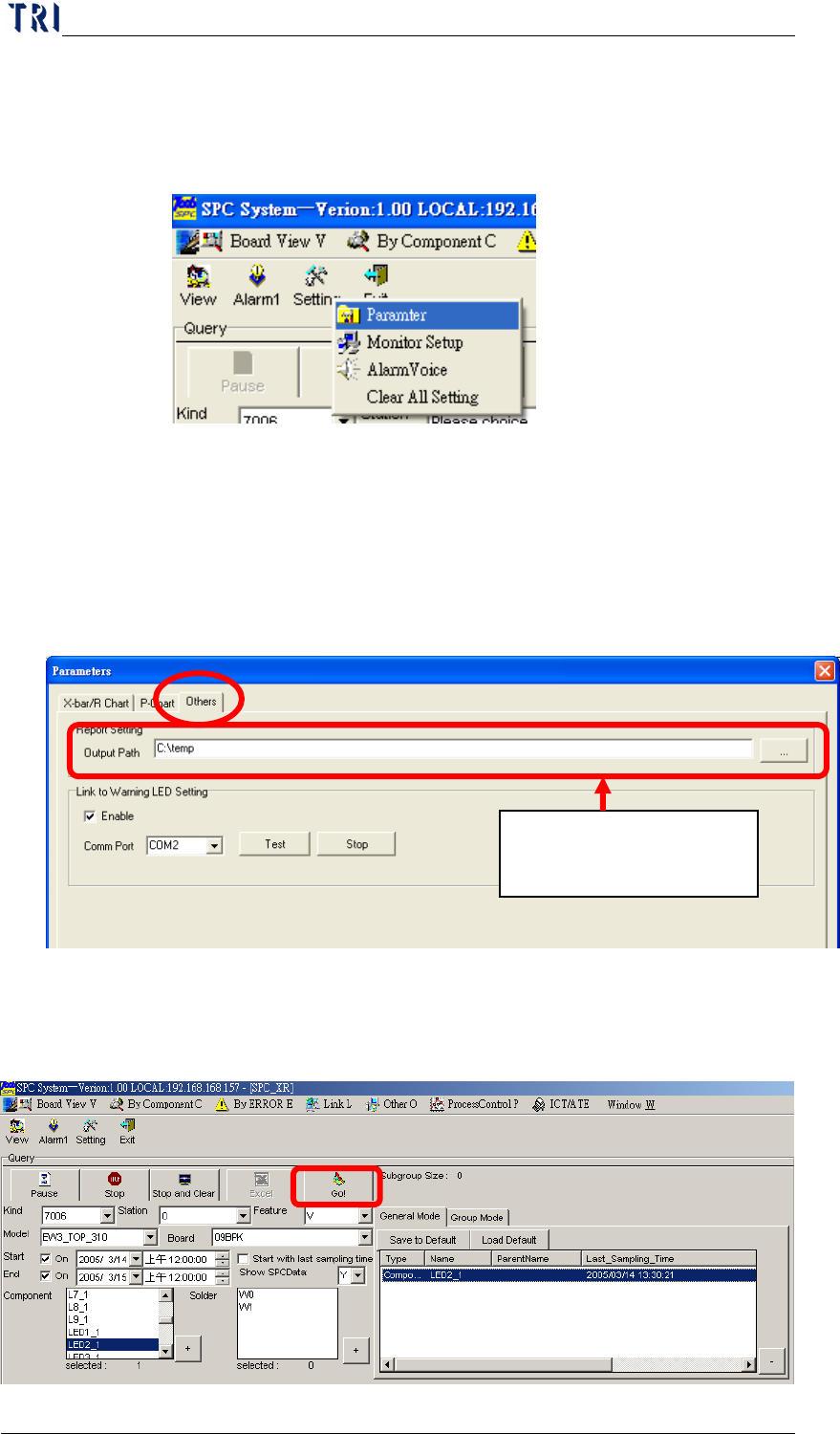
Besides the 8 settings mentioned above, there are several other
settings. You can press “Parameter” in “Setting” ,then select
“Others” page.
Report Setting: Select the default path for outputting report.
Link to Warning LED Setting: If check “Enable” item, user can set
a signal tower to display warning when there is an alarm coming up.
“Comm Prot” means the communication port (COM1, COM2…)
the signal tower uses; “Test” and “Stop” is to test the signal tower
and to stop testing.
7.4.2
Start monitoring
After completing all settings, just click on the “Go!” button and the
system will starts monitoring as shown in the following figure.
Select the default path
for outputting report