AOI_RS_v85_en.pdf - 第15页
Chapter 1 Installation Pr ocess AOI Repair Station 1 1 b. Select [Install Database Server] c. Press [Next]
Chapter 1 Installation Process
AOI Repair Station
10
7 SERVER edition installation
7.1 Server side
7.1.1 SQL Server setting
Step1. Install SQL SERVER 2000 STANDARD:
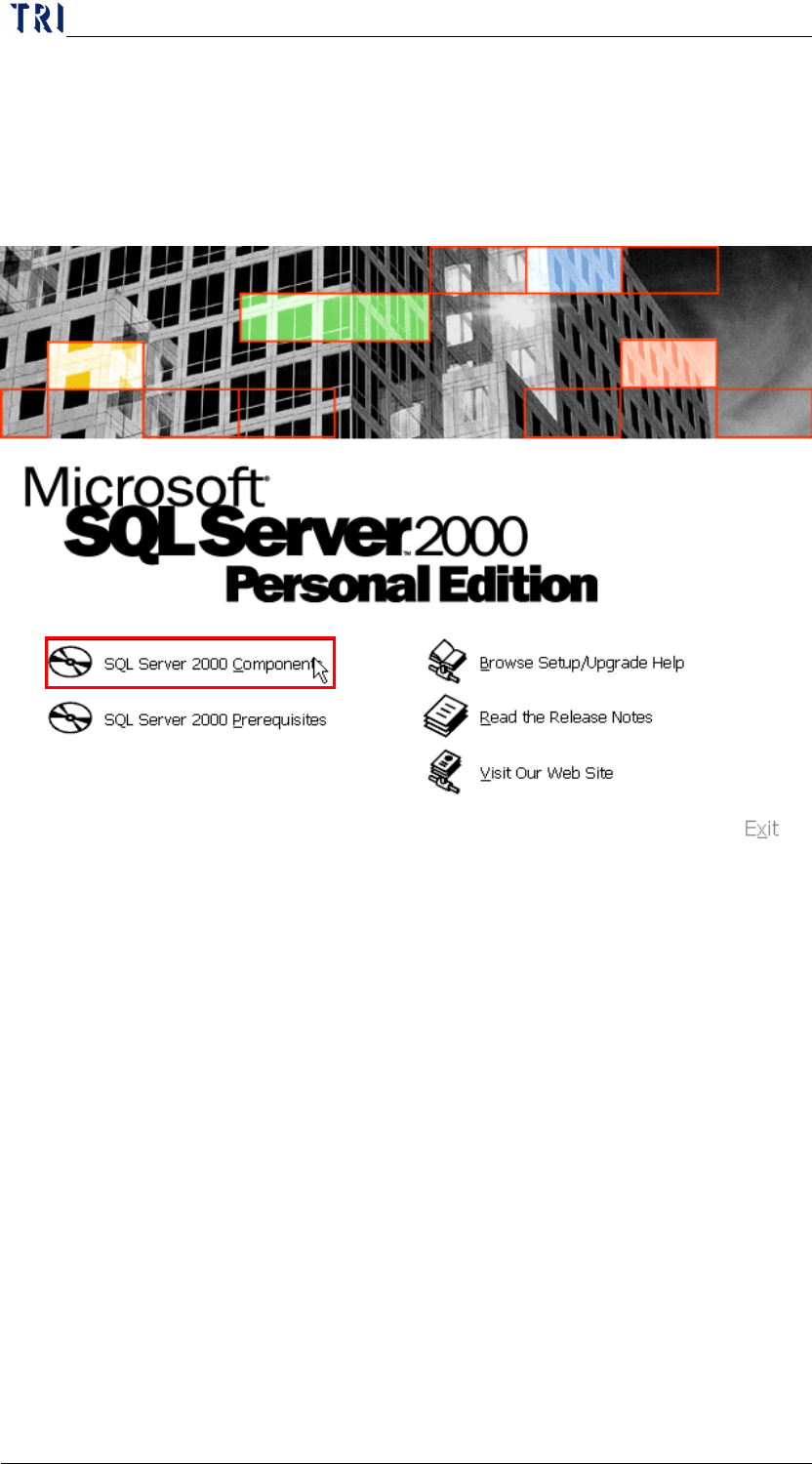
a. Insert the Disk: select [SQL Server 2000 Component].
Chapter 1 Installation Process
AOI Repair Station
11
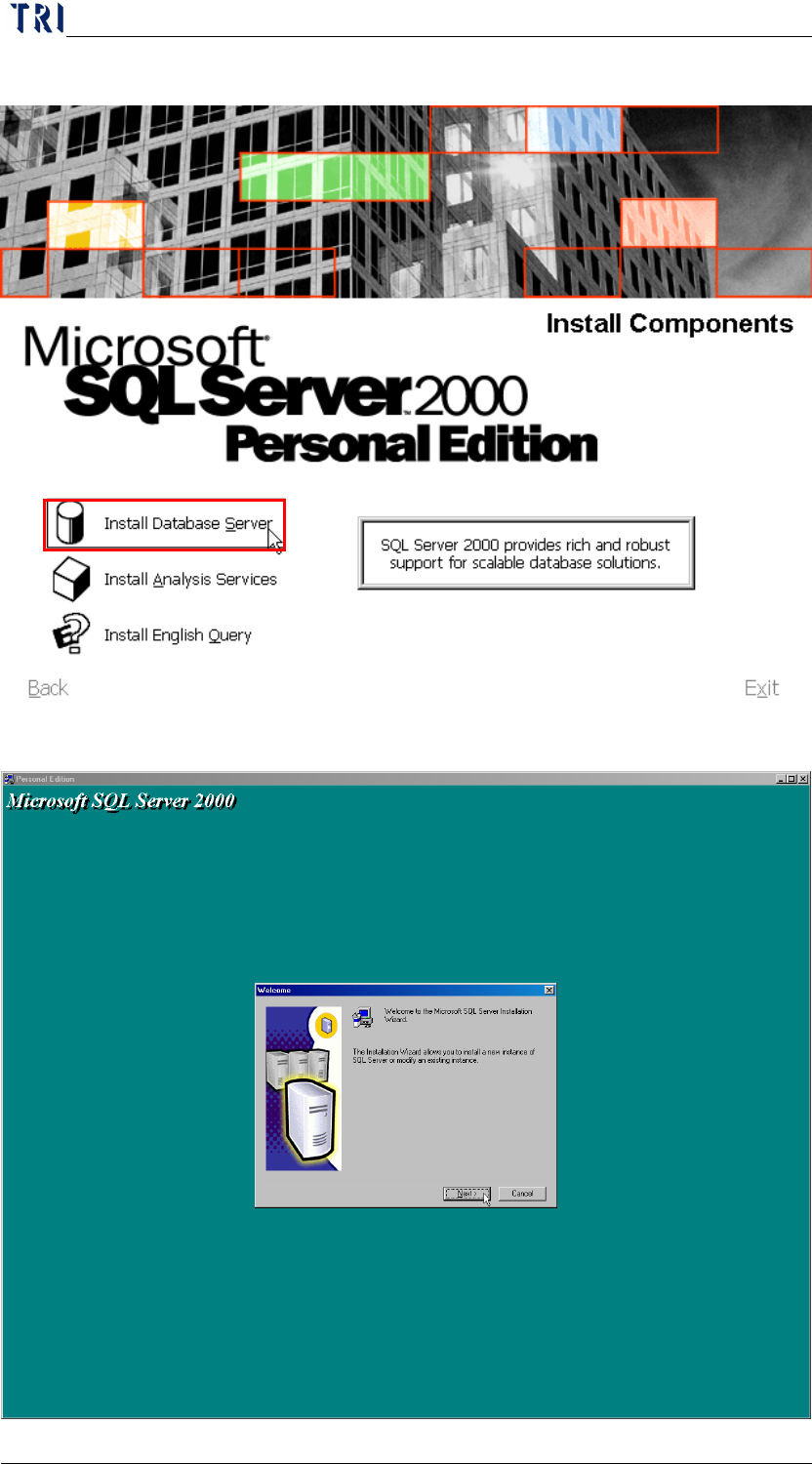
b. Select [Install Database Server]
c. Press [Next]
Chapter 1 Installation Process
AOI Repair Station
12
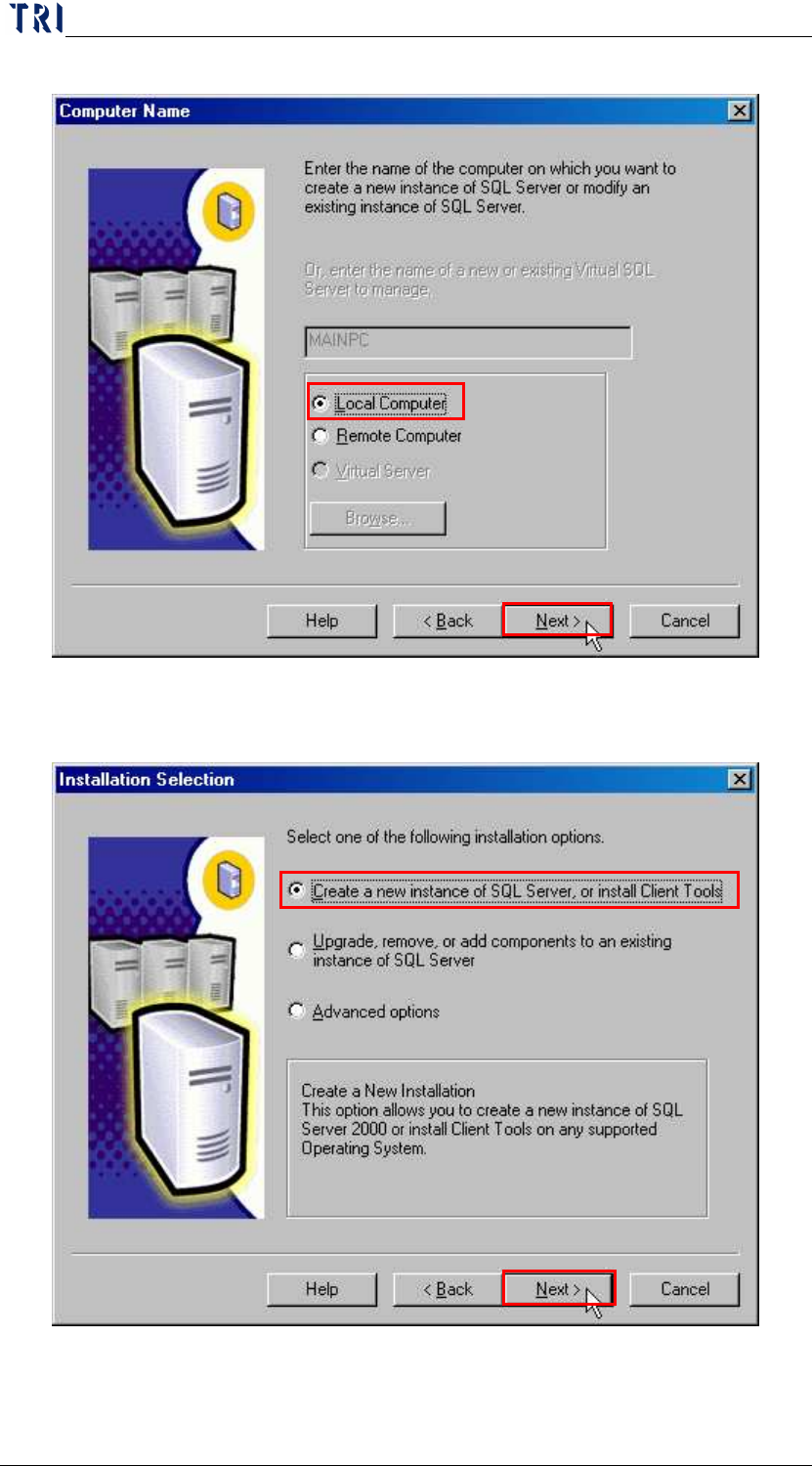
d. Select [Local Computer].
e. Select [Create a new instance of SQL Server, or install Client
Tools], Click [Next].