AOI_RS_v85_en.pdf - 第168页
Chap ter3 SPC User Ma nual AOI Repair Station 164 13 In Addition If the [*.QRP] file wants to be used b y other systems, make sure that [c:\rsinstall\ icon1.ico] and [c:\rsinstall \ POpenQRP .exe] are copied to other s…
Chapter3 SPC User Manual
AOI Repair Station
162
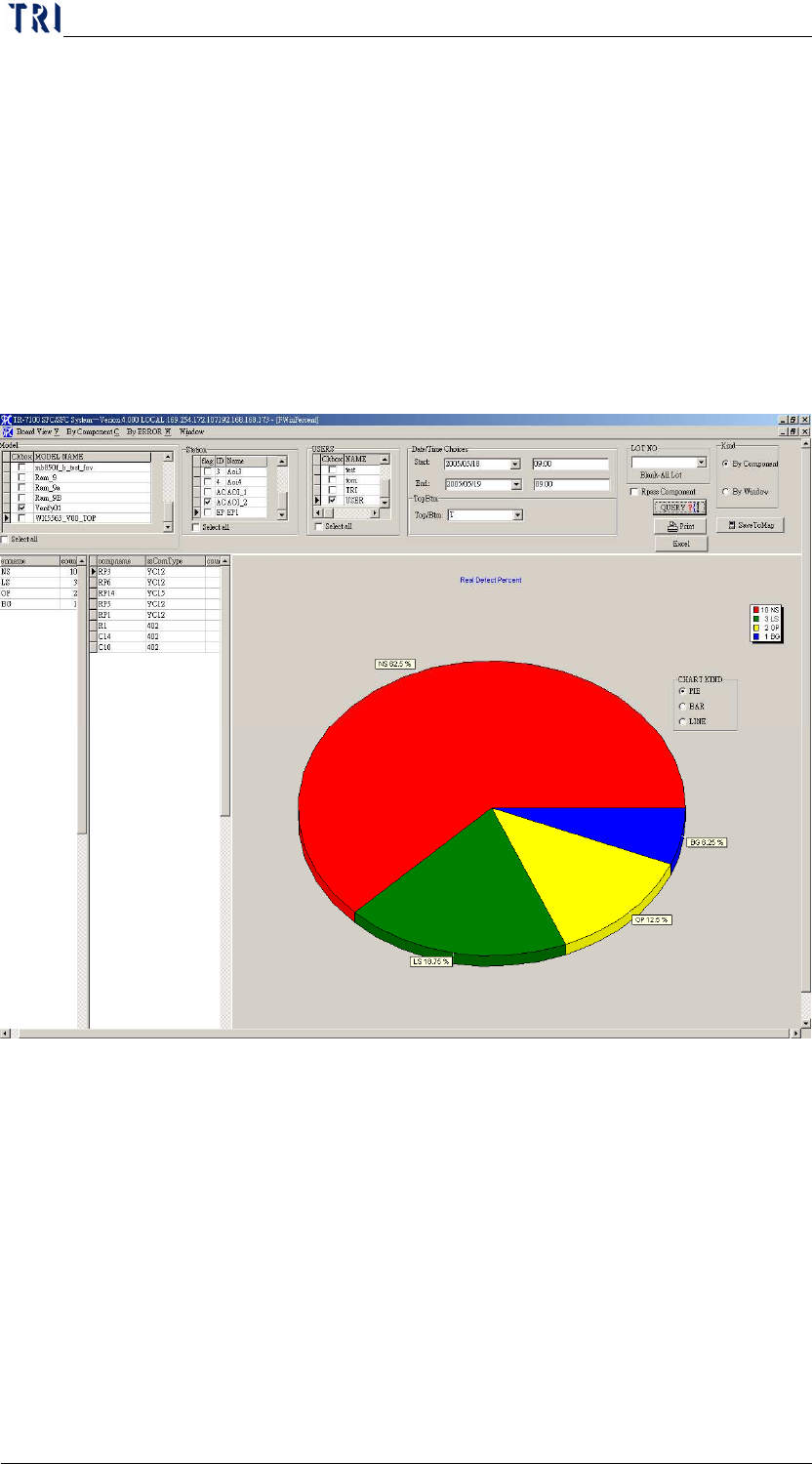
12 DEFECT PERCENT
Displays DEFECT KIND, and defect components (100 lists maximum)
under every ERROR KIND, also displays BAR, PIE and LINE graphs
Step3. Select [MODEL], [STATION], [DATE TIME], [Repair staff
(USER)], [TOP/BTM (* no separation of top or bottom)] and
[LOT_NO (deselect for all)]. The false alarm characters will be
filtered when the [FILTER WORDPASS] is check marked.
Step4. Click on [QUERY]. It will display false alarm when [RPASS
COMPONENT] is check marked.
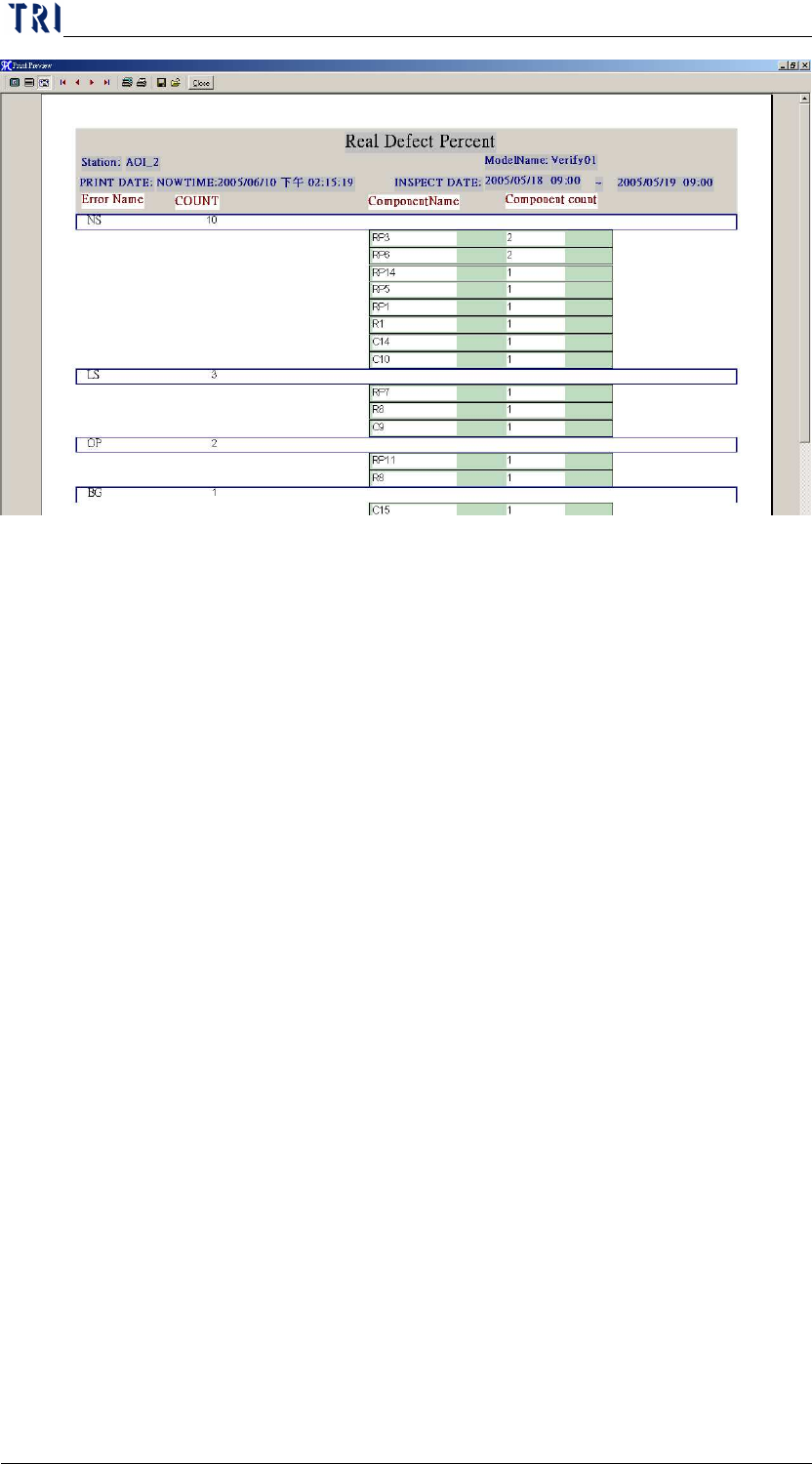
Step5.
Click on [PRINT]
Chapter3 SPC User Manual
AOI Repair Station
163
Step6.
Click on [EXCEL], to generate EXCEL report.
Chapter3 SPC User Manual
AOI Repair Station
164
13 In Addition
If the [*.QRP] file wants to be used by other systems, make sure that
[c:\rsinstall\ icon1.ico] and [c:\rsinstall\ POpenQRP.exe] are copied to other
systems in order to execute the [*.QRP] file.
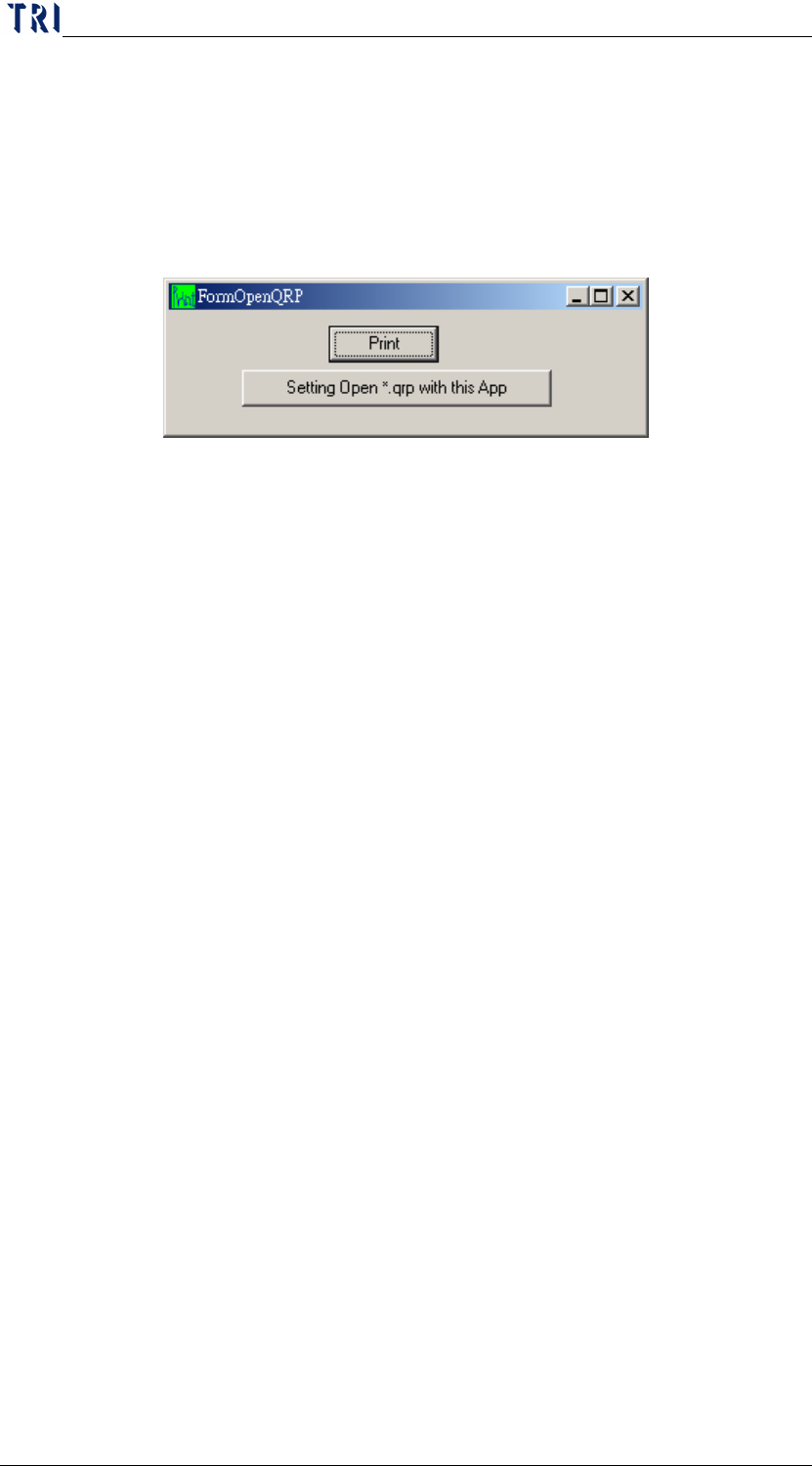
Execute [POpenQRP.exe] and select [SETTING OPEN *.QRP WITH THIS
APP].
This system may open any [*.QRP] file from now on.