AOI_RS_v85_en.pdf - 第127页
Chap ter3 SPC User Ma nual AOI Repair Station 123 When sy stem starts to monitor data, user will find that the two groups are with different sample size. Monitor T ype: Select to monit or the component with which kin…
Chapter3 SPC User Manual
AOI Repair Station
122
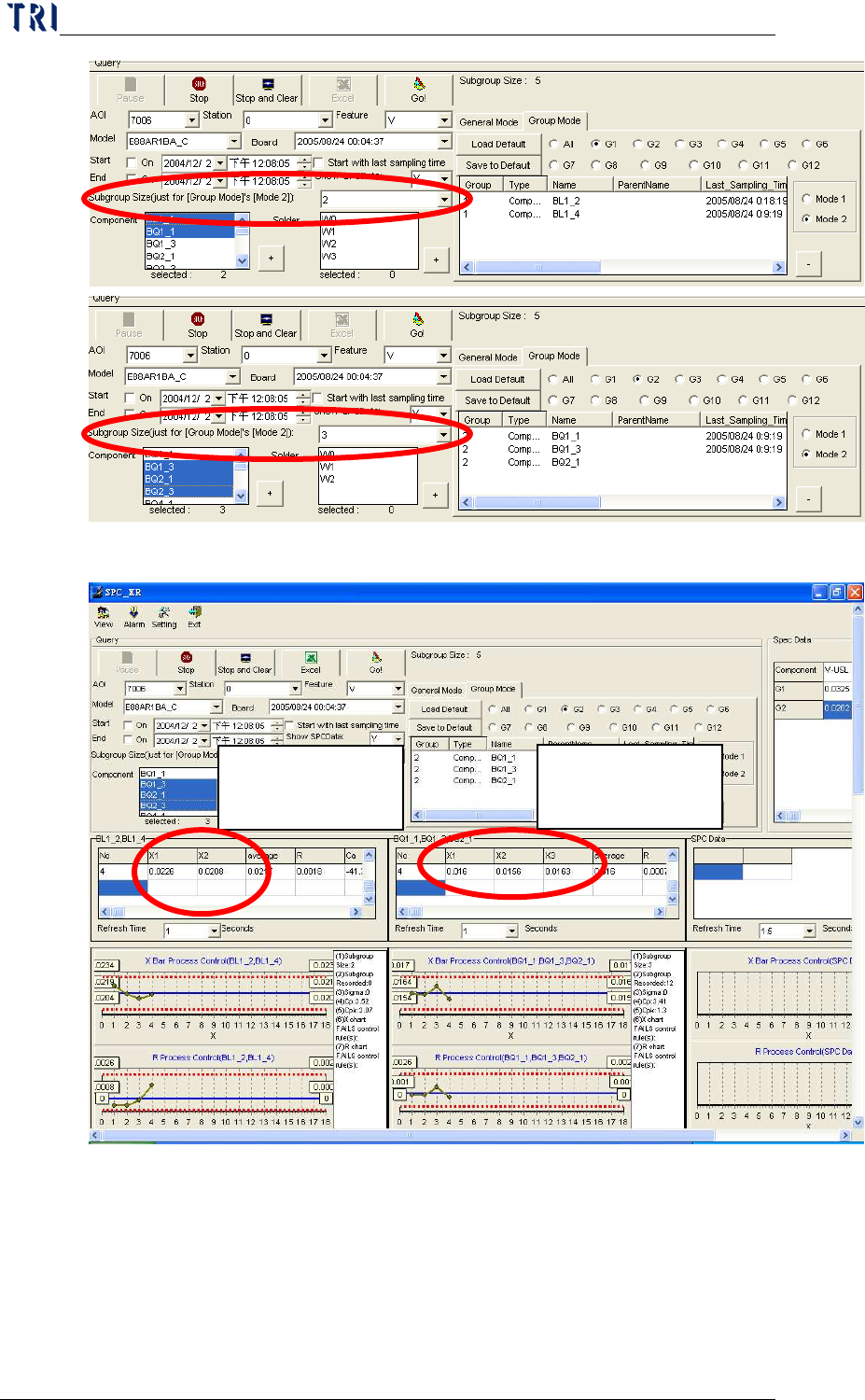
Subgroup Size (just for [Group Mode]’s [Mode 2]): Specify
the sampling size. This is only for [Mode 2] in [Group
Mode]. User could set different sample size for different
Group. Take the following two pictures for example, the
subgroup size is 2 for group [G1]; the subgroup size is 3 for
group [G2].
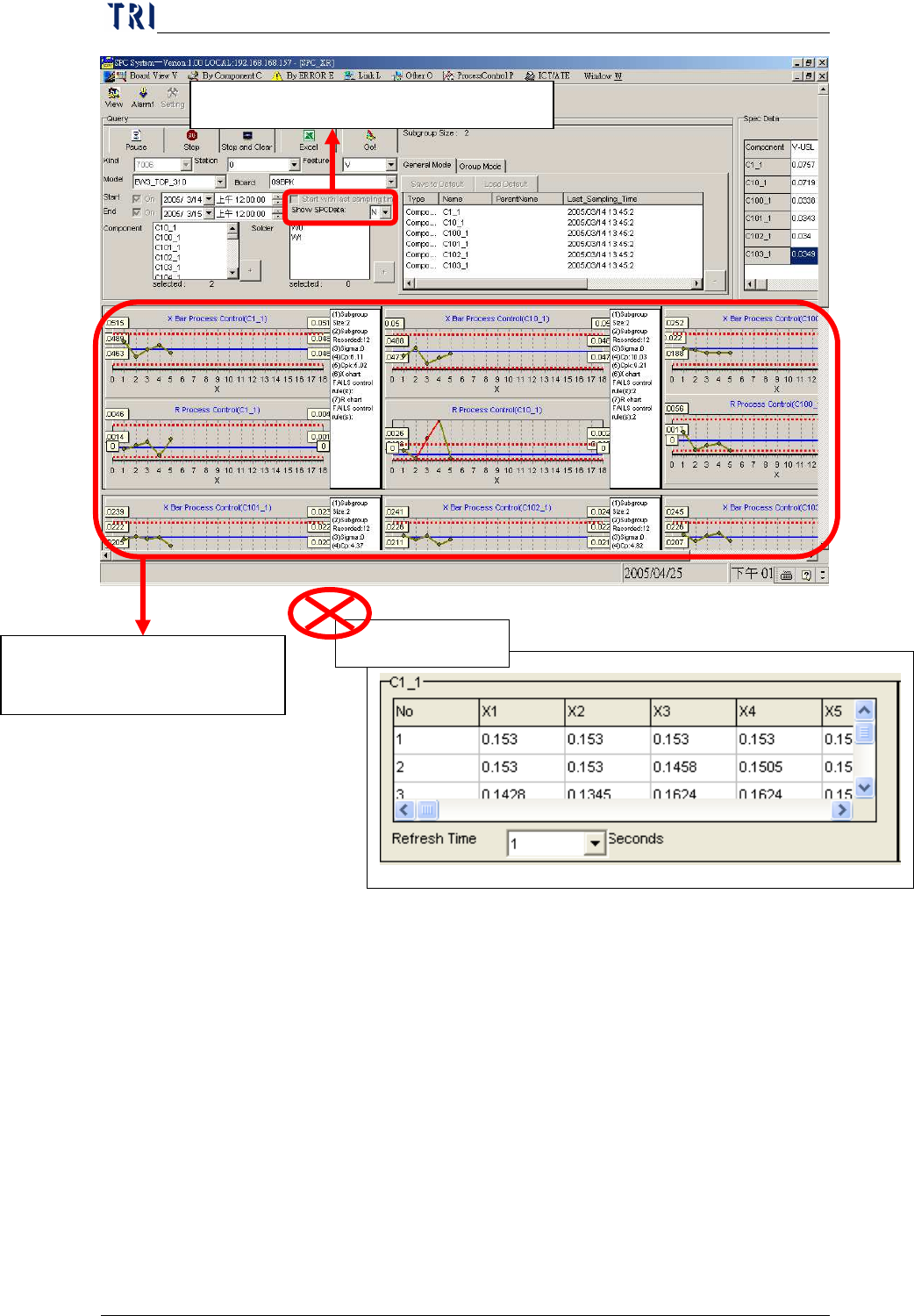
Select [Show SPCData] to “N”.
System only displays the
control charts.
Statistic data
Chapter3 SPC User Manual
AOI Repair Station
123
When system starts to monitor data, user will find that the
two groups are with different sample size.
Monitor Type: Select to monitor the component with which
kinds of control chart; X bar-R Chart or P Chart.
When user decides to monitor a component or a solder, he has
to press [+] button at lower right side to add the component or
solder to the monitoring list. And there are two modes for
use to select. If user wants to monitor it with [General
For this Group,
sample size is 2.
For this Group,
sample size is 3.
Chapter3 SPC User Manual
AOI Repair Station
124
Mode], he has to change it to [General Mode] page; If user
wants to monitor it with [Group Mode], he has to change it to
[Group Mode] page.
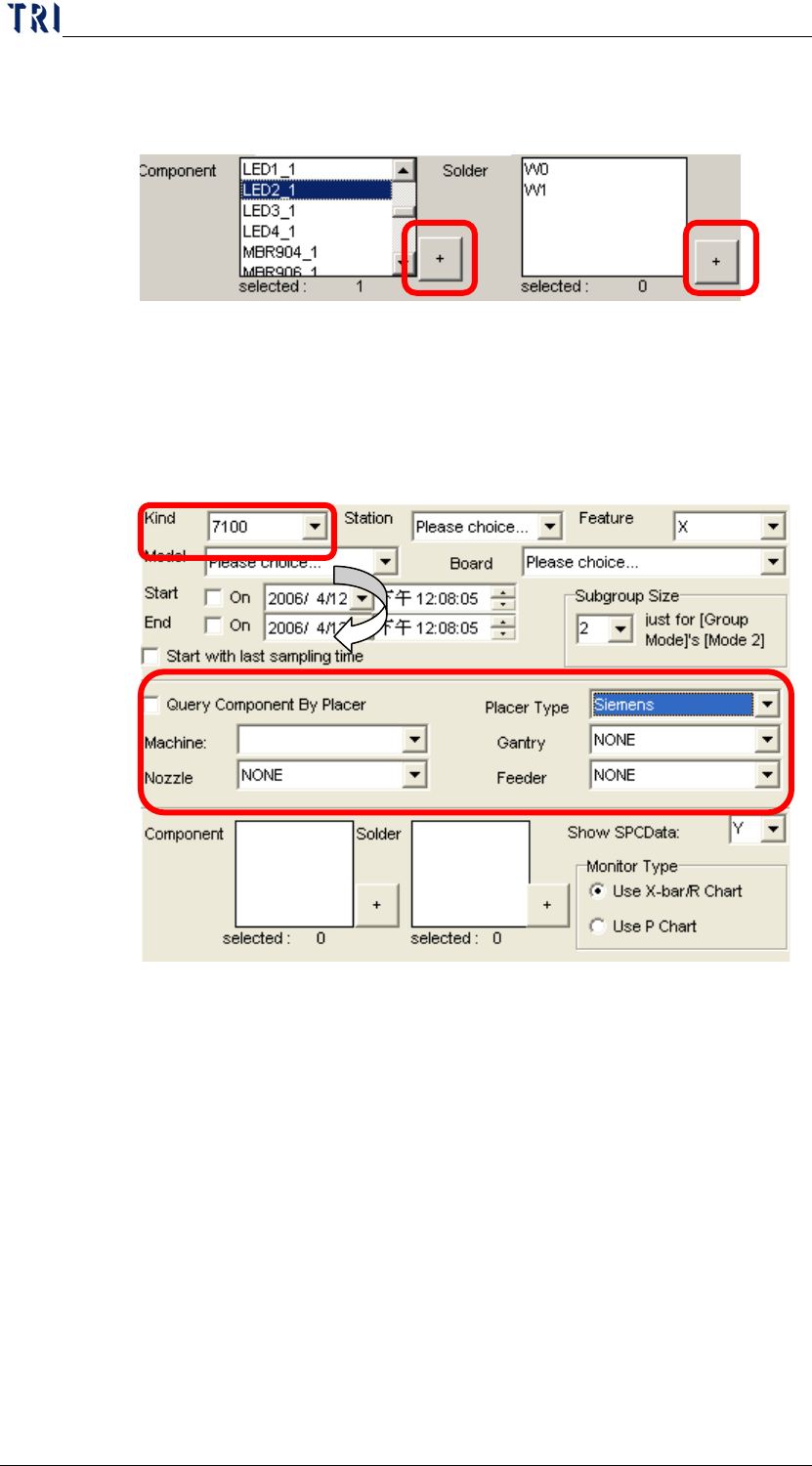
Placer Information Area: When the [Kind] is [7100], there is
a [Placer Information Area] appearing under [Start with last
sampling time] area as the following picture. This is for
user to select the component by placer; user could take
“Gantry”, “Nozzle” or “Feeder” as conditions to select
corresponding component to be monitored.
In this area, when [Query Component By Placer] checked,
user could get the list of components by the placer
information. [Placer Type] means the brand of place; we
support “PANA” and “Siemens” two placer now. [Machine]
means the placer name; [Gantry] means the name of gantry;
[Nozzle] means the name of nozzle; [Feeder] means the name
of feeder.
List of monitoring: The monitored components or solders are listed
here. There are two modes, “General Mode” and “Group Mode”.
General Mode: The mode is to monitor the selected item
directly. There are total 12 components or solder can be
selected at most.