AOI_RS_v85_en.pdf - 第67页
Chapter 2 Repair Station Main Progr am AOI Repair Station 63 10.6.6.17 Cli ent Data L oad From File (Onl y by 7100) The function is to query data b y files rather than by database, it’ s to speed up the read and save a…
Chapter 2 Repair Station Main Program
AOI Repair Station
62
Model_Name;T;A001;2;2;A001;B002;C003;D004
Saved Path-The file has to be saved in the
[C:\AOI_REPAIR_DATA\CombineBarcode]
folder in Repair PC.
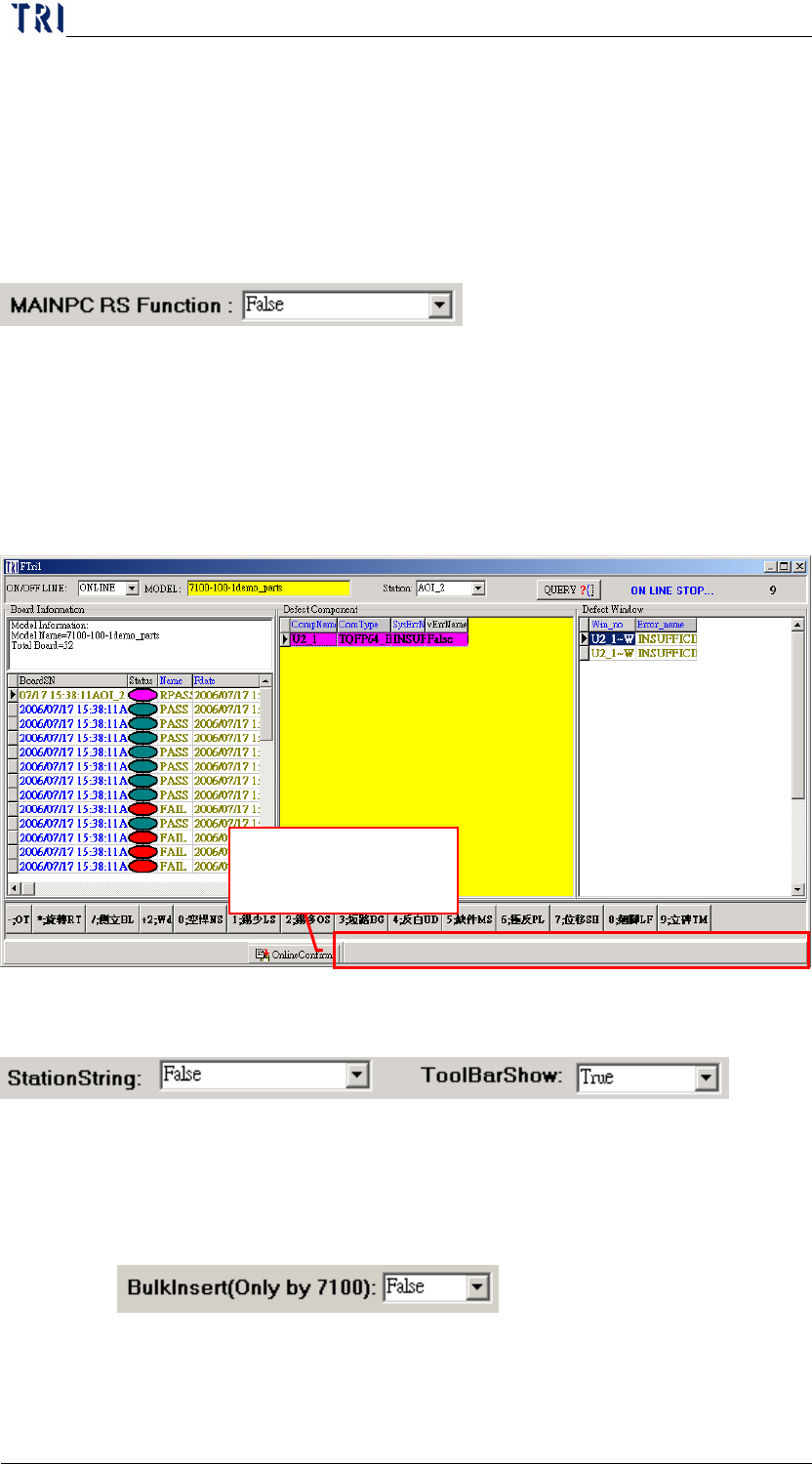
10.6.6.13 MAINPC RS Function
The data does not need to go through Repair Station, a direct
confirm in the Main PC.
10.6.6.14 Tool Bar Show
Setting [False] means that the tool bar below the confirm dialog is
hidden.
10.6.6.15 StationString
You should select [True] if you add [AOIMachineID] at registry on
AOI main pc
10.6.6.16 BulkInsert (Only TR7100)
When this is [True], the data transferred by insertdata will speed up.
Do not show the
status bar here.
Chapter 2 Repair Station Main Program
AOI Repair Station
63
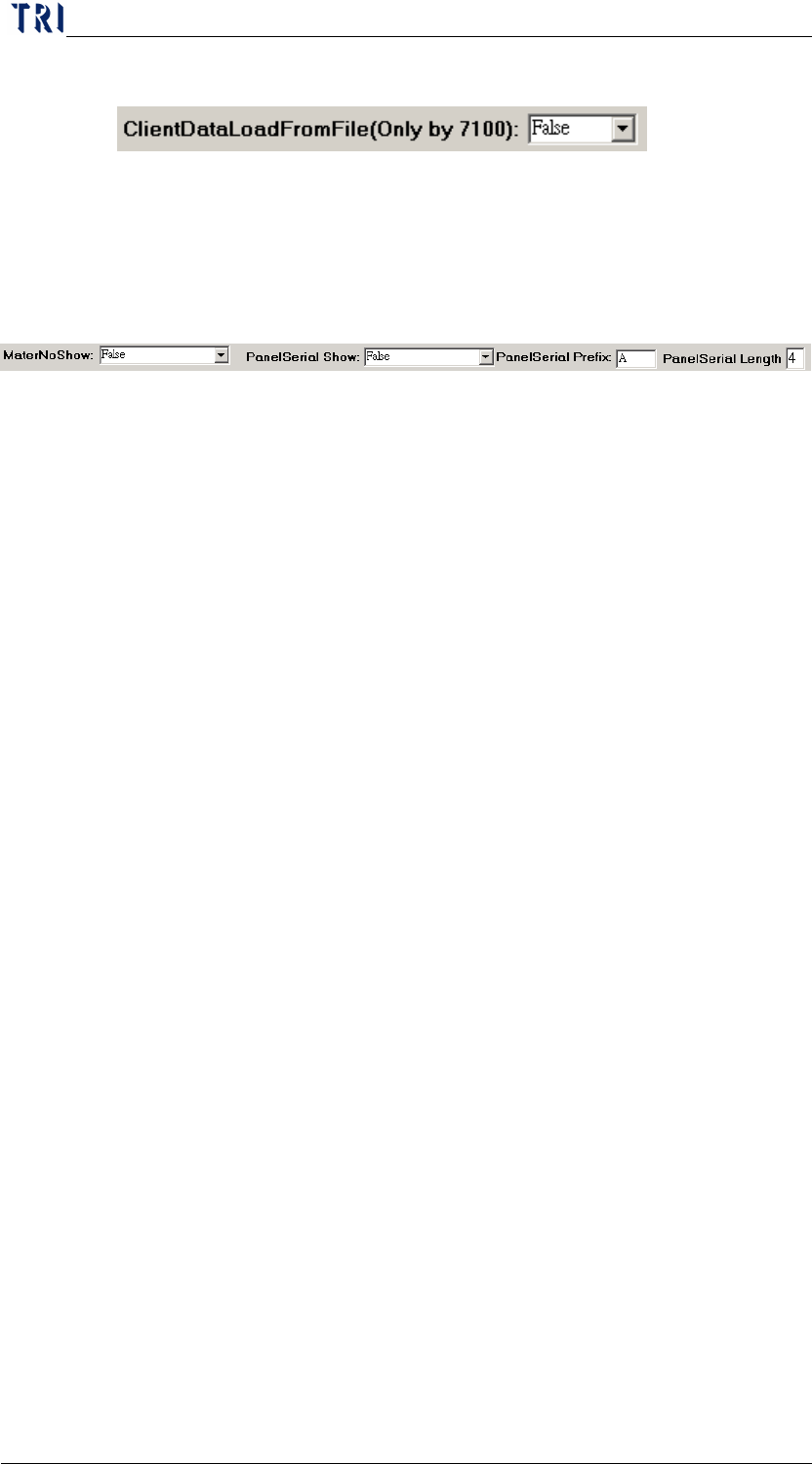
10.6.6.17 Client Data Load From File (Only by 7100)
The function is to query data by files rather than by database, it’s
to speed up the read and save action. The function is suggested
to use when there are much more defects.
10.6.6.18 MaterNoShow
When you select [True], the [Defect Component] zone at main
program show a [MaterNo] field in addition. The field shows the
corresponding component materials of the component.
Method:
File name- MODELNAME.TXT (Offered by the
customer)
Path-[C:\aoi_repair_data\MaterNo\] in repair station pc.
Format
ComponentName MaterNO
(You don’t have to add [_1] for [ComponentName], for
example R1, U200…and so on. The limit of MaterNO field is
100 characters. You can define several MaterNo and use [;] as
separating symbols
Procedure-When the data is translated by [InsertData.exe],
the system finds the [MODELNAME.TXT] first. Then it will
link to [MaterNo] information by component name and save
the all information to database. You can edit the
[MODELNAME.TXT] to change the information of
[MaterNo] and the content will be refreshed when the next
board is translated.
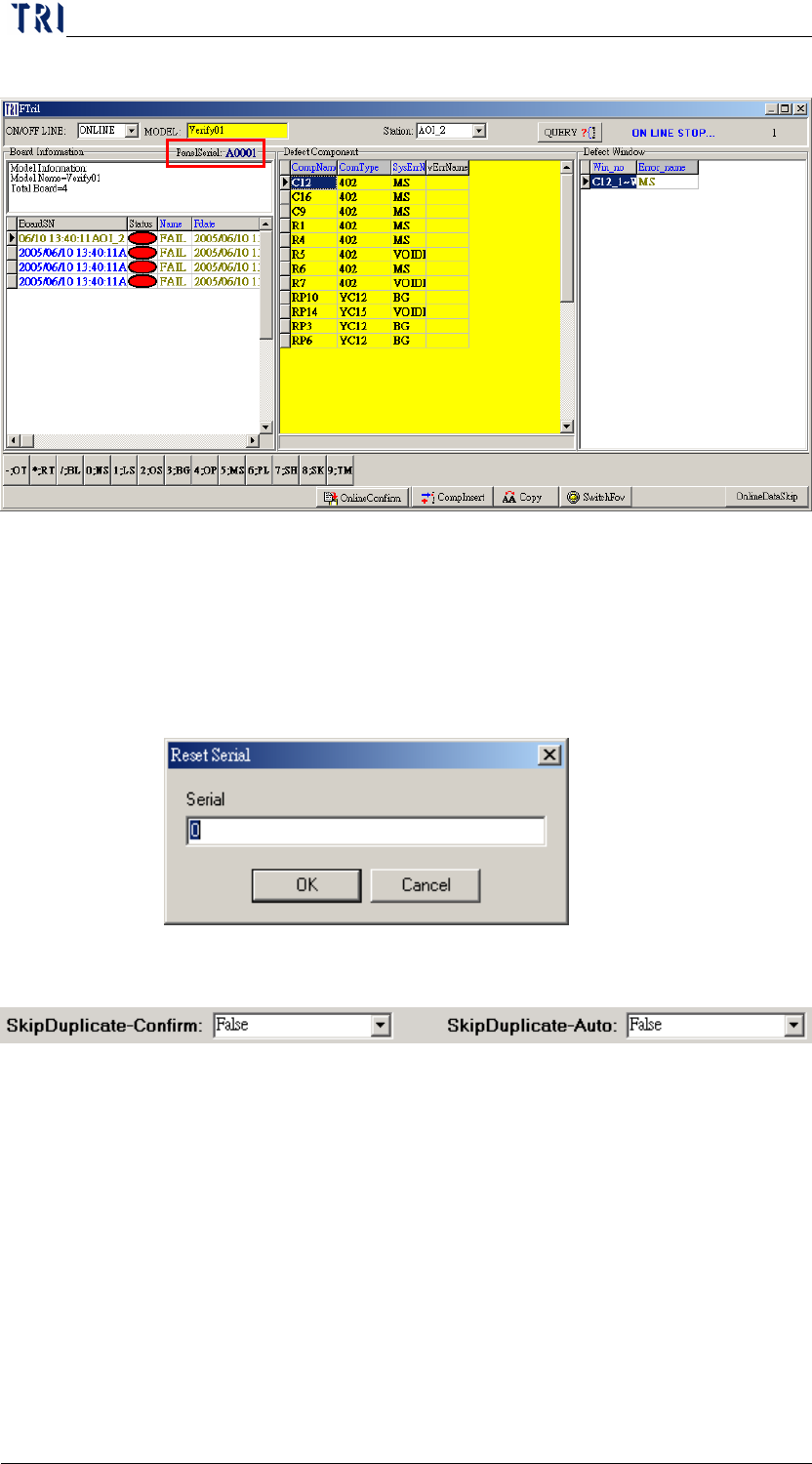
10.6.6.19 PanelSerialShow
[PanelSerialShow]-If you select [True], it shows a [PanelSerial]
field which is marked below. The number accumulates in order
according to the data passed from AOI.
Panel Serial Prefix-You can input characters within the limit of
three then system shows designated character before the serial
number.
Panel Serial Length-Appoint the figure of the serial number, 9 at
Chapter 2 Repair Station Main Program
AOI Repair Station
64
most. This field can't be blank.
Click on the serial number and you can order the initial serial
number by yourself. The serial number of circuit board that will be
later passed over will be accumulated with this assigned serial
number.
After the data is confirmed, the barcode number will be replace the
date at [BoardSN] field.
10.6.6.20 Skip Duplicate-Confirm
When you select [True] and there are two or more data with the
same barcode number, the earlier data will be set [SKIP] and only
the last one will be remainder. The time to judge what will be
Skipped is when user confirms data with OFFLINE mode.
10.6.6.21 Skip Duplicate-Auto
When you select [True] and there are two or more data with the
same barcode number, the earlier data will be set [SKIP] and only
the last one will be remainder. The time to judge what will be
Skipped is when system transfers data.