AOI_RS_v85_en.pdf - 第24页
Chapter 1 Installation Pr ocess AOI Repair Station 20 Step2. S elect a folder to save the database then press [Next]. W e use the default setting, [C:\DB], generally . Step3. Input the [ Login Name] and [Password]; the d…
Chapter 1 Installation Process
AOI Repair Station
19
7.1.2 TRI program setting
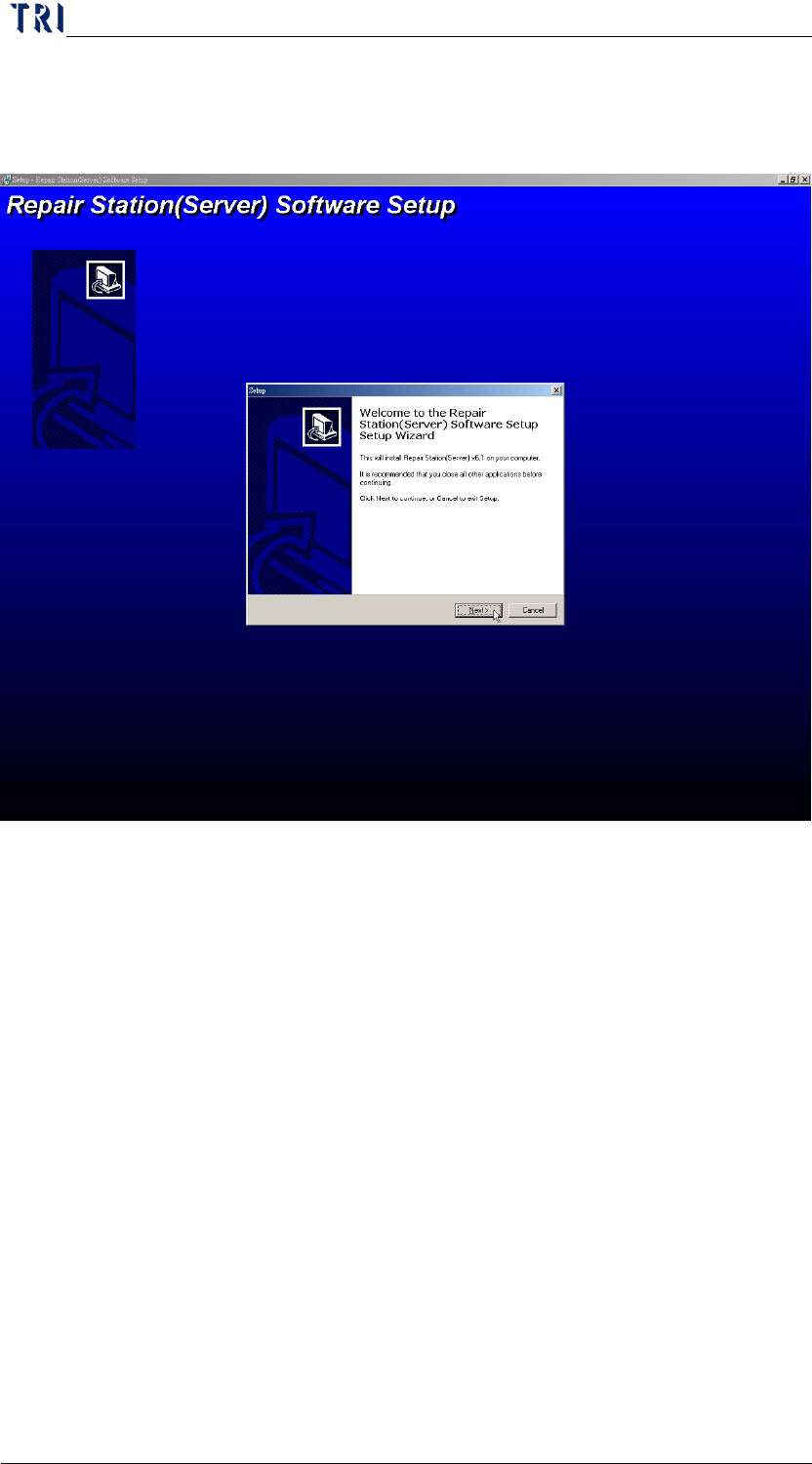
Step1. Execute [RsServerSetup]. The following window appeared
then press [Next].
Chapter 1 Installation Process
AOI Repair Station
20
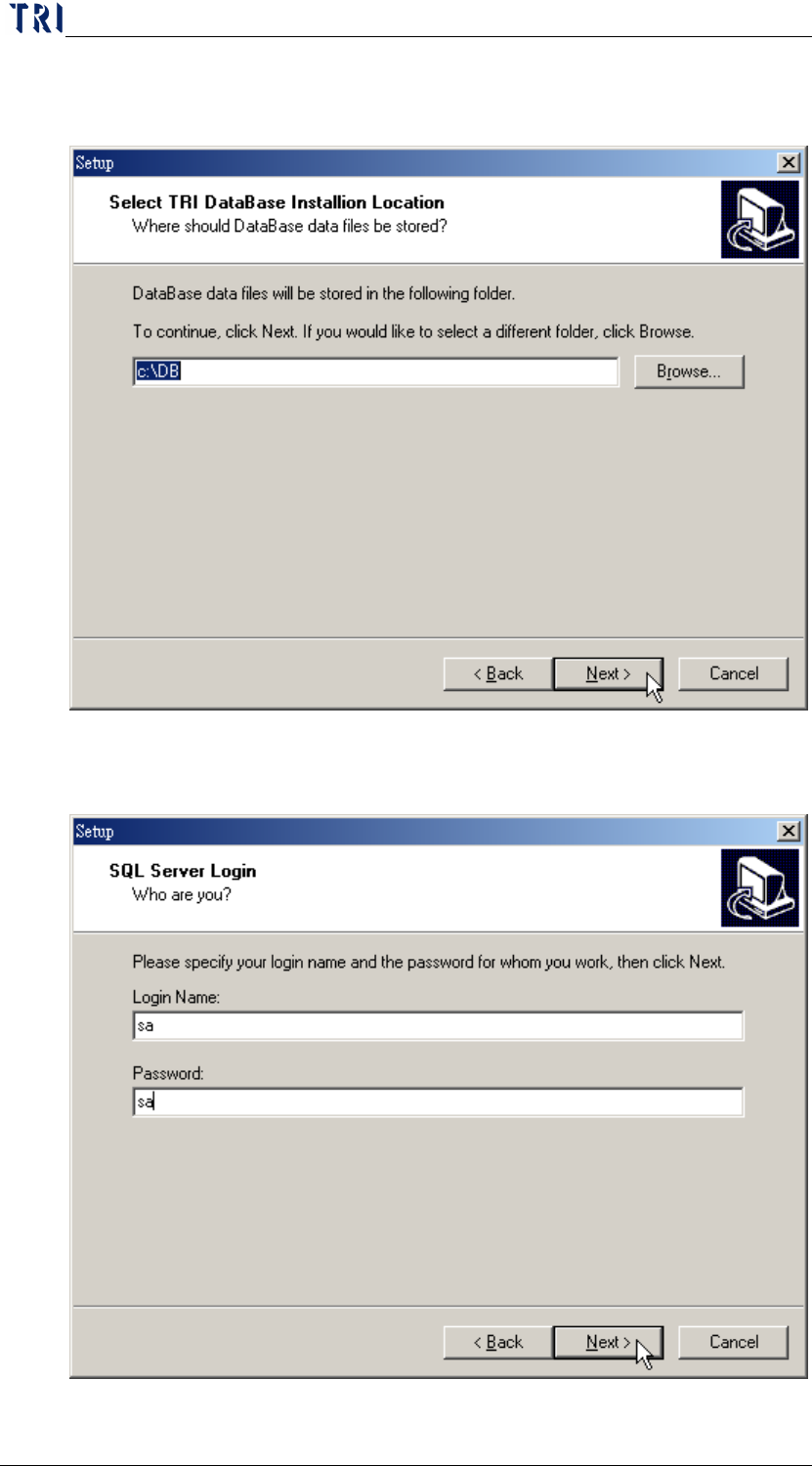
Step2. Select a folder to save the database then press [Next]. We use
the default setting, [C:\DB], generally.
Step3. Input the [Login Name] and [Password]; the default is [sa,sa].
Then press [Next].
Chapter 1 Installation Process
AOI Repair Station
21
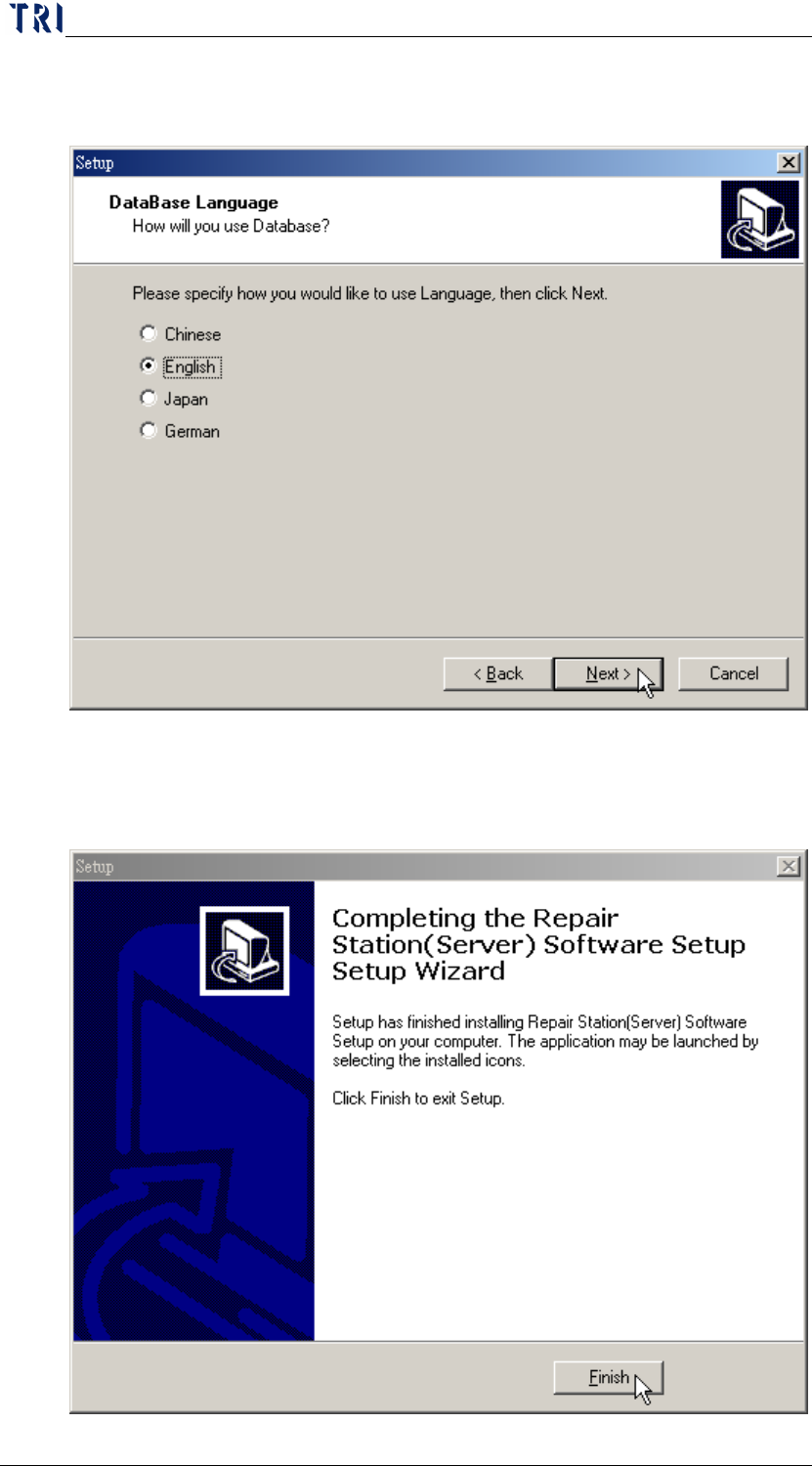
Step4. Select the language that is the same with the computer
operation system. Then press [Next].
Step5. Install the following procedure according the default.
Step6. Press [Finish] to complete the installation.