AOI_RS_v85_en.pdf - 第161页
Chap ter3 SPC User Ma nual AOI Repair Station 157 Step2. S elect the component name and program will automatic draw all the points along with the information chart at right. User ma y click the [EXCEL] in order to genera…
Chapter3 SPC User Manual
AOI Repair Station
156
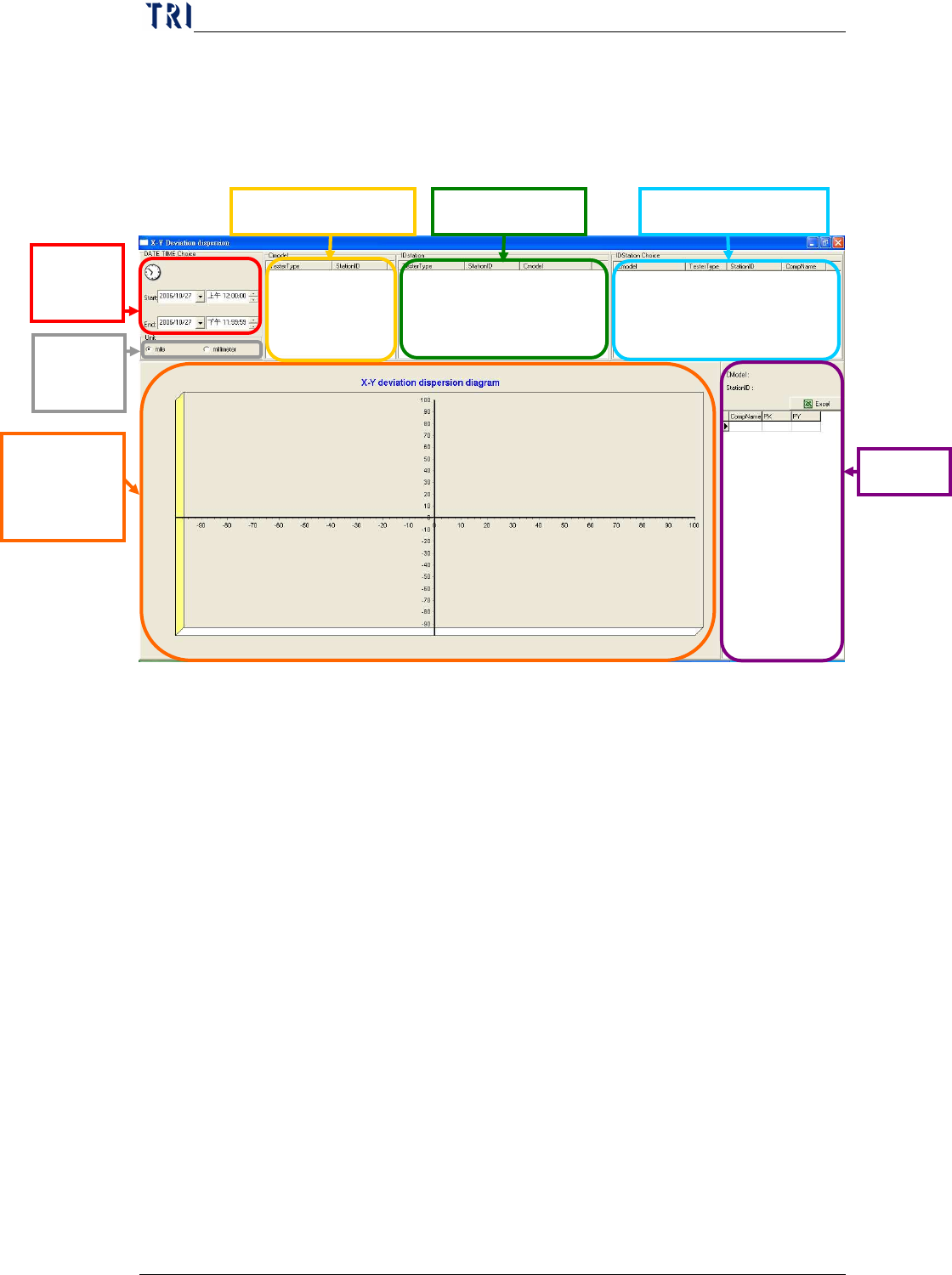
9 X-Y deviation dispersion diagram
The function is to display X shift and Y shift of the components on AOI
machine. The shift graph is displayed after a user determines the time and
machine ID.
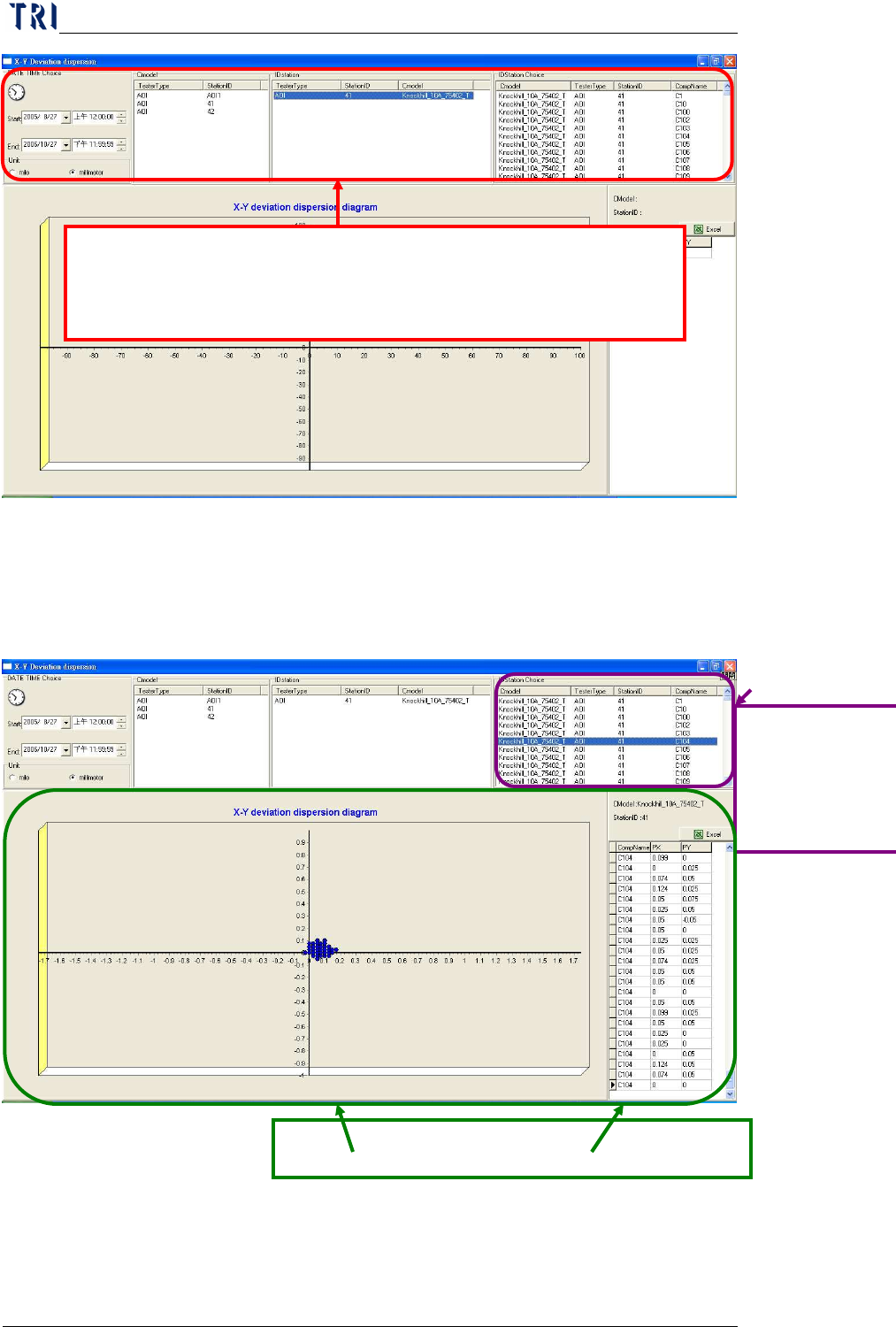
Step1.
The user has to select a period of time and the unit, then all the
existing machine IDs will be displayed. After user selects a
machine he wants to review, system will display all the models
(CModel) in this machine. Then user just has to select a CModel to
review the components tested in this model.
Select
date.
Scatter
Plot of PX
and PY
PX、PY
Select Component Select Machine ID
Select CModel
Select
unit
Chapter3 SPC User Manual
AOI Repair Station
157
Step2.
Select the component name and program will automatic draw all the
points along with the information chart at right. User may click the
[EXCEL] in order to generate the EXCEL sheet. This sheet will be
saved under program file under the name of [PXPY]
10
Component Shift X, Y
The function is used for checking all the statistic related information which
System will automatic show the selected component name which is
according to period of time, unit, machine ID, and CModel picked by
user
點選欲查看的元
件
Select a
component name
Show all the points spread and information charts.
Chapter3 SPC User Manual
AOI Repair Station
158
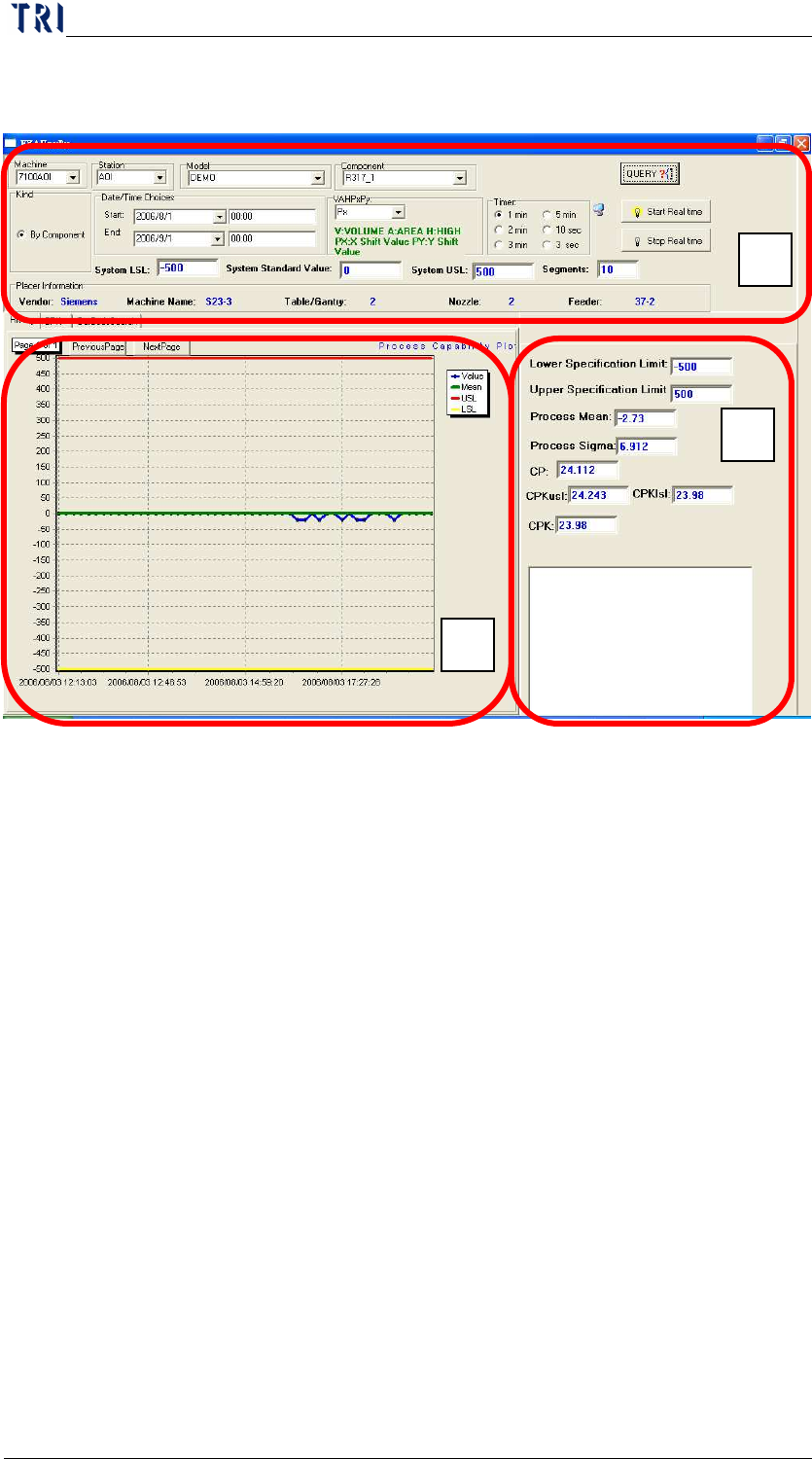
is included the standards, placer, inspection, and Cpk etc. Please see the
following pictures as reference.
10.1
A Section
System LSL, System Standard Value, and System USL are the
component specification and upper-lower limitation data. User may
modify each variable accordingly. Press [Query] once the change are
made.
Placer information: This area will show the Placer information for
each component.
User may view real-time inspection by select [Start Realtime] under
the time, and stop with [Stop Realtime]
10.2 B Section (History)
Red line mean upper standard level (USL), Green line mean (Standard
Value), yellow line means lower standard level, and blue line means
test result.
The latest 25 data are showed in the diagram. User may use
[nextpage]
、[periouspage] to view more data before the first 25.
10.3
C Section
C section is showing all the related data that system will need to
calculate the Cpk as following items.
A
B
C