AOI_RS_v85_en.pdf - 第155页
Chap ter3 SPC User Ma nual AOI Repair Station 151 If the following message appears, this indicates that there are other Excel applications running under the current operating s y stem. Y ou can use the T ask Ma nager…
Chapter3 SPC User Manual
AOI Repair Station
150
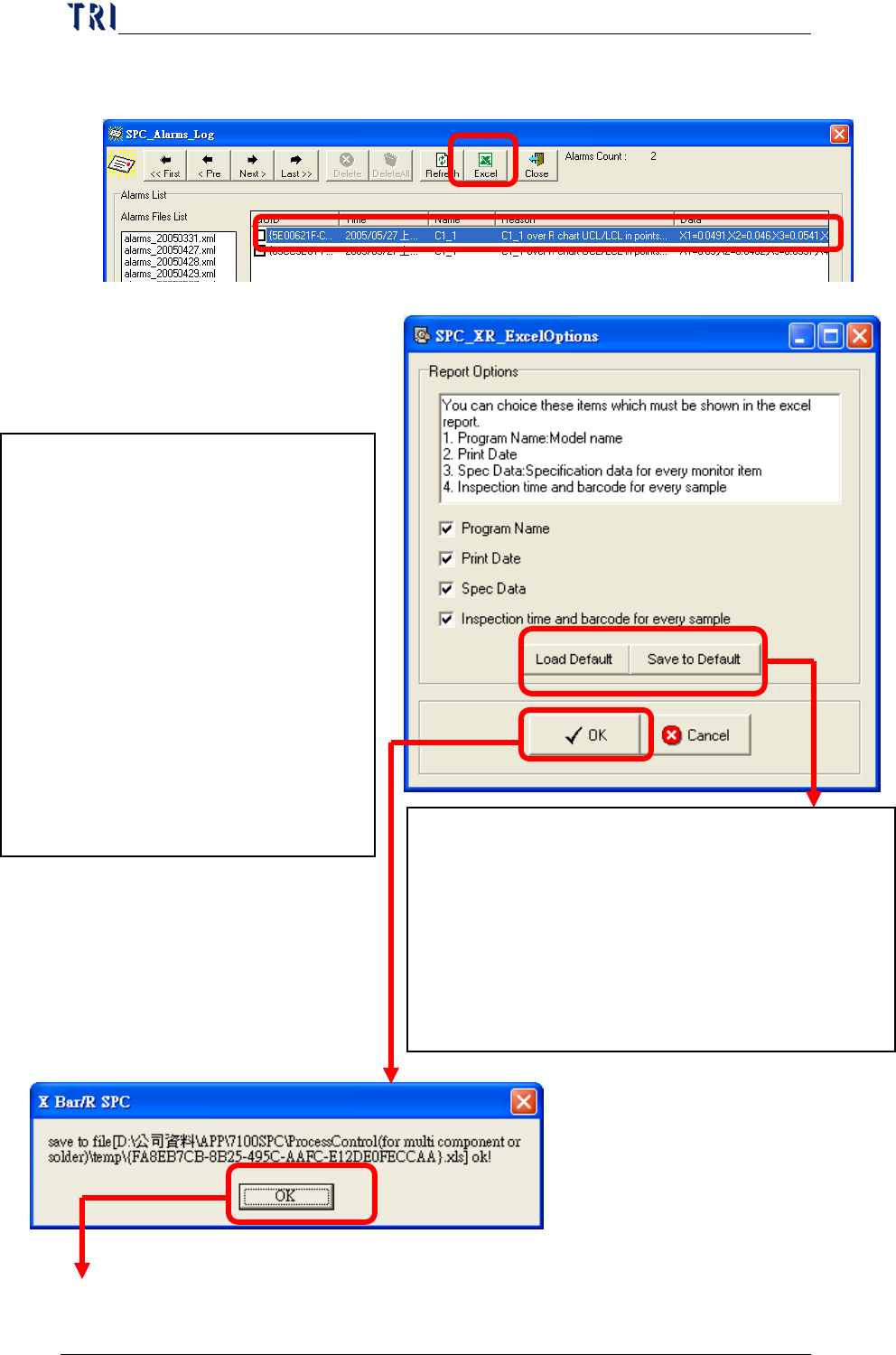
“Excel” allows you to export a message into an Excel sheet
as shown below.
2. Report Parameters Setting
Select the data that user wants to output
besides statistic data and control chart
in Excel file. User can select:
Program Name
Print Date
Spec Data
Inspection time and barcode for
every sample: the inspection time
and barcode for the board that
every sample belongs to.
Save to Default: Save the settings to default.
Then system will use these settings next time.
Load Default: Load the last saved settings.
P.S. System will load the last saved settings
automatically when this window starts. And [Load
Default] is to cancel the current and load the default
setting again.
Chapter3 SPC User Manual
AOI Repair Station
151
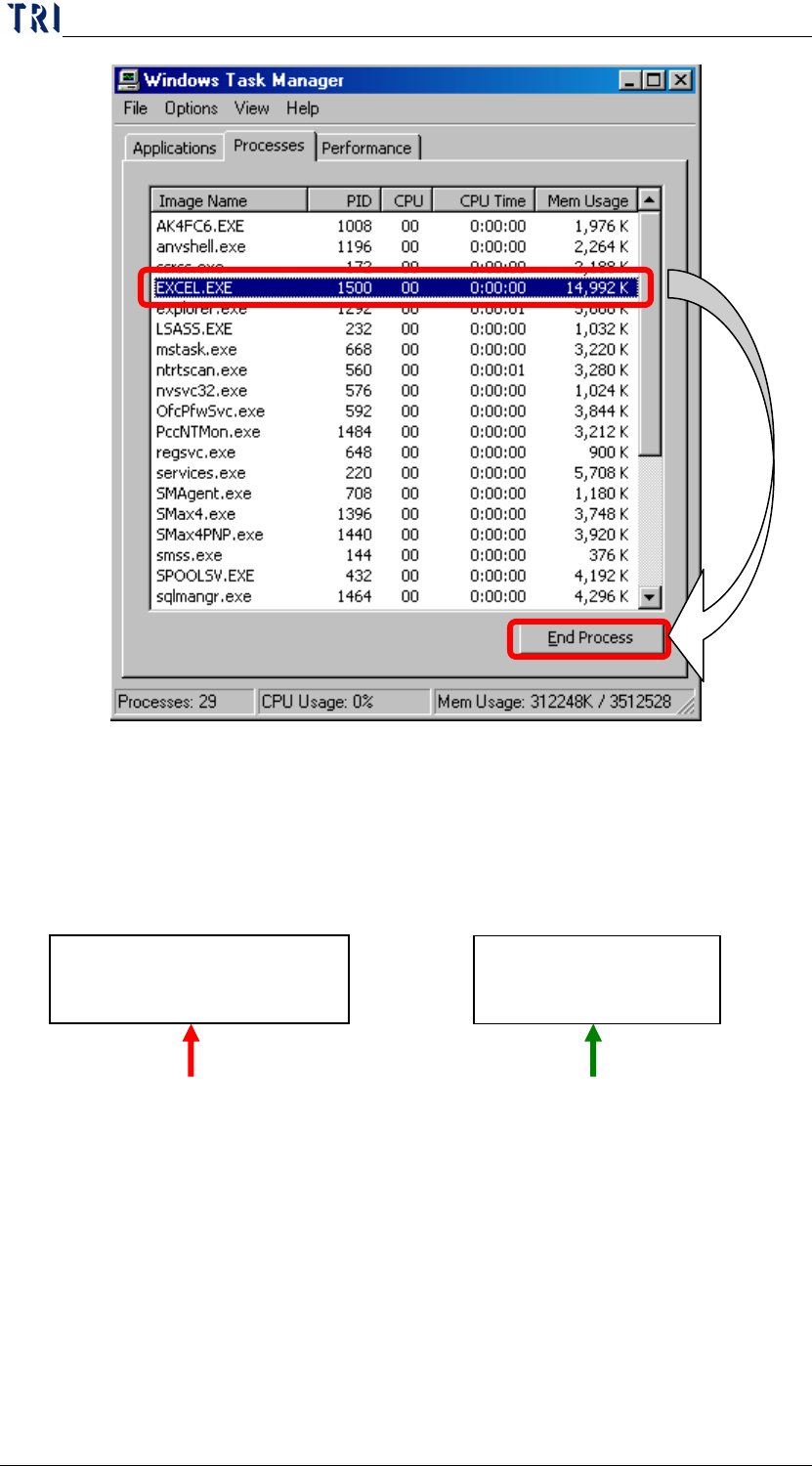
If the following message appears, this indicates that there are other
Excel applications running under the current operating system.
You can use the Task Manager to search and end all processes named
“EXCEL.EXE” (as shown in the figure below) and then resume
running the Excel function.
Close: Closes the alarm log view window.
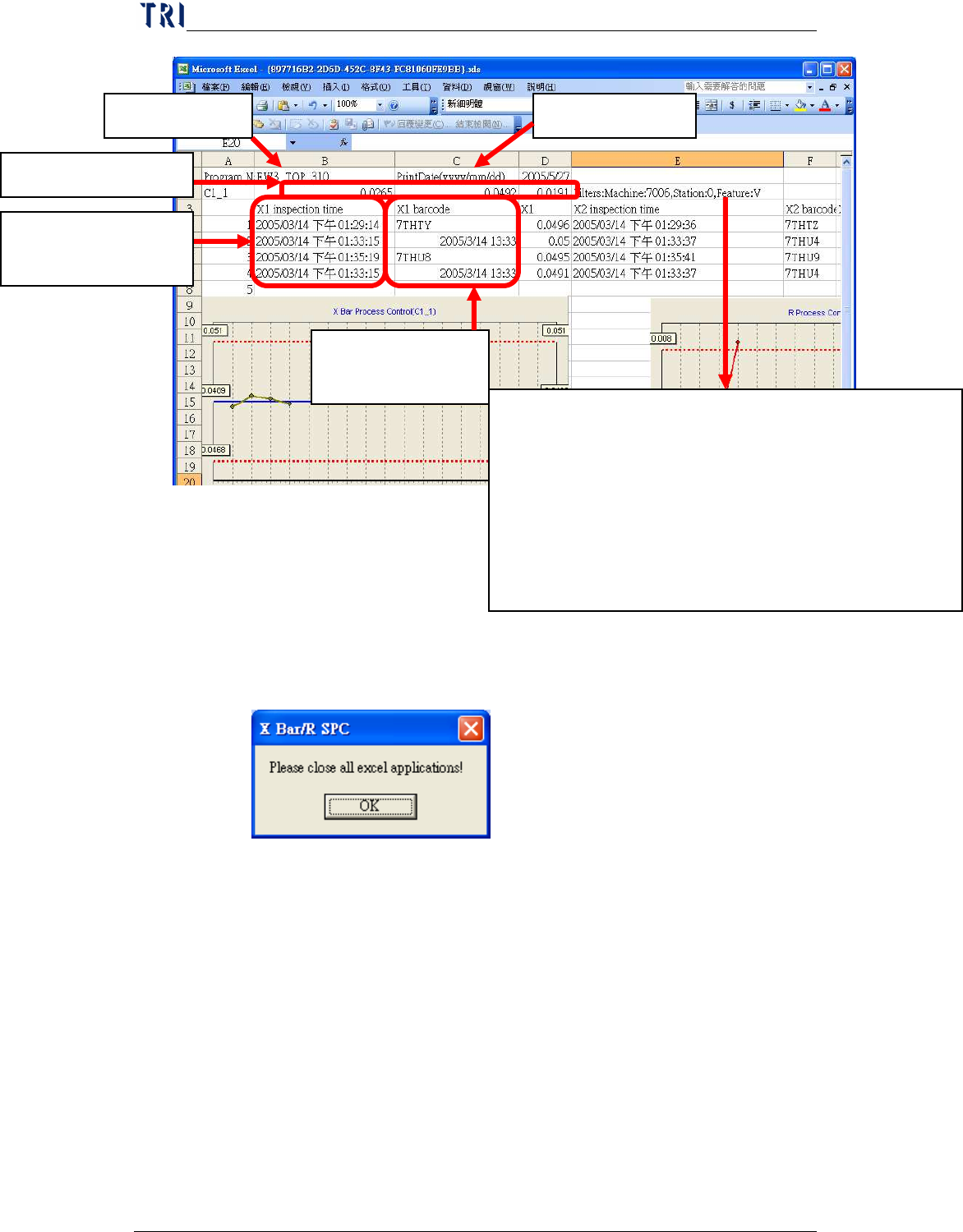
Display the monitoring condition for the component, contents are:
Machine means the type of machine, 7006, 7100 or ICT.
Station means the Machine ID
Feature means the selected feature, it may be V (Volume), A
(Area), H (Height), PX (X shift) or PY (Y shift) for 7006
(SPI); it may be X (X shift), Y (Y shift) or Theta (rotating
angle) for 7100 (AOI) and may be Measure for ICT.
Program Name Print Date
Barcode for every
sample
Spec Data for C1_1
Inspection time for
every sample
Chapter3 SPC User Manual
AOI Repair Station
152
8
Defect Component Distribution
The function is to display the top 10 defect components by the accumulative
bar chart. User selects a Database first then chooses the Model Name to
display the data according to the conditions. The picture is as the following.
According to the date, select
machine ID and Model.
Displays the top 10
defect component.