AOI_RS_v85_en.pdf - 第66页
Chapter 2 Repair Station Main Progr am AOI Repair Station 62 M odel_Name;T ;A001;2;2;A001;B002;C003;D004 Saved Path - The file has to be saved in the [C:\AOI_REP A IR_DA T A\CombineBarcode] folder in Repair PC. 10.6.6.13…
Chapter 2 Repair Station Main Program
AOI Repair Station
61
10.6.6.12 Barcode Trace Ability
The function is to read one barcode and you can review the other
multi-board data.
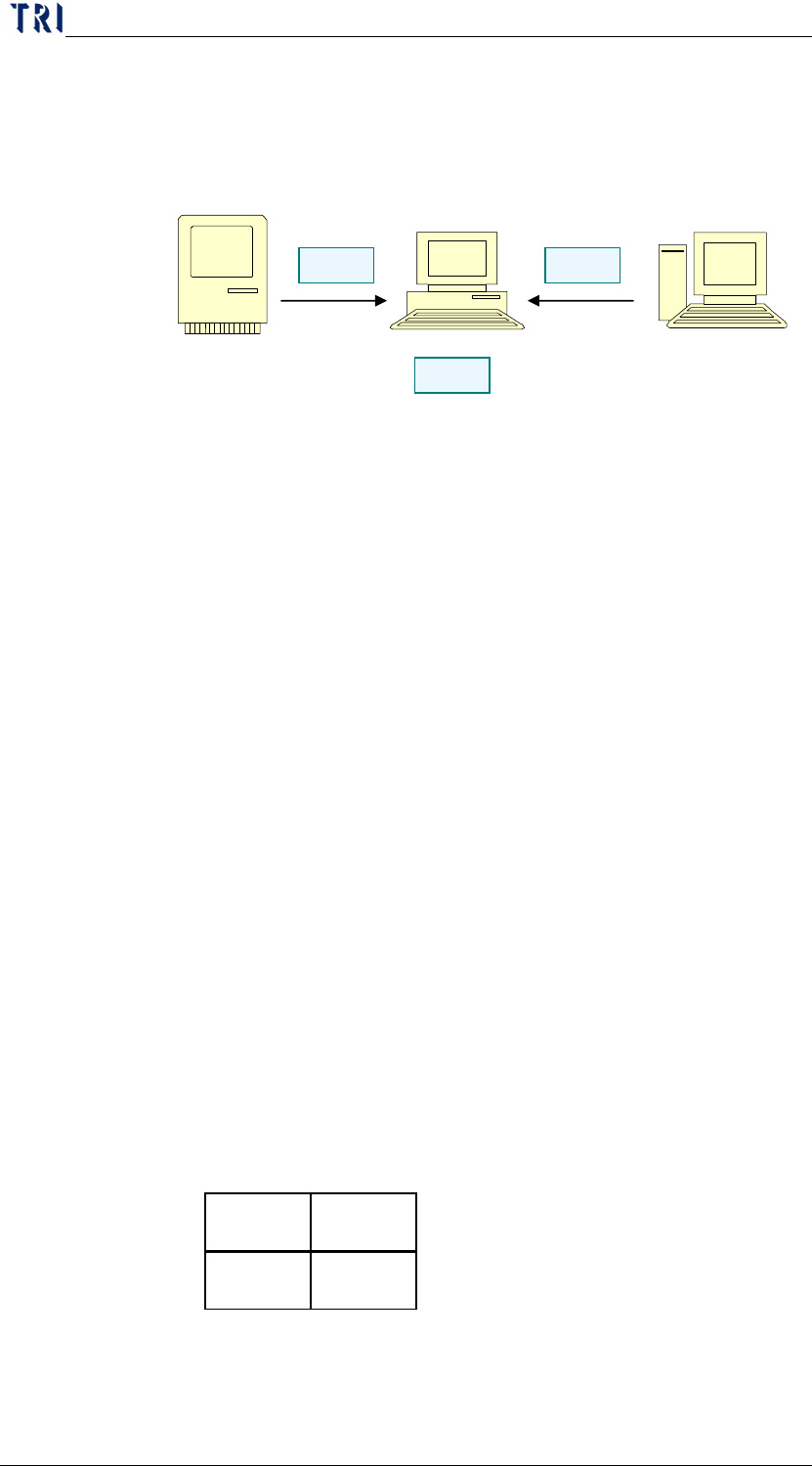
System Structure
Step1. Custormer offers the *.brm file and saves it to
[C:\AOI_REPAIR_DATA\CombineBarcode] folder in
Repair Station.
Step2. AOI sends the inspection data to Repair Station.
Step3. Repair Station capture the *.brm file and replace the
barcode number to the multi-boards.
BRM file format
(1) File name-PANEL NO.brm
(2) File Format-Model Name;T/B;PANEL NO;count of X
axis;count of Y axis;2D1;2D2;2D3;2D4
(3) File Format Explanation
Model Name- The model name.
T/B-Top or Bottom side.
PANEL NO-Input the barcode that represents the whole panel.
That is the barcode number scanned actually.
Count of X axis-For MxN multi-board, input M here.
Count of Y axis-For MxN multi-board, input N here.
2D1;2D2;2D3;2D4…-Those are the barcode number that you
want to read in. The sequence has to
follow the rule: left to right, up to
down.
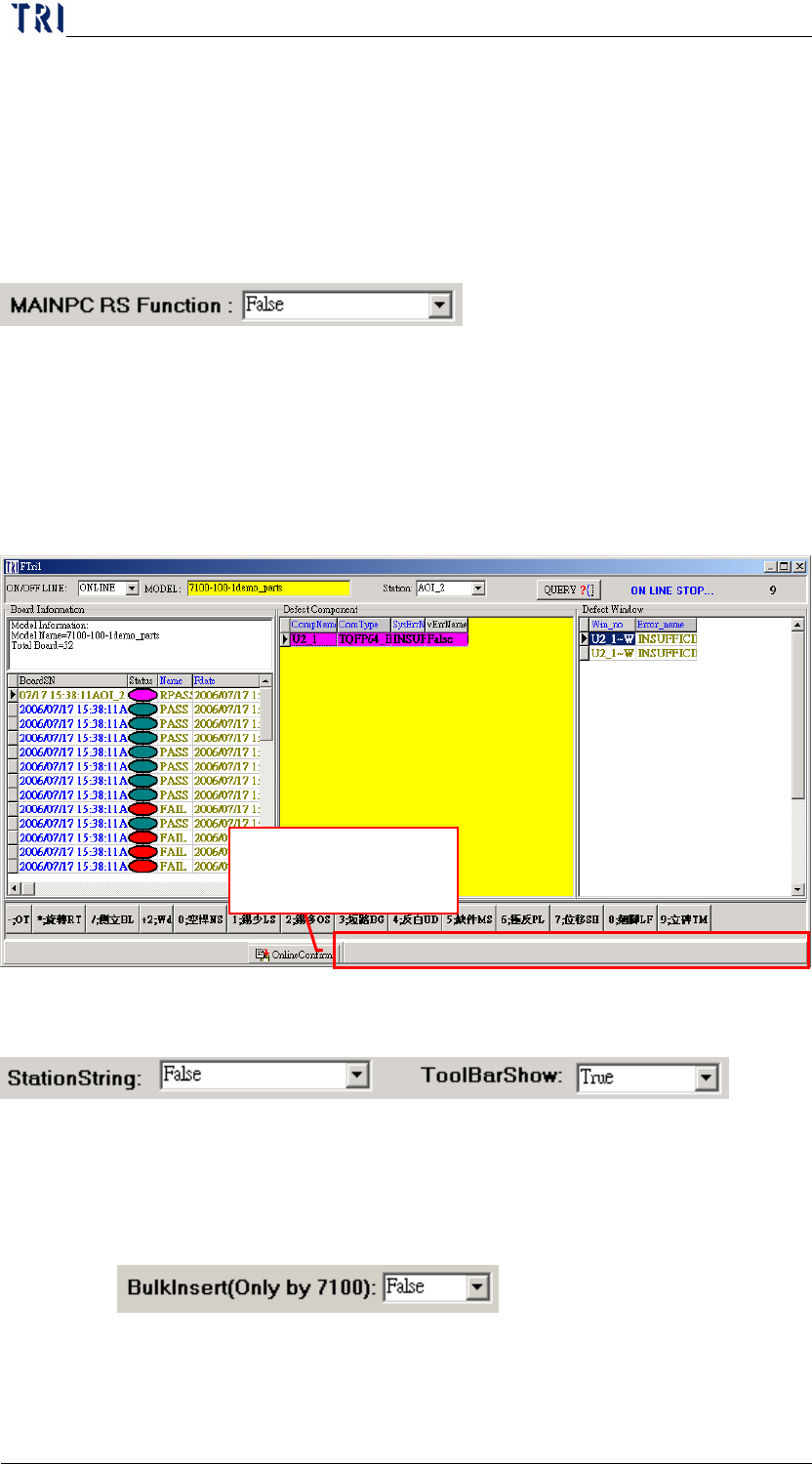
(4) Take 2x2 boards for example.
File name-A001.brm
File contents-
MIS Barcode System
AOI
Repair Station
S
tep
3
S
tep
1
S
tep
2
A0001 B0002
C0003 D0004
Chapter 2 Repair Station Main Program
AOI Repair Station
62
Model_Name;T;A001;2;2;A001;B002;C003;D004
Saved Path-The file has to be saved in the
[C:\AOI_REPAIR_DATA\CombineBarcode]
folder in Repair PC.
10.6.6.13 MAINPC RS Function
The data does not need to go through Repair Station, a direct
confirm in the Main PC.
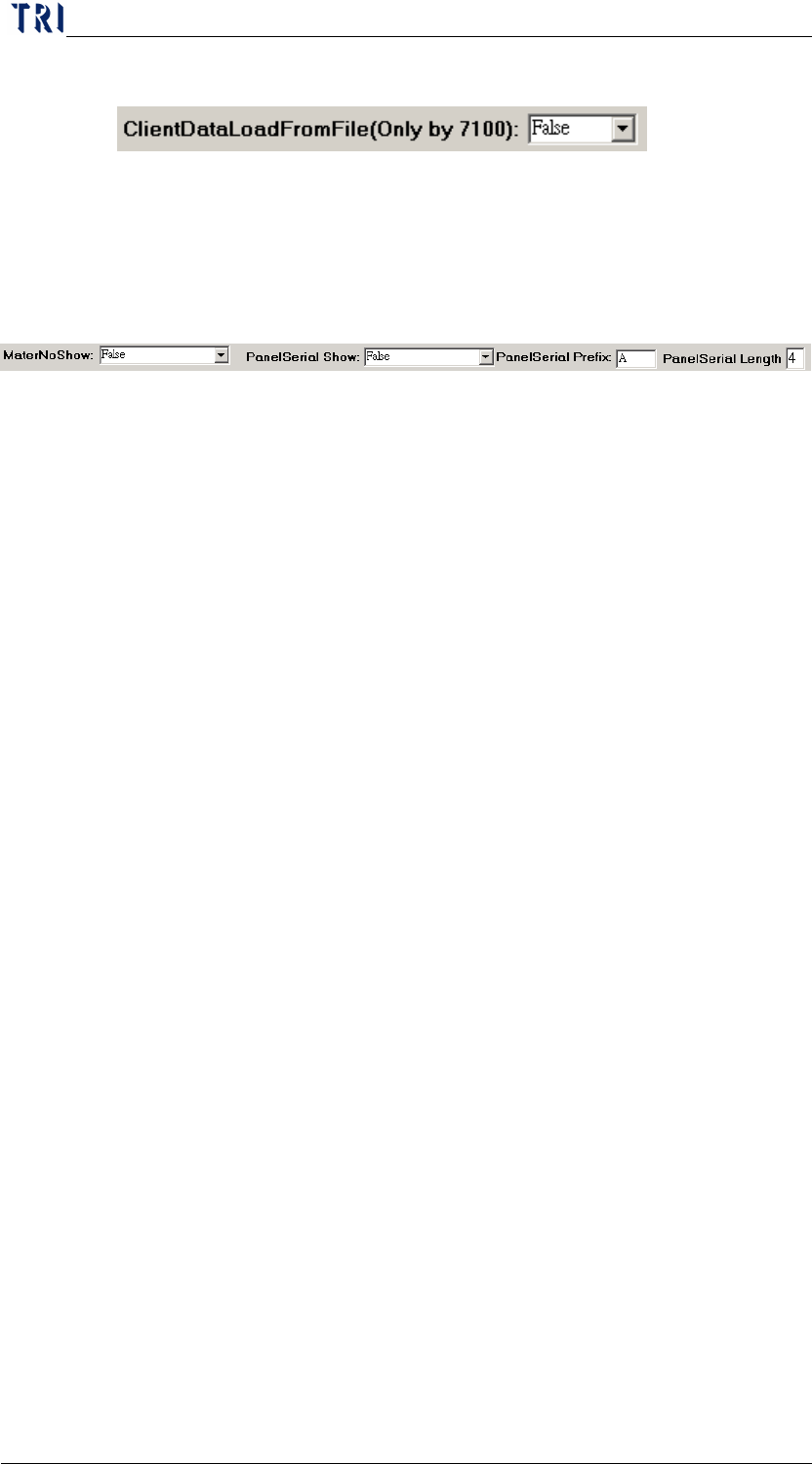
10.6.6.14 Tool Bar Show
Setting [False] means that the tool bar below the confirm dialog is
hidden.
10.6.6.15 StationString
You should select [True] if you add [AOIMachineID] at registry on
AOI main pc
10.6.6.16 BulkInsert (Only TR7100)
When this is [True], the data transferred by insertdata will speed up.
Do not show the
status bar here.
Chapter 2 Repair Station Main Program
AOI Repair Station
63
10.6.6.17 Client Data Load From File (Only by 7100)
The function is to query data by files rather than by database, it’s
to speed up the read and save action. The function is suggested
to use when there are much more defects.
10.6.6.18 MaterNoShow
When you select [True], the [Defect Component] zone at main
program show a [MaterNo] field in addition. The field shows the
corresponding component materials of the component.
Method:
File name- MODELNAME.TXT (Offered by the
customer)
Path-[C:\aoi_repair_data\MaterNo\] in repair station pc.
Format
ComponentName MaterNO
(You don’t have to add [_1] for [ComponentName], for
example R1, U200…and so on. The limit of MaterNO field is
100 characters. You can define several MaterNo and use [;] as
separating symbols
Procedure-When the data is translated by [InsertData.exe],
the system finds the [MODELNAME.TXT] first. Then it will
link to [MaterNo] information by component name and save
the all information to database. You can edit the
[MODELNAME.TXT] to change the information of
[MaterNo] and the content will be refreshed when the next
board is translated.
10.6.6.19 PanelSerialShow
[PanelSerialShow]-If you select [True], it shows a [PanelSerial]
field which is marked below. The number accumulates in order
according to the data passed from AOI.
Panel Serial Prefix-You can input characters within the limit of
three then system shows designated character before the serial
number.
Panel Serial Length-Appoint the figure of the serial number, 9 at