AOI_RS_v85_en.pdf - 第9页
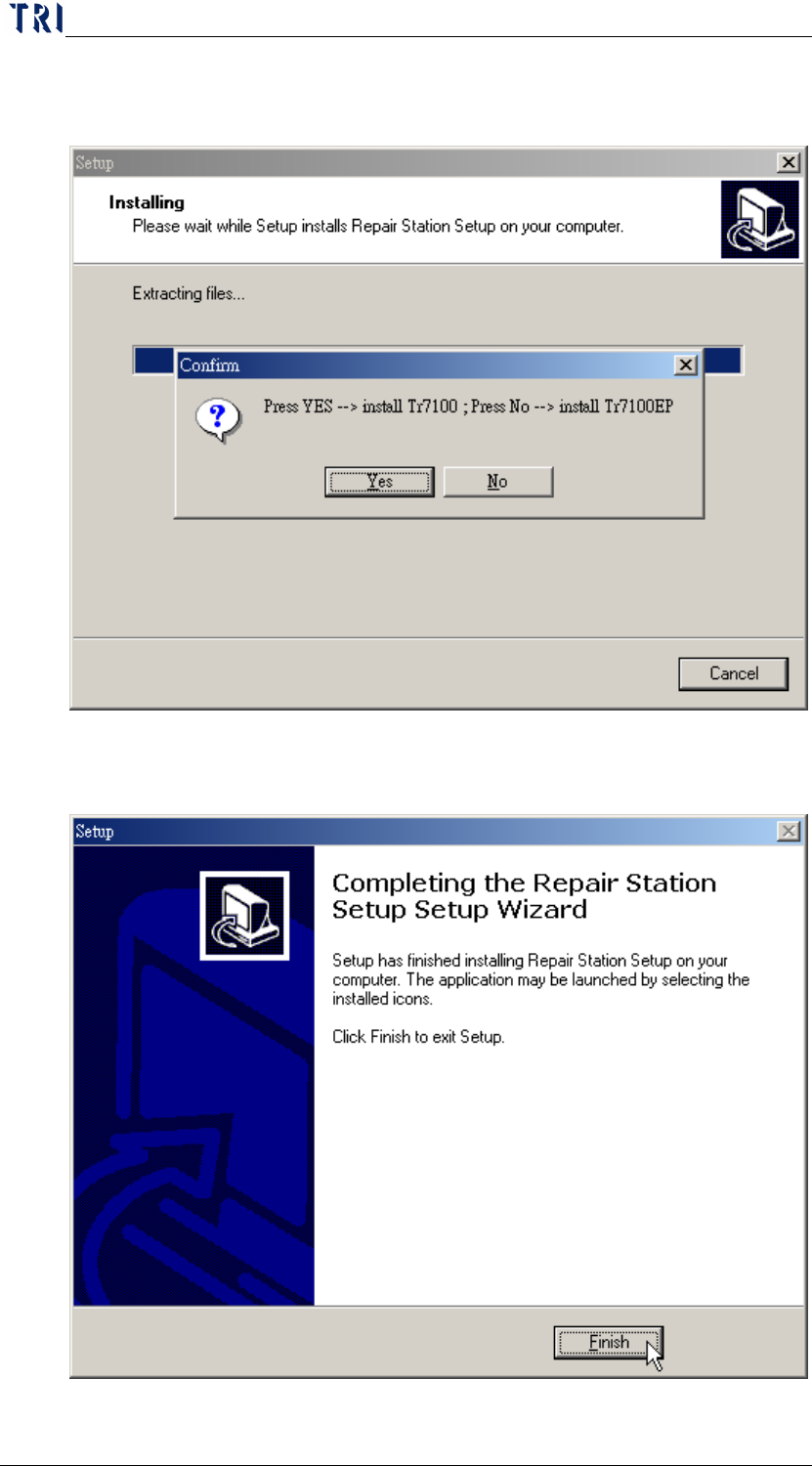
Chapter 1 Installation Pr ocess AOI Repair Station 5 Step6. Select [Y es] to install the TR7100 version and select [No] to i nstall the T R7100EP version. Step7. Press [Finish] button to finish the procedure.
Chapter 1 Installation Process
AOI Repair Station
4
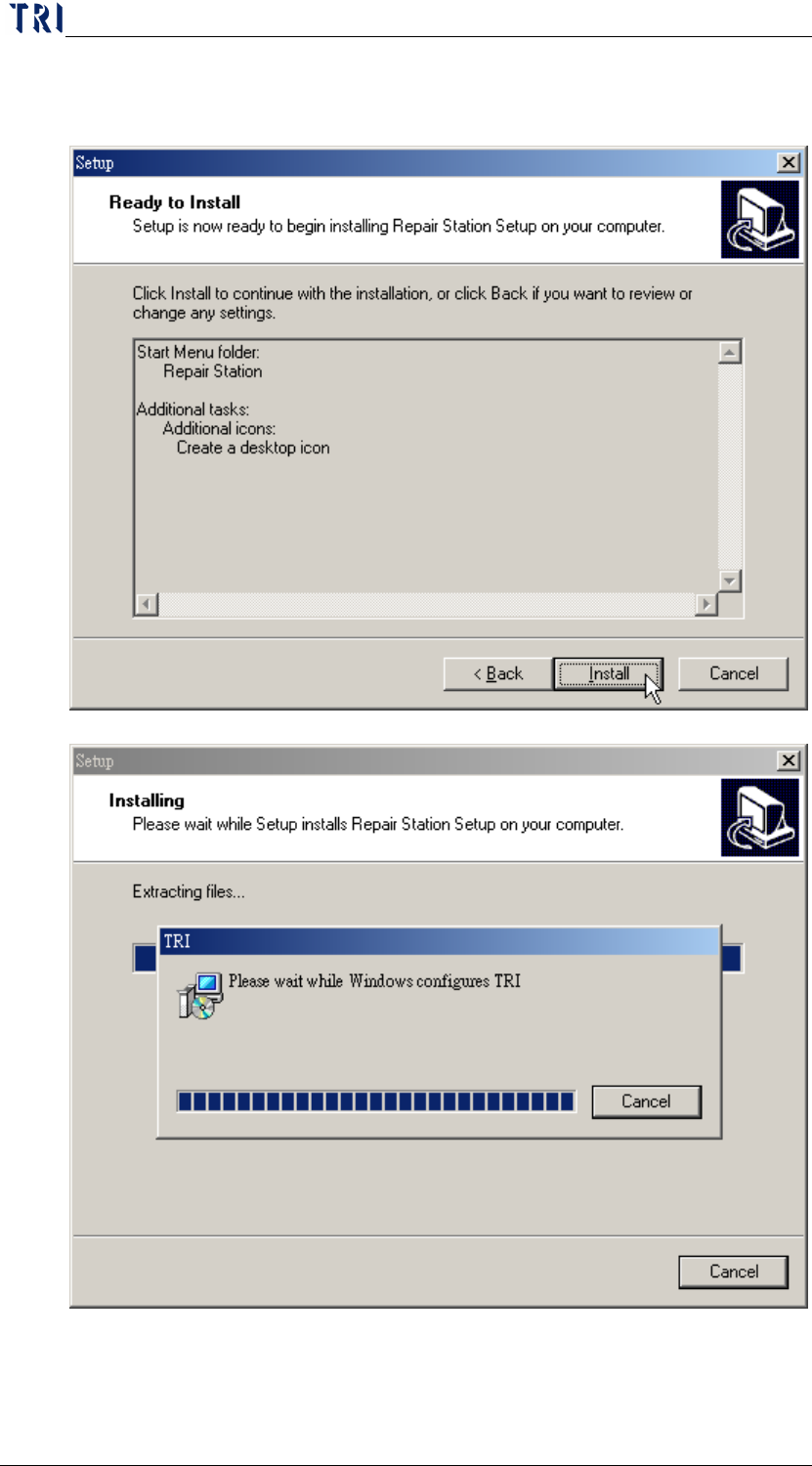
Step5. Press [Install] then the system starts to install the program. It needs
more time to do this procedure.
Chapter 1 Installation Process
AOI Repair Station
5
Step6. Select [Yes] to install the TR7100 version and select [No] to install
the TR7100EP version.
Step7. Press [Finish] button to finish the procedure.
Chapter 1 Installation Process
AOI Repair Station
6
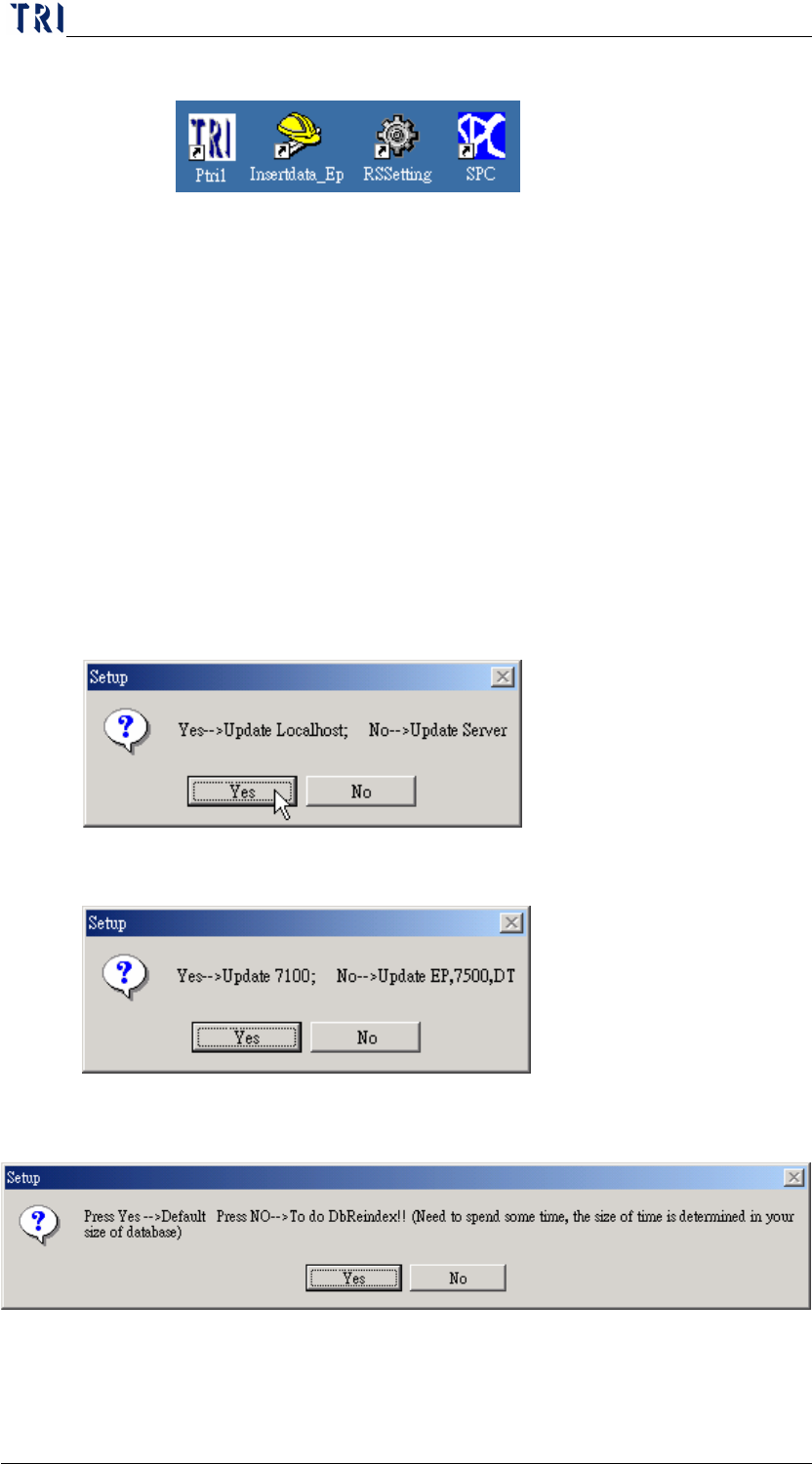
Step8. It shows the shortcut automatically.
Step9. Restart the computer.
4 The upgrading of program
You only have to execute [update.exe] for an installed program. All
information among database can’t be deleted or changed after edition
upgrade.
You can open the file, [C:\AOI\rsinstall\UpdateList.txt], to inquire about the
changes of the current version and content of every version.
The process is as the following:
Step1. Close all programs. (InsertData.exe, Ptri1.exe, SPC.exe)
Step2. Execute [update.exe] file.
Step3. The following window is appeared. Selecting [Yes] is to update the
single version and [No] is to update the server version.
Step4. Then the following window is appeared. Selecting [Yes] is to link
to TR7100 and [No] is to link to TR7100EP or TR7500 series.
Step5. Then the following window is appeared. Selecting [No] is to do DB
Reindex, and [Yes] is not to do.