AOI_RS_v85_en.pdf - 第19页
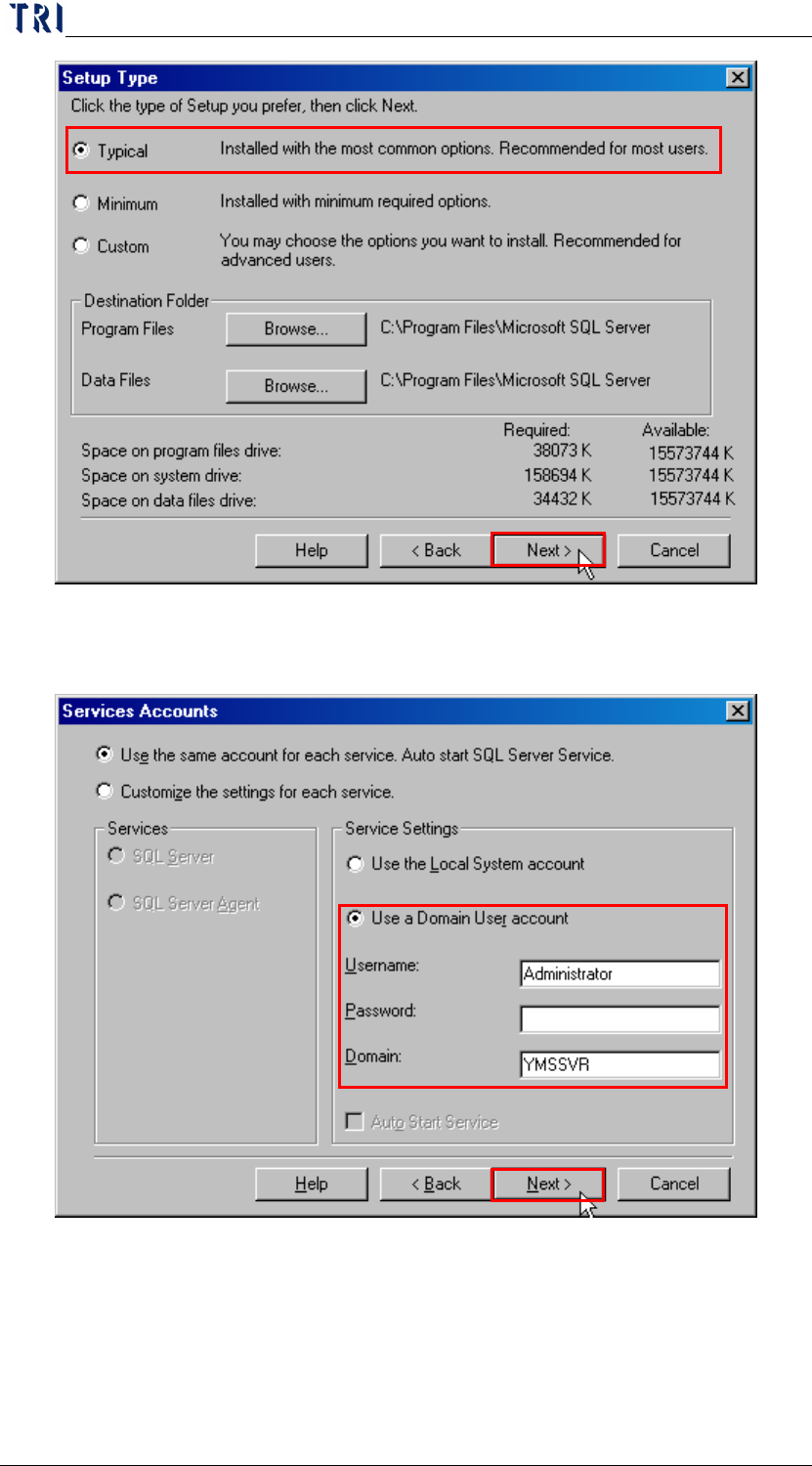
Chapter 1 Installation Pr ocess AOI Repair Station 15 i. S elect [Use a Domain User account], and enter the password for the administrator .
Chapter 1 Installation Process
AOI Repair Station
14
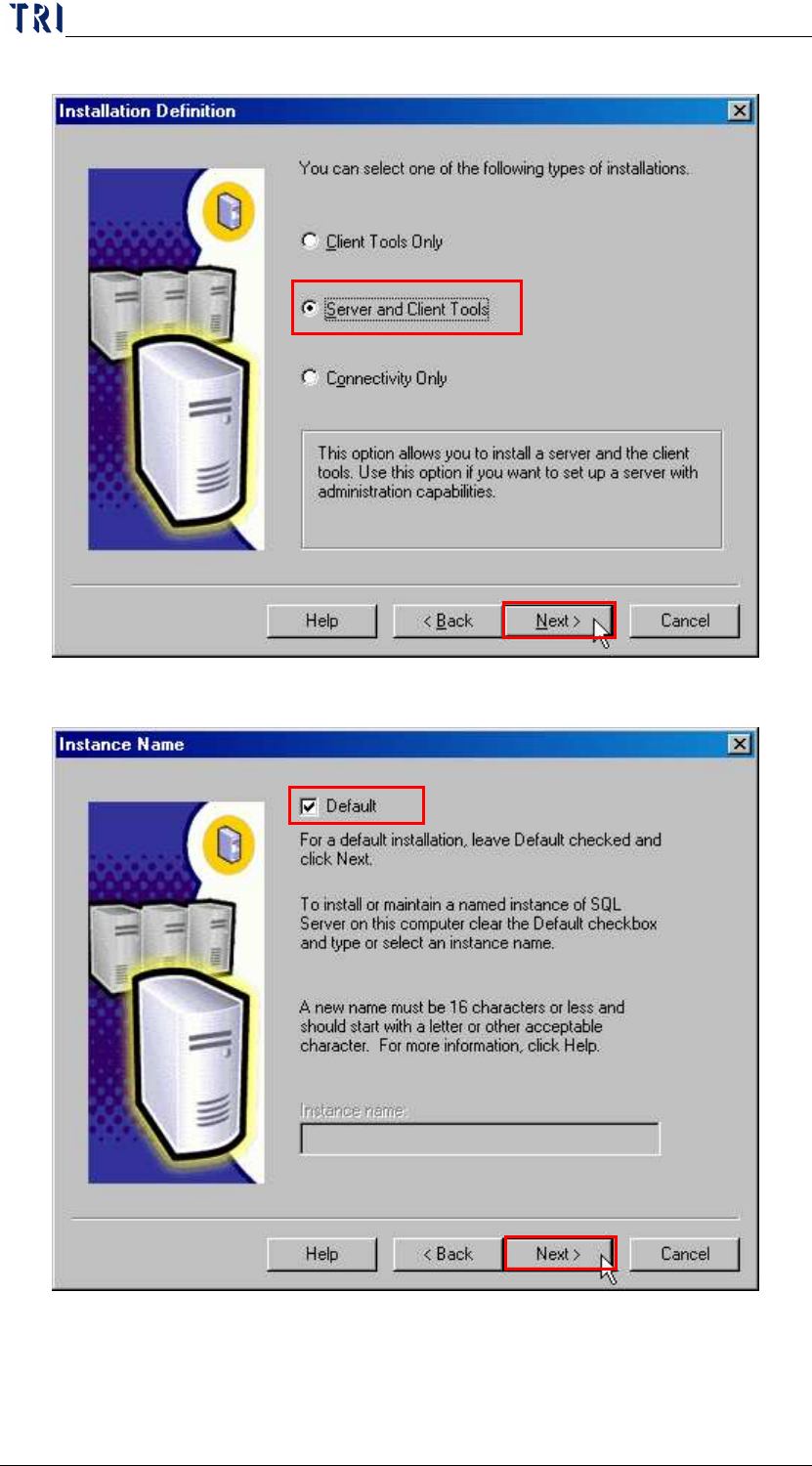
g. Select [Server and Client Tools].
h. Select [Default], then [Typical].
Chapter 1 Installation Process
AOI Repair Station
15
i. Select [Use a Domain User account], and enter the password
for the administrator.
Chapter 1 Installation Process
AOI Repair Station
16
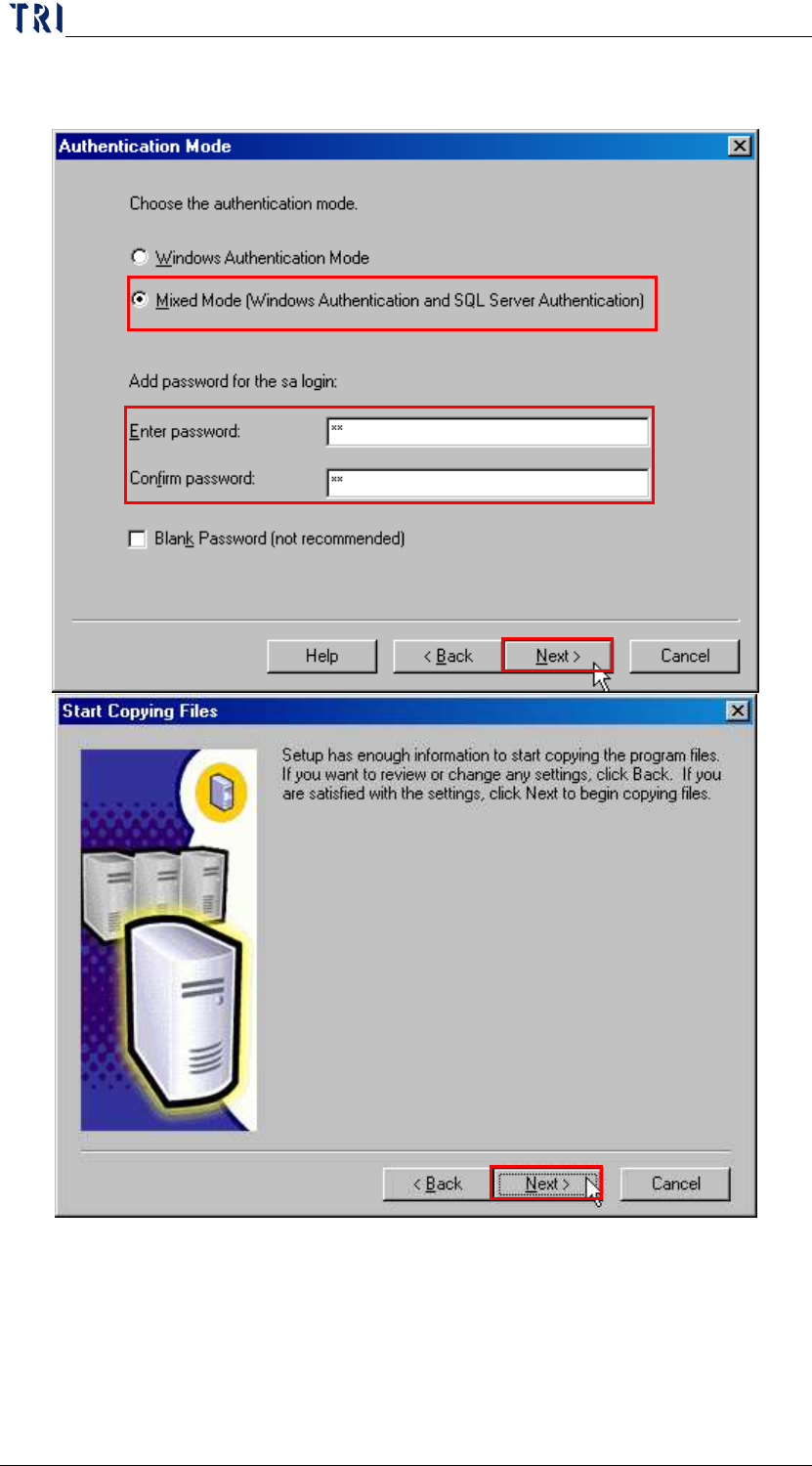
j. Select [Mixed Mode], and enter [sa] for the password of [sa]
system manager, then confirms the password again.