00197500-01_IM_Material Manager_1.0_DE_EN.pdf - 第22页
Installing the MaterialManager 22 Installation Manual Material Manager V1.0 Configuring Material Manager – Miscellan eous tab In this tab you set var ious paramet ers, such as default r eport printer, synchro nization w…
Installing the MaterialManager
Installation Manual Material Manager V1.0 21
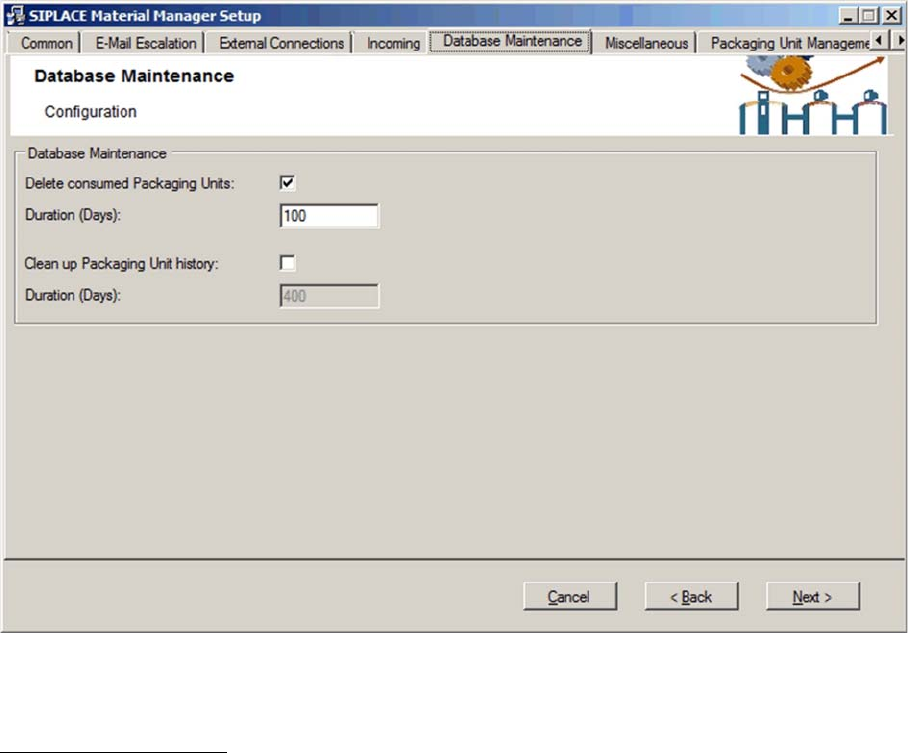
Configuring Material Manager – Database Maintenance tab
In this tab you configure the handling of consumed packaging units.
Database Maintenance
Delete consumed Packaging Units
If this option is enabled, a consumed packaging unit will be deleted in the database after the time set
under Duration.
Duration (Days)
Number of days after which a consumed packaging unit will be deleted in the database.
Clean up Packaging Unit history
If this option is enabled, the history of a consumed packaging unit will be deleted in the database after
the time set under Duration.
Duration (Days)
Number of days after which the history of a consumed packaging unit will be deleted in the database.
Installing the MaterialManager
22 Installation Manual Material Manager V1.0
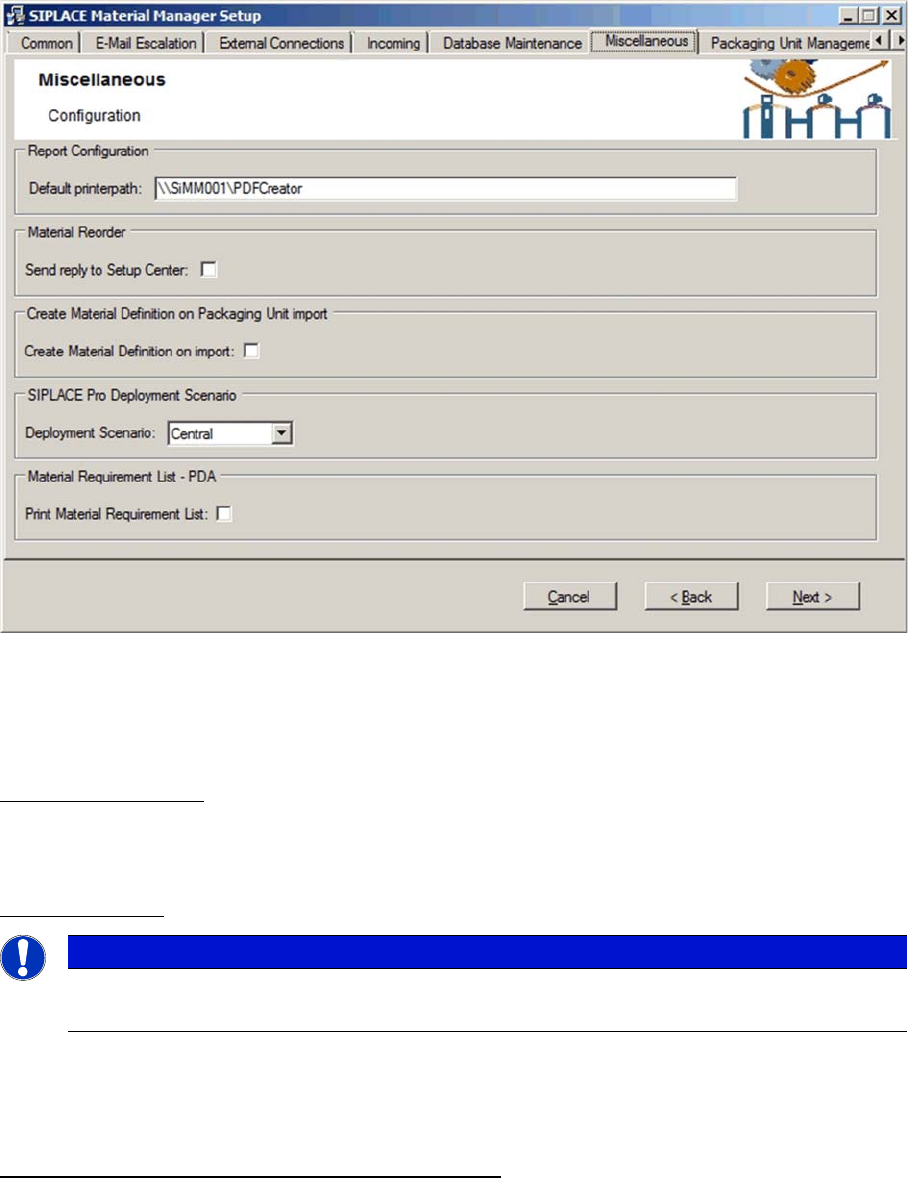
Configuring Material Manager – Miscellaneous tab
In this tab you set various parameters, such as default report printer, synchronization with SIPLACE
Setup Center, handling of unknown material definitions, SIPLACE Pro deployment scenarios and print
-
ing material requirement lists.
Report Configuration
Default printerpath
Path and network name of the pre-set report printer.
Material Reorder
Send Reply to Setup Center
If this option is enabled, the responses of the external storage system to material requirements will be
transmitted to Setup Center.
Create Material Definition on Packaging Unit import
Create Material Definition on Import
If this option is enabled, a material definition is generated for a packaging unit if it is registered in the
Material Manager via the Web service interface or via a PackagingUnitCreated message from SIPLACE
Setup Center and the provided part number is unknown to the Material Manager.
NOTICE
Required software
This function requires software that has to be created by the customer.
Installing the MaterialManager
Installation Manual Material Manager V1.0 23
SIPLACE Pro Deployment Scenario
Deployment Scenario
▪ Central
This setting means that a single SIPLACE Pro system is used for all production lines.
▪ ProductionLine
This setting means that a separate SIPLACE Pro system is used for each production line.
▪ EDM
This setting is a mixture of the Central and ProductionLine options, i.e. an overall SIPLACE Pro sys
-
tem is used as master for multiple production lines for which, on the other hand, separate SIPLACE
Pro system are used as clients in addition.
▪ EDMn
This setting complies with the EDM option and applies if several scenarios of that type are used.
Material Requirement List – PDA
The operator can require a material reorder over PDA. If another colleague as the operator has to pro
-
vide the material from the storage, this colleague should be informed accordingly.
Print Material Requirement List
If this option is enabled, the corresponding material requirement list will be printed when a material re
-
order is required (ideally, on a printer close by the storage location).
Otherwise, the material requirement list will not be printed, e.g. because the operator picks up the re
-
quired material himself.
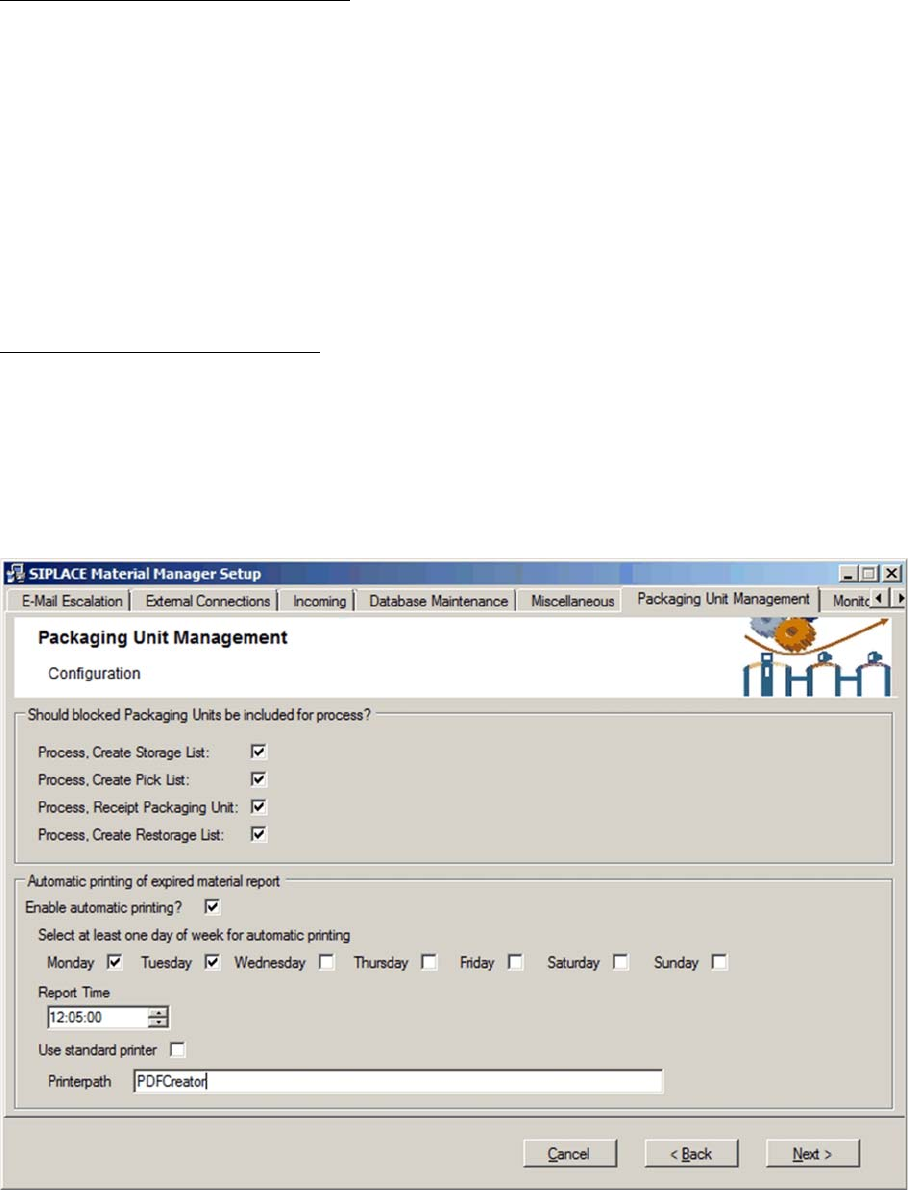
Configuring Material Manager – Packaging Unit Management
For various reasons, packaging units may be flagged as Locked.
In this tab you can unlock locked packaging units for certain processes.