00197500-01_IM_Material Manager_1.0_DE_EN.pdf - 第36页
Setting Up a PC for the PDA and the 2D Scan ner Configuring the 2D Scanner 36 Installation Manual Material Manager V1.0 Entering Wedge pa rameters Beeper settings
Setting Up a PC for the PDA and the 2D Scanner
Configuring the 2D Scanner
Installation Manual Material Manager V1.0 35
4.4
4.4 Configuring the 2D Scanner
Configuring the 2D Scanner
In this section you find a short description of the software configuration of the PowerScan M8500 2D
scanner from the DATALOGIC company.
This 2D scanner is required to read the 2D barcodes that are located on the various material containers.
In the Material Manager, the scanner is used for the Identify Incoming Material function in the Material
Receipt area.
► Start the ALADDIN software.
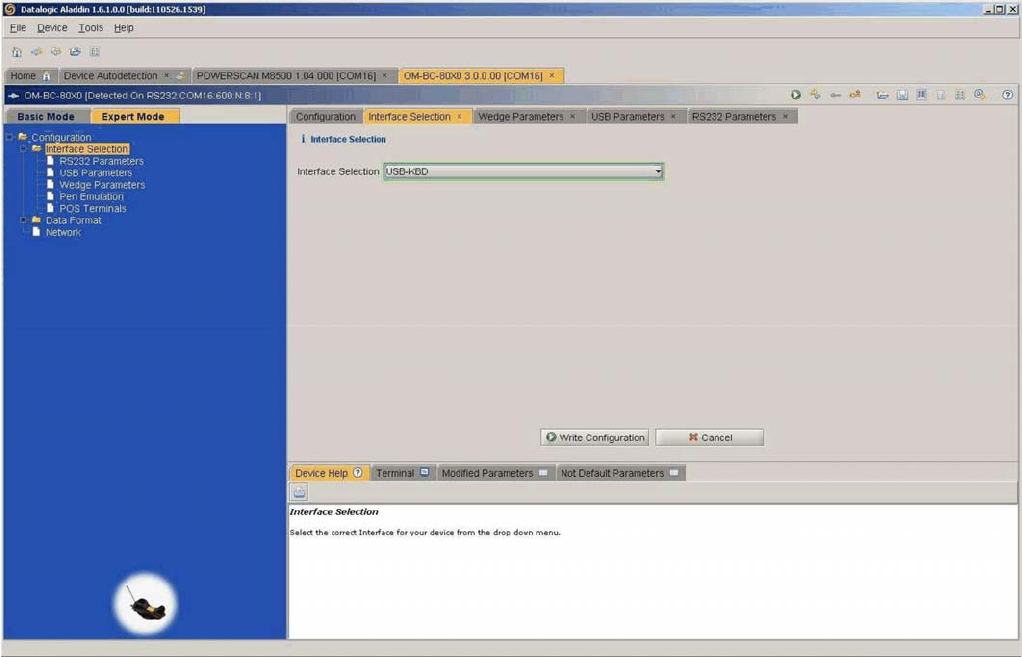
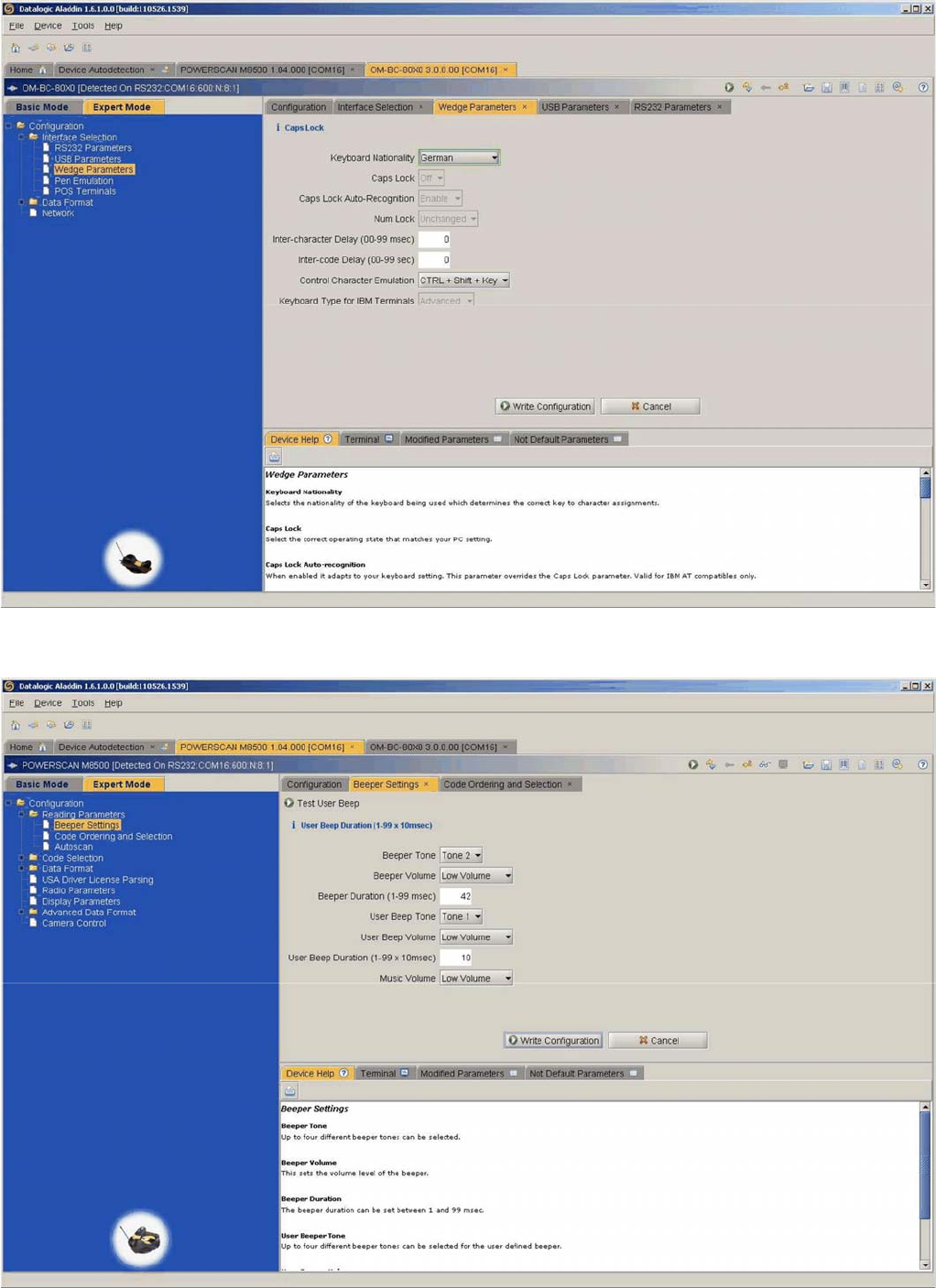
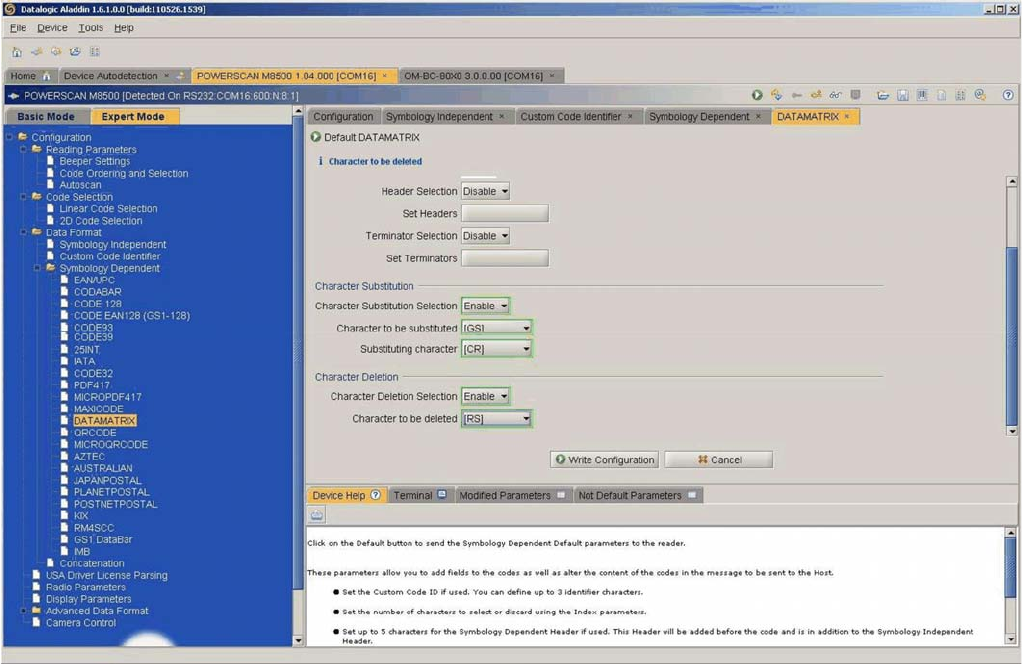
► Configure the scanner and the cradle as displayed in the following dialogs.
Selecting interface
Setting Up a PC for the PDA and the 2D Scanner
Configuring the 2D Scanner
36 Installation Manual Material Manager V1.0
Entering Wedge parameters
Beeper settings
Setting Up a PC for the PDA and the 2D Scanner
Configuring the 2D Scanner
Installation Manual Material Manager V1.0 37
DATAMATRIX settings