00197500-01_IM_Material Manager_1.0_DE_EN.pdf - 第38页
Setting Up a PC for the PDA and the 2D Scan ner Configuring the 2D Scanner 38 Installation Manual Material Manager V1.0
Setting Up a PC for the PDA and the 2D Scanner
Configuring the 2D Scanner
Installation Manual Material Manager V1.0 37
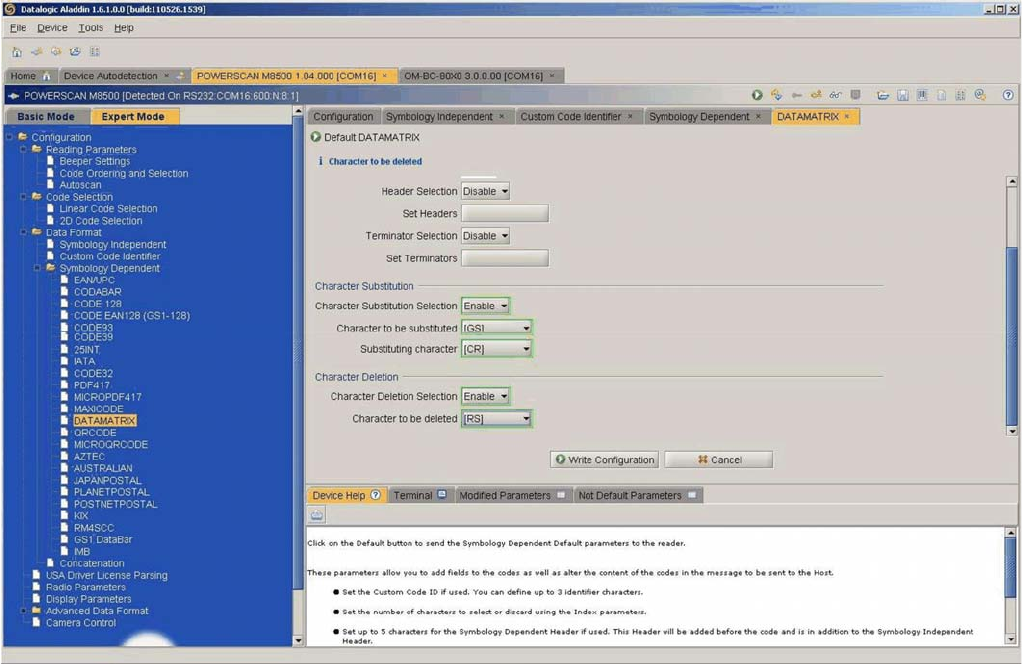
DATAMATRIX settings
Setting Up a PC for the PDA and the 2D Scanner
Configuring the 2D Scanner
38 Installation Manual Material Manager V1.0
Installing Components Afterwards
Installation Manual Material Manager V1.0 39
5
5 Installing Components Afterwards
Installing Components Afterwards
► Insert the installation CD into the CD drive of the server on which the Material Manager is installed
to install Material Manager components afterwards.
► Switch over to the Install folder on the CD.
► Double-click on the ASM.AS.SiMM.MainInstaller.exe file.
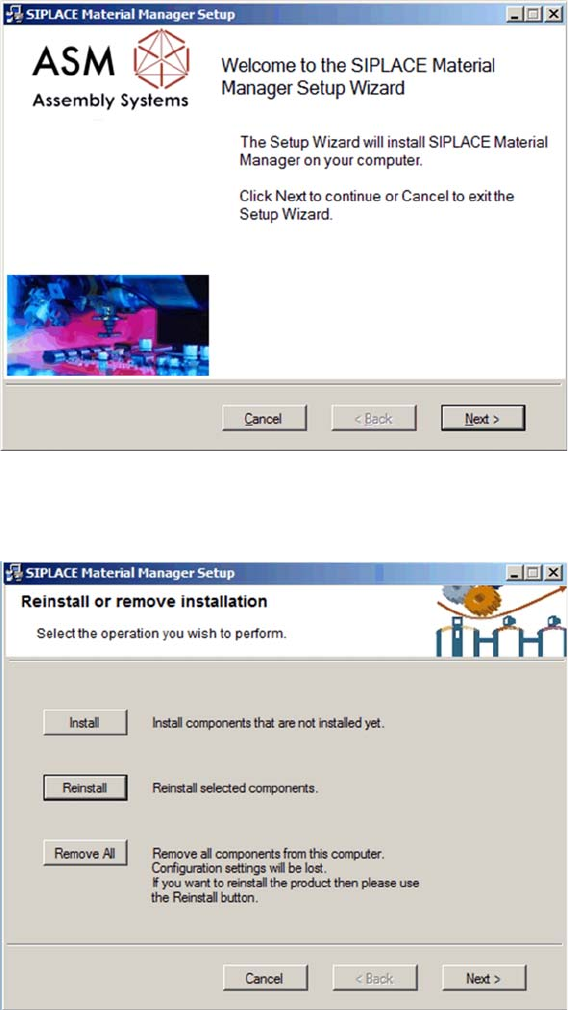
Start screen
The start screen of the installation program is displayed.
► Click on Next to continue the subsequent installation.
Selecting installation mode
The dialog for selecting the installation mode is displayed.
► Click on Install to install components that are not yet installed.
► Click on Reinstall to reinstall components that are already installed.