00197500-01_IM_Material Manager_1.0_DE_EN.pdf - 第42页
Installing Components Afterwards 42 Installation Manual Material Manager V1.0
Installing Components Afterwards
Installation Manual Material Manager V1.0 41
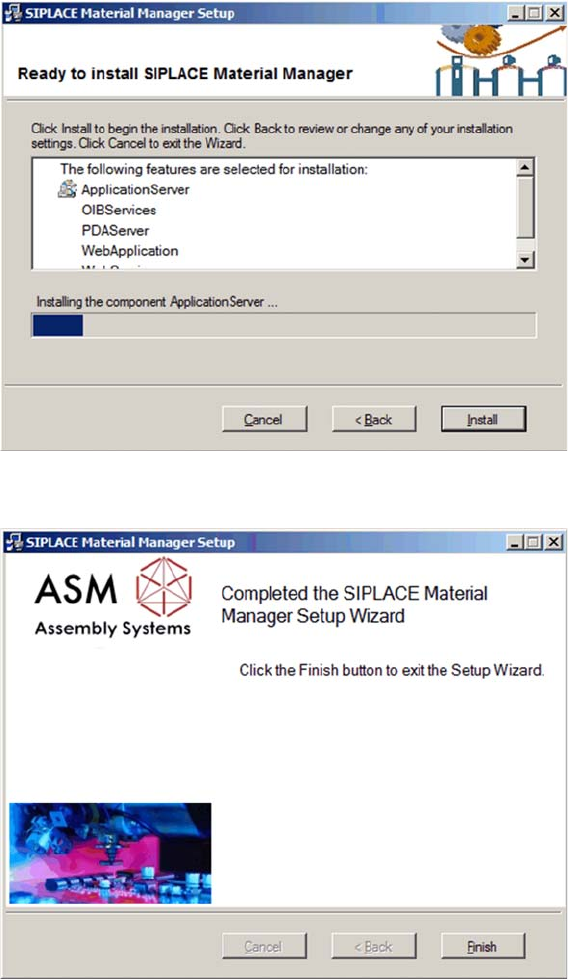
Installing components
The installation runs and a progress bar displays the current installation state.
Subsequent installation or reinstallation completed
This dialog box is displayed after successful installation or reinstallation.
► Click on Finish to terminate the installation program.
Installing Components Afterwards
42 Installation Manual Material Manager V1.0

Changing the Configuration
Installation Manual Material Manager V1.0 43
6
6 Changing the Configuration
Changing the Configuration
The configuration that has been set during the installation of the Material Manager can be changed
afterwards in dialog boxes.
► Switch to the <
installation folder
>/ConfigurationHelper folder on the server on which the Material
Manager is installed.
► Double-click on the ConfigurationHelper.exe file.
The GUI of the ConfigurationHelper is displayed.
The data that can be changed in this dialog box is identical to the data you have set during the installation
of the Material Manager.
NOTICE
Further Information
A detailed description of these dialog boxes can be found in the Material Manager Operating
Manual.