00197500-01_IM_Material Manager_1.0_DE_EN.pdf - 第48页
Uninstalling the MaterialManager 48 Installation Manual Material Manager V1.0 Settings for unins ta lling procedure By enabling the Cre ate Bac kup option you can tr igger a backup of project-sp ecific files. The se f i…
Uninstalling the MaterialManager
Installation Manual Material Manager V1.0 47
8
8 Uninstalling the MaterialManager
Uninstalling the Material Manager
► Insert the installation CD into the CD drive of the server on which the Material Manager is installed
to uninstall the Material Manager.
► Switch over to the Install folder on the CD.
► Double-click on the ASM.AS.SiMM.MainInstaller.exe file.
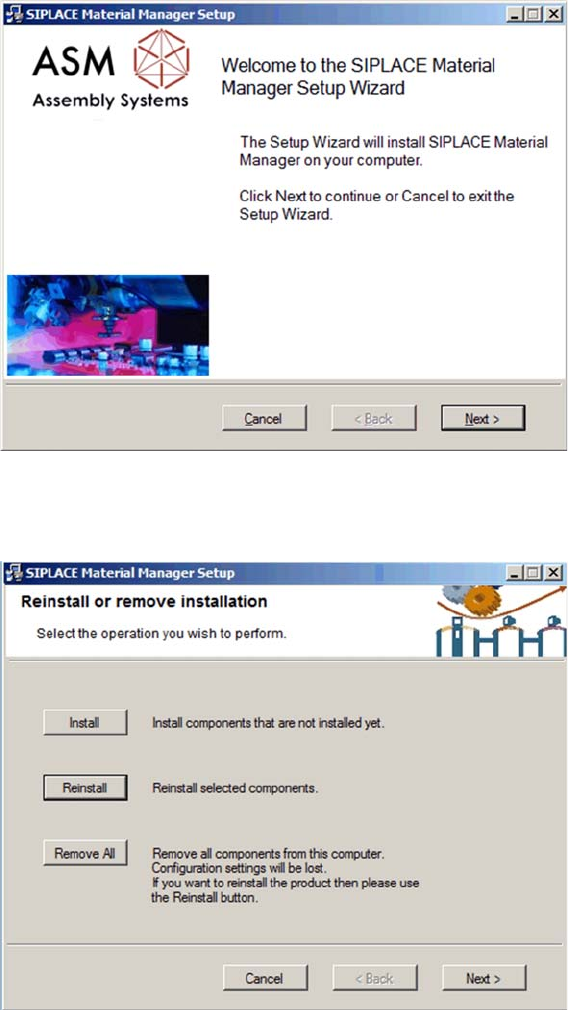
Start screen
The start screen of the installation program is displayed.
► Click on Next to continue the uninstalling procedure.
Selecting uninstalling procedure
► Click on Remove All.
Uninstalling the MaterialManager
48 Installation Manual Material Manager V1.0
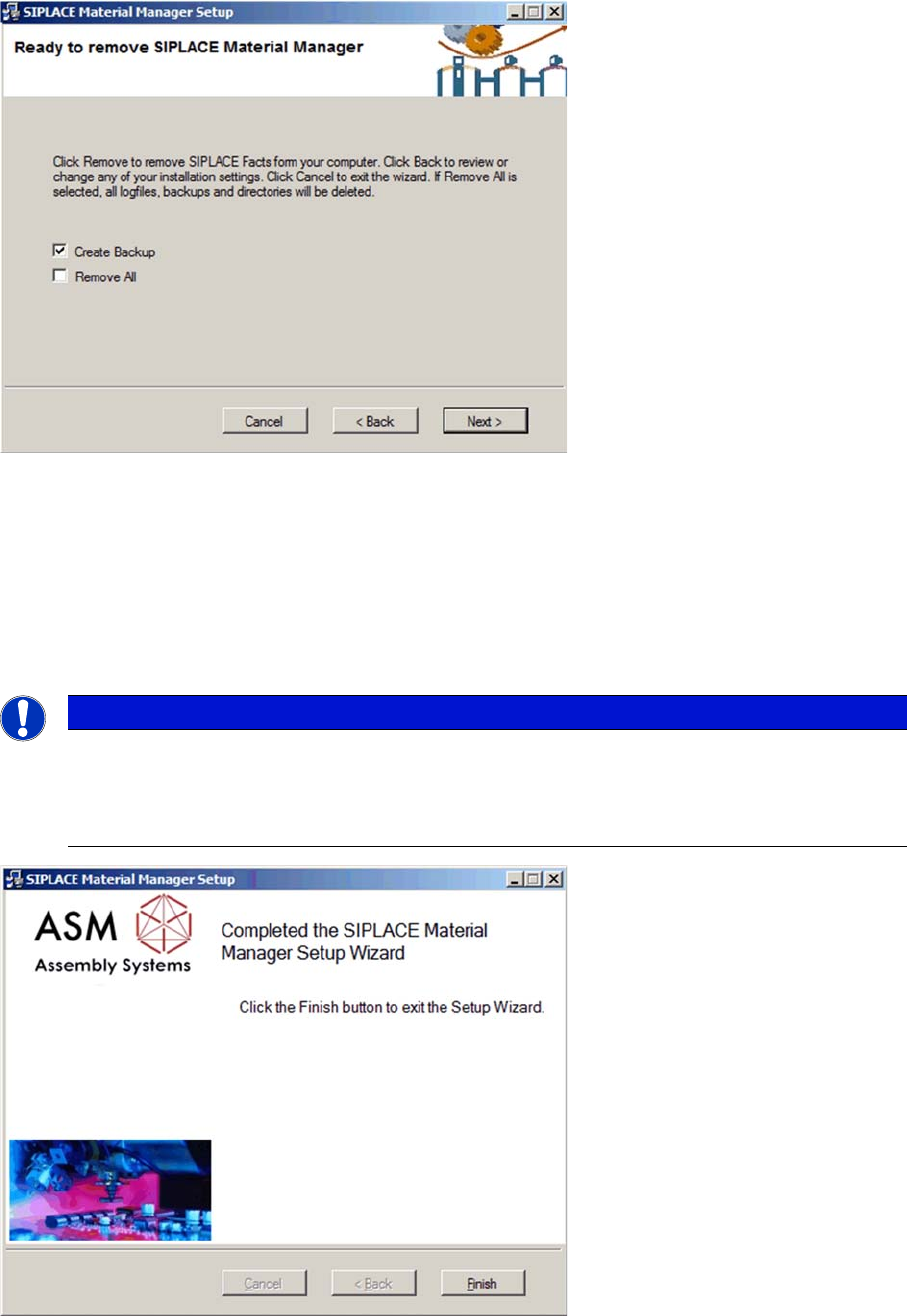
Settings for uninstalling procedure
By enabling the Create Backup option you can trigger a backup of project-specific files. These files can
be manually restored by a service engineer later.
By enabling the Remove All option, project-specific files will also be deleted during the uninstalling
procedure.
► Click on Next to start uninstalling.
All Material Manager components, log files and folders created for the Material Manager will be
deleted.
Uninstalling procedure completed
After the uninstalling procedure has been successfully completed, the dialog box to terminate the
installation program is displayed.
► Click on Finish to terminate the installation program.
NOTICE
Database remains
The SQL database of the Material Manager is excluded from the uninstalling procedure for the
application.
All inventory-relevant data and Traceability data remain completely.

Einleitung
Kurzbeschreibung
Installationsanleitung Material Manager V1.0 49
1
1 Einleitung
Einleitung
1.1
1.1 Kurzbeschreibung
Kurzbeschreibung
Die Installationsanleitung dient als Arbeitsanweisung für die Installation der SIPLACE® Material
Manager Software Version 1.0.
Die Installationsanleitung enthält Informationen über den Lieferumfang und die Voraussetzungen zur er
-
folgreichen Installation.
1.2
1.2 Lieferumfang
Lieferumfang
Die Lieferung umfasst:
▪ SIPLACE Material Manager Server V1.0, Artikelnummer [00117400-xx] enthält:
– 1 SIPLACE Material Manager Fabrikslizenz (ohne Stationsverbindungen)
▪ SIPLACE Material Manager Medien-Paket V1.0, Artikelnummer [00117409-xx] enthält:
– Software-CD-ROM SIPLACE Material Manager V1.0
– DVD SIPLACE NET Support Media Version 1.16, Artikelnummer [00392803-xx]
– Software-Installationsanleitung SIPLACE Material Manager V1.0, Artikelnummer
[00197500-xx]
1.3
1.3 Voraussetzungen
Voraussetzungen
Für die Installation des Material Managers benötigen Sie Administrator-Berechtigungen.
Je nach erwarteter Datenmenge können Sie den Material Manager in zwei verschiedenen Strukturen in
-
stallieren:
▪ Lokale Installation
Die Komponenten des Material Managers und die SQL-Datenbank werden auf dem selben Server
installiert.
▪ Verteilte Installation
Die Komponenten des Material Managers werden auf einem Server installiert, die SQL-Datenbank
auf einem separaten anderen Server.
Wenn in Ihrer Produktionsumgebung mehr als 4 Linien verwendet werden, empfehlen wir auf Grund der
zur erwarteten Datenmenge und der daraus resultierenden Performance eine "Verteilte Installation".
HINWEIS
Zur Support Media DVD:
Bitte verwenden Sie die Schaltfläche Navigation Guide vom Support Media Launcher zum
Navigieren durch die Dokumentation.
Der Navigation Guide sowie alle Dokumente, auf die verwiesen wird, sind auf der Support
Media DVD verfügbar.
HINWEIS
Service-Techniker
Die Installation des Material Managers muss immer von einem speziell geschulten Service-
Techniker durchgeführt werden.