CP7 training(6.0) (1).pdf - 第79页
FK-9F98-27 CP-7 Series T raining T ext for Service Engineers Edition 6.0 Chapter 5. Loader and Con veyor Adjustment [1 1/28] 5.16 Moveable Rail Engagement Check Sensor Adjustment 1. Ensure the silver stickers on the main…
FK-9F98-27 CP-7 Series Training Text for Service Engineers
Edition 6.0 Chapter 5. Loader and Conveyor Adjustment [10/28]
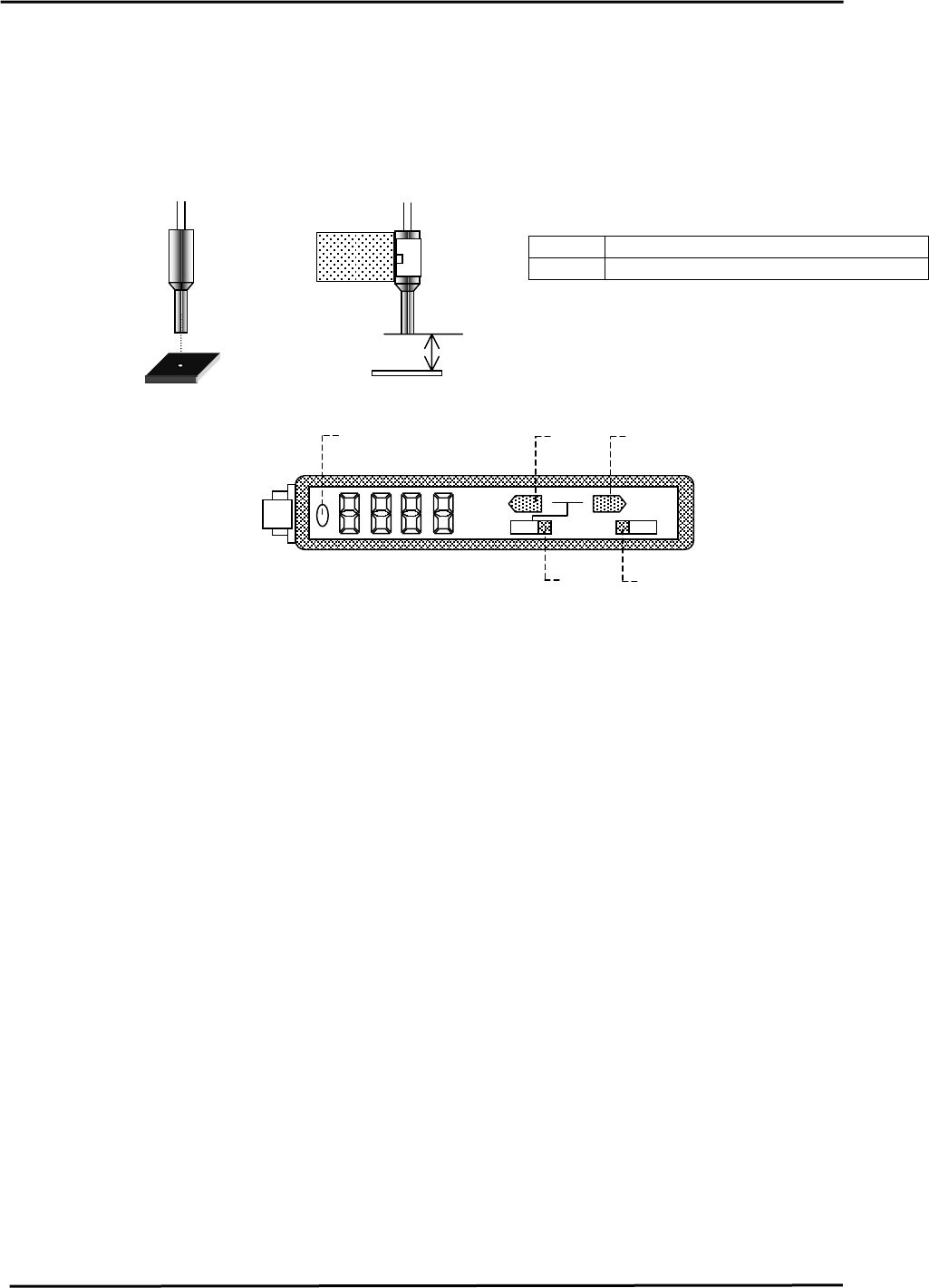
5.15 Loading Position Check Sensor Adjustment
1. At both the IN and OUT loading positions, adjust the bracket so that the loading position check
sensor fiber optic light beam is centered over the silver area of the dog when the XY-table is at
each loading position. [IN/OUT]
2. Set the clearance between the sensor and the dog to 11.5mm.
<I/O → Standard → IN>
Figure 18
11.5mm
X0BF XY-Table In Loading Position Check
X0DA XY-Table Out Loading Position Check
3. Set the In/Out loading position check sensor amps as follows:
a. The amp should always be set to “L_ON” (1)
TEACH
A
DJ
MODE
SET
RUN
L D
2
3
4
5
Figure 19
1
b. Set switch (2) to SET Æ Press the MODE key for 3 sec. Æ Press the TEACH key 3X to
display Æ F-H5 Æ Set switch (2) back to RUN.
c. Set the display to “light amount” by using the mode button (3). (Press the [MODE] key for
2 seconds and the display will change between “light amount” Æ Percentage Æ
“Analogue”)
d. Write down the “light amount”, when the table is moved 0.5mm (250 pulses) in the X -
direction from the IN-loading position. <Example> When XL is – 220500 pulses: use the
values that are displayed at – 220250 pulses and – 220750 pulses.
e. Move the X-axis back to the XL position. Calibrate the light amount when the table is
moved +/-0.5mm (250 pulses) in the Y-direction. <Example> When YL is 2500 pulses: use
the values at 2250 and 2750 pulses.
f. Choose the largest light amount value from steps 4 & 5. (Displayed on the amp)
g. Set switch (2) to “ADJ”, then set the largest light amount by using the [MODE] and
[TEACH] buttons (4). The [Mode] button increases the value. The [Teach] button
decreases the value. (This sets the threshold level for the sensor amp) Values above the
threshold level, (Sensor ON), Values (Sensor OFF)
h. Set switch (2) to “RUN”.
i. Move the X, Y-axes to the loading position by inching and check that the sensor turns
ON.(LED 5 turns on) Next, move the table more than 0.5mm (250 pulses) and check that
the sensor turns OFF.
j. Leave the display on “light amount”.
Fuji Machine Mfg. Co., Ltd. (Okazaki)
SMT Equipment Quality Assurance Dept.
CS Section
5-10
FK-9F98-27 CP-7 Series Training Text for Service Engineers
Edition 6.0 Chapter 5. Loader and Conveyor Adjustment [11/28]
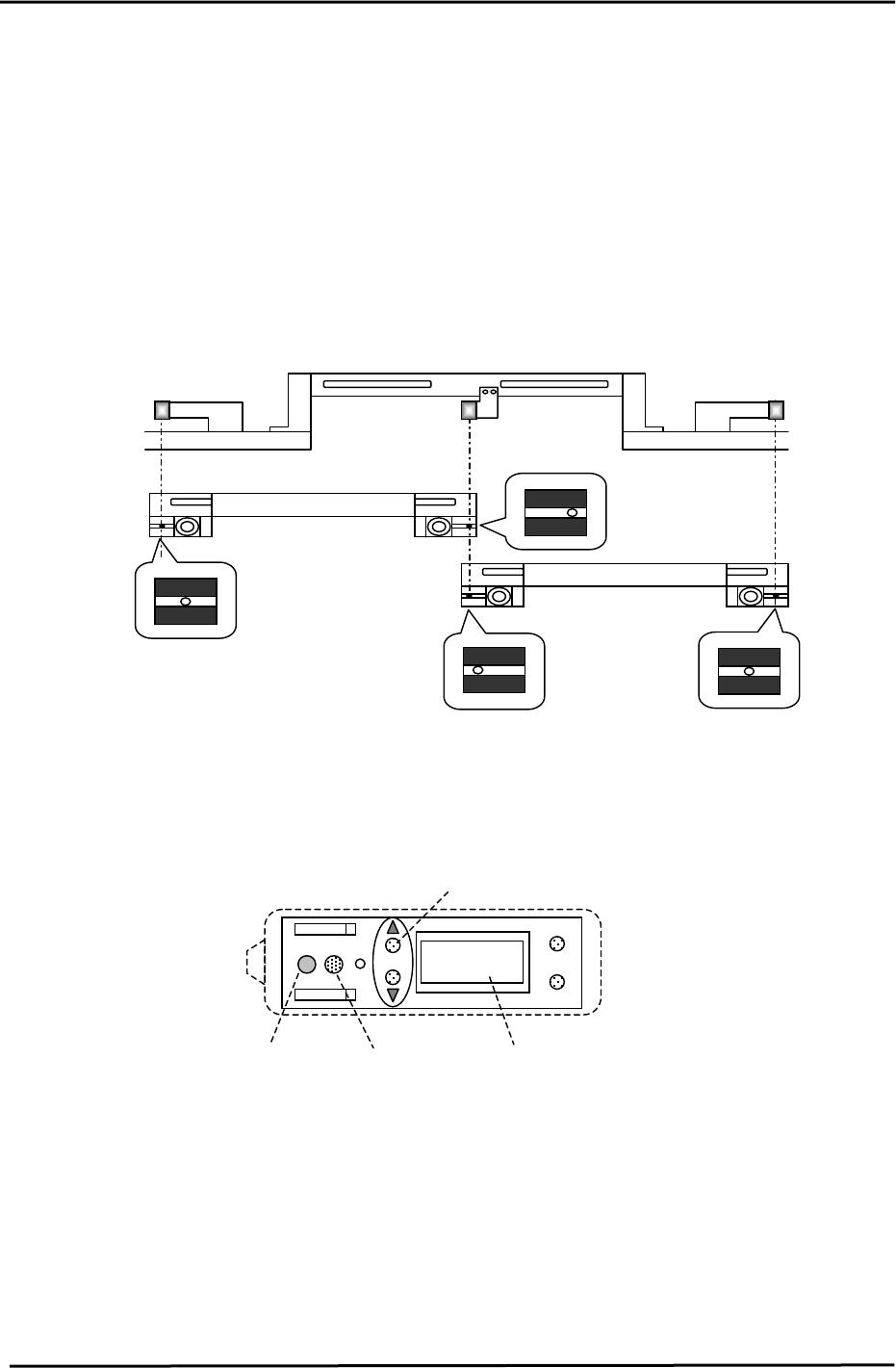
5.16 Moveable Rail Engagement Check Sensor Adjustment
1. Ensure the silver stickers on the main table are clean.
2. Ensure the sensor lenses are clean and free of obstructions.
3. Set the main table at either the IN or Out loading position.
4. Manually, raise the Z– axis to engage with either the IN or OUT carrier.
(Check that the sensor beam is centered on the silver sticker)
(If not centered, use the adjusting bolts to center the sensor heads accordingly)
(Centered)
(To the right)
Moveable rail engagement
OUT loading Position
IN Loading Position
Moveable rail engagement
check sensor 2
Moveable rail engagement
check sensor 3
check sensor 1
(Centered)
Figure 20
(To the left)
5. Set the main table at the Z origin position (Z0) at either the IN or OUT loading position.
6. To unlock the sensor, press the up & mode keys simultaneously for more than 3 seconds.
MODE
SET
100P
CH
A
A B
Output B display
Output A display
Sensitivity key
Figure 21
Digital display
7. Set the sensor to the “A” mode by pressing the mode and up keys quickly.
8. Set the sensor to 110P via the up/down keys, when the beam is centered over the silver sticker.
(110P indicates a percentage)
9. Jog the table in the Y- direction to find both edges of the silver sticker. (Record the pulse count at
each edge.) The sensor display will change from Red to Green. (Red = ON, Green = OFF)
Fuji Machine Mfg. Co., Ltd. (Okazaki)
SMT Equipment Quality Assurance Dept.
CS Section
5-11
FK-9F98-27 CP-7 Series Training Text for Service Engineers
Edition 6.0 Chapter 5. Loader and Conveyor Adjustment [12/28]
10. Divide the total pulse count found in step 8, by half. The result should be around the
center of the silver sticker and close to the YL pulse count. (Check the YL Calibration
Data) If not, adjust the sensor head position accordingly. (Balance is the key point)
11. Set the Z- axis at the minus stopper. Set the sensor to the B mode, by pressing the mode and
up keys quickly. Using the “B” mode, set the sensor sensitivity to 100P.
12. Return to the “A” mode and check the sensor performance while raising and lowering the main
table. If problems exist, repeat the procedure outlined above.
13. Lock the sensor settings by pressing both the up and mode keys simultaneously for more than
3 seconds.
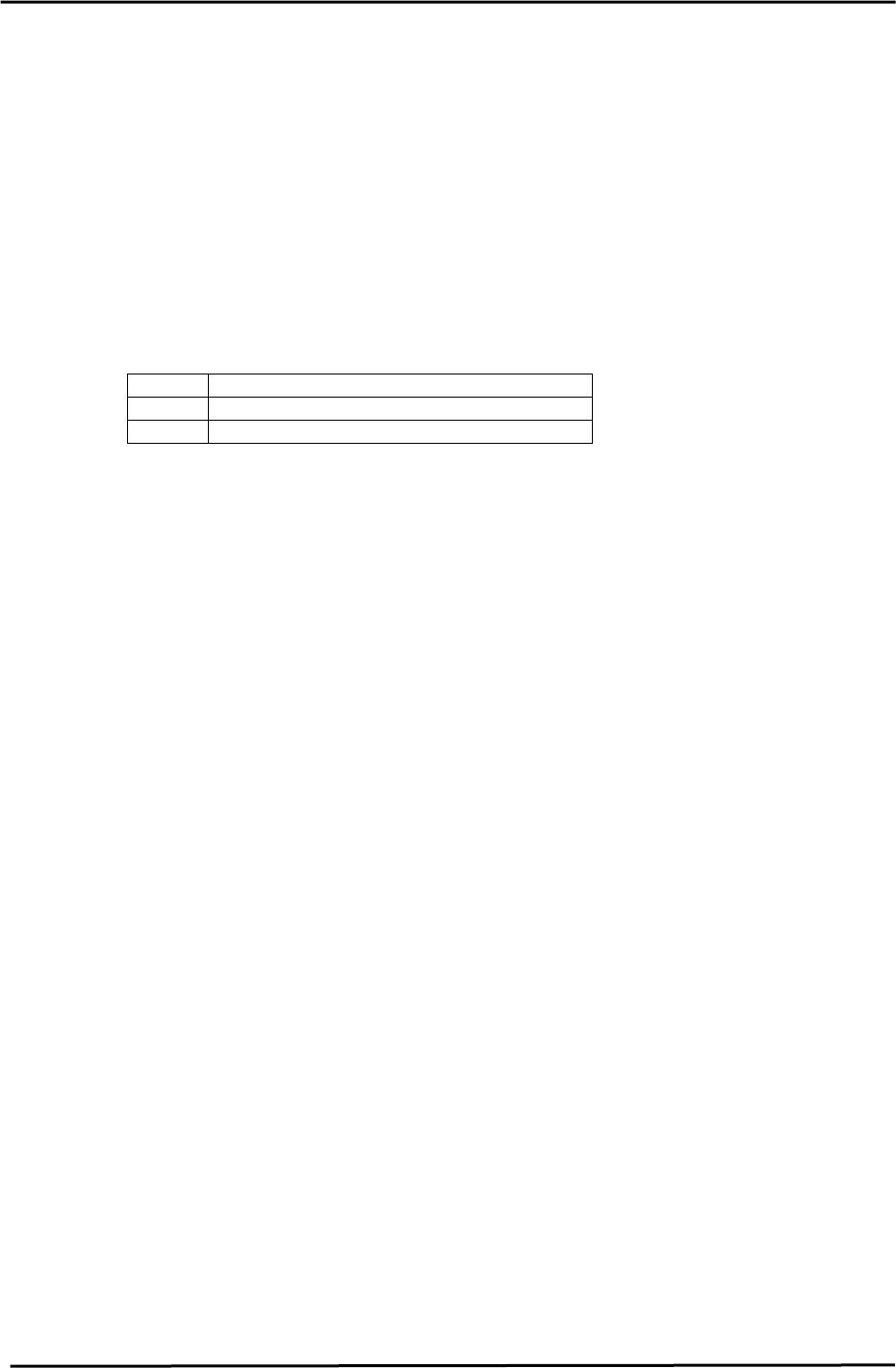
<I/O → Standard → IN>
X0C0 Adjusting Rail Engagement Check IN
X0DB Adjusting Rail Engagement Check OUT
X0DC Adjusting Rail Engagement Check Center
Fuji Machine Mfg. Co., Ltd. (Okazaki)
SMT Equipment Quality Assurance Dept.
CS Section
5-12