CP7 training(6.0) (1).pdf - 第98页
FK-9F98-27 CP-7 Series Traini ng Text for Service Engineers Edition 6.0 Chapter 6. Servo Pack Zero Ad justment and Gain / Motion Check [2/10] 3. Next, press [Maintenance] (Fig.2) Æ [I/O check] (Fig.3) to enter the I/O. F…
FK-9F98-27 CP-7 Series Training Text for Service Engineers
Edition 6.0 Chapter 6. Servo Pack Zero Adjustment and Gain / Motion Check [1/10]
Chapter 6 Servo Pack Zero Adjustment and Gain / Motion Check
6.1 Servo Pack Parameter Check
Refer to the servo parameter table (located in the information pocket in each m/c) and check
that all servo pack parameters match the parameter table. If changes are made for some
reason to the servo pack parameters, the M/C must be rebooted in order to register the
change.
6.2 Servo Pack Zeroing Adjustment
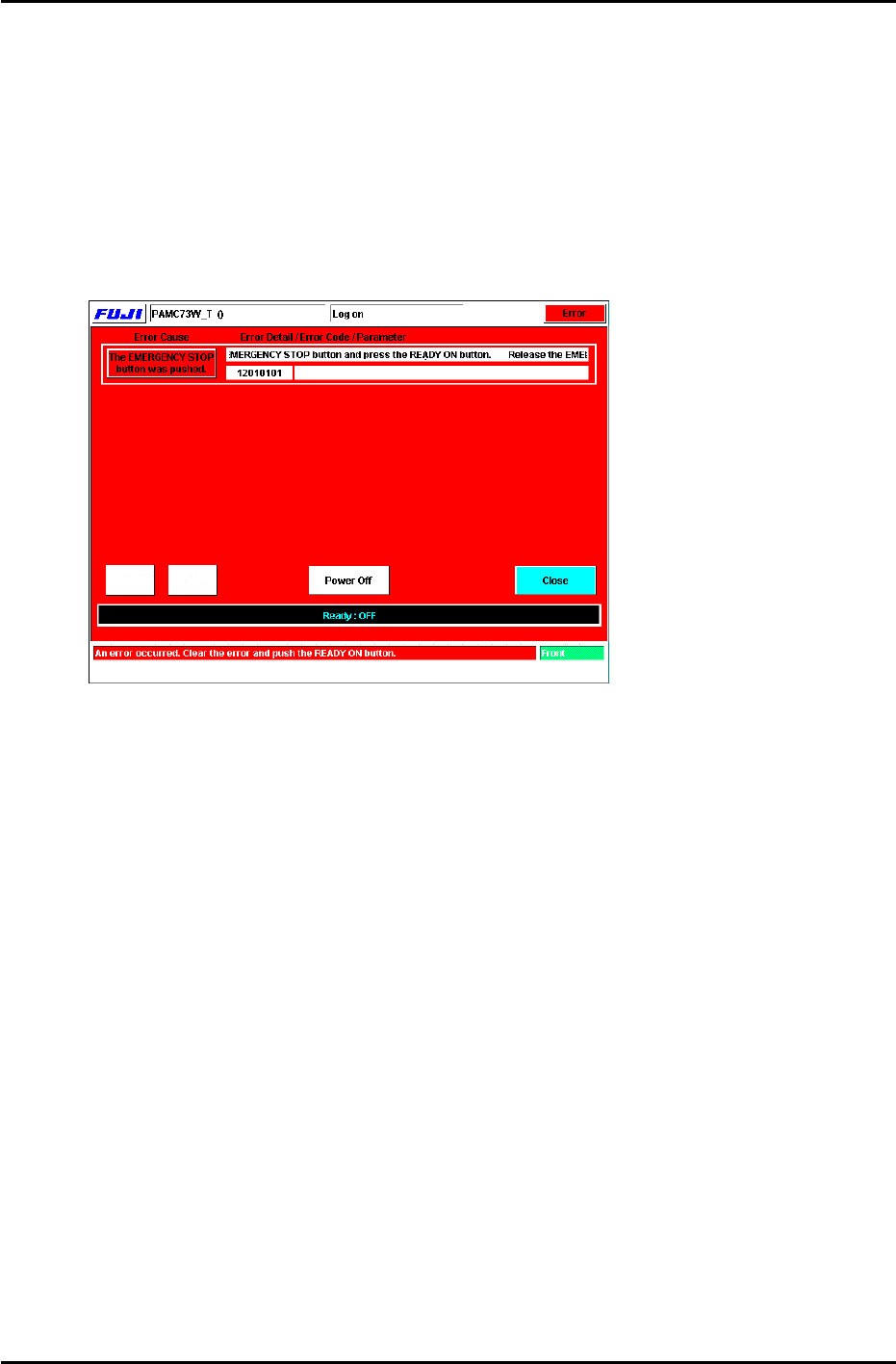
1. Press the [System on] button to boot the M/C. The following display will appear. (Fig.1)
Figure 1
2. Release the emergency stop button and press [Ready ON] to reset the M/C emergency
stop condition. Enter the appropriate password and the display will change to Fig.2. Check
that the cam angle is at 0 degrees and carry out the following commands:
Press: [Position] and specify D-axis escape by pressing the [D1-axis], [D2-axis] button
then press [Start] to carry out D-axis escape.
*Carry out Part rejection by pressing [Part Rejection] Æ [Start].
*Move the XY-table by using [Panel Loader] Æ [Move to Unloading Position]Æ[Start].
Fuji Machine Mfg. Co., Ltd. (Okazaki)
SMT Equipment Quality Assurance Dept.
CS Section
6-1
FK-9F98-27 CP-7 Series Training Text for Service Engineers
Edition 6.0 Chapter 6. Servo Pack Zero Adjustment and Gain / Motion Check [2/10]
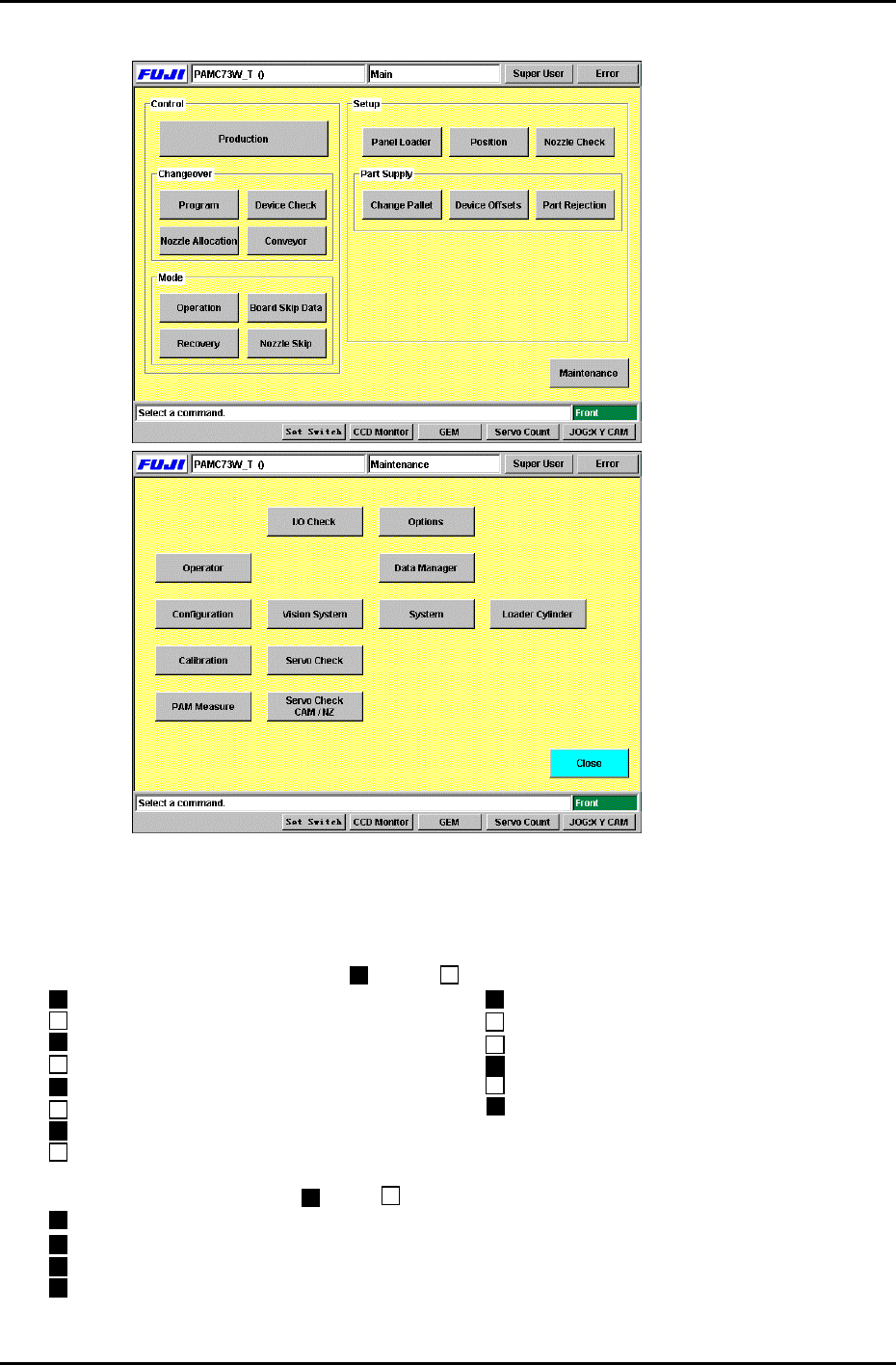
3. Next, press [Maintenance] (Fig.2)Æ [I/O check] (Fig.3) to enter the I/O.
Figure 2
Figure 3
4. Set the I/O status as listed below. This will ensure there will be no interference when
performing the procedures in this section.
[Note]: Always carry out I/O operation with the cam at 0 degrees.
<Standard I/O> Output signal ( = ON, = OFF)
Y030 ST1 PICKUP SOL DISENGAGED Y043 MAIN-LIFTER CLAMP
Y031 ST1 PICKUP SOL ENGAGED Y044 MAIN-LIFTER UNCLAMP
Y032 ST1 TAPE FEED SOL DISENGAGED Y058 D1 TABLE STOPPER CLAMP
Y033 ST1 TAPE FEED SOL ENGAGED Y059 D1 TABLE STOPPER UNCLAMP
Y034 ST9 PLACE SOL DISENGAGED Y068 D2 TABLE STOPPER CLAMP
Y035 ST9 PLACE SOL ENGAGED Y069 D2 TABLE STOPPER UNCLAMP
Y036 ST14 NOZZLE CHANGE SOL DISENGAGED
Y037 ST14 NOZZLE CHANGE SOL ENGAGED
<Standard I/O> Input signal ( = ON, = OFF)
X07F D1 CAM CYLINDER LOWER LIMIT CHECK
X081 D1 TABLE STOPPER CAM CYLINDER LOWER LIMIT CHECK
X095 D2 CAM CYLINDER LOWER LIMIT CHECK
X097 D2 TABLE STOPPER CAM CYLINDER LOWER LIMIT CHECK
Fuji Machine Mfg. Co., Ltd. (Okazaki)
SMT Equipment Quality Assurance Dept.
CS Section
6-2
FK-9F98-27 CP-7 Series Training Text for Service Engineers
Edition 6.0 Chapter 6. Servo Pack Zero Adjustment and Gain / Motion Check [3/10]
6.3 Servo Pack Zero Setting Operation
Servo Pack zero setting is performed in two stages (Auto and Manual). Follow the procedure
below carefully. This procedure is done to set the zero stability point of the servo pack.
Note: Carry out the adjustment for each axis in the same manner
.
Auto Zero Setting
1. Press the M/C emergency button to turn the servo power OFF. Auto zeroing must be
done with the E-Stop pressed.
2. Press [MODE/SET] (on the Servo Pack control panel) Æ to display <Fn000> Æ Press the
[ ] key 9 times to Display <Fn009> Æ Press [DATA/SHIFT] for more than 1 second. Æ
Display <rEF_0> Æ Press [Mode/Set] for more than 1 second. Æ <done> will display for 1
second and return to <rEF_0> Æ Press [DATA/SHIFT] for more than 1 second. Æ The
display will return to <Fn009> Æ Press [MODE/SET] 3 times to display < bb>. The
procedure for auto zero setting is now complete. (Note: Carry out the adjustment for each
axis in the same manner.)
Manual Zero Setting
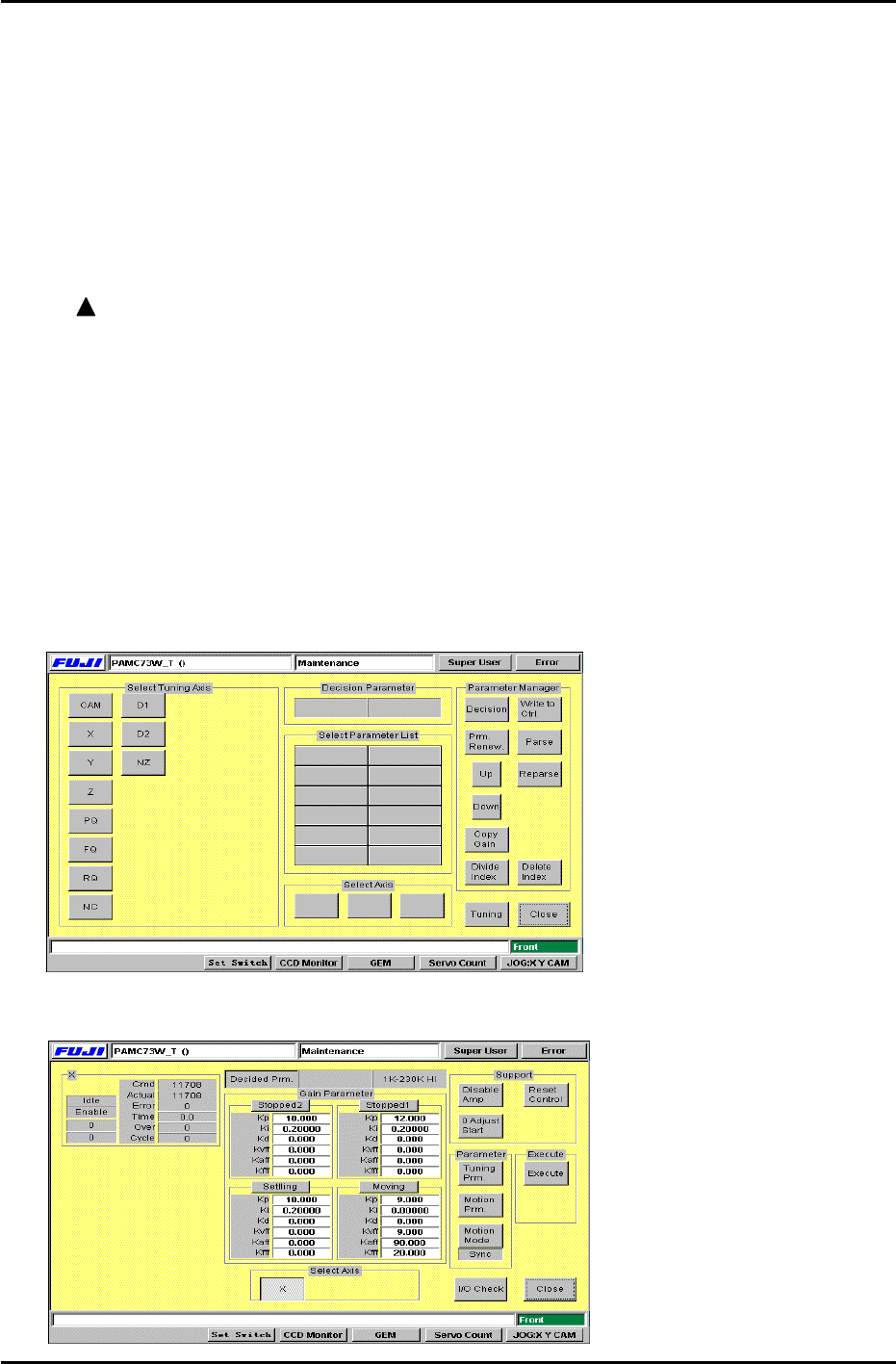
1. Return to Fig.3 and press [Servo Check] to enter the servo check command.
2. After the display changes to Fig.4, select the axis to be adjusted from [Select Tuning
Axis]. Press again to cancel if necessary.
[Note]: Select only one axis from [Select Tuning Axis] at a time.
Figure 4
3. Press [Tuning] and the display will change to Fig.5.
Figure 5
Fuji Machine Mfg. Co., Ltd. (Okazaki)
SMT Equipment Quality Assurance Dept.
CS Section
6-3