3OM-1343-008_w.pdf - 第223页
5-38 AKFEDT -ID 4.2 Nozzle Bypass Factor When the "Nozzle Bypass Factor" subtab is pressed in the "Head Nozzle Bypass Data" tab sheet, the following subtab sheet appears. Fig. 3E18 "Nozzle Bypass…
5-37
AKFEDT-ID
0607-003
4.1 Head Nozzle Bypass Data
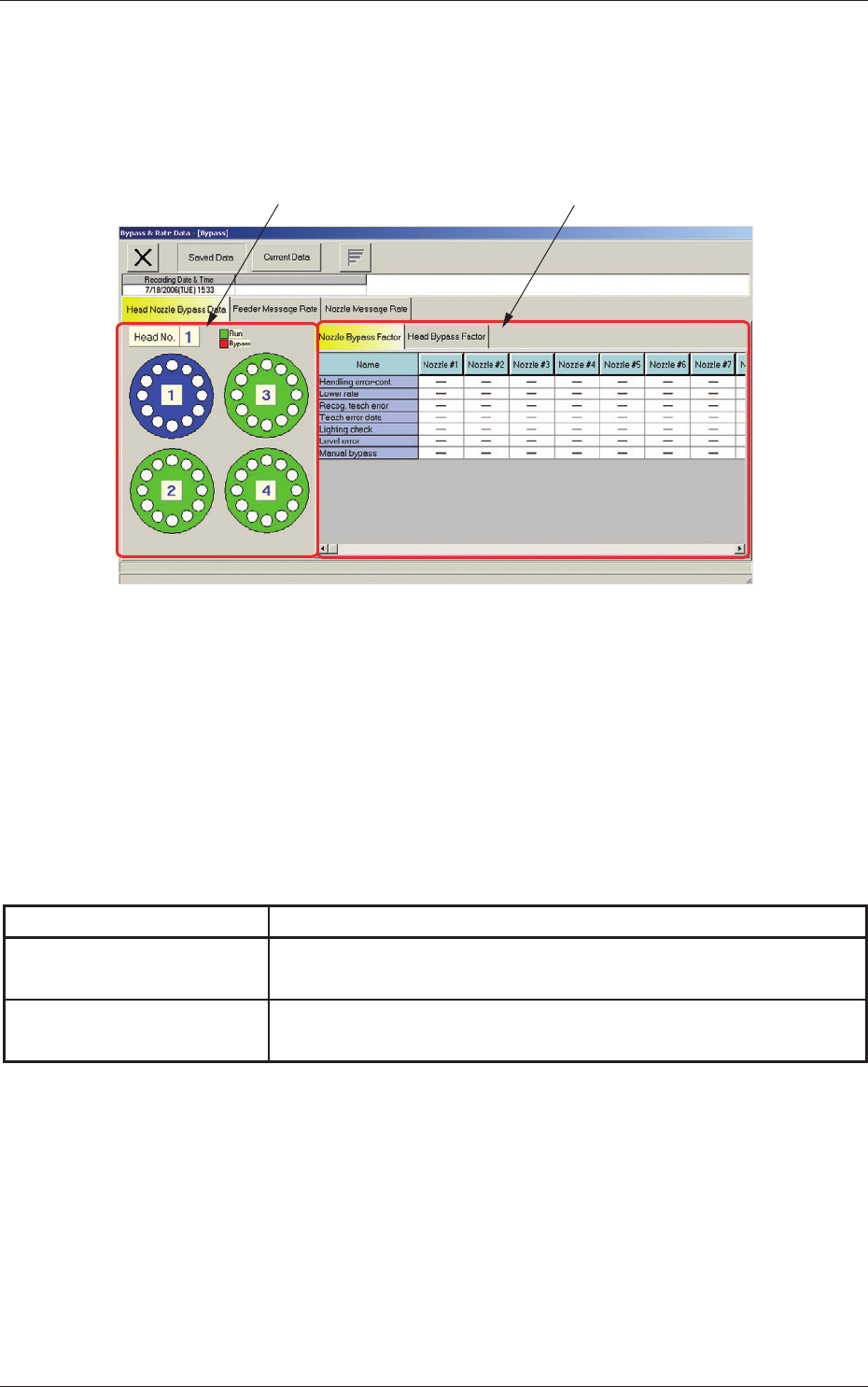
When the "Head Nozzle Bypass Data" tab is pressed in the "Bypass & Rate
Data - [Bypass]" window, the following tab sheet appears.
[1]
[2]
Fig. 3E17 "Head Nozzle Bypass Data" Tab Sheet
[1] Graphical Expression of Head and Nozzles
When a head (nozzles) is selected on the graphical rotary turret, the
nozzle or the head bypass factors are displayed on the right tab sheet.
[2] Subtabs and Subtab Sheets
The "Head Nozzle Bypass Data" tab sheet is provided with the
following subtab sheets.
Table 3E6
Subtabs Description
Nozzle Bypass Factor
The corresponding subtab sheet enables the operator to check the
bypass factors of the nozzles selected on the left graphical nozzles.
Head Bypass Factor
The corresponding subtab sheet enables the operator to check the
bypass factors of the heads selected on the left graphical heads.
4.1 Head Nozzle Bypass Data
5-38
AKFEDT-ID
4.2 Nozzle Bypass Factor
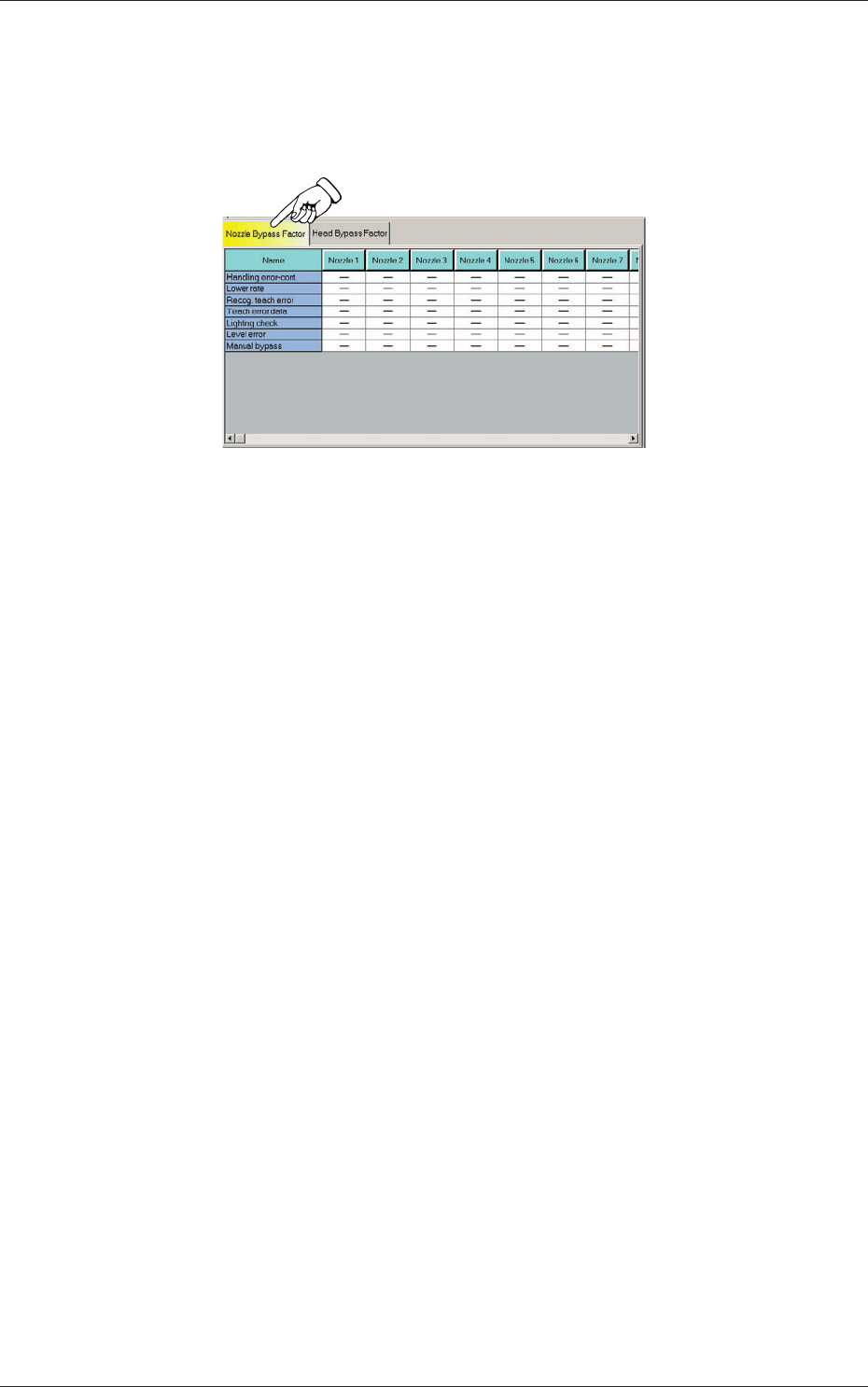
When the "Nozzle Bypass Factor" subtab is pressed in the "Head Nozzle
Bypass Data" tab sheet, the following subtab sheet appears.
Fig. 3E18 "Nozzle Bypass Factor" Subtab Sheet
(1) Handling error-cont.
The nozzle has reached the number of specifi ed continuous error counts.
(2) Lower rate
The nozzle has reached the specifi ed number of errors before it reaches
the specifi ed pickup rate.
(3) Recog teach error
A recognition error has occurred during the teaching operation on the
nozzle position.
(4) Teach error data
A value exceeding the specifi ed tolerance was calculated during the
teaching operation on the nozzle position.
(5) Lighting check
A recognition error has occurred during the teaching operations on the
nozzle position (lighting check) and the lighting.
(6) Level error
A level offset value exceeding the specifi ed tolerance was calculated
during the teaching operation on the nozzle level.
(7) Manual bypass
Bypass mode was set manually.
4.2 Nozzle Bypass Factor
0607-003
5-39
AKFEDT-ID
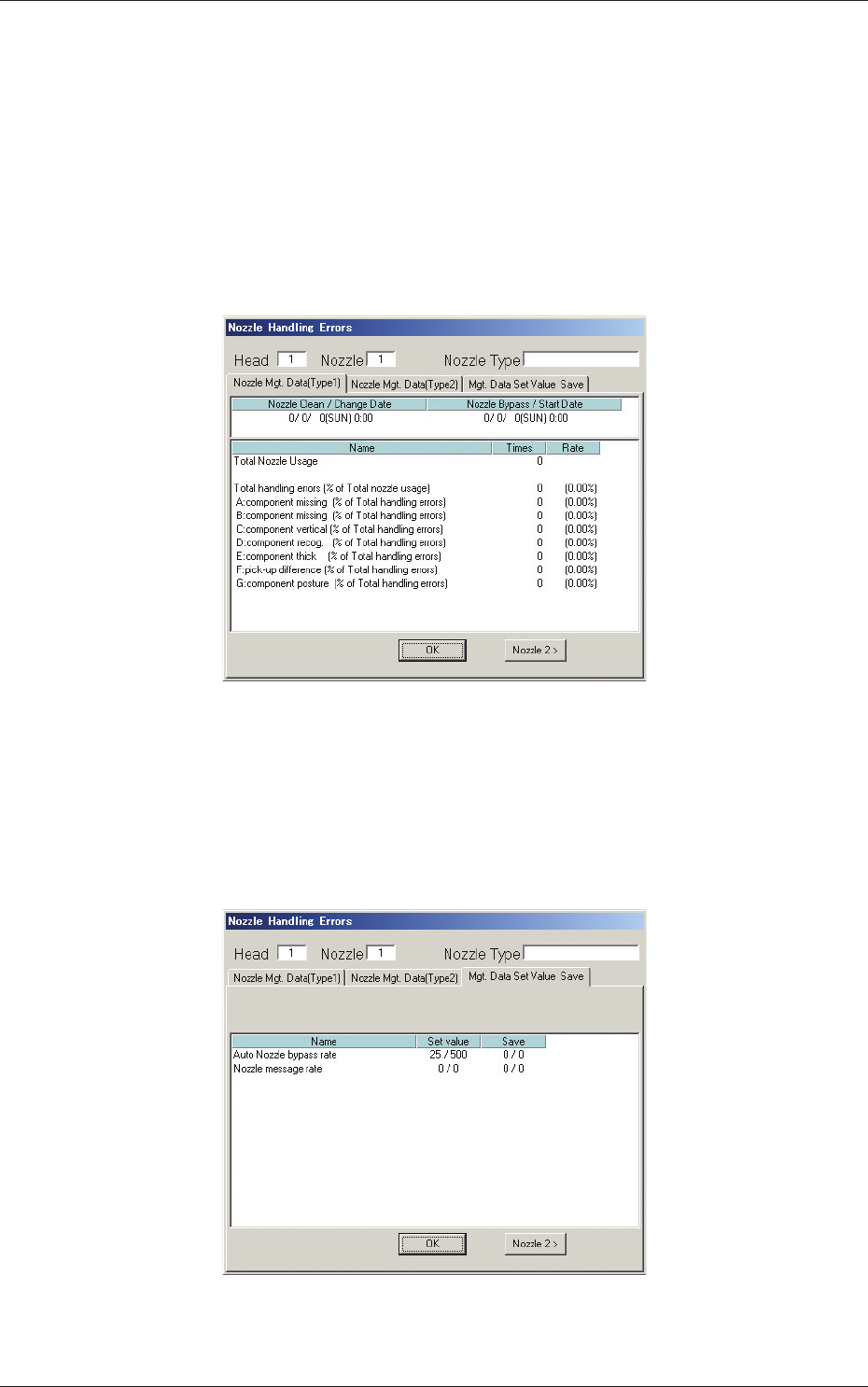
(8) [Nozzle 1] through [Nozzle 12] Buttons
When a button is pressed, the corresponding "Nozzle Handling Errors"
window opens for the selected nozzle.
•
"Nozzle Mgt. Data (Type 1)" and "Nozzle Mgt. Data (Type 2)"
Tabs
When the tabs are pressed, the corresponding tab sheet appears,
enabling the operator to check the nozzle management data for each
individual nozzles.
Fig. 3E19 "Nozzle Handling Errors" Window
•
"Mgt. Data Set Value Save" Tab
When this tab is pressed, the corresponding tab sheet appears,
enabling the operator to check the set and saved values (the values
specifi ed in the auto operation setup data) for each individual nozzles.
Fig. 3E20 "Nozzle Handling Errors" Window
4.2 Nozzle Bypass Factor
0607-003