OM-1271-003_w.pdf - 第28页
25 Tg1097-ID-OP [5] Operation Button [T each Start] Button When this button is pressed, the teaching is performed for the selected nozzle stocker and the results are displayed in [3] on the right section of the window . …

24
Tg1097-ID-OP
0708-003
[3] "Offset" Display
The offset value (pulse value (mm)) for the selected nozzle stocker is
displayed.
Master Offset :
It shows the deviation from the nozzle stocker designed position
(machine coordinate reference).
The recognition mark (inside) on the nozzle stocker section
is recognized and the values are reflected automatically in the
values in X and Y.
Stocker (1 to 9) :
This section shows the data for each stocker to correct the
deviation from the nozzle stocker designed position.
The recognition mark on the nozzle stocker section is recognized
and the inclination in direction X is calculated.
Then the results are reflected automatically on the values in X
and Y of the nozzle stocker position.
Cmt
: Offset values before teaching
Adj
: Offset values obtained as the result of teaching
[4] Nozzle Stocker Selection Button
[All Noz Stocker] Button
The teaching results are reflected on all the nozzle stockers.
[Desig Noz Stocker] Button
The teaching results are reflected on the designated nozzle
stocker.
[NST-1], [NST-2] Button
Pressing the [NST-1] or [NST-2] selects the nozzle stocker to be
taught.
8.3 Nozzle Stocker Offset

25
Tg1097-ID-OP
[5] Operation Button
[Teach Start] Button
When this button is pressed, the teaching is performed for the
selected nozzle stocker and the results are displayed in [3] on the
right section of the window.
If any mark recognition error occurs, perform the following
manual alignment.
[Mnl Align Mark 2] Button
When the manual alignment teaching is performed, the "Manual
Alignment Operation Guide" window is displayed to perform the
jig mark (left) recognition on the nozzle stocker jig.
[Mnl Align Mark 1] Button
When the manual alignment teaching is performed, the "Manual
Alignment Operation Guide" window is displayed to perform the
jig mark (right) recognition on the nozzle stocker jig.
8.3 Nozzle Stocker Offset
0708-003
26
Tg1097-ID-OP
0708-003
•
Automatic Teaching Procedure
Procedure
(1) Select the Head (1 or 2) to be taught.
(2) Press the nozzle stocker select button [NST-1] or [NST-2] to
select the nozzle stocker to be taught.
(3) Press the [Teach Start] button.
•
When the teaching is begun, the start-up conditions are
checked.
•
The teaching results are displayed in the "Adj" data boxes in
the "Offset" display section.
•
If any recognition error occurs in the course of the teaching,
or the [STOP] button is pressed on the operation panel, the
operation is paused.
From this condition, re-start is available.
•
In the pause condition, no other menu can be selected.
When the teaching is completed, the designated head is returned
to the origin automatically.
•
Manual Alignment Teaching Procedure
Even when the jig mark recognition is unavailable, the setting using the
manual alignment is available.
Procedure
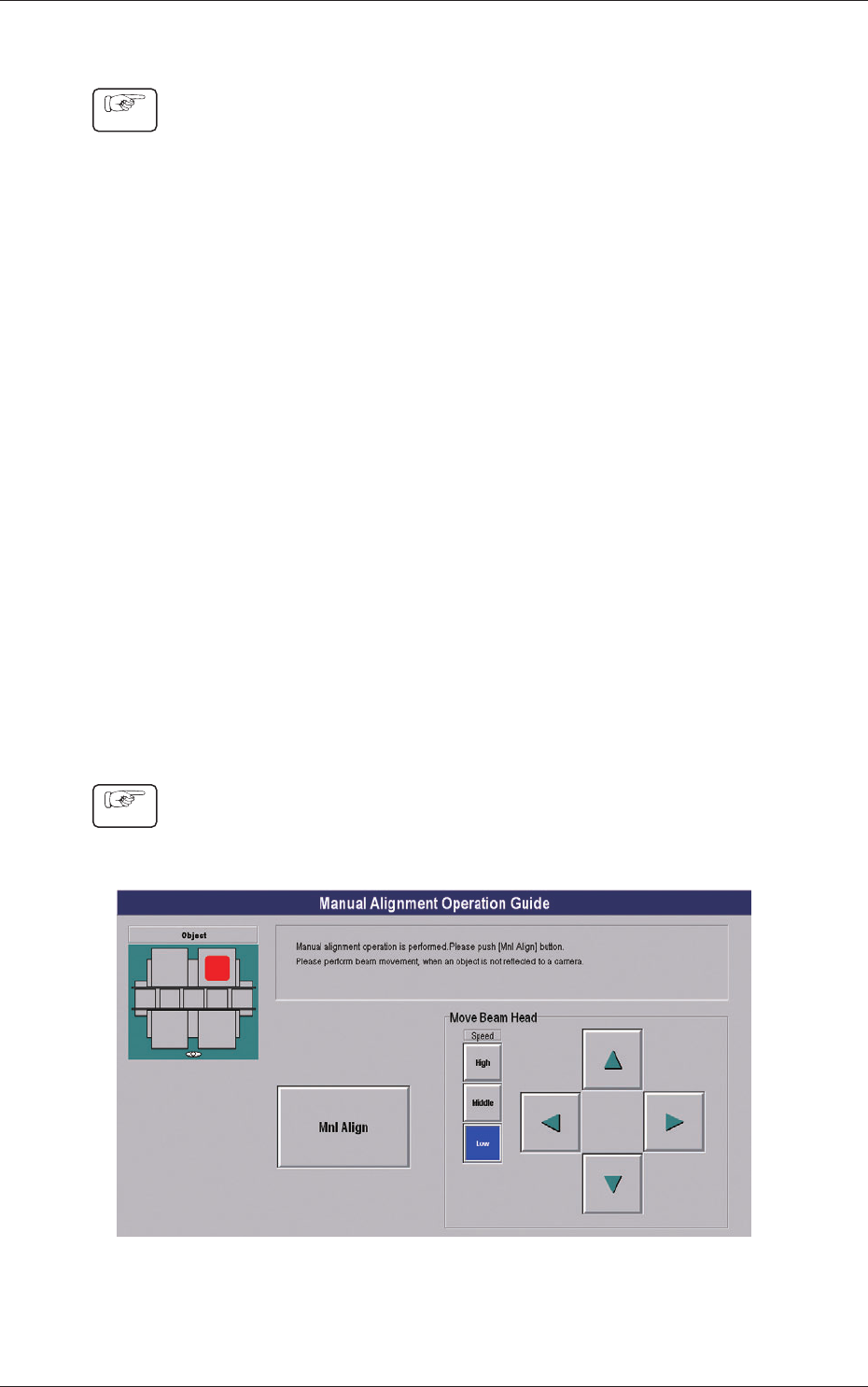
(1) When the [Manual Alignment Mode Mark 2] or [Manual
Alignment Mode Mark 1] button is pressed, the "Manual
Alignment Operation Guide" window appears.
Fig.7-5 "Manual Alignment Operation Guide" Window
8.3 Nozzle Stocker Offset