P-TOOL说明书.pdf - 第111页
2-77 2 Board Explorer Menu Items Operation Create New Program List Create new program list. When there is the program list being edited now , it is closed. Open Program List Select the program list already registered and…
2-76
2
Board Explorer
9. Program List Editor
To perform automatic program change-over production of IT-Option, the linkage between production model
names (ASSY No.) and board program names must be registered before start production. This linkage
information is used to call the board program name from the information read by a fixed reader or hand-held
reader. This setting can be made in the Program List Editor. The Program List Editor allows registration of a
total of 10 board program names for each production model name. If a different program name is used for
each machine of one production line, "Contrast Program Name Number" to be used for each machine must
be set. For details on "contrast program name number", refer to the manual of "Automatic Program Change-
Over ".
c
CAUTION
The Program List Editor requires the Automatic Program Change-Over. For details on this setting, refer to the manual of
“Automatic Program Change-Over”.
9.1 Start of the Program List Editor
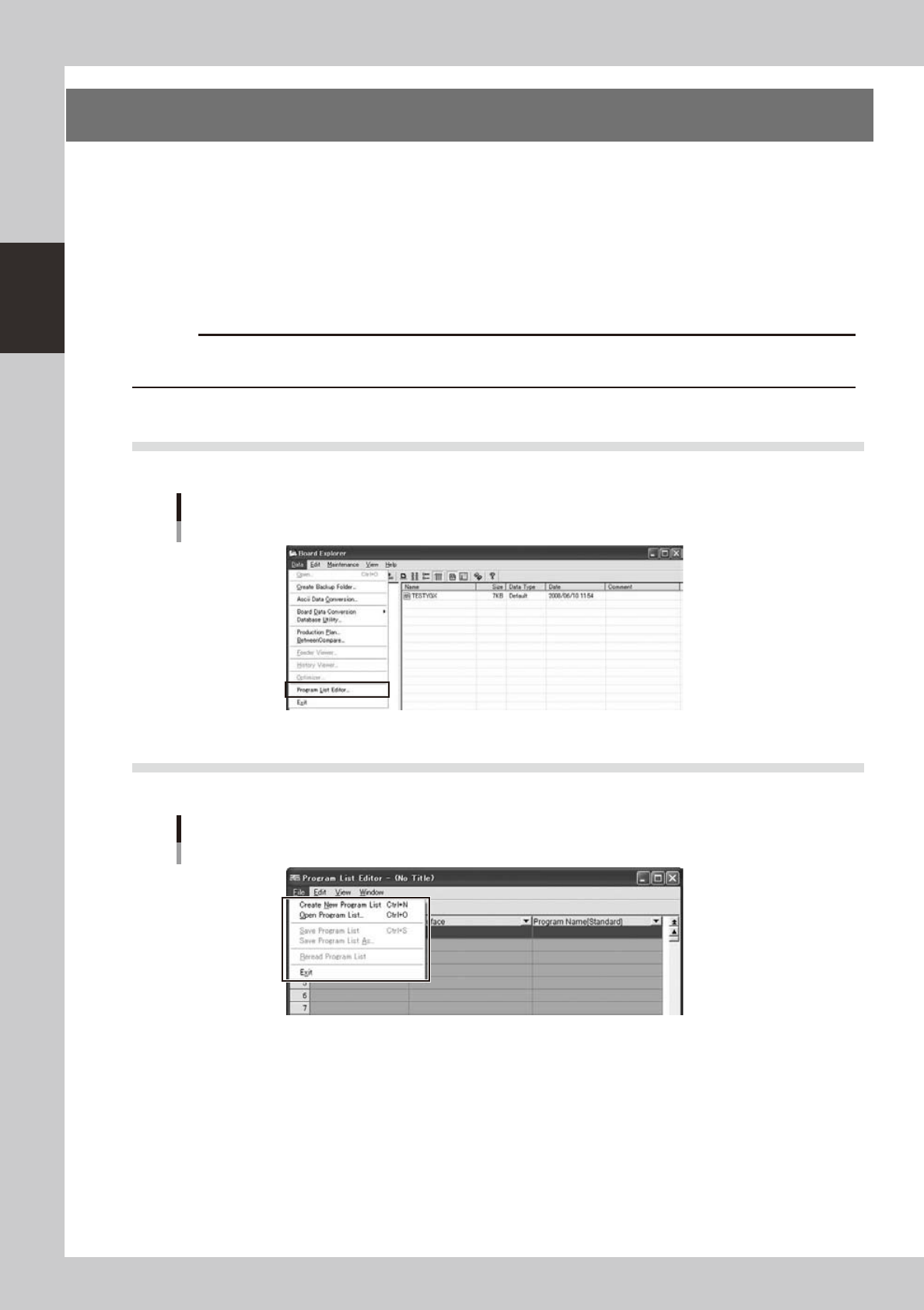
Start by selecting [Program List Editor] from the [Data] menu. There are no specific start conditions.
Start of the Program List Editor (Board Explorer)
642E1-S0-10
9.2 Open and Save
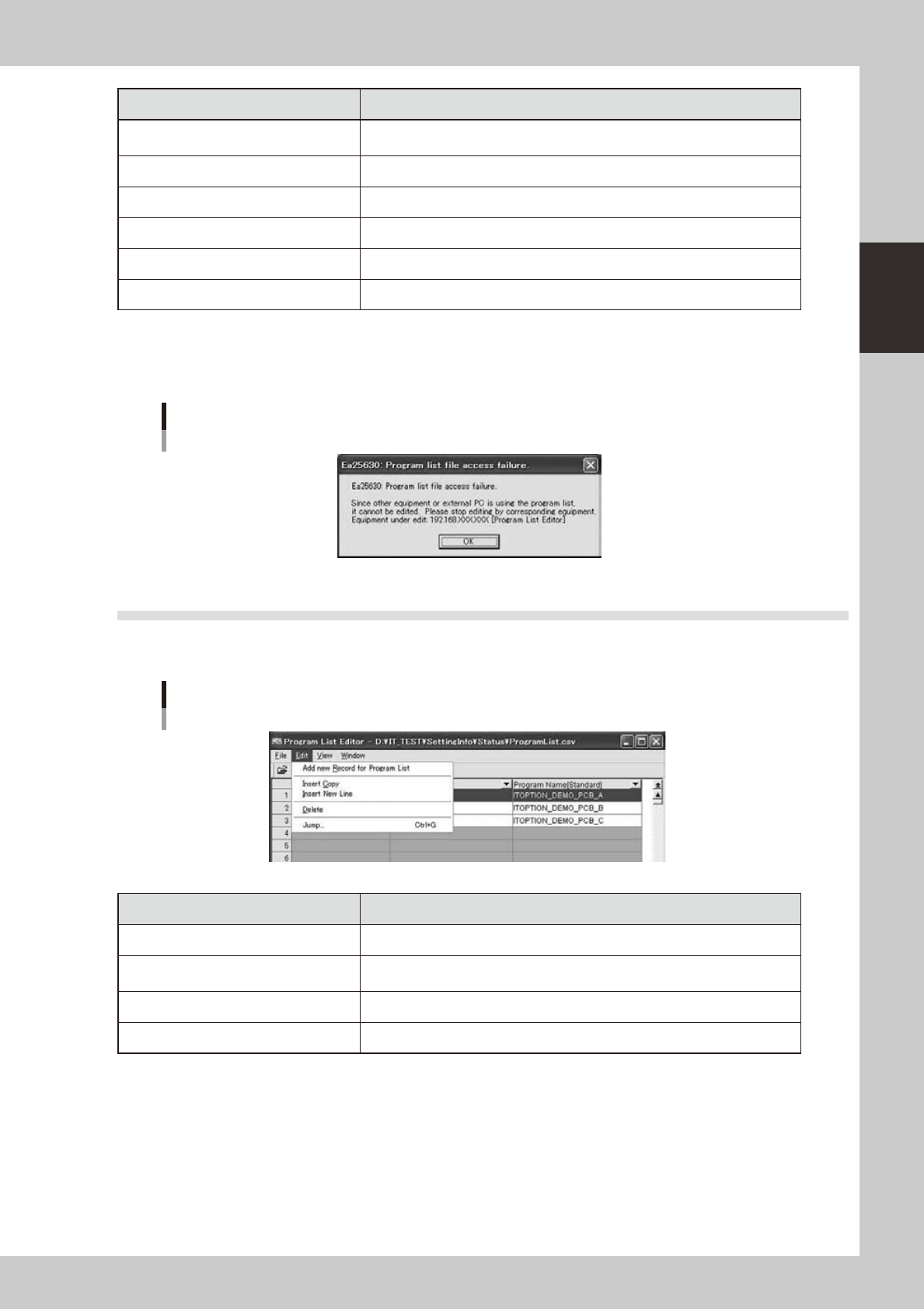
The program list data is opened and saved by the [File] menu.
Program List Editor Menu (File)
642E2-S0-00
2-77
2
Board Explorer
Menu Items Operation
Create New Program List
Create new program list.
When there is the program list being edited now, it is closed.
Open Program List Select the program list already registered and open it.
Save Program List Save the program list being edited now.
Save Program List As Save the program list being edited now as another file name.
Reread Program List Reread the program list without saving it. The data being edited is discarded.
Exit Exit the Program List Editor.
When following dialog is displayed while opening the program list, selected program list file can’t be read
because other application is opening it already. That dialog is displayed “Equipment under edit”. Check this
equipment.
Warning Dialog
642E3-S0-00
9.3 Edit the Program List
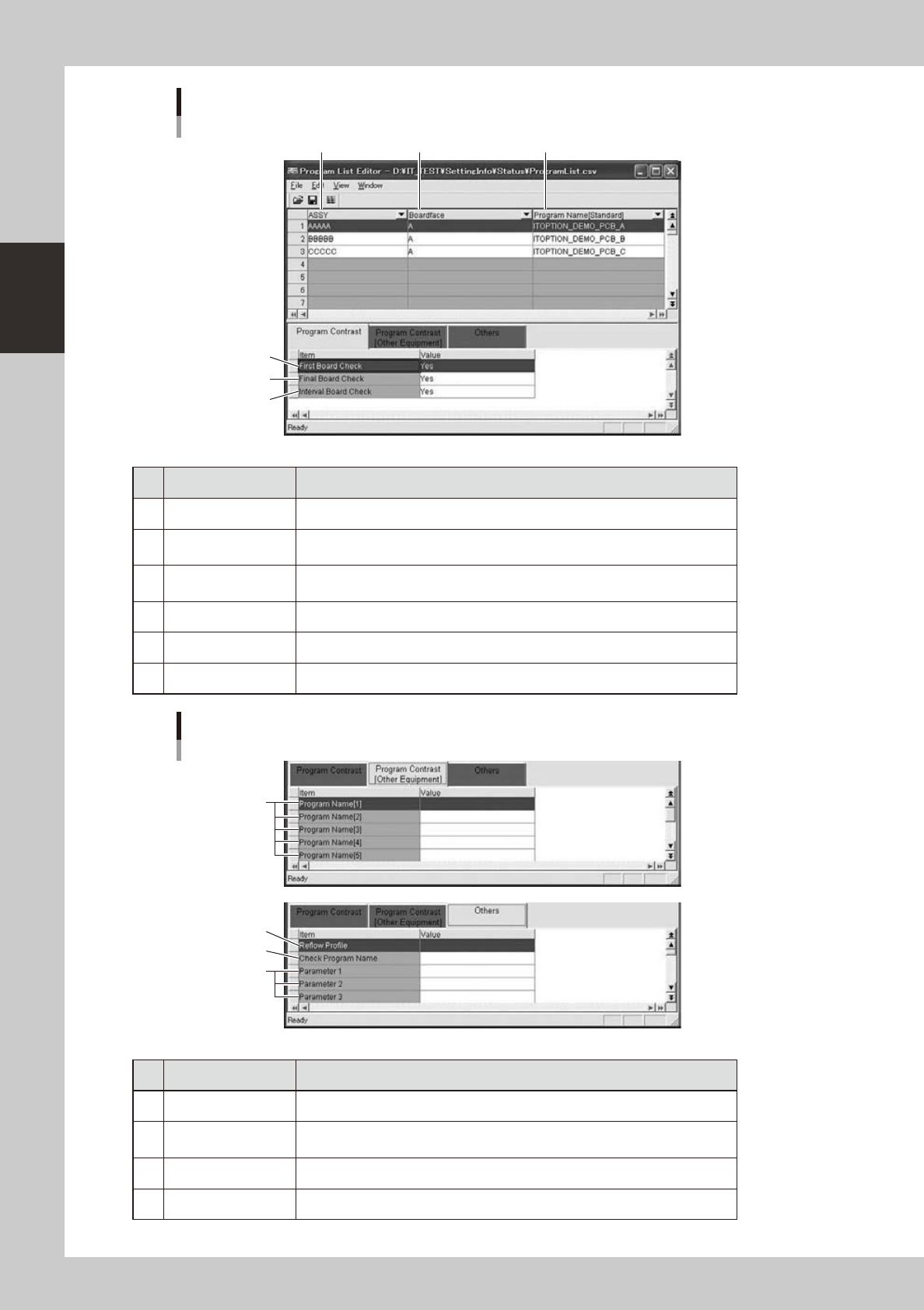
Editing of the program list, such as adding and deleting records, can be performed from the [Edit] menu. The
menucanalsobedisplayedbyright-clickingtheselectedrecord.
Editor Menu (Edit)
642E4-S0-00
Menu Items Operation
Add new Record for Program List A new record is added to the tail.
Insert Copy
The selection record is copied. And, it is inserted in the selection position as a
new record.
Insert New Line A new record is inserted in the selection position.
Delete The selection record is deleted.
2-78
2
Board Explorer
Item that can be edited
4
5
6
1
2 3
642E5-S0-00
No Items Explanation
1 ASSY Production model number is displayed.
2 Boardface
Information regarding the surface to which components are to be mounted is
displayed.
3
Program Name
[Standard]
Board program name related to the information given in [ASSY] and [Boardface]
is displayed.
4 First Board Check First board check setting is displayed.
5 Final Board Check Final board check setting is displayed.
6 Interval Board Check Interval board check setting is displayed.
Item that can be edited
7
10
8
9
642E6-S0-00
No Items Explanation
7 Program Name [1-9] The board program name used for another machine of the line is displayed.
8 Reflow Profile
The name of the program used for the reflow furnace temperature profile is
displayed.
9 Check Program Name The name of the program used for the checker is displayed.
10 Parameter1-20 Additional information is displayed.