P-TOOL说明书.pdf - 第60页
2-26 2 Board Explorer n Use of fset information With this setting, offset information is used for division board block number. As many stored data as the number of offset information are opened. Select this method to con…
2-25
2
Board Explorer
5
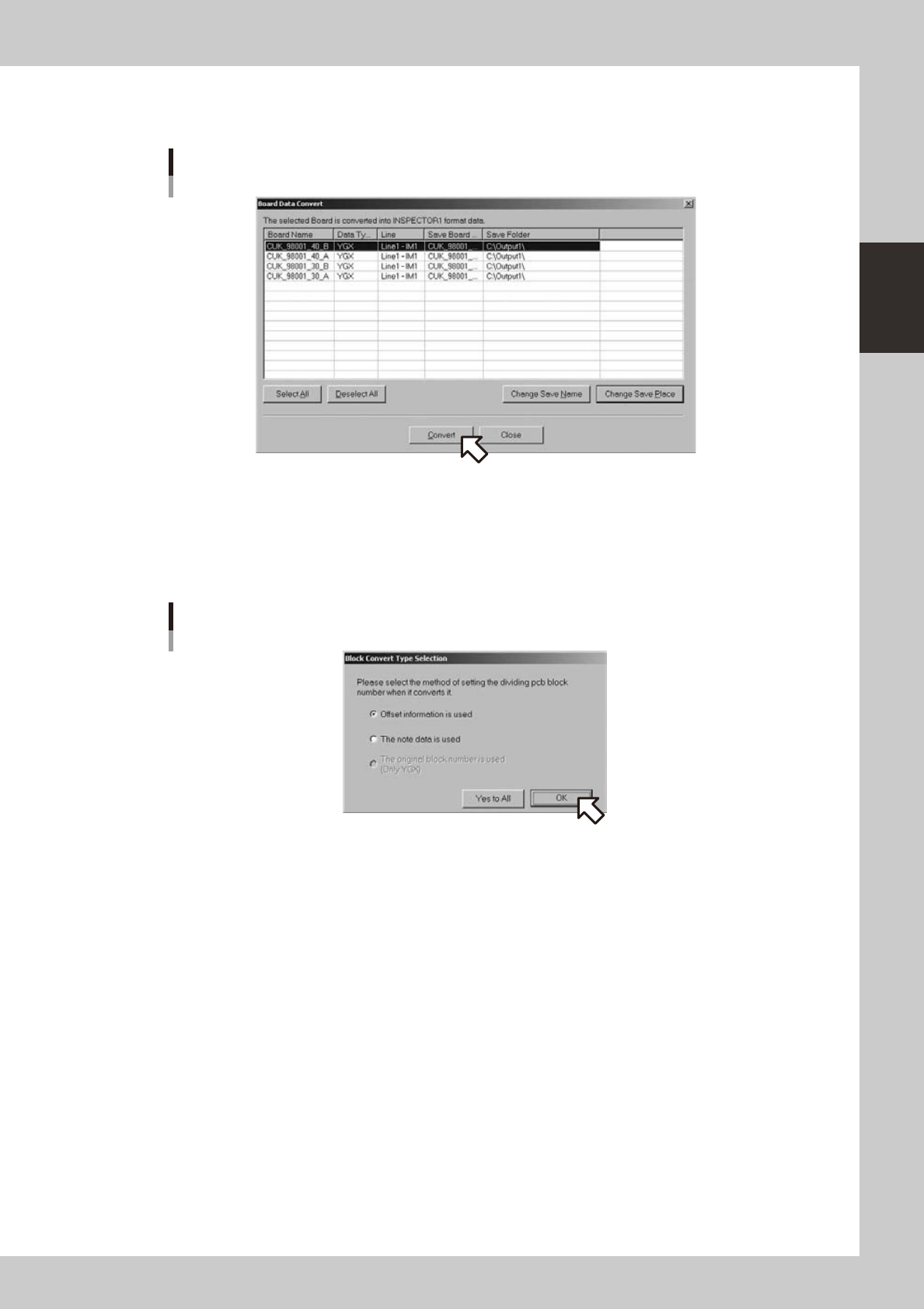
Select the board data to be converted and click the [Convert] button. (Multiple
data can be selected)
[Convert] button
642A7-S0-00
Click the [Select All] button when you want to select all the boards in the list.
Click the [Deselect] button when you want to cancel the selection of all the boards in the list.
6
Screen for selecting setting method of division board block number will appear.
Select the setting method of division board block number and click the OK button.
Screen for selecting setting method of division board block number
642A8-S0-00
This screen is indicated for each board.
When you click the [All Yes] button, subsequent board data will be converted in the same setting. No
message will be indicated as long as the data format of the subsequent boards is the same. The
message will be indicated again on different data type such as VIOS or YGX.
2-26
2
Board Explorer
n
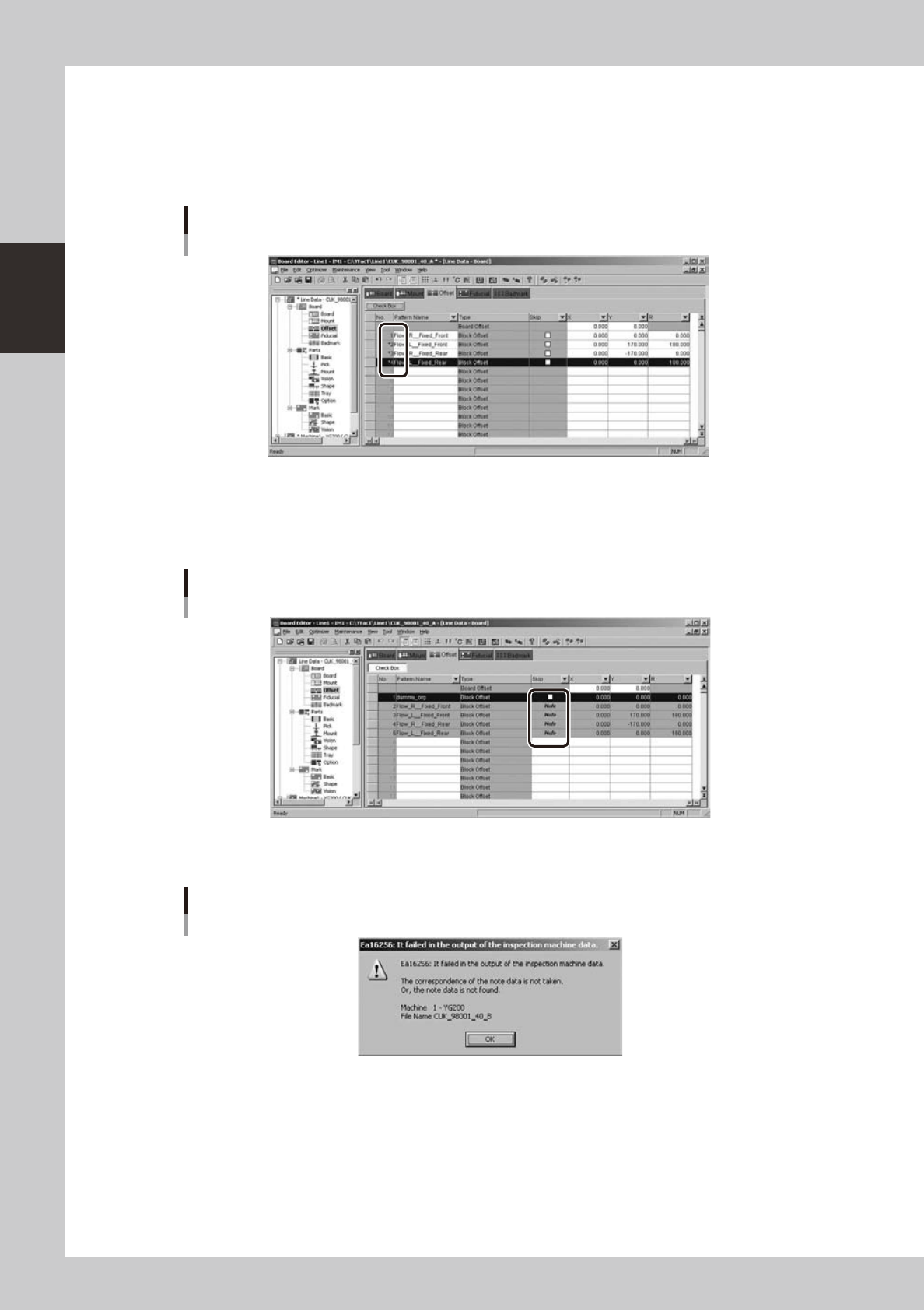
Use offset information
With this setting, offset information is used for division board block number. As many stored data as the number of offset
information are opened. Select this method to convert board data with only one block or without block distribution. If
this method is selected for board data already opened with block distribution, division board block number of Inspection
program will be all one.
Use offset information
642A9-S0-00
n
Use reference data
Withthissetting,referencedataisusedforMulti-blockPCBblocknumber.Usethissettingtoconvertboarddataalready
opened with block distribution.
Use reference data
642B1-S0-00
Error will be indicated when there is no reference data or there is inconsistency with reference data.
Error dialog box
642B2-S0-00
2-27
2
Board Explorer
n
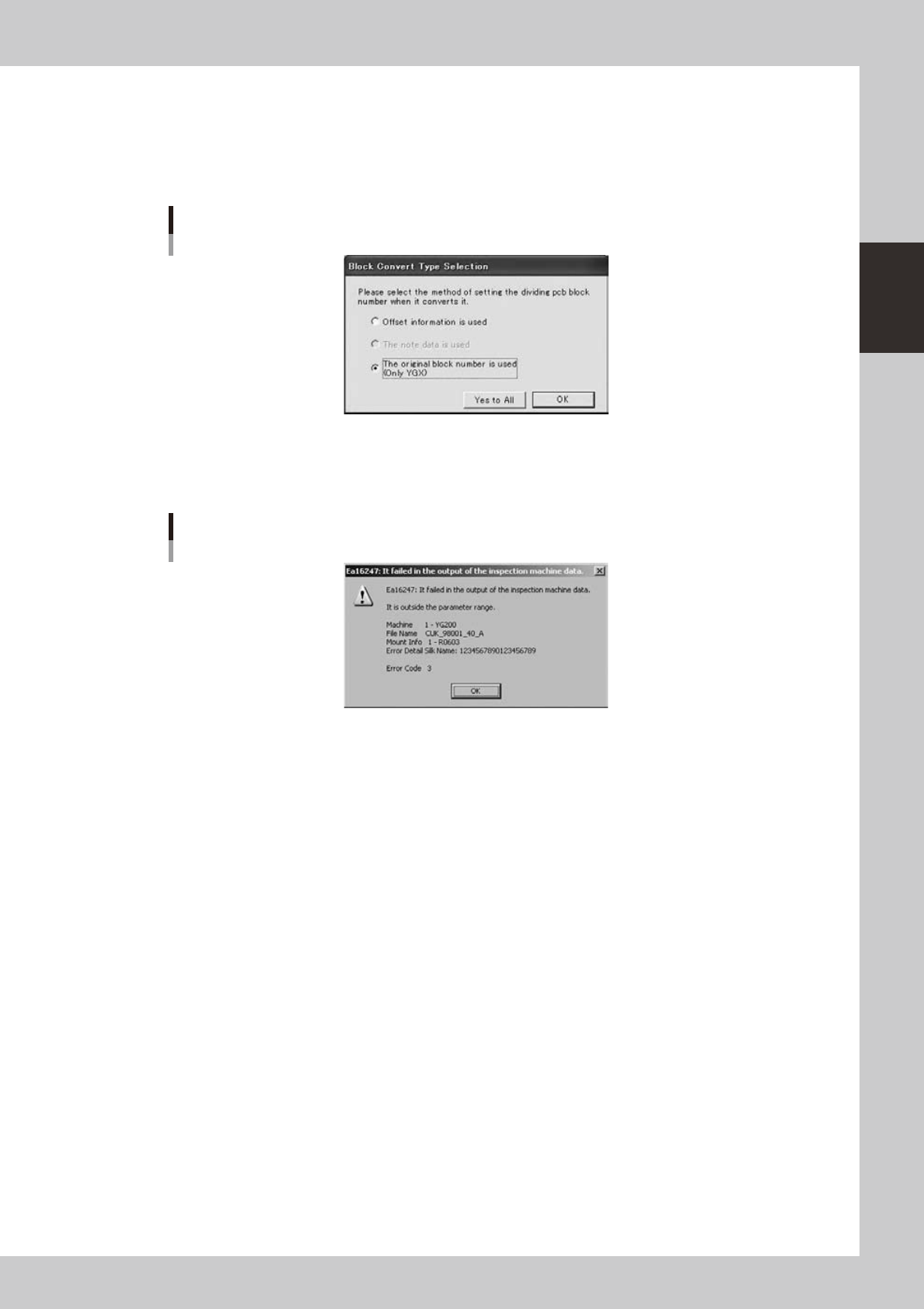
Use original block number (YGX only)
This method can be selected only when customization of YGX expansion storage data output is effective and data type of
the source board data is YGX. In this case, it is impossible to select “Use reference data”. Select this method when
customization of YGX expansion storage data output is effective and when converting YGX type board data opened with
block distribution.
Use original block number
642B3-S0-00
7
Conversion will be executed.
A conversion error dialog box will be indicated when an error occurs during conversion.
Conversion error dialog box
642B5-S0-00