P-TOOL说明书.pdf - 第156页
3-36 3 Board Editor n Note Data is Replace ItoperatesitforNoteDataisReplaceasfollows. ● The display of a Replace screen Select“Replace”in“Edit”menutoopenReplacescreen. “Edit” - “Replace” Menu 64361-S0-00…
3-35
3
Board Editor
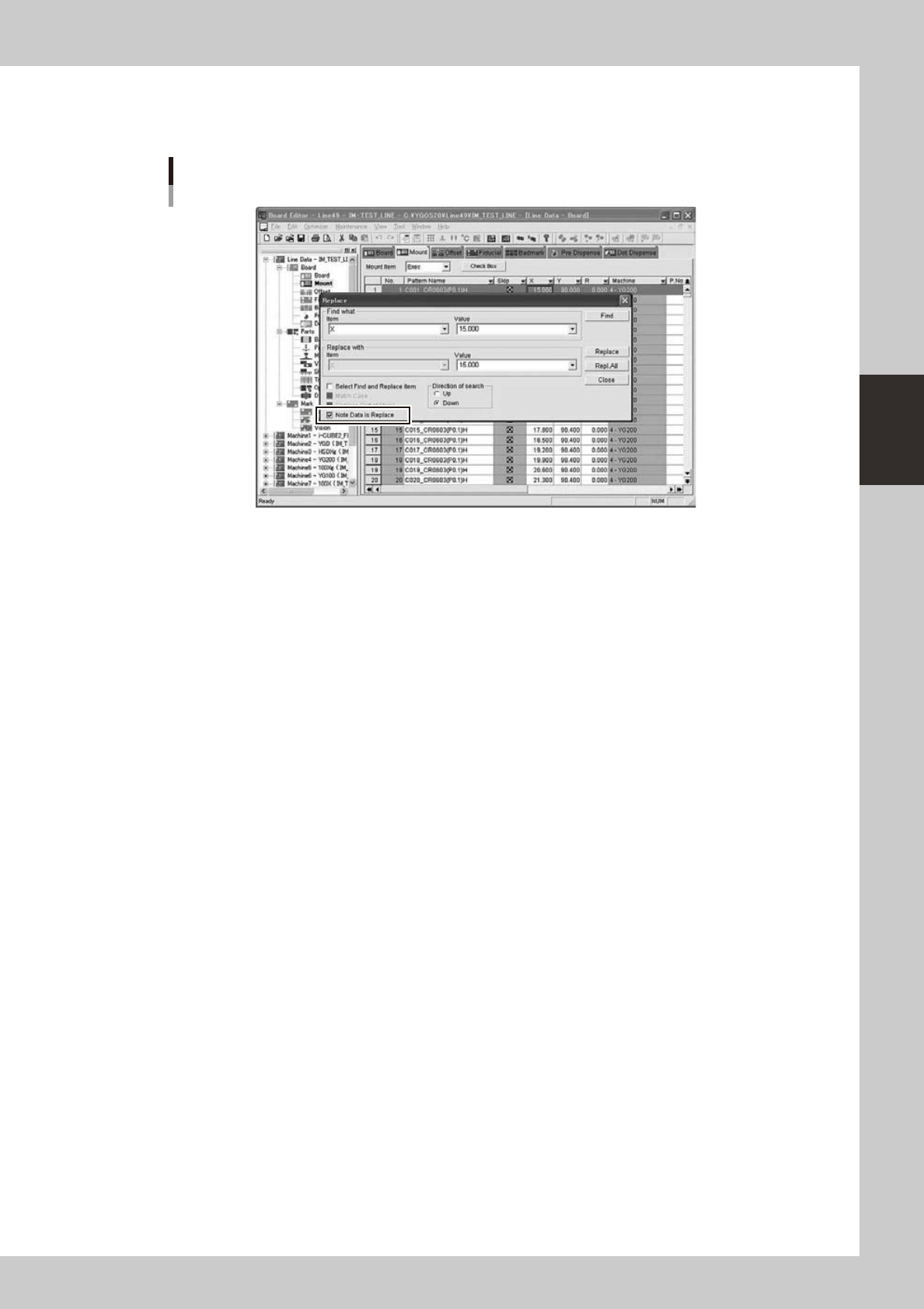
2.10.3 Function of Replacing Data with Note
Thefunctionof“NoteDataisReplace”isasfollows.
Replace Screen
64360-S0-00
“NoteDataisReplace”checkboxisaddedtotheconventionalreplacedialog.AlsoletNoteDatabethe
object of replace by selection of this item.
3-36
3
Board Editor
n
Note Data is Replace
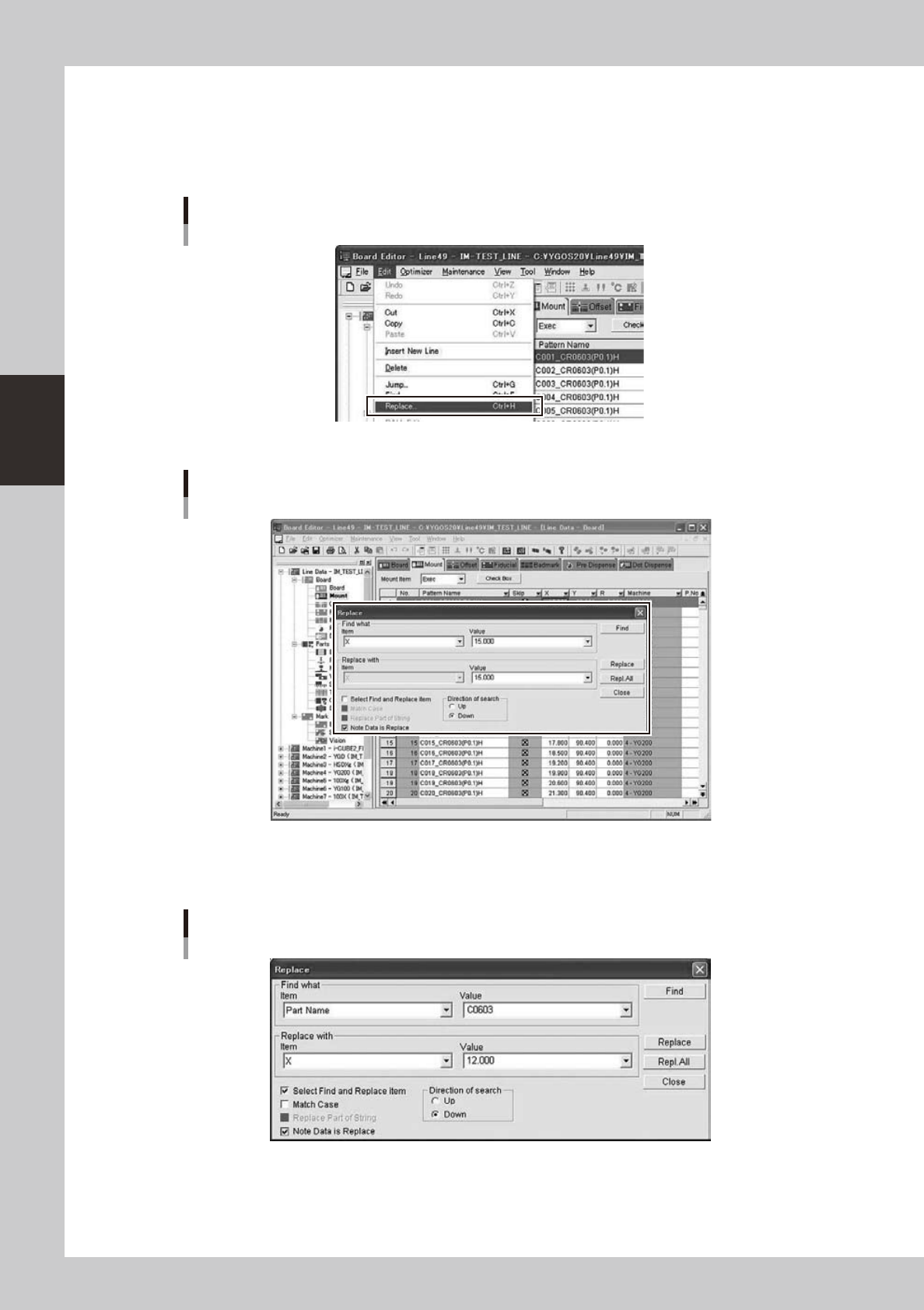
ItoperatesitforNoteDataisReplaceasfollows.
●
The display of a Replace screen
Select“Replace”in“Edit”menutoopenReplacescreen.
“Edit” - “Replace” Menu
64361-S0-00
Replace Screen opens
64362-S0-00
●
Replace Screen
AsetupofNotedataReplacecanbeperformedfromareplacescreen.
Replace Dialog
64363-S0-00

3-37
3
Board Editor
●
Replace condition setup
When“NoteDataisReplace”checkboxischecked(ON),NoteDataissetastheobjectofReplace.However,
whenfollowing“2.1.3.1Replaceobjectinformation”
•
“2.1.3.2Replaceobjectitem”isnotappliedto
conditions, gray out of Note Data is carried out and it cannot be chosen. The conditions from which Note Data
is set as the object of replace are as follows.
[Replace object information]
• Mount
• Offset
• Fiducial
• Badmark
• Dot Dispense
• Sequence
• Height
[Replace object item]
• X(X1
•
X2:Fiducial)
• Y(Y1
•
Y2:Fiducial)
• R
• Z(Sequence)
• XOffset(X1Offset
•
X2Offset:Fiducial)
• YOffset(Y1Offset
•
Y2Offset:Fiducial)
• ROffset
• Z Offset(Sequence)
• XSignReverse(X1SignReverse
•
X2SignReverse:Fiducial)
• YSignReverse(Y1SignReverse
•
Y2SignReverse:Fiducial)
• RSignReverse
• ZSignReverse(Sequence)