P-TOOL说明书.pdf - 第218页
4-43 4 Feeder Viewer n Dump Station Specification Set Width information of eac h Dump Station as follows. T his is Setting in Y .F acT . 1. Launch “Mac hine Property”. 2. Select “Setting”- “Specification Information”-“Du…
4-42
4
Feeder Viewer
4.2.2 Settings
n
Set number of Dump Station
You can change this Setting only in the machines. When you change this setting, make system backup disk and
Re-register in Y.FacT.
1. Launch “Setting”.
2. Select “Setting”-“Machine Data”-“Mechanical”-“Position”.
3. Make sure that “Set No.” in “Dump Station 1–4 ” is correct.
n
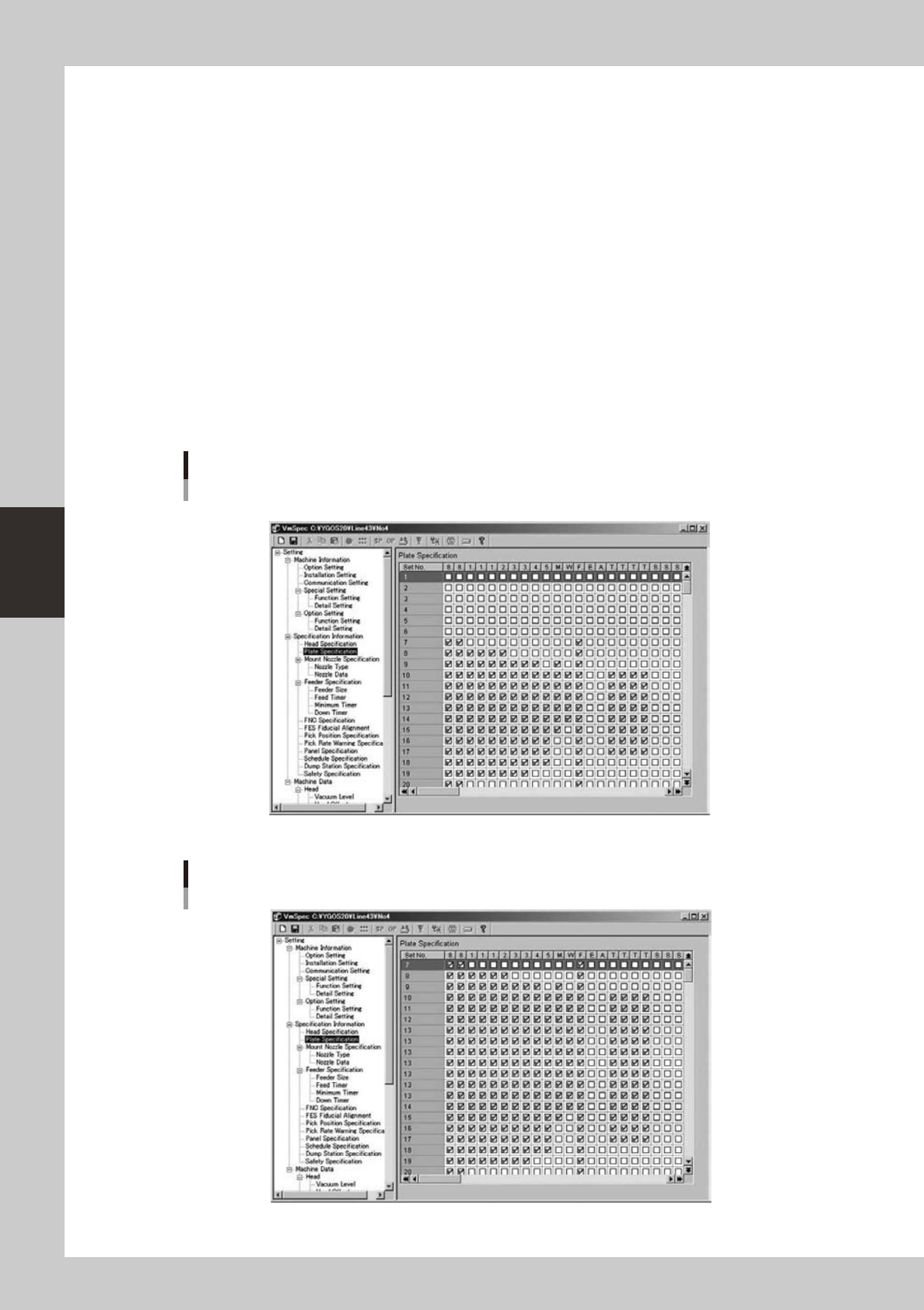
Feeder Plate Specification
You can change this Setting only in the machines. When you change this setting, make system backup disk and
Re-register in Y.FacT.
1. Launch “Setting”.
2. Select “Setting”- “Specification Information”-“Plate Specification”.
3. Change the setting so that feeders are arranged to the space to which they were not arranged in the past function.
Refer to the following example.
Before
* Dump Station is arranged in Set No. 1-6.
64464-S0-00
After
64465-S0-00
4-43
4
Feeder Viewer
n
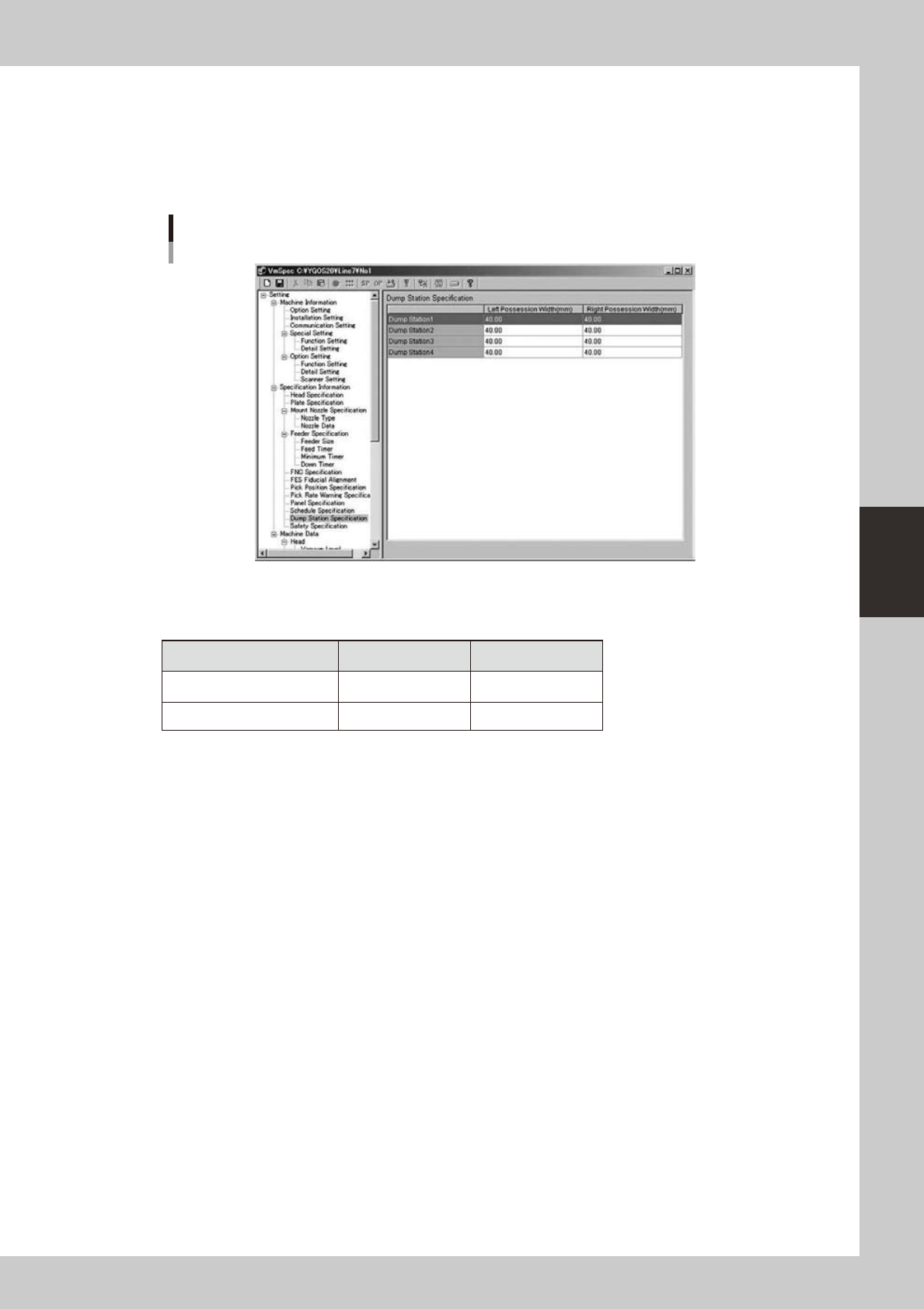
Dump Station Specification
Set Width information of each Dump Station as follows.
This is Setting in Y.FacT.
1. Launch “Machine Property”.
2. Select “Setting”- “Specification Information”-“Dump Station Specification”.
Dump Station Specification
64466-S0-00
3. Input width of a right and left occupation of Dump Station (by the unit of Millimeter).
Please set as follows according to the kind of the Dump Station.
Type Left (mm) Right (mm)
Motor drive conveyo 40.00 40.00
Air cylinder drive conveyor 75.00 50.00
4-44
4
Feeder Viewer
4.2.3 Error Message
n
Error Message in Optimizer
●
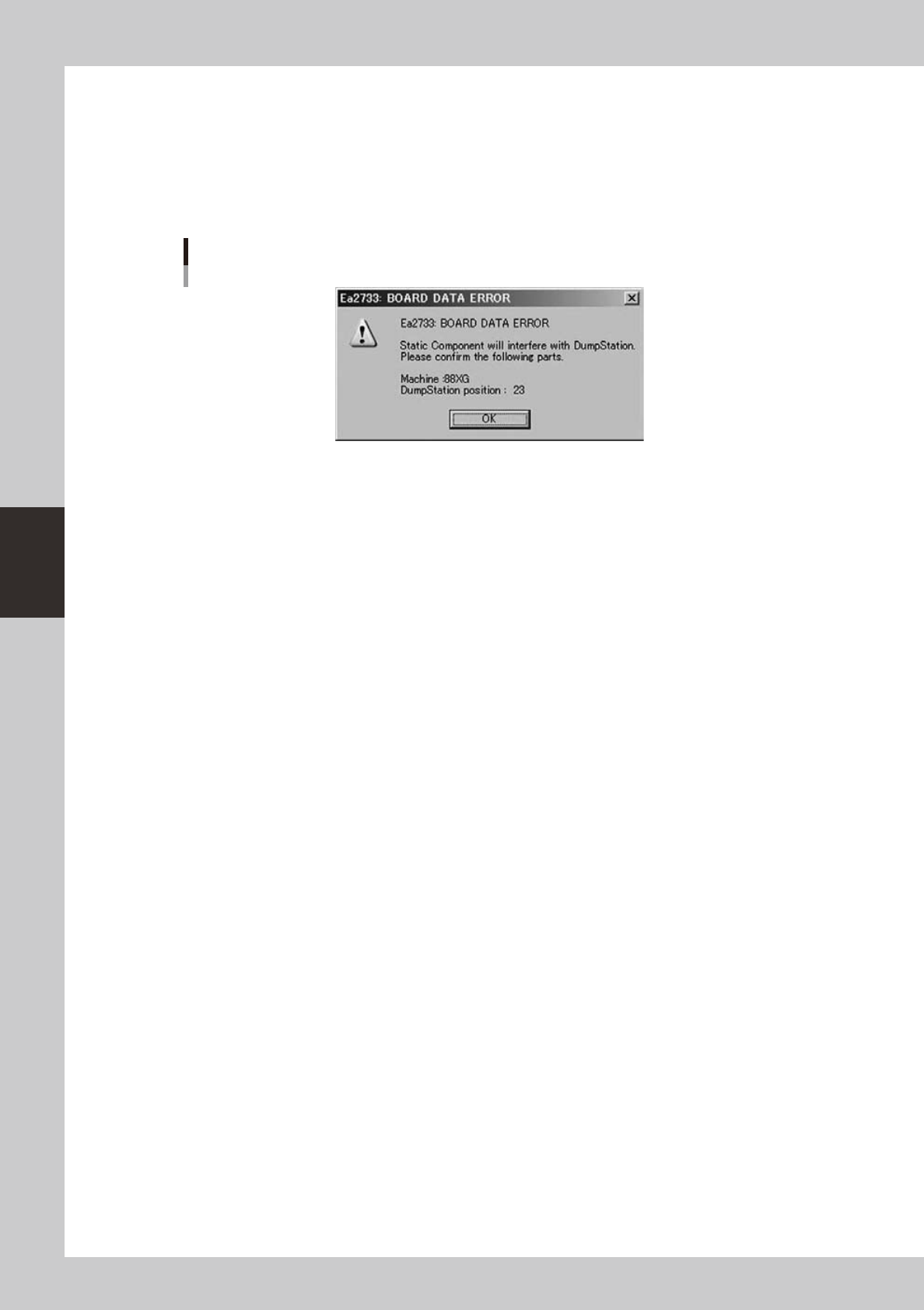
Interference with Fixed Feeder and Dump Station
When the interference with Dump Station and Fixed Feeders that exist in fixed boards, the following error
message is displayed. In that case, move the Fixed Feeders in fixed boards manually.
Error Message
64467-S0-00
4.2.4 Limitations
n
About Optimizer in Machines
This function doesn’t exist in machines now.
Note that it is possible that Optimizer in Machines arranges feeders to the space where interference with
Feeders and Dump Station occurs.
[Solution]
1.Whenexecutingoptimizeatmachines,makesuretheFeederSetConditionis“AllPartsFixed”.
2.UseOptimizerofY.FacTwhenchangingfeedersetposition.
n
About Limitation for “Auto” setting Dump Station
(Optimizer)
1.DumpStationisnotarrangedwhenpartswhichuseDumpStationexistsonlyonfixedboardorstaticcomponents.
2.Ea2733(referto
●
Interference with Fixed Feeder and Dump Station) occurs when fixed feeder (Parts which setting of
“Use Feeder Optimize” is “No” or Feeder Set Condition is “All Parts Fixed”) and Dump station which state is “Auto”
interfere. The Dump Station is not removed automatically in this case.
(Feeder Viewer)
In Feeder Interfere check, it is judged “interfere” when feeders and Dump station which state
is “Auto” interfere.
n
About setup direction for Dump station
Setup direction is not done to Dump Stations.
Setup Dump Station manually according to the setting of each Dump Station and optimizer result.