P-TOOL说明书.pdf - 第21页
1-7 1 Installation of Factor y T ools 1.3 Additional Installation of the Factor y T ools Functions The following explains the method for adding the Factory Tools functions. 1 Start the installer . 1. Set the CD-ROM to th…
1-6
1
Installation of Factory Tools
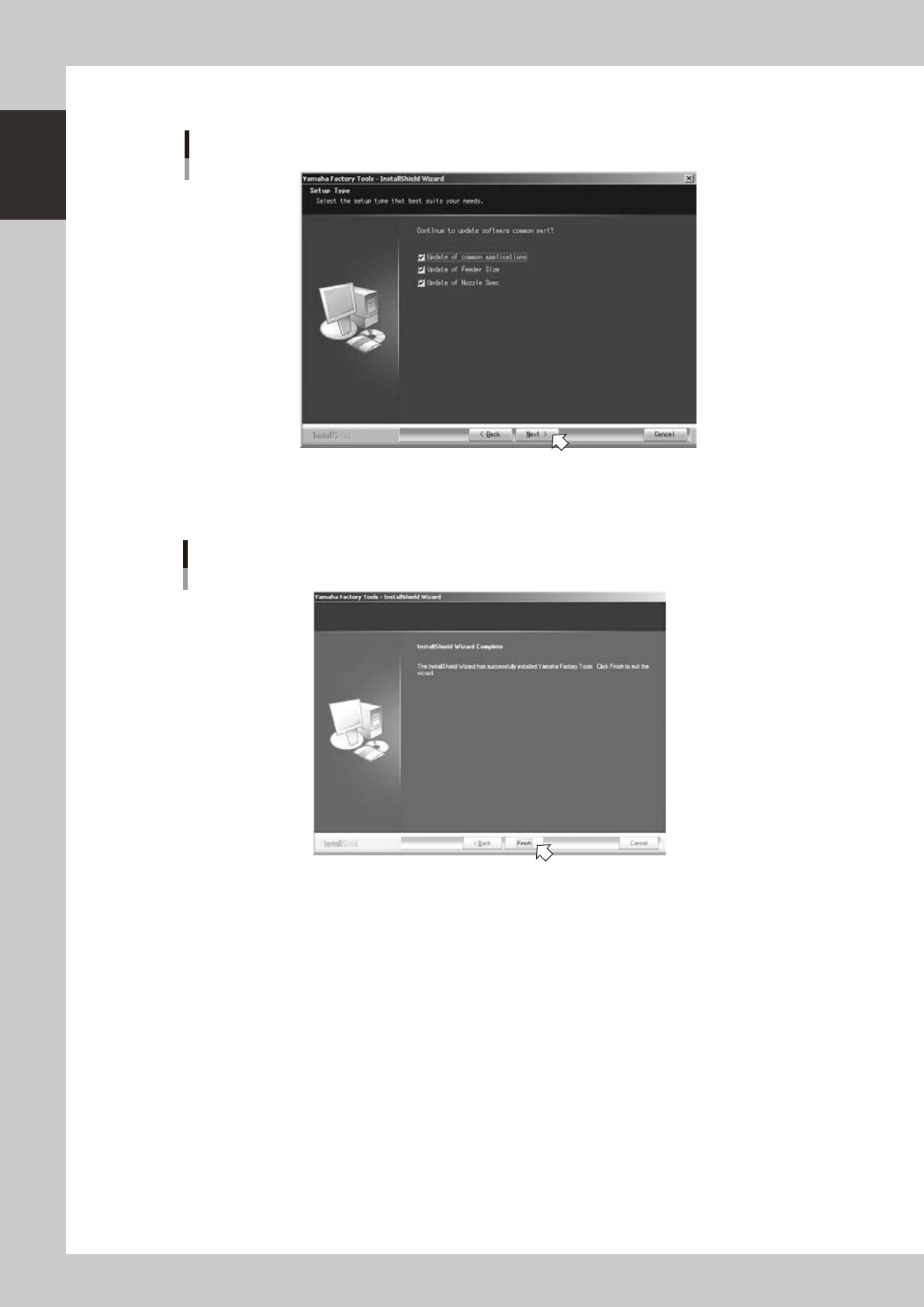
2 Check the update object in the “Setup Type” dialog and click the “Next (N)” button.
“Setup Type” dialog
64130-S0-10
3 "InstallShield Wizard Completed" dialog box will appear when the upgrade is completed.
Click the [Finish] button to quit the "InstallShield Wizard".
“InstallShield Wizard Completed” dialog box
64105-S0-00
Upgrade of the Factory Tools is now completed.
1-7
1
Installation of Factory Tools
1.3 Additional Installation of the Factory Tools Functions
The following explains the method for adding the Factory Tools functions.
1
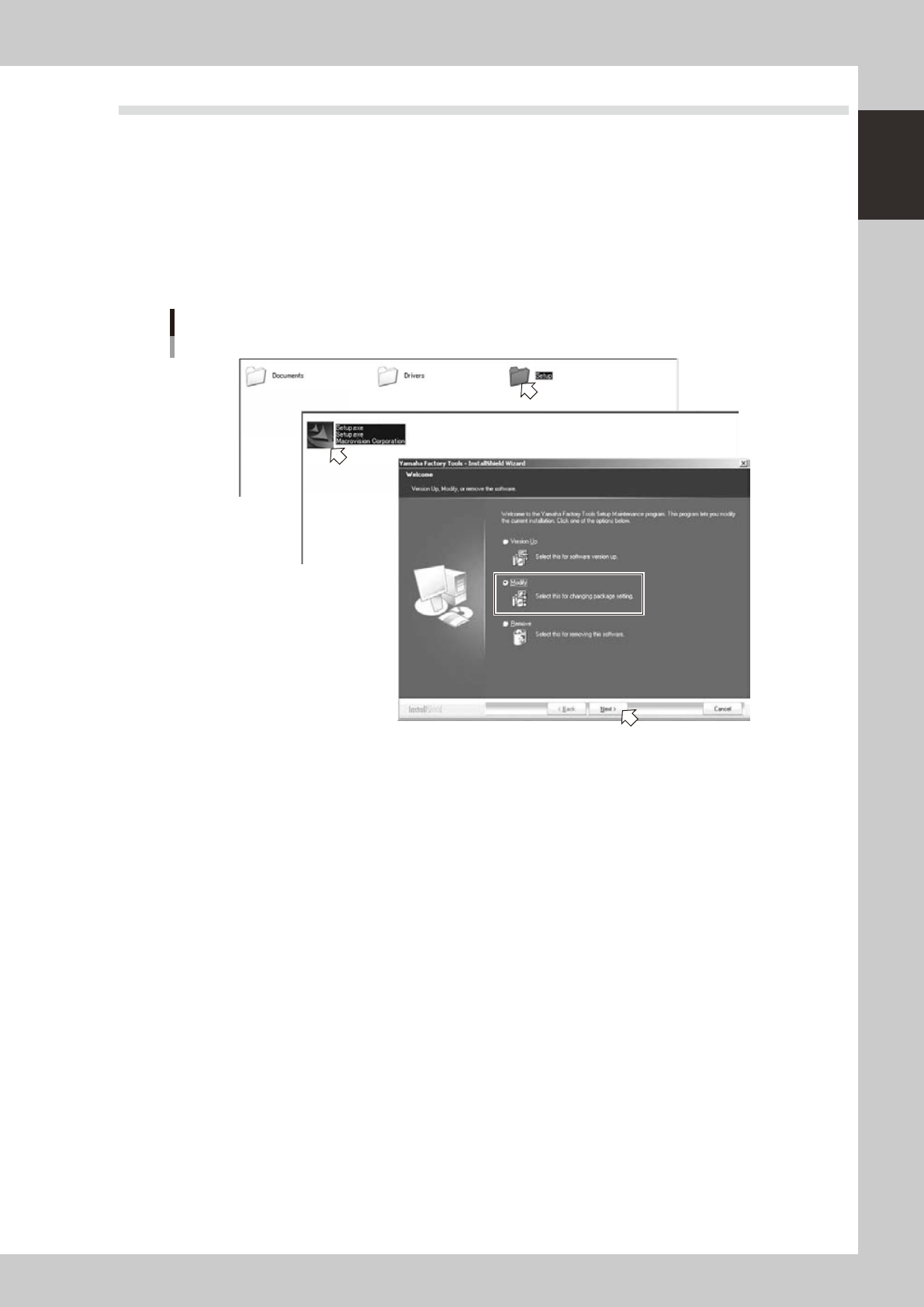
Start the installer.
1. Set the CD-ROM to the PC.
2. Double-click the "My Computer" icon of the PC and select the CD-ROM drive.
3. Open the "Setup" folder and double-click the "Setup.exe".
4. Tick the "Change" radio button in the "Software renewal/change" dialog box and click the [Next]
button.
Setup application
Addition of installation items
64107-S0-00
1-8
1
Installation of Factory Tools
2
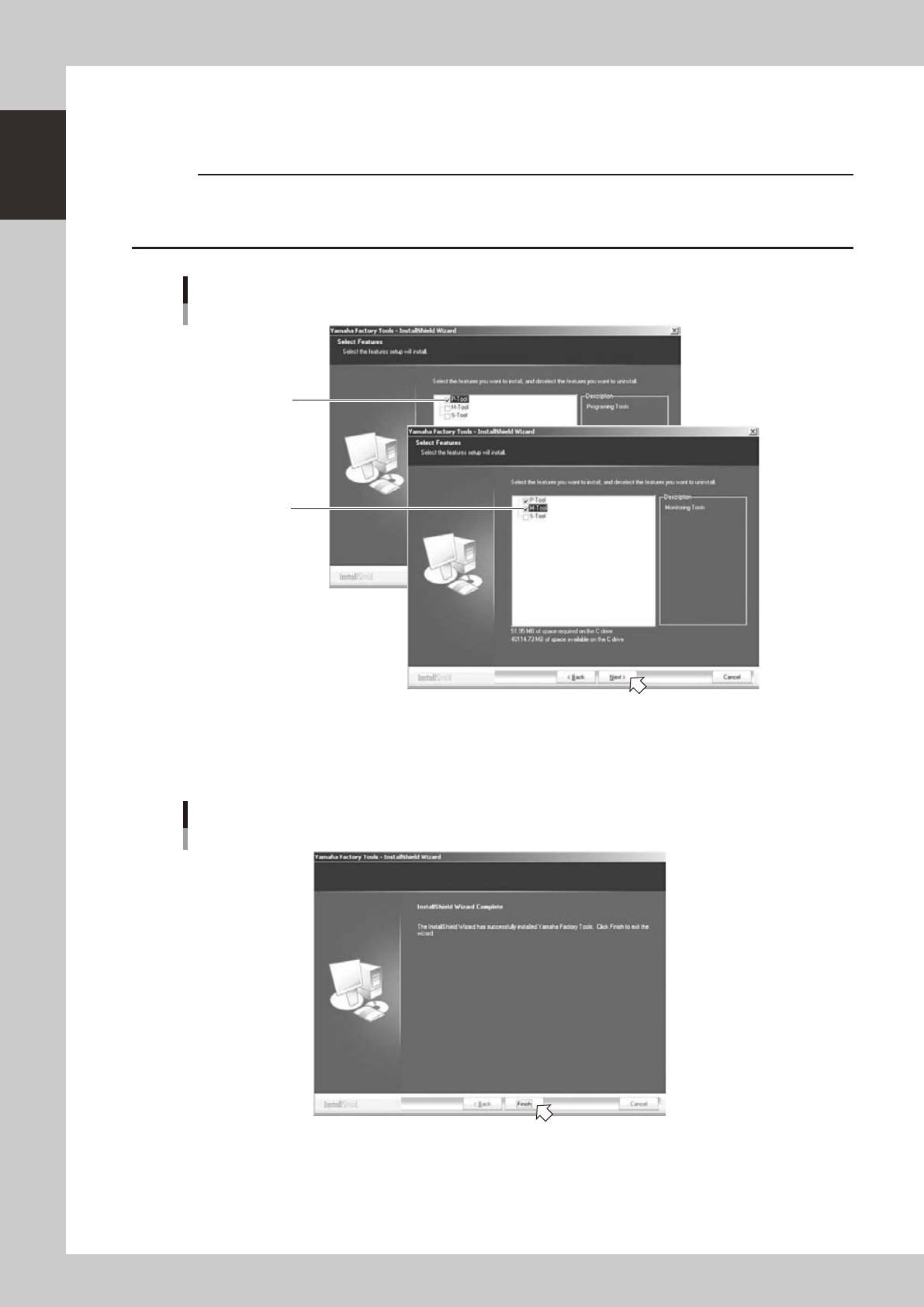
Select functions to install additionally.
1. "Select function" dialog box will appear. Check mark is put for a function which is already installed.
Leave it and tick the check box for a function to add.
c
CAUTION
Check mark is put for a function which is already installed. Don’t clear the existing check mark when ticking a check
mark to add a function. Pay attention not to clear a check mark for a function which is already installed or it will be
uninstalled.
“Select function” dialog box
Check mark is put for
a function which is
already installed.
Tick the check box
for a function to install.
64108-S0-00
2. "InstallShield Wizard Completed" dialog box will appear when the installation of additional function is
completed.
Click the [Finish] button to quit the "InstallShield Wizard".
“InstallShield Wizard Completed” dialog box
64105-S0-00
Installation of the additional functions of the Factory Tools is now completed.