P-TOOL说明书.pdf - 第155页
3-35 3 Board Editor 2.10.3 Function of Replacing Data with Note Thefunctionof“NoteDataisReplace”isasfollows. Replace Screen 64360-S0-00 “NoteDataisReplace”checkboxisaddedtotheconventionalreplacedialo…
3-34
3
Board Editor
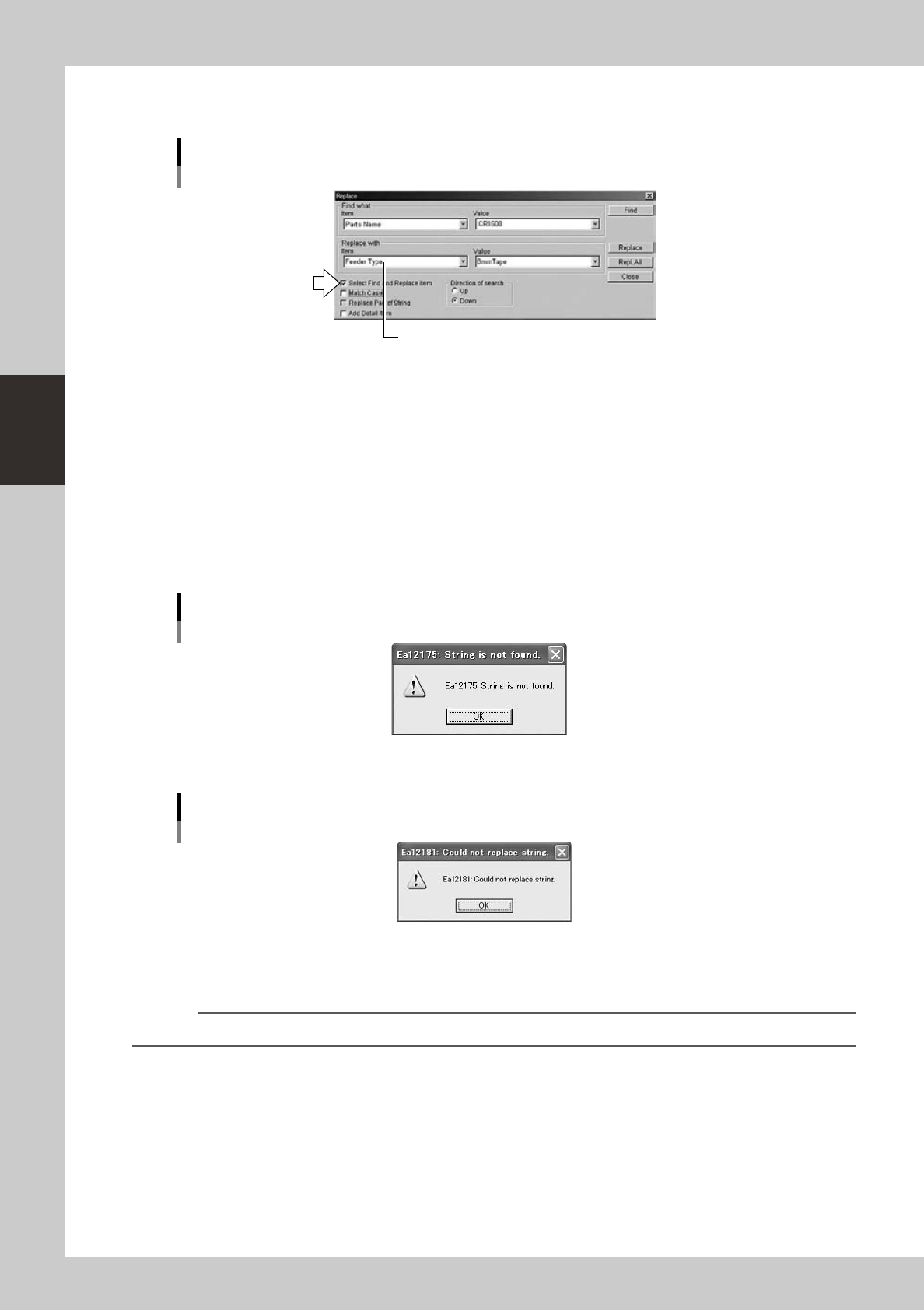
7. If you want to specify the "Item" box in the "Find what" and "Replace with" group boxes separately,
select the "Select Find and Replace item" check box.
"Select Find and Replace" check box
The desired item can also be selected from this "Item" drop-down list box.
64344-S0-00
8. Select the direction of search.
Click the "Up" radio button to perform search backward (toward the beginning of the data rows),
starting from the row you selected in step 2.
Click the "Down" radio button to search forward (toward the end of the data rows), starting from the
row you selected in step 2.
9. To search and replace the target items one by one, click the [Find] button.
When the target item is found, the row of the target item is highlighted. Click the [Replace] button to
perform replace.
If you want to replace all the found targets at once, click the [Repl. All] button.
When all the targets have been replaced or if no target has been found, the following dialog box
appears.
Dialog box displayed when no match is found
64345-S0-00
If failed to replace a target item, the following dialog box appears.
Dialog box displayed if failed to replace a target item
64346-S0-00
4
Close the “Replace” dialog box.
Click the [Close] button to close the "Replace" dialog box.
Reference
You can close the dialog box by clicking the [Close] button in the upper right corner.
3-35
3
Board Editor
2.10.3 Function of Replacing Data with Note
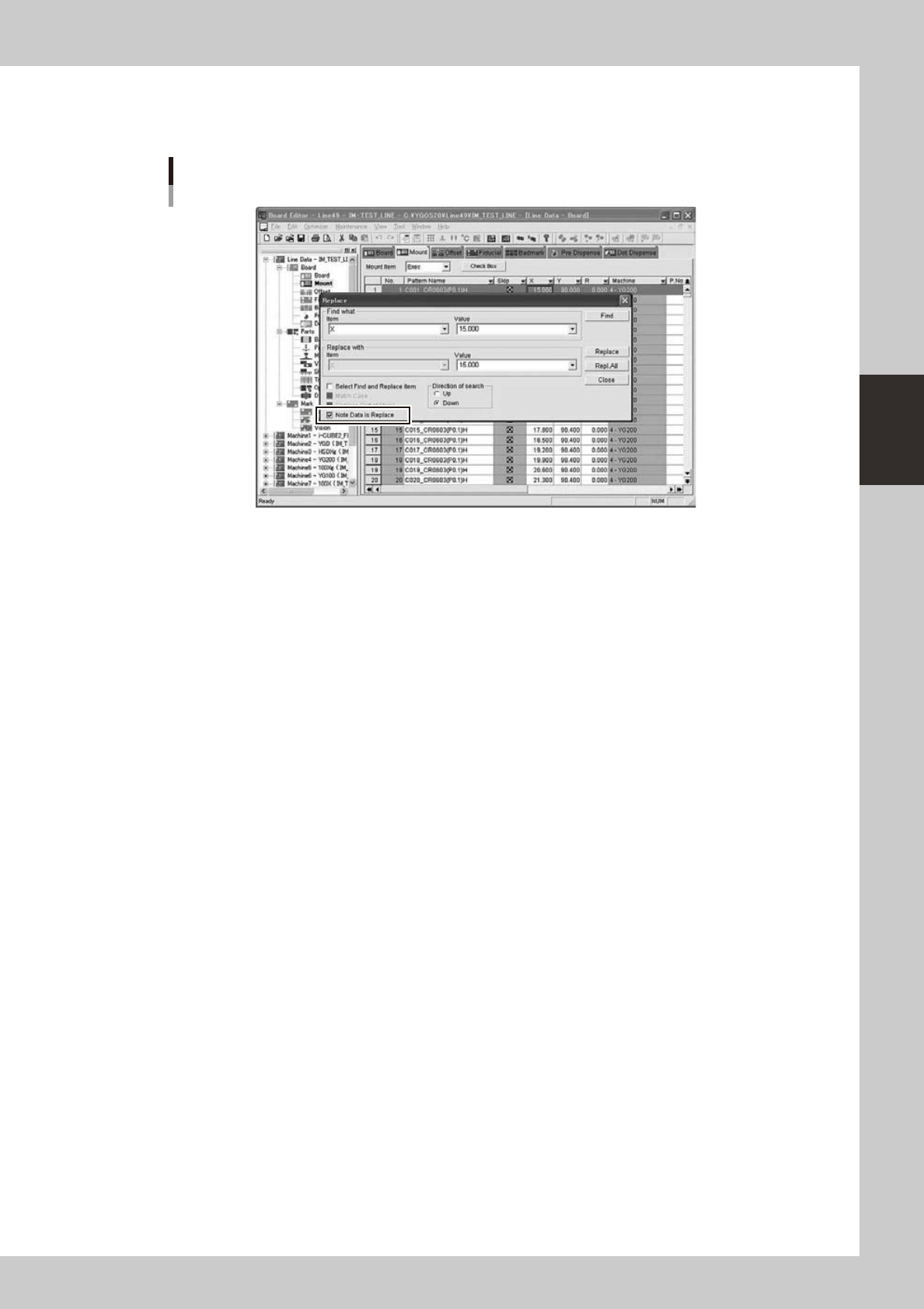
Thefunctionof“NoteDataisReplace”isasfollows.
Replace Screen
64360-S0-00
“NoteDataisReplace”checkboxisaddedtotheconventionalreplacedialog.AlsoletNoteDatabethe
object of replace by selection of this item.
3-36
3
Board Editor
n
Note Data is Replace
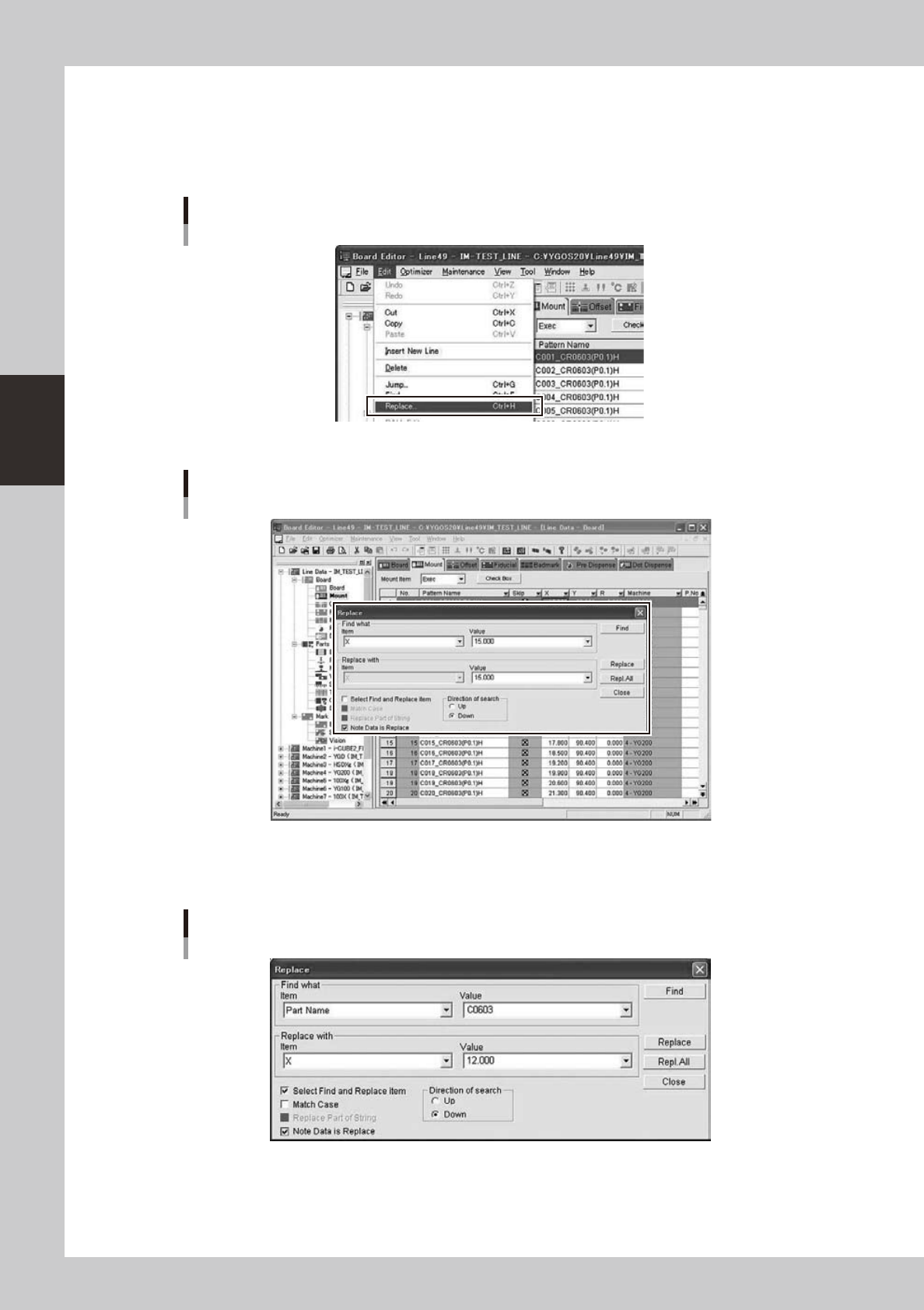
ItoperatesitforNoteDataisReplaceasfollows.
●
The display of a Replace screen
Select“Replace”in“Edit”menutoopenReplacescreen.
“Edit” - “Replace” Menu
64361-S0-00
Replace Screen opens
64362-S0-00
●
Replace Screen
AsetupofNotedataReplacecanbeperformedfromareplacescreen.
Replace Dialog
64363-S0-00